

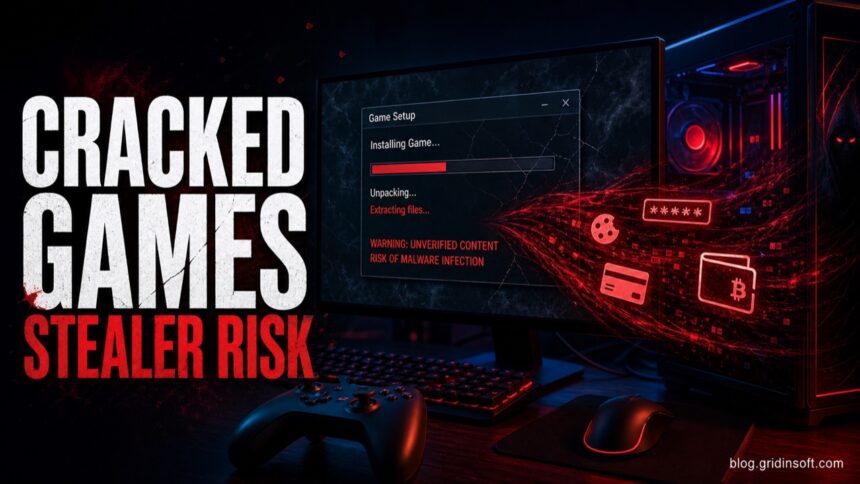
Cracked games are not safe on a normal PC. A crack, keygen, trainer, password-protected repack, or “fix” runs code you cannot verify, and a working game can still hide a stealer, miner, loader, or persistence. Do not disable antivirus or restore the file just because comments call it a false positive. If you already ran the package, remove it and any exclusions, scan the PC, check Startup and Task Scheduler, and protect important accounts from a clean device.
The same warning applies to cracked software beyond games. Patched desktop apps, creative plugins, CAD tools, download managers, and office activators use the same untrusted crack, keygen, or patcher chain. The program opening successfully does not prove that the modified files are clean.
For branded repack questions, see our FitGirl Repacks safety check and DODI Repacks safety check; both separate the repacker name, fake mirrors, HackTool alerts, and post-install cleanup steps.
For an exact-domain example, see our Repack-Games.com safety and cleanup guide, which focuses on one repack-download chain rather than cracked games in general.
Cracked-game and warez pages may also push unrelated browser downloads through ads or affiliate redirects. If a click unexpectedly downloads OperaGXSetup.exe, use our Opera GX safety checklist to separate the official browser from fake installers and bundled offers.
Are cracked games safe?
- No, treat cracked games as unsafe. The installer and crack often need the same permissions as the game, and sometimes more.
- “Disable antivirus” is the biggest warning sign. A clean game should not need Microsoft Defender turned off or a folder excluded from scanning.
- The visible game is not the whole risk. Stealers, miners, proxy malware, browser hijackers, and loaders can run quietly in the background.
- If you already ran one, remove the package, undo exclusions, scan the system, check persistence, and rotate important passwords from a clean device.
| Main risk | Credential theft, session-cookie theft, crypto-wallet theft, miners, backdoors, adware, PUA bundles |
| Common lure | Free full game, DLC unlocker, crack fix, trainer, keygen, repack, “no-Steam” launcher |
| Worst advice | Disable antivirus, ignore Defender, or add the whole game folder to exclusions |
| Safer response | Delete, scan, check Startup/Task Scheduler/browser extensions, and change passwords if anything executed |
Why cracked games are dangerous even when they work
A cracked game is already a modified software package. It may replace the original executable, patch a DLL, inject code into the game process, bundle a fake launcher, or run a separate activation tool before the game opens. That creates the perfect cover for malware: the user expects warnings, expects unusual files, and may follow instructions that weaken security.
Attackers take advantage of that trust. Public reports have documented cracked-software loader campaigns using this exact trust gap. [3] A repack can install the game and still drop a stealer in %AppData%, create a scheduled task, add a startup item, or download a second-stage payload after the first reboot. The game launching successfully does not prove the package was clean; it only proves the visible part of the package worked.
What malware is commonly bundled with cracked games?
- Password and cookie stealers: steal browser passwords, session cookies, Discord tokens, Steam accounts, wallets, and email access.
- Cryptominers: use the GPU or CPU while the user thinks the PC is only running a heavy game.
- Loaders and backdoors: install one small component first, then download a larger payload later.
- Adware and browser hijackers: change search settings, install extensions, or open redirect pages.
- Proxy malware: turns the PC into a relay for other people’s traffic, which can trigger account locks or network abuse warnings.
- Fake update or support lures: redirect the user into more downloads after the “game fix” fails.
For readers dealing with a specific DLC tool rather than a generic repack, the Sims 4 DLC Unlocker safety guide separates a file blocked before execution from a fake installer that already ran, changed Defender settings, or exposed accounts.
Cracked software beyond games: apps, plugins, and patchers
A software crack can target a video editor, CAD suite, audio plugin, download manager, office app, or another paid Windows program. The delivery chain is usually the same as for cracked games: a password-protected archive, patched executable or DLL, separate keygen, activation script, or fake setup from a mirror, YouTube description, forum, or messaging channel. That gives an unknown file permission to change both the licensed app and Windows.
| What you downloaded | Safer route |
| Patched EXE/DLL or a separate patcher | Do not whitelist it. Use the HackTool:Win32/Crack and Keygen guides below to interpret the alert, then remove the complete source package. |
| KMS, AutoPico, or another activator | Follow the KMSPico cleanup guide or the AutoPico persistence steps instead of restoring the activator. |
| Unknown setup from a mirror or tutorial link | Check the source, signature, and path with the EXE safety checklist. A working installer is not proof of a clean package. |
| The app ran and accounts or browser sessions changed | Use the infostealer recovery sequence and change passwords from a clean device. |
| The app was removed but activity returns after reboot | Review the Startup Apps safety checks, scheduled tasks, services, browser extensions, and security exclusions. |
If you already ran cracked software, remove the app, patcher, keygen, source archive, and extracted setup folder together. Then undo any security exclusions, scan Windows, check persistence, and protect accounts if the file executed. The detailed post-run sequence later on this page applies to both games and desktop software.
Why Defender flags cracks, keygens, and trainers
Microsoft Defender commonly flags hack tools, PUA bundles, and trojans from cracked-software ecosystems because the behavior overlaps with malware: patching executables, bypassing licensing checks, injecting into processes, disabling protections, or unpacking encrypted payloads. Some detections are named as HackTool or PUA rather than Trojan, but that does not make the file safe to restore. [1] [2]
Crack, keygen, trainer, or AutoKMS: which guide should you use?
- HackTool:Win32/Crack covers patched binaries, loaders, DLL changes, and license checks bypassed inside a program.
- HackTool:Win32/Keygen covers serial generators and keygen archives that may also carry stealers, miners, or downloaders.
- HackTool:Win32/AutoKMS covers KMS activators and Office/Windows activation tools that should not be restored from quarantine.
- HackTool:Win64/GameHack!rfn covers game-hacking tools and cheat-related detections.
- The Microsoft Defender detection names guide explains suffixes such as
!ml,!MSR, and!rfnwhen the alert name is confusing.
Red flags before you run a cracked game
- The instructions say to disable Microsoft Defender, SmartScreen, or “real-time protection”.
- The archive is password-protected so scanners cannot inspect it before extraction.
- The download path jumps through several file hosts, captcha pages, or “update your browser” screens.
- The installer asks for administrator rights before showing any normal setup screen.
- The folder contains several launchers, scripts, unknown DLLs, or a small “fix” executable separate from the game.
- Comments say the antivirus alert is “normal for cracks” and tell users to restore the file from quarantine.
A third-party game launcher needs a narrower decision than “all safe” or “all malware.” Our TLauncher safety and removal guide shows how to compare the source, signer, exact hash, bundled offers, and post-install behavior without deleting Minecraft worlds blindly.
Warning signs after installing a cracked game
Do not wait for a ransom note or a visible popup. Treat the PC as suspicious if you see any of these after running a crack or repack:
- new Defender exclusions, disabled protection settings, or repeated “threat removed” alerts;
- unknown entries in Startup Apps, Task Scheduler, Services, or browser extensions;
- fans spinning, high GPU/CPU use, or network traffic when no game is open;
- browser search/homepage changes, popups, or redirects;
- Steam, Discord, email, or social-account login alerts;
- new files in
%Temp%,%AppData%, or%ProgramData%with random names.
What to do if you installed a cracked game
- Disconnect from the internet if Defender showed a Trojan alert, the installer asked for exclusions, or you entered passwords after install.
- Delete the installer, crack, repack archive, and extracted folder. Do not keep the password-protected archive “just in case”.
- Undo Defender exclusions. In Windows Security, check exclusions for the game folder, download folder, archive folder, and temporary paths.
- Check persistence points. Review Startup Apps, Task Scheduler, browser extensions, Services, and recent files in
%AppData%,%Temp%, and%ProgramData%. - Run a full scan. Start with Microsoft Defender, then use a second-opinion scan such as Gridinsoft Anti-Malware if you saw alerts, redirects, stolen-account signs, or unknown startup entries.
- Change passwords from a clean device. Prioritize email, Steam, Discord, banking, crypto wallets, password managers, and social accounts.
- Reinstall Windows only when needed. Consider a clean reinstall if a stealer or backdoor ran, security settings keep changing back, or suspicious startup tasks return after cleanup.
Cracks, repacks, and activators can add Defender exclusions, startup tasks, services, browser changes, stealers, or miners outside the folder you meant to install. Scan for those changes before trusting the PC.
Scan for crack and patcher leftoversIs it ever a false positive?
False positives can happen with modding tools, trainers, and heavily packed executables, but cracked-game context changes the decision. A file from an official game store, developer, or known modding project can be investigated. A file from a crack, keygen, activator, or repack should not be restored just because comments say the alert is normal.
| Situation | Safer decision |
| Official game launcher or known mod tool, downloaded from the developer | Verify signature/source and submit for review if the detection looks wrong. |
| Crack, keygen, activator, trainer, or “fix” from a piracy site | Do not restore it. Delete the package and scan the PC. |
| Defender alert appeared after you disabled protection or added exclusions | Treat as high risk; check persistence and change passwords. |
| Only the archive was downloaded but never extracted or opened | Delete it and run a scan; account password changes are usually not needed unless something executed. |
Safer alternatives to cracked games
The safest option is boring but effective: use official stores, publisher giveaways, demos, free weekends, subscription libraries, and legitimate free-to-play releases. If cost is the problem, wishlists and seasonal sales are still safer than giving an unknown installer administrator rights on the same Windows profile that stores your passwords and session cookies.
The same risk pattern appears outside games too. For a creative-software example, read the VFXmed virus warning before running cracked 3D, VFX, or plugin installers on a real Windows profile. If a cracked installer leaves eld4.exe or other ELD files running from Temp at startup, scan the system before opening launchers or changing passwords.
If a crack, keygen, or trainer triggers a security alert, do not restore it just because other users say the warning is expected. Our broader guide explains what antivirus can and cannot do, and when a second-opinion scan is useful.
FAQ
Can a cracked game be safe if many people use it?
No. Popularity only means the package is widely shared. Malware campaigns often rely on popular games, repacks, and cracks because users are already expecting unusual instructions.
Is a trainer safer than a crack?
Not by default. Trainers often inject into game processes or modify memory, so they can trigger security tools and can also be abused to deliver malware.
Should I change passwords after running a cracked game?
Change passwords if the installer executed, Defender detected a Trojan or stealer, browser sessions were open, or you saw account-login alerts. Change them from a clean device, not from the suspicious PC.
Do I need to reinstall Windows?
Not always. A reinstall is most reasonable when a stealer/backdoor ran, malware returns after removal, security settings keep changing back, or you cannot explain unknown startup tasks and services.
Are repacks safer than cracks?
No. A repack can install the real game and still bundle a hidden loader, miner, or adware component. The smaller and more unofficial the installer chain, the harder it is to verify.
References
- Microsoft Support. “Protect your PC from unwanted software.” Microsoft, accessed June 1, 2026. https://support.microsoft.com/en-us/windows/protect-your-pc-from-unwanted-software-074a2d74-02db-03dd-8340-9e1822377856
- Microsoft Support. “Protect your PC from potentially unwanted applications.” Microsoft, accessed June 1, 2026. https://support.microsoft.com/en-US/security/protect-your-pc-from-potentially-unwanted-applications
- CYDERES Howler Cell. “RenEngine Loader and HijackLoader Attack Chain Analysis.” CYDERES, accessed June 1, 2026. https://www.cyderes.com/howler-cell/renengine-loader-hijackloader-attack-chain
For a tool-specific example, see our SteamTools virus and cleanup check; it focuses on third-party SteamTools packages, account-session risk, and leftovers after uninstall.


Very good post. I’m facing a few of these issues as well..
This is a good blog.