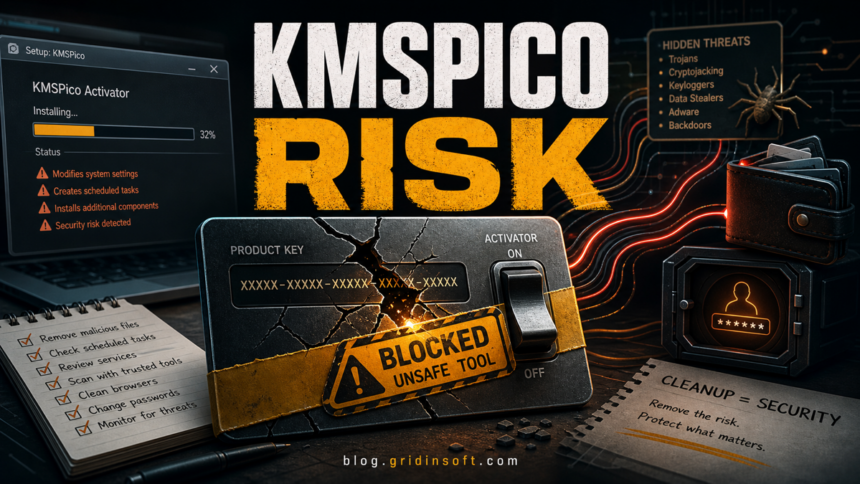
KMSPico is not a safe Windows feature or a Microsoft repair tool. It is an unofficial Windows and Office activator that changes licensing behavior, and many downloads using the KMSPico name are bundled with adware, password stealers, crypto-wallet theft, or other malware. If you installed it, remove the activator, check persistence points, scan Windows, and then restore legitimate activation instead of trying another “clean” activator.
For exact Defender labels seen after cracks or activators, compare the case with the Trojan:Win32/Etset!rfn removal check: the same rules apply to quarantine status, repeat alerts, and exclusions.
What should you do first?
- Disconnect risky accounts from the PC if you saw password prompts, browser changes, crypto-wallet activity, or security tools being blocked.
- Remove KMSPico, AutoPico, AutoKMS, Service_KMS, and recent activator folders from installed apps and common download locations.
- Check scheduled tasks, services, startup items, browser extensions, and security exclusions before assuming the system is clean.
- Run a full malware scan, because fake KMSPico installers have been used as delivery wrappers for unrelated malware.
- Restore licensing through legitimate Windows or Office activation after cleanup. Do not install another activator to “fix” the old one.
| Item | KMSPico / KMS Pico / KMSpico |
| Most accurate label | Hacktool, crack tool, or risky activator; some downloads are malware bundles |
| Main risk | Licensing tampering, scheduled tasks/services, security exclusions, adware, password theft, wallet theft, or bundled payloads |
| Best first action | Remove the activator source, check persistence, scan for malware, and restore genuine activation |
| Related Gridinsoft guides | HackTool:Win32/AutoKMS, HackTool:Win32/Crack, and HackTool:Win32/Keygen |
What is KMSPico?
KMSPico is a well-known unofficial activator for Windows and Microsoft Office. It tries to imitate or abuse the idea of Key Management Services, which is a legitimate Microsoft volume-licensing activation model for organizations with a real KMS host on their network. Microsoft documents KMS as a volume-licensing scenario, not as a free retail-license bypass for home PCs.1
That distinction matters. A company-managed KMS client is not the same thing as a cracked home installation. KMSPico-style tools may change activation settings, install services, create scheduled tasks, add firewall rules, or keep helper scripts around so the activation bypass survives reboots. Even when the activator itself is only a hacktool, the download source is often the larger risk.
Is KMSPico safe?
No. Treat KMSPico as unsafe for a normal home or work PC. Red Canary has documented fake KMSPico installers being used to drop CryptBot, an information stealer associated with browser, password, and cryptocurrency-wallet theft.2 Even when an activator is only a hacktool, the download source and persistence changes can still make it unsafe for a normal PC.
The practical answer is simple: a KMSPico installer may be “just” a crack, but you cannot safely assume that after running it. Once it has administrative access, it can make changes that are hard to see from the desktop. That is why cleanup should include persistence checks and credential-protection steps, not only uninstalling one program entry.
Signs KMSPico may have installed more than an activator
- Microsoft Defender, another antivirus, or SmartScreen detects HackTool, RiskWare, CrackTool, AutoKMS, or KMSpico.
- Windows Security exclusions appeared without your decision.
- Unknown scheduled tasks, services, or startup items mention KMS, AutoPico, Service_KMS, activation, updater, or random names.
- The browser homepage, search engine, or extensions changed after installing the activator.
- Security websites, antivirus installers, or system tools are blocked.
- Crypto wallets, browser password stores, Discord, Steam, Telegram, or email accounts show unusual activity.
- The PC becomes noisy with popups, fake update prompts, proxy changes, or unwanted apps.
None of these symptoms proves the exact malware family by itself. They do mean the KMSPico install should be treated as a security incident rather than a harmless licensing tweak.
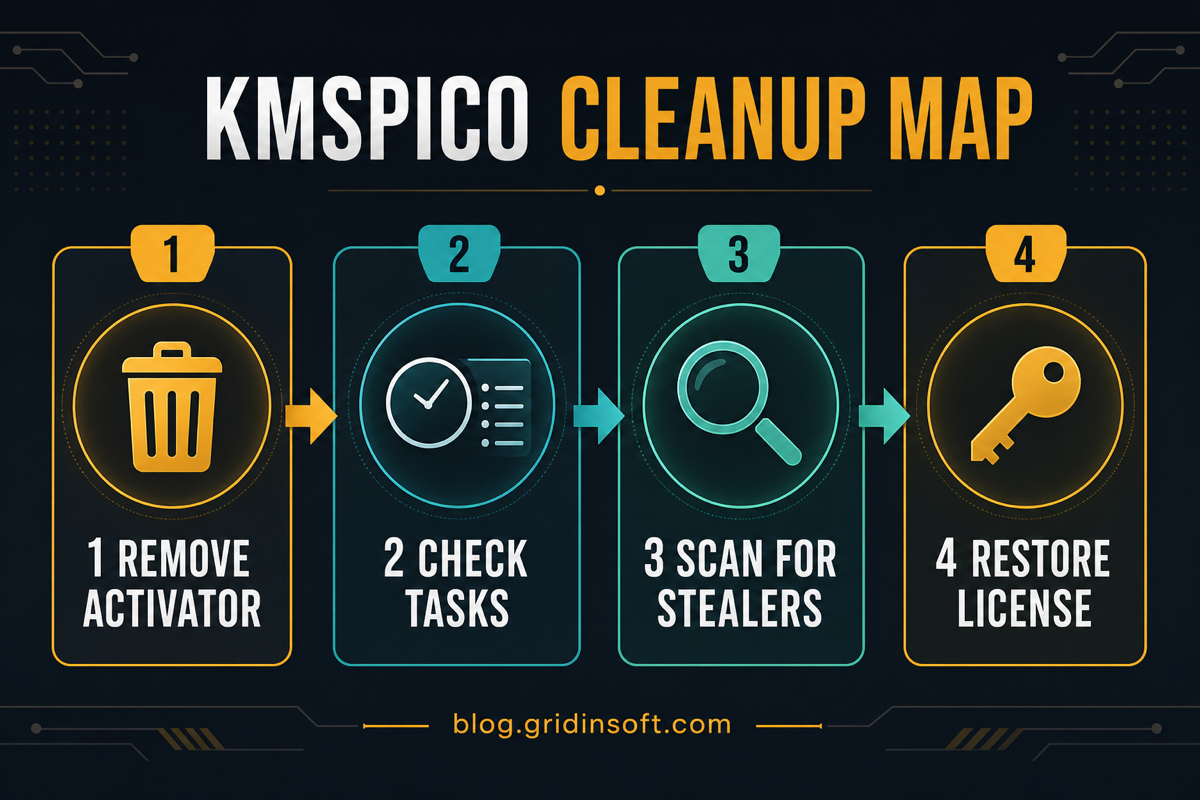
KMSPico cleanup map
How to remove KMSPico safely
- Back up personal files, not programs. Save documents, photos, and work files. Do not back up activator folders, cracks, installers, unknown scripts, or suspicious browser profiles.
- Uninstall visible activator entries. In Windows Settings, remove KMSPico, AutoPico, AutoKMS, Service_KMS, KMS helper tools, and suspicious apps installed around the same date.
- Delete the original installer and extracted folders. Check Downloads, Desktop, temporary folders, and archive-extraction folders. If the file came from a torrent, repack, or “official activator” page, do not keep a copy.
- Check scheduled tasks. Open Task Scheduler and look for activation, KMS, AutoPico, updater, rearm, random-name, or script tasks created near the install time. If you find AutoPico Daily Restart, remove that task together with the related KMS service and folder before assuming the activator is gone. Disable suspicious entries first if you are unsure, then remove the confirmed ones.
- Check services and startup items. Use Services and Task Manager Startup to find unknown activation services, updater services, or scripts that start with Windows.
- Review Windows Security exclusions. Remove exclusions you did not create. Activators and malware often add exclusions so future scans skip their folders.
- Check browsers. Remove unknown extensions, restore search/homepage settings, and clear notification permissions if ads or redirects started after the KMSPico install.
- Run a full scan. Use Gridinsoft Anti-Malware to scan for bundled PUA, trojans, stealers, scheduled-task persistence, and leftovers that a normal uninstall can miss.
- Reboot and scan again if anything was found. A second pass catches items that were locked during the first cleanup.
- Restore legitimate activation. Use Windows Settings, Microsoft account licensing, your OEM key, or your organization’s legitimate activation process. Do not install another activator.
After uninstalling the suspicious app or deleting the visible threat, use Gridinsoft Anti-Malware to check hidden files, startup entries, scheduled tasks, bundled apps, browser changes, and other persistence points that can restore malware.
Download Anti-MalwareWhat to check after cleanup
If KMSPico ran on the PC, cleanup is not only about removing files. Check what the machine could have exposed while the activator or bundled malware had access.
- Passwords: change passwords from a clean device if browser passwords, email, crypto wallets, or work accounts were present on the PC.
- Sessions: sign out of all sessions for email, Microsoft, Google, Discord, Steam, Telegram, banking, and crypto services.
- Wallets: move funds from wallets that were unlocked or stored on the PC during the infection window.
- Payment data: monitor cards and accounts if the browser stored payment details.
- System integrity: if security tools were blocked, Windows Security was disabled, or a stealer was detected, consider a clean Windows reinstall from trusted media.
If Software Protection remains missing, disabled, or unusually busy after cleanup, follow the sppsvc.exe verification and Windows repair steps instead of downloading a replacement executable or installing another activator.
What not to do
- Do not download a “clean KMSPico” from another site. Competing activator pages often use the same trust trick.
- Do not run random batch files, registry scripts, or PowerShell commands from forums unless a trusted technician reviewed your exact logs.
- Do not ignore the detection because “activation still works.” Persistent activation can mean persistent tasks or services.
- Do not keep the same passwords if a stealer or suspicious network activity was found.
When a clean Windows reinstall is the safer choice
Manual cleanup is reasonable when the only findings are a visible activator folder and a small number of confirmed hacktool files. A clean reinstall becomes safer when you see password theft, wallet theft, disabled security tools, unknown administrator accounts, repeated detections after removal, or a rootkit/backdoor detection. In those cases, back up personal files, wipe the system drive, reinstall Windows from trusted media, patch it, and only then restore documents.
FAQ
Is KMSPico a virus?
KMSPico is usually classified as a hacktool or riskware, but many installers using the KMSPico name are malware bundles. Treat it as unsafe and scan the system after removal.
Can KMSPico steal passwords?
The activator name alone does not prove password theft, but fake KMSPico installers have been used to deliver information stealers. If the PC stored browser passwords, wallets, or account sessions, change important passwords from a clean device after scanning.
Why does Defender detect KMSPico or AutoKMS?
Defender commonly flags license-bypass tools as hacktools because they tamper with activation behavior and may create persistence. If the alert says AutoKMS, use the related HackTool:Win32/AutoKMS guide for exact detection context.
Can I just delete the KMSPico folder?
Deleting the folder is not enough if tasks, services, exclusions, browser changes, or bundled malware remain. Remove visible apps, check persistence, scan, and restore legitimate activation.
Will removing KMSPico deactivate Windows or Office?
It may. That is expected if the activator was providing the bypass. After cleanup, use a genuine license, your OEM activation, Microsoft account activation, or your organization’s legitimate licensing process.
References
- Microsoft Learn. “KMS client activation and product keys.” Microsoft, last updated June 25, 2025, accessed June 13, 2026. https://learn.microsoft.com/en-us/windows-server/get-started/kms-client-activation-keys
- Red Canary. “KMSPico and Cryptbot: A spicy combo.” Red Canary, accessed June 13, 2026. https://redcanary.com/blog/threat-intelligence/kmspico-cryptbot/