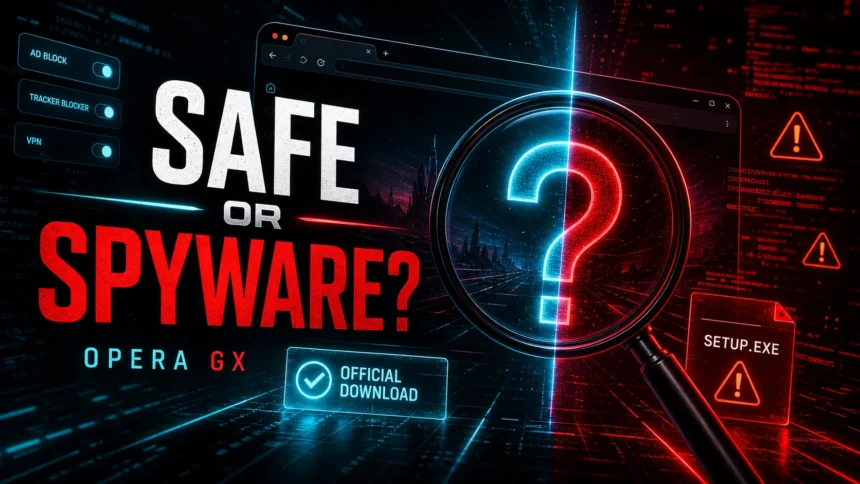
Opera GX is generally safe when downloaded from Opera: the official Chromium-based browser is not a virus or spyware. The two real concerns are privacy—Opera GX processes service and usage data under its published policy—and distribution. A fake or bundled OperaGXSetup.exe from a warez page, pop-up, fake update, or cracked-game installer can be risky even though the real browser is legitimate.
Is Opera GX safe or spyware?
- Official Opera GX is not a virus or spyware. Download it only from Opera or a trusted app store.
- Unexpected Opera GX downloads are a red flag. If a movie, game, mod, extension, or “download” button suddenly sends you to Opera GX, treat the page or installer chain as suspicious.
- The real risk is the wrapper. Bundles can install browser hijackers, notification spam, unwanted extensions, or a modified setup file while showing a familiar Opera GX name.
- Privacy is a separate question. Opera GX has ad/tracker blocking and security features, but it is still a service-connected commercial browser, not a minimal privacy browser.
| App | Opera GX |
| Developer | Opera Norway AS / Opera |
| Engine | Chromium-based browser |
| Safe source | Opera.com, official Opera pages, Microsoft Store, Google Play, or Apple App Store |
| Main risks | Fake installers, paid-acquisition redirects, cracked-software bundles, malicious extensions, notification spam, hijacked shortcuts |
Why do people think Opera GX is malware?
The question usually appears after a user did not search for Opera GX at all. They clicked a download button on a streaming, mod, game, crack, emulator, or file-hosting page, and the browser or installer appeared anyway. That feels like adware, even when the final landing page is the real Opera website.
Opera runs affiliate and paid-acquisition programs, so publishers can earn commissions when users install Opera through tracked links. [2] That model is normal in software marketing, but low-quality publishers and malicious extension campaigns can abuse it with deceptive redirects. Security research has documented cases where users were pushed toward a “Download Opera GX” button through a deceptive page and affiliate-tracking flow, which explains why the browser name shows up in suspicious download chains. [3]
So the safer interpretation is: Opera GX is not automatically malware, but a forced or unexpected Opera GX download is evidence that the site, ad, extension, or installer you came from may be untrustworthy.
Official Opera GX vs suspicious OperaGXSetup.exe
| Likely safe | You went to Opera.com yourself, downloaded the installer directly, and Windows shows Opera as the publisher. |
| Suspicious | A warez page, fake CAPTCHA, pop-up, torrent/repack installer, or browser extension opened the download for you. |
| High risk | The file name is generic, the signature is missing or wrong, the installer adds other software, or Opera GX appeared after a crack/keygen/trainer. |
| Remove and scan | Search engine changed, homepage changed, unknown extensions appeared, notifications show fake virus alerts, or Opera GX returns after uninstall. |
Is Opera GX spyware?
Calling the official Opera GX browser spyware is too strong. It is a real browser, built on Chromium, with normal browser security features such as sandboxing, malicious-site protection, ad/tracker blocking options, and frequent updates. Opera also publishes a privacy statement that explains how its desktop browsers, including Opera GX, process data. [1]
That does not mean every privacy-focused user will like it. Opera GX is closed-source, heavily branded, and connected to optional services, sidebar integrations, personalization, search partnerships, VPN features, and advertising/monetization. If you want a minimal, open-source, privacy-first browser, Firefox or a hardened Chromium setup may fit your threat model better.
Current Opera GX security status in 2026
Opera fixed a GX Mods vulnerability in Opera GX 130.0.5847.89. Under specific conditions before the fix, a malicious website could force-install a mod; the mod could use CSS injection to read page attributes such as a username or email address and send them through tracker-like requests. Opera changed the mod installation pipeline so a mod cannot be downloaded and enabled without explicit user interaction and confirmation. [4]
- Update before judging the browser. Open the Opera menu, choose Update & Recovery, check for an update, relaunch, and confirm version 130.0.5847.89 or later.
- Review unexpected mods. If a mod appeared without your action on an older version, remove it and review the accounts and pages opened during that session.
- Keep the verdict in context. A patched vulnerability is not evidence that the official Opera GX browser is a virus. The installer source, signature, extensions or mods, and current version still decide what to do.
Opera said its investigation found no evidence that the issue was exploited in the wild. This is a vendor statement, not proof about every individual device; if you saw an unexpected mod or suspicious installer, follow the checks below.
Opera GX privacy settings to review
- Disable personalized content you do not use. Review news, offers, sidebar services, and recommendations.
- Check ad and tracker blocking. Keep protection enabled, but remember it does not make the browser anonymous.
- Review VPN expectations. Opera’s browser VPN is a browser feature, not full-device protection for every app.
- Limit extensions. Install only extensions you recognize and remove anything added by a bundle.
- Clear unwanted notification permissions. Scam sites often abuse notifications to show fake virus alerts.
How to check whether your Opera GX install is safe
- Check where it came from. If it came from a warez site, repack, fake update, ad pop-up, or unknown downloader, uninstall it and reinstall only from Opera if you still want it.
- Check the publisher signature. In Windows, right-click the installer or executable, open Properties, and inspect Digital Signatures. A missing or strange publisher is a warning sign.
- Check installed apps. Remove unknown “download assistant,” search, coupon, proxy, optimizer, or browser helper apps installed the same day.
- Check extensions and startup pages. Remove unknown extensions and reset search, homepage, new tab, and startup settings.
- Check notification permissions. Remove sites sending casino ads, fake antivirus warnings, prize alerts, or repeated download prompts.
- Check shortcuts. Browser shortcuts should not have extra URLs or suspicious parameters after the executable path.
- Scan the PC. Run a full scan if Opera GX appeared without consent, returned after uninstall, or arrived with cracked software.
After uninstalling the suspicious app or deleting the visible threat, use Gridinsoft Anti-Malware to check hidden files, startup entries, scheduled tasks, bundled apps, browser changes, and other persistence points that can restore malware.
Download Anti-MalwareShould you keep Opera GX?
Keep Opera GX if you intentionally installed the official version, like its gaming features, and are comfortable with its privacy model after reviewing settings. Remove or reinstall it if it arrived through a cracked-game installer, download redirect, unknown wrapper, or fake setup page. In that case, the browser may be only the visible part of a larger unwanted-software chain.
FAQ
Is Opera GX a virus?
The official Opera GX browser is not a virus. A fake or modified installer using the Opera GX name can be malicious, especially if it came from a warez site, pop-up, fake update page, or bundle installer.
Why did a warez site download Opera GX?
Some publishers and redirect chains monetize browser installs through affiliate or paid-acquisition links. If a warez or streaming page triggers an Opera GX download after an unrelated click, treat that site or extension chain as unsafe even if the final Opera page is legitimate.
Is Opera GX spyware because it collects data?
No, data collection does not automatically make a browser spyware. Opera GX does process some browser and service data, as described in Opera’s privacy documentation. Privacy-sensitive users should review settings and decide whether a more minimal browser is a better fit.
Should I uninstall Opera GX if I did not install it myself?
Yes. If Opera GX appeared without clear consent, uninstall it, remove related bundle software or extensions, reset browser settings, and scan Windows for adware or malware.
References
- Opera. “Opera Privacy Statement.” Opera Norway AS, updated April 24, 2026, accessed June 6, 2026. https://www.opera.com/legal/privacy
- Opera. “Opera Affiliate Program.” Opera Norway AS, accessed June 6, 2026. https://www.opera.com/nb/opera/affiliate
- Balaji Seetharaman et al. “Malicious GenAI Chrome Extensions: Unpacking Data Exfiltration and Malicious Behaviours.” Virus Bulletin Conference, September 2025, accessed June 6, 2026. https://www.virusbulletin.com/uploads/pdf/conference/vb2025/papers/Malicious-GenAI-Chrome-extensions-unpacking-data-exfiltration-and-malicious-behaviours.pdf
- Michael Tegos. “Security fix: Addressing a GX mods vulnerability.” Opera Security, July 3, 2026, accessed July 30, 2026. https://blogs.opera.com/security/2026/07/security-fix-gx-mods-vulnerability/