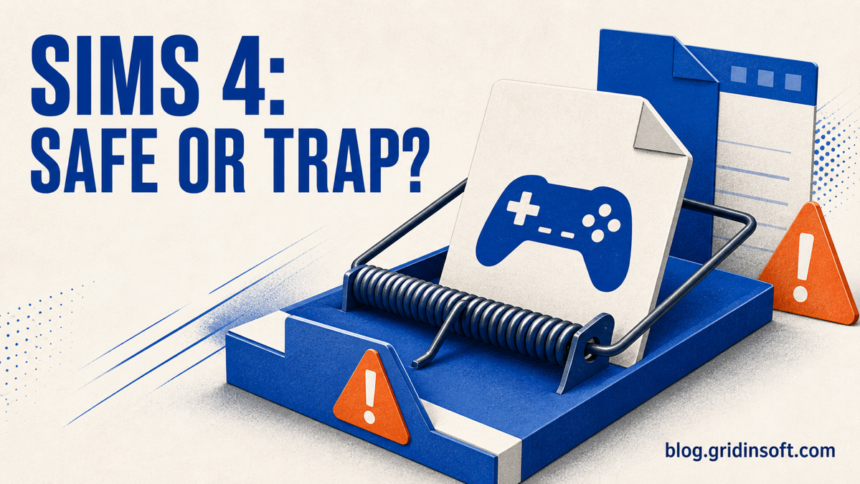
A file called “Sims 4 DLC Unlocker” is not safe merely because it carries a familiar tool name. The name can describe an intended license-bypass tool, a modified copy, or an unrelated fake installer. If Microsoft Defender stopped the download before you opened it, keep it quarantined. If you ran an installer, disabled protection, or added an exclusion, treat the computer as potentially compromised and follow the cleanup and account-recovery steps below.
This distinction matters after the original Anadius project’s reported shutdown: old tutorials, mirrors, and copycat downloads can outlive the maintainer people thought they were trusting. A secondary report documented the maintainer’s departure and warned that copycats were already trying to take over the audience.[1] That history does not prove any particular file is malicious, but it makes a remembered project name a poor safety check.
Short answer: do not restore or allow a Sims 4 unlocker because a forum post says the alert is “normal.” Record the exact detection, file path, source URL, and whether the file ran. A file that was only downloaded calls for a different response from one that executed PowerShell, changed Defender settings, or preceded account alerts.
| What happened | What to do now |
| Defender quarantined the file before it ran | Leave it quarantined, remove the source archive and extraction folder, update Defender, and run a full scan. |
| You restored the file, ran a setup, or followed “disable antivirus” instructions | Disconnect the PC, re-enable protection, remove exclusions, scan, and inspect startup and scheduled tasks. |
| Email, EA, Discord, browser, or payment alerts appeared afterward | Use a clean device to secure email first, revoke sessions, change unique passwords, and enable two-factor authentication. |
| The alert returns or Windows security settings changed | Assume persistence is possible; perform offline and second-opinion scans, then consider a clean Windows reinstall if trust cannot be restored. |
Why the unlocker name is not a safety verdict
There is no single cryptographic identity behind every archive or executable labeled “Sims 4 DLC Unlocker.” Search results, video descriptions, reposted instructions, and file-hosting mirrors can point to different bytes while using the same name. Even an old checksum proves only that a file matches the old checksum; it does not prove the person who published that checksum was trustworthy or that the surrounding installer is unchanged.
A batch file is not automatically safe, and an EXE is not automatically malware. Both can run commands. The useful evidence is the complete download chain: where it came from, what the archive contained, what launched, which child processes ran, whether security settings changed, and whether the file has a verifiable publisher signature. That is also why a successful game launch is weak evidence. A loader can unlock content and perform an unwanted action in the same run.
The broader risk is the same one described in our guide to malware in cracked games: users expect modified files and antivirus warnings, so a fake download can hide behind instructions to ignore both. If Defender shows a GameHack-family name, compare the exact label and file path with our HackTool:Win64/GameHack!rfn guide instead of treating every alert as interchangeable.
Does a Defender alert prove the Sims 4 file is malware?
No single alert answers every case. A hacktool detection may describe software that intentionally bypasses license or game controls, while a Trojan or stealer detection indicates a different risk. But “not conclusively proven malware” is not the same as safe to restore. License-bypass tools already operate outside the normal trust chain, and fake copies exploit exactly that ambiguity.
Open Windows Security → Virus & threat protection → Protection history. Copy the full detection name, affected-item path, time, action, and status. Microsoft’s guidance says quarantined threats are blocked and should remain quarantined if you are unsure; choosing Allow or Restore can put the item back on the device.[3]
Then answer four questions:
- Where did it come from? A direct official vendor download has a trust path; a mirror, chat attachment, short link, or re-upload does not.
- What exactly was detected? Record the full label, not just “Defender found a virus.”
- Did it execute? Downloaded-only, extracted, and executed are different exposure levels.
- Did it weaken protection? Defender exclusions, hidden PowerShell, new tasks, or startup items are high-risk signals.
A public sandbox report illustrates the last point. One sample named Sims 4 DLC Unlocker.exe created a Defender exclusion and launched hidden PowerShell during analysis.[2] This is evidence about that analyzed sample only; it does not prove every file with the same name behaves the same way. It does prove that the name is actively usable as malware cover.
If you downloaded it but did not run it
- Keep the detected item quarantined. Do not click Restore, Allow, or “run anyway.”
- Delete the original archive and the extracted folder from Downloads or Desktop, then empty the Recycle Bin.
- Update Microsoft Defender security intelligence and run a full scan.
- Check browser download history so you can record the real source URL. Do not revisit the page to fetch a replacement.
- Review Protection History after the scan. If there are no other detections or symptoms and nothing executed, password rotation is normally unnecessary.
If you opened only a text guide, that is not the same as executing its commands. If you pasted PowerShell, ran a batch file, launched a setup, or added an antivirus exclusion, use the next section.
If you ran the unlocker or fake installer
- Disconnect the PC from the network. Turn off Wi-Fi or unplug Ethernet while you make the first assessment.
- Re-enable security controls. Turn real-time protection back on and remove exclusions you added for the archive, game folder, Temp, Downloads, or a user-profile directory.
- Remove the whole source package. Delete the downloader, archive, extracted setup, scripts, and any “updater” that came with it. Removing one detected EXE is not enough if a launcher or scheduled task can restore it.
- Run an updated full scan. Follow with Microsoft Defender Offline if detections return, security settings will not stay enabled, or suspicious processes survive a reboot.
- Use a second-opinion scanner. Check for loaders, stealers, persistence, browser changes, and security-policy modifications that the visible file may have left behind.
- Inspect persistence. Review Startup apps, Task Scheduler, installed apps, browser extensions, and recently created items in user profile folders. Unknown PowerShell commands, randomly named tasks, or executables launched from Temp require investigation.
- Reboot and scan again. A clean second pass after reboot is more meaningful than a single quick scan immediately after deletion.
The visible unlocker can disappear while a dropped loader, scheduled task, browser extension, or Defender exclusion remains. That is why the scan belongs after the source package and weakened settings are removed.
Do not download another unofficial “cleaner,” replacement unlocker, or account-recovery utility from the same tutorial ecosystem. That can turn one uncertain incident into a second execution chain. The same response applies to similarly branded third-party game tools; our SteamTools risk and cleanup guide explains why a shared tool name does not establish a shared safe build.
EA, email, Discord, and browser account recovery
If the file ran, especially while a browser or password manager was open, protect accounts from another trusted device. Start with the email account used for password resets, then EA, Discord, game stores, social accounts, and financial services. EA’s account-security guidance recommends unique passwords, login verification, and checking trusted devices.[4]
- Change the email password and sign out unfamiliar sessions.
- Change the EA password, review linked accounts and trusted devices, and enable login verification.
- Revoke Discord and browser sessions; remove unfamiliar authorized apps and extensions.
- Change reused passwords everywhere. A unique password on one compromised service does not require changing unrelated unique passwords.
- Review payment methods, game-store purchases, marketplace listings, and account-recovery messages for unauthorized activity.
- Do not trust the PC with new passwords until scans are clean and persistence checks are complete.
A stealer can take browser cookies as well as passwords. Changing a password may not invalidate every active session, so use each service’s “sign out everywhere” or device-management controls where available.
When should you reinstall Windows?
A clean reinstall is not mandatory after every blocked download. It becomes the safer threshold when you confirm credential-stealer or remote-access malware, discover unknown administrator accounts or security-policy changes, cannot remove recurring tasks or exclusions, or continue seeing account theft and detections after offline scans.
Before reinstalling, back up personal documents, photos, and media. Do not carry over executables, scripts, cracks, installers, password-protected archives, browser profiles, or the original download folder. Create installation media on a trusted device, erase the Windows system volume during setup, update Windows fully, and restore only known personal data. Change important passwords from a clean device even if you plan to reinstall.
Frequently asked questions
Is the original Anadius Sims 4 DLC Unlocker safe?
A remembered project name cannot authenticate the file currently on your PC. The original maintainer’s reported departure, copycats, mirrors, and re-uploads break the assumption that every same-named package has one provenance. Judge the exact file and execution history, not the label.
Is a BAT file safer than an EXE?
No. A batch file is readable text, but it can still launch PowerShell, alter Defender settings, download payloads, create tasks, or execute another program. File type alone is not a safety verdict.
Should I allow the file if Defender calls it HackTool?
Not by default. Keep it quarantined while checking the full detection, source, path, signature, hash, and behavior. A tool that intentionally bypasses controls may also be bundled with unrelated malware.
Do I need to change passwords if I only downloaded the archive?
Usually not if nothing was opened, extracted, scripted, or executed and scans find no other threat. Password and session recovery becomes important when code ran, credentials were entered into a linked page, or account alerts appeared.
References
- GamesRadar. "The Sims 4 Legend Behind Piracy Tool Quits." GamesRadar+, accessed August 13, 2026.
- ANY.RUN. "Analysis of One Malicious Same-Named Sample (SHA-256 62025c…)." ANY.RUN, accessed August 13, 2026.
- Microsoft. "Protection History in the Windows Security App." Microsoft Support, accessed August 13, 2026.
- Electronic Arts. "How to Keep Your EA Account Secure." EA Help, accessed August 13, 2026.