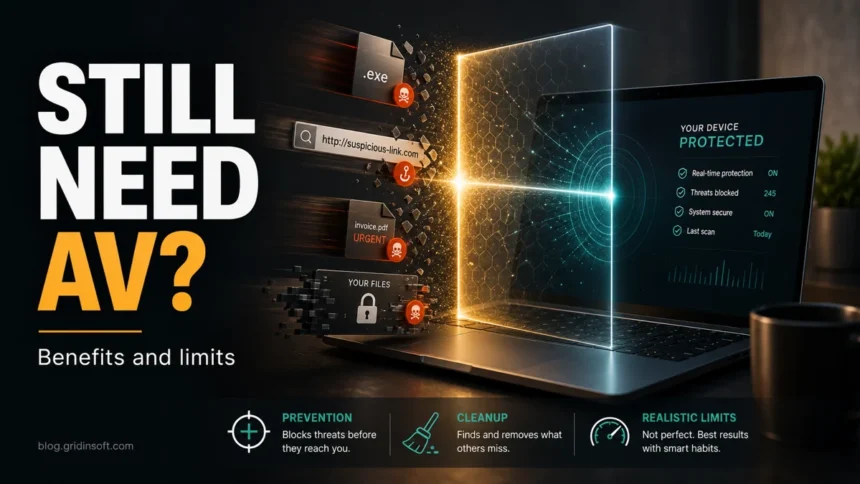
You still need active antivirus protection in 2026, but that does not always mean installing a separate security suite. Windows 10 and Windows 11 already include Microsoft Defender Antivirus, SmartScreen, firewall protection, and other baseline security features. For many careful home users, that built-in layer is enough for everyday use. The real question is whether your risk level needs only built-in protection or an extra second-opinion scanner for suspicious downloads, malware symptoms, cracked installers, repeated alerts, or cleanup after something already ran.
Do you still need antivirus?
- Yes, every PC needs one active real-time antivirus engine. Running with no protection is unsafe.
- Microsoft Defender can be enough for low-risk Windows users who keep updates on, avoid cracked software, and maintain backups.
- A second opinion is useful after risky downloads, suspicious files, browser redirects, or recurring malware alerts.
- Antivirus is not a complete security plan. Updates, backups, password hygiene, and careful browsing still matter.
| Main purpose | Detect, block, quarantine, and remove malicious or unwanted software before it damages files or steals data. |
| Best at stopping | Known malware, suspicious downloads, malicious scripts, ransomware behavior, adware, and unwanted apps. |
| Weak against | Brand-new attacks, phishing that tricks the user, stolen passwords, unsafe backups, and scams outside the device. |
| Best setup | One real-time antivirus, automatic updates, safe browsing, current backups, and second-opinion scans when risk is higher. |
What antivirus software actually does
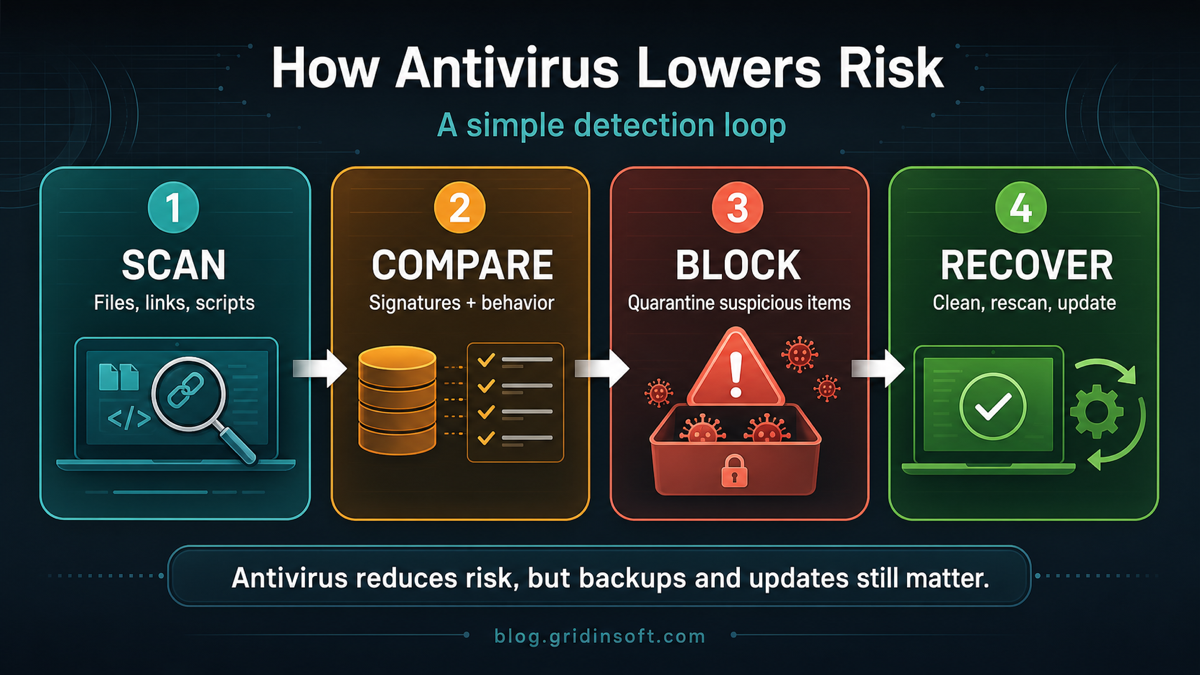
Antivirus software monitors files, programs, scripts, downloads, archives, removable drives, and sometimes browser or network activity. It compares suspicious objects against malware signatures, cloud reputation, heuristic rules, and behavior patterns. When something looks dangerous, the security engine can block it, quarantine it, remove it, or warn the user before the file runs.
That workflow matters because most infections begin with a small decision: opening an attachment, launching a downloaded installer, extracting a password-protected archive, clicking a fake update, or restoring a file that was quarantined. Antivirus gives the user a faster warning than manual inspection can provide.
5 important benefits of antivirus software
1. Malware prevention before execution
The strongest benefit is early blocking. A real-time scanner can stop trojans, stealers, ransomware droppers, malicious scripts, and unwanted installers before they fully run. This is especially useful when malware hides inside archives, fake updates, pirated software, email attachments, or renamed executables.
2. Lower ransomware risk
Antivirus cannot guarantee that ransomware will never run, but it can reduce the chance of a common ransomware loader executing successfully. Behavior monitoring can also flag unusual file encryption, suspicious process chains, and attempts to modify protected locations. Backups are still essential because ransomware protection is a layer, not a substitute for recovery.
3. Protection from phishing downloads and scam pages
Modern attacks often start with a fake invoice, fake browser update, fake delivery notice, cracked installer, or malicious download page. Antivirus and browser protection can block known malicious URLs, detect suspicious payloads, or warn when a download behaves like malware. For social-engineering clues outside the file itself, use our guide on how to spot a phishing email.
4. Safer removable drives and shared files
USB drives, shared folders, external disks, and downloaded archives can carry malware between devices. Antivirus scanning helps check those files before they are opened, copied, or executed. This is useful for family PCs, small offices, school devices, and anyone who exchanges documents or installers with other people.
5. Faster incident response
When a PC shows suspicious behavior, antivirus logs can help answer practical questions: what file was blocked, where it came from, whether it ran, and what action was taken. A second-opinion scan can also catch leftovers after a first cleanup, especially when the original infection changed browser settings, startup entries, scheduled tasks, or security exclusions.
Is Microsoft Defender enough on Windows 11?
For a cautious Windows 11 user, Microsoft Defender is often a reasonable baseline. Microsoft describes Windows 11 as including real-time Defender protection, SmartScreen warnings for risky websites and downloads, firewall protection, and other built-in security features. It also says additional antivirus may be useful for people with specific security concerns or sensitive data. [3]
The safest way to frame the decision is simple: you need active antivirus protection, but you may not need two full real-time antivirus suites running at once. Running multiple real-time engines can cause conflicts, slowdowns, duplicate alerts, or protection gaps if one disables parts of the other. Use one main real-time engine, then add an on-demand second-opinion scan when the situation calls for it.
Who should add a second-opinion scan?
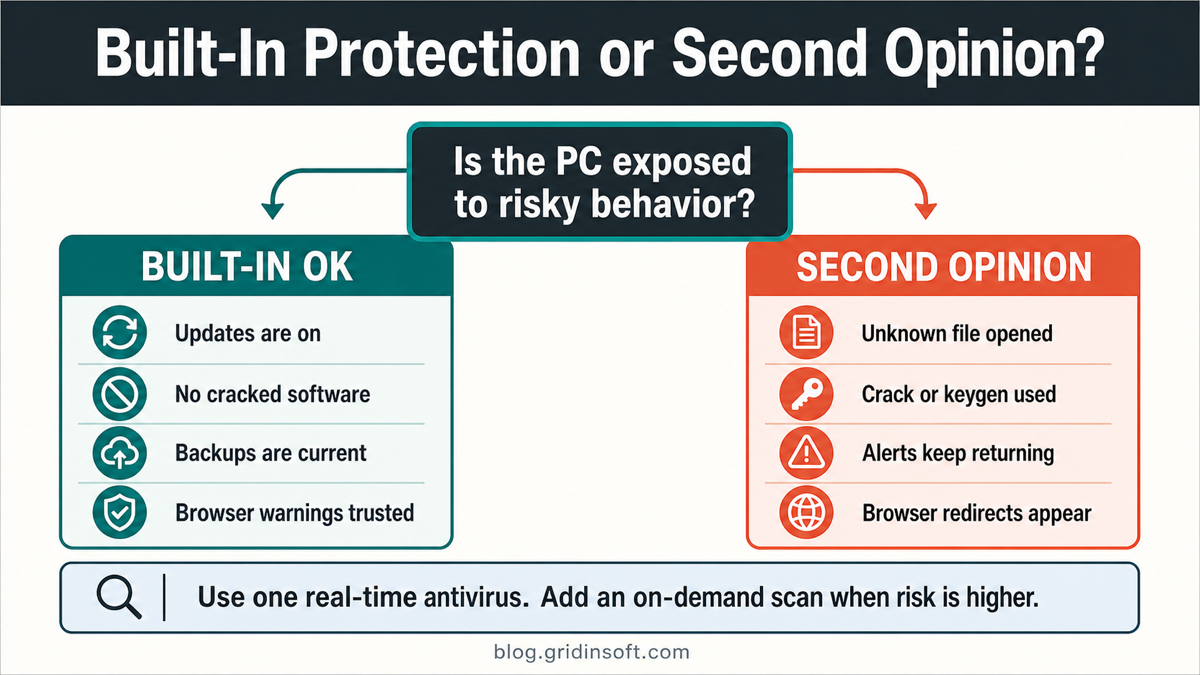
Built-in protection is usually enough only when the user keeps Windows and browsers updated, avoids risky downloads, does not install cracks or keygens, uses backups, and takes browser warnings seriously. Add a second-opinion scan when the risk changes.
- You opened an unknown attachment or installer.
- You used cracked software, a keygen, a trainer, or a repack. See why cracked games are unsafe.
- Defender or another security tool keeps detecting the same threat after removal.
- The browser opens redirects, push-notification spam, or unknown search pages.
- New startup items, scheduled tasks, extensions, or services appear without explanation.
- The PC is slow, fans spin unexpectedly, or network activity continues when no app is open.
- Accounts show login alerts, password-reset emails, or suspicious sessions.
If you see symptoms like spyware, browser hijackers, or unknown startup entries, compare them with our guide to common signs of spyware infection. A second-opinion scan with Gridinsoft Anti-Malware is useful when you need to validate whether suspicious files, browser changes, or recurring alerts are still present after the first cleanup.
What antivirus cannot do by itself
Antivirus is important because it reduces risk quickly. It is not a magic shield. A good article about antivirus should be honest about the limits, because users make safer decisions when they know where protection stops.
- It cannot recover files without backups. If ransomware encrypts files and no clean backup exists, antivirus cleanup may remove the malware but not restore every file.
- It cannot protect passwords already typed into a phishing page. After credential theft, change passwords and revoke sessions from a clean device.
- It may miss brand-new or heavily obfuscated threats. This is why updates, cloud reputation, and behavior detection matter.
- It can produce false positives. Suspicious tools, packed installers, and administrative utilities sometimes need verification before removal.
- It cannot make unsafe habits safe. Disabling protection for cracks, ignoring browser warnings, or restoring quarantined files defeats the point of the security layer.
Advantages and disadvantages of antivirus software
| Advantage | Limit or tradeoff |
| Blocks known malware quickly | New or targeted malware may evade detection at first. |
| Real-time scanning checks downloads and launches | Full scans can use CPU, disk, and battery while running. |
| Quarantine gives a reversible safety step | Users may restore dangerous files if they trust the wrong source. |
| Web protection can block malicious pages | It cannot prevent every phishing trick or fake support scam. |
| Logs help with cleanup decisions | Alert names can be confusing without context. |
How to choose antivirus software without weakening security
Choose antivirus software for the risk you actually have, not for the longest feature list. A careful home user may only need Windows Security, browser protection, and good backups. A user who regularly tests unknown files, repairs infected PCs, downloads many installers, or handles sensitive data may benefit from stronger scanning, cleanup, and reporting.
- Use only reputable security software and keep it updated.
- Run one main real-time antivirus engine, not several full suites at the same time.
- Keep cloud protection, automatic sample submission, SmartScreen, firewall, and browser warnings enabled where appropriate.
- Schedule deep scans when the PC is idle so performance impact is lower.
- Keep offline or versioned backups for files that matter.
- Use a second-opinion scanner after suspicious activity rather than installing random “free cleaner” tools from ads.
What to do if you already opened a suspicious file
- Do not restore the file from quarantine just because a forum comment says the alert is normal.
- Disconnect from the internet if the file was a crack, keygen, stealer alert, or unknown administrator-level installer.
- Run a full scan with the active antivirus and keep a note of detection names and file paths.
- Check persistence points such as Startup Apps, Task Scheduler, browser extensions, Services,
%AppData%,%Temp%, and%ProgramData%. - Use a second-opinion scan if alerts return, symptoms remain, or the first tool removed only part of the infection.
- Change important passwords from a clean device if a stealer, backdoor, cracked installer, or suspicious browser extension may have run.
FAQ
Why is antivirus software important?
Antivirus software is important because it adds an active layer that can detect, block, quarantine, and remove malicious or unwanted software before it steals data, encrypts files, changes browser settings, or spreads to other files.
Do I need antivirus if I use Windows 11?
Yes, you need active antivirus protection. Windows 11 already includes Microsoft Defender Antivirus, so many careful users may not need a separate real-time suite. Add a second opinion when you handle risky downloads, see malware symptoms, or need cleanup validation.
Is Microsoft Defender enough?
It can be enough for cautious everyday use when updates, SmartScreen, firewall protection, and backups are in place. It may not be enough by itself after suspicious files, cracked software, recurring detections, browser hijackers, or signs that malware already ran.
What are the main advantages of antivirus software?
The main advantages are real-time scanning, malware blocking, quarantine, suspicious-download detection, removable-drive scanning, web protection, and faster cleanup decisions after an alert.
What are the disadvantages of antivirus software?
Antivirus can use system resources during scans, miss very new threats, produce false positives, or conflict with another real-time security suite. These limits are manageable when the software is reputable, updated, and configured correctly.
Can antivirus stop every cyberattack?
No. Antivirus reduces risk but cannot stop every phishing trick, stolen password, unsafe restore decision, unpatched vulnerability, or ransomware loss without backups. It should be part of a layered security routine.
References
- Cybersecurity and Infrastructure Security Agency. “Understanding Anti-Virus Software.” CISA, accessed June 11, 2026. https://www.cisa.gov/news-events/news/understanding-anti-virus-software
- National Cyber Security Centre. “What is an antivirus product? Do I need one?” NCSC, accessed June 11, 2026. https://www.ncsc.gov.uk/guidance/what-is-an-antivirus-product
- Microsoft Surface. “Does Windows 11 need antivirus on laptops?” Microsoft, January 23, 2024, accessed June 11, 2026. https://www.microsoft.com/en-us/surface/do-more-with-surface/does-windows-11-need-antivirus-on-laptops