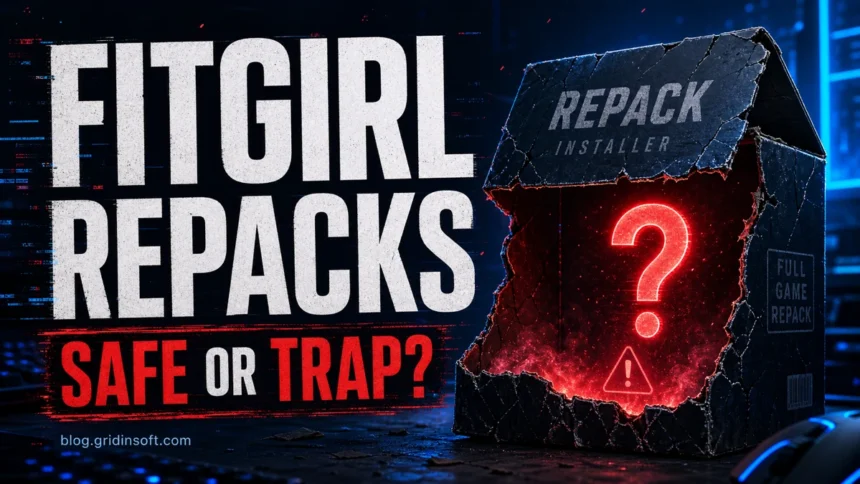
If you searched for FitGirl repack, the safety question is not only whether the FitGirl name is familiar. The real question is whether you are on the expected domain, whether a fake mirror or ad page changed the download, and what file actually ran on Windows. A repack can include a setup executable, crack DLL, updater, torrent leftovers, and Defender exclusions, so judge the whole chain before you trust the PC.
A FitGirl repack is an unofficial cracked-game package, not normal trusted software. If the package came from a copycat site, a file host, a chat link, a password-protected archive, or an installer that asked you to disable protection, treat it as risky until you check the system. The safest choice is still to avoid running it, delete the archive, keep Windows Security protections on, and use legal game stores whenever possible.
If the download came from a different game-download site rather than a FitGirl mirror, compare it with our DODI Repacks safety checks or GameDrive.org download-risk checklist before deciding whether to keep, scan, or delete the file.
FitGirl Repack: Real Site, Fake Mirror, or Infected File?
Search results and forum replies often argue about the real FitGirl site versus fake mirrors. That matters, but it is only the first check. A repack may combine original game files, scene cracks, patched launchers, custom installers, archive scripts, and third-party file hosts. Even when the visible site looks familiar, the executable chain is outside the software publisher’s control.
That is why a clean domain reputation result does not make a repack safe, and a single HackTool alert does not tell the whole story by itself. You need to judge the source, the exact file path, the detection name, what the installer changed, and what happened after the game launched.
Use a scan as a boundary check, not as a verdict on the FitGirl name. If the scan finds only the expected crack file and no exclusions, startup tasks, browser additions, or extra payloads, the risk picture is different from a repack that changed Windows outside the game folder.
Use Gridinsoft Anti-Malware to scan Windows for malware and unwanted programs that may have arrived with the installer. A working game or a clean scan does not guarantee a repack is safe.
6-day full trial for eligible new users, including cleanup. Email activation; no credit card.
Download Anti-Malware for Windows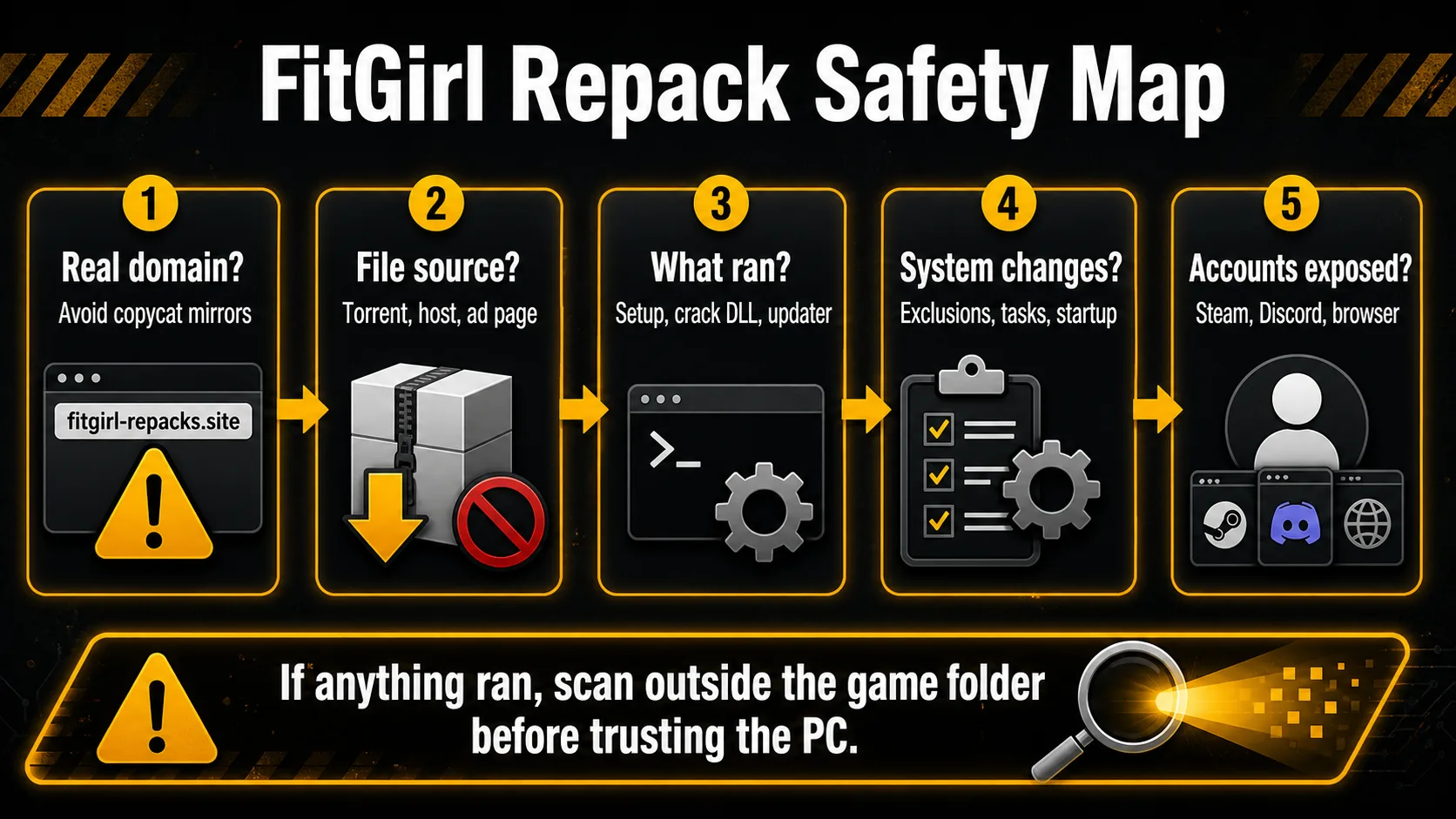
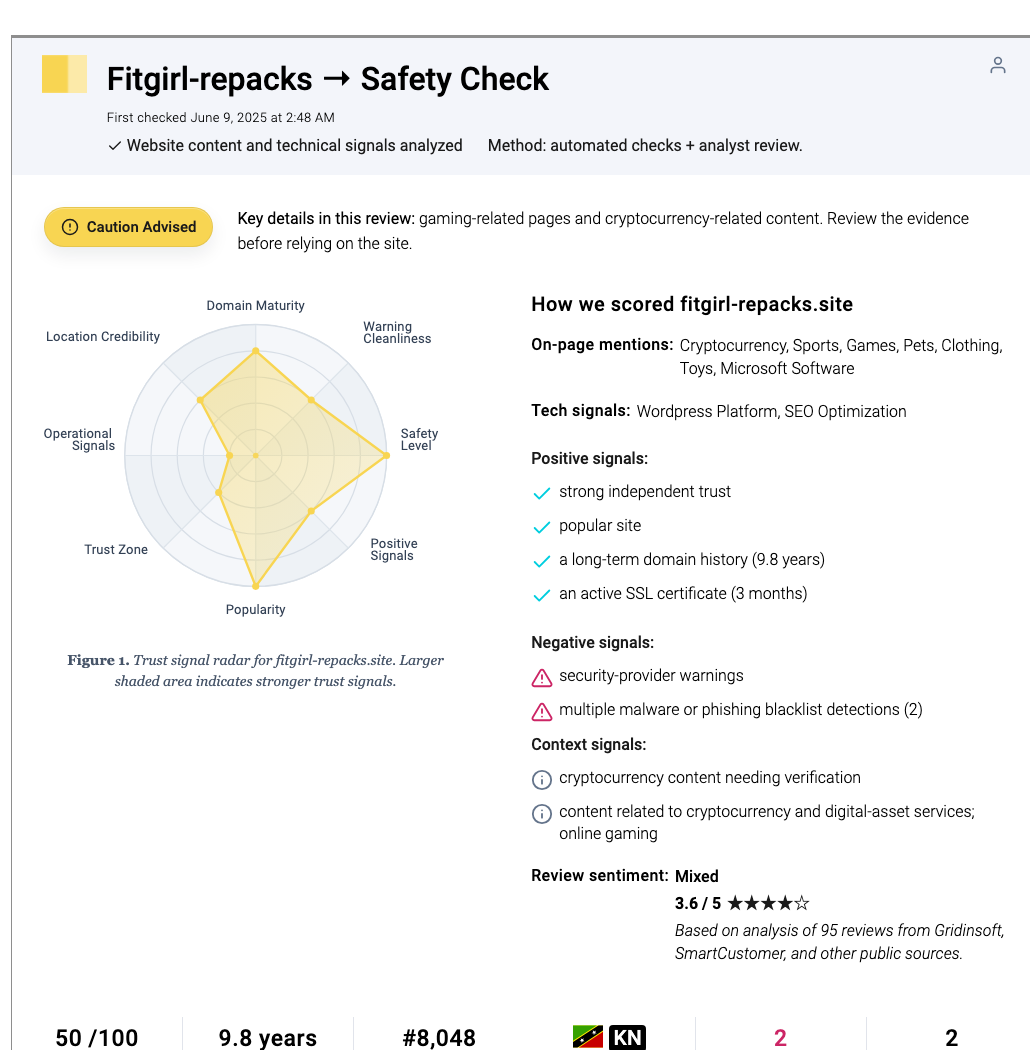
FitGirl Site, Fake Mirrors, and the File You Ran
Most infections in this lane come from one of three places: a copycat FitGirl domain, a misleading file-hosting or ad page, or a crack/launcher inside the package. Fake mirrors may reuse the FitGirl name, copy page text, or claim to be the only official source. Some push small download managers, browser notifications, password-protected archives, or setup files that are not part of the expected repack.
Do not rely on a search-result title alone. The domain fitgirl-repacks.site is commonly cited as the main FitGirl domain, but matching the familiar name is not a safety certificate and it does not make the downloaded executable safe. Avoid any page that asks you to install a downloader, disable antivirus, add exclusions, complete surveys, sign in, or open a second executable before the game archive itself is available. If the file came from a chat message, a shortened link, a reupload, a comments section, or an unfamiliar mirror, assume it is not trustworthy.
Why Defender Flags FitGirl Repack Files
Windows Security may show names such as HackTool, GameHack, PUA, Crack, Trojan, or a family-specific detection after you extract or run a repack. Some cracked-game files are detected because they bypass licensing, patch process memory, inject code, or behave like tools that malware also uses. Microsoft also treats potentially unwanted apps as software that can create extra risk even when it is not a classic self-replicating virus.
That does not mean every alert is identical. A HackTool alert on a known crack file is different from a Trojan alert in AppData, a suspicious scheduled task, a browser extension you never installed, or a miner/stealer process starting after reboot. When the alert appears after a FitGirl download, do not click “Allow on device” just because a forum says it is normal. First check where the file is, what detection name appears, and whether anything else changed.
The same mirror-risk logic applies to small utility downloads. If a tutorial or game-macro page sends you to tinytask.exe, use the TinyTask safety checklist to separate the official macro recorder from bundled or lookalike copies before you run it.
Red Flags Before You Run Anything
- The page uses a FitGirl-like name but a different domain, extra words, or unusual top-level domain.
- The download is a tiny installer instead of the expected archive or torrent contents.
- The archive is password-protected and the password is hidden behind ads or surveys.
- The instructions tell you to turn off Windows Security, disable SmartScreen, or add a Defender exclusion.
- The package includes unrelated browser extensions, VPNs, driver updaters, “required codecs,” or download managers.
- The game installer opens PowerShell,
cmd.exe,mshta.exe, a browser notification prompt, or an unknown updater. - Defender detects a Trojan, stealer, loader, miner, or script outside the game folder.
If You Already Installed a FitGirl Repack
- Disconnect from the internet if the installer behaved strangely, opened browser pages, or triggered repeated alerts.
- Do not restore quarantined files or add exclusions until you understand the detection path and name.
- Delete the original archive, torrent leftovers, temporary downloaders, and unknown setup files.
- Open Windows Security, check Protection History, and note the exact detection name, affected file, and action taken.
- Remove recently installed apps you do not recognize, then check Startup Apps and Task Scheduler for new entries.
- Review browser extensions, search engine/startup page settings, and notification permissions for unwanted changes.
- Run a full Microsoft Defender scan, then use Gridinsoft Anti-Malware as a second-opinion scan for adware, stealers, miners, and persistence.
- If the game or installer ran while you were signed in to browser, Steam, Discord, email, crypto wallets, or password managers, change important passwords from a clean device and revoke active sessions.
False Positive or Real Infection?
A false-positive decision should be based on evidence, not wishful thinking. It is less concerning when the only alert is a known HackTool-style detection inside the game crack folder, the source path is exactly what you expected, no exclusions were added, and multiple scans find nothing else. It is much more concerning when the alert appears in AppData, Temp, Startup folders, scheduled tasks, browser profile folders, or a process that keeps returning after quarantine.
If you want to dispute a Microsoft Defender detection, submit the file through Microsoft’s malware analysis process instead of restoring it blindly. If the file is from a fake mirror, a password-protected archive, a random downloader, or a package that asked for protection exclusions, treat the alert as real risk even if some scanners disagree.
When Passwords and Accounts Matter
You do not need to rotate every password just because you downloaded an archive and never opened it. You should rotate important passwords from a clean device when you ran the installer, allowed a detection, saw unknown browser changes, noticed account-login alerts, found a miner/stealer detection, or left browser sessions and password-manager data open during the install.
For Steam, Discord, email, Microsoft, Google, and payment accounts, sign out other sessions, remove unknown connected apps, enable MFA, and check recovery email/phone settings. If a crypto wallet, seed phrase, or browser wallet was present on the PC, assume that local compromise can become an account-theft problem, not just a game-install problem.
Safer Way to Think About FitGirl Repacks
The practical verdict is: FitGirl Repacks are a high-risk category, not a trusted software source. A well-known name may reduce one kind of fake-site risk, but it does not remove the risks of piracy, altered installers, file-hosting chains, cracks, and antivirus exclusions. If you need the game, use Steam, GOG, Epic Games Store, the publisher’s site, or another legitimate store. If you already ran a repack, focus on cleanup evidence instead of forum reassurance.
For broader context, see our guide on why cracked games are dangerous, the HackTool:Win32/Crack detection guide, and the infostealer-after-game cleanup checklist.
Users comparing repack and unlocked-game sites can also use the Gogunlocked.com safety check to decide what to scan and which gaming accounts to secure after a risky download. If the download came from SteamUnlocked, follow the SteamUnlocked virus-removal and post-download recovery steps for separate visit, archive, extraction, execution, and account-risk branches.
FAQ
Are FitGirl Repacks safe if I use the real site?
No repack should be treated as safe software. A familiar FitGirl domain may reduce copycat-site risk, but the package still contains unofficial cracked-game files that can trigger HackTool, GameHack, PUA, or malware detections.
Is a HackTool alert from a FitGirl repack always malware?
Not always, but it should not be ignored. HackTool detections often appear around cracks and license-bypass files, but the right response is to check the exact file path, scan the system, and avoid allowing the file unless you can prove it is harmless.
Can I get infected just by visiting a FitGirl page?
The bigger risk is downloading and running files, not viewing a page. However, fake mirrors and ad pages can push malicious download buttons, browser notifications, or unwanted installers, so close suspicious pages and do not accept prompts.
Should I reinstall Windows after running a FitGirl repack?
Usually start with quarantine, cleanup, startup/task/browser checks, and full scans. Consider reinstalling when stealers, miners, unknown admin scripts, recurring detections, or account compromise signs remain after cleanup.
Should I change passwords after installing a repack?
Change passwords from a clean device if the installer ran, alerts were allowed, browser sessions were open, or you see login warnings. Also revoke active sessions for email, Steam, Discord, Microsoft, Google, and financial accounts.
References
- Microsoft Support. “Protect your PC from potentially unwanted applications.” Microsoft, accessed June 5, 2026. https://support.microsoft.com/en-us/windows/protect-your-pc-from-potentially-unwanted-applications-c7668a25-174e-3b78-0191-faf0607f7a6e
- Microsoft Security Intelligence. “Win32/GameHack threat description.” Microsoft, accessed June 5, 2026. https://www.microsoft.com/security/portal/threat/Encyclopedia/Entry.aspx?Name=Win32%2FGameHack
- Microsoft Support. “Troubleshoot problems with detecting and removing malware.” Microsoft, accessed June 5, 2026. https://support.microsoft.com/en-US/defender/troubleshoot-problems-with-detecting-and-removing-malware