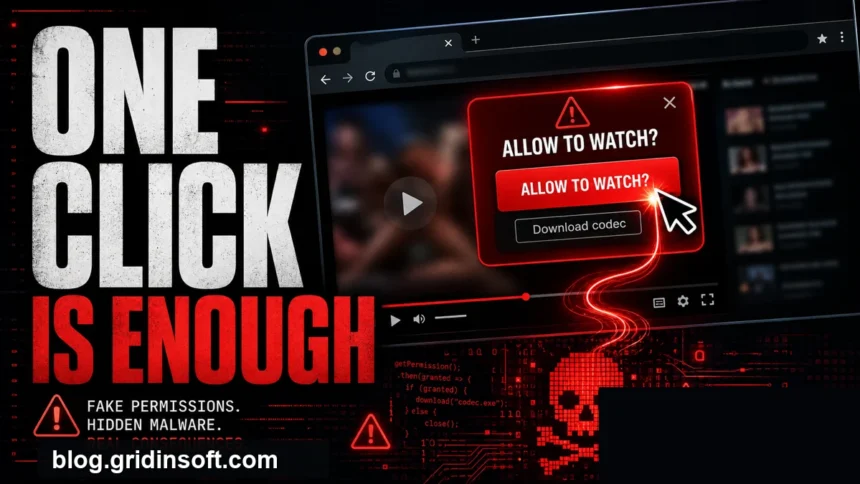
Yes, you can get malware from porn sites, but the usual danger is not the video itself. The common infection path is clicking a malicious ad, accepting browser notifications, installing a fake video player or codec, downloading an APK/EXE, or typing payment and account details into a phishing page. If you only viewed a page in an updated browser and did not click, download, allow notifications, or enter credentials, the risk is much lower.
Porn site virus risk: what matters most
- Highest risk: fake players, codec/update downloads, cracked APKs, unknown browser extensions, and payment or age-verification forms.
- Common symptom: fake virus alerts, pop-up tabs, notification spam, new search engine/homepage, or recurring adult-site redirects.
- First safe move: close the tab, do not press Allow, delete downloads you did not request, and scan the device if anything ran.
- Not enough protection: Incognito/private mode does not stop malware, phishing, or notification permissions.
| Scenario | Risk and immediate action |
| Visited only | Usually low risk if the browser and OS are updated. Close redirects and do not grant permissions. |
| Clicked Allow notifications | Remove the site from browser notification permissions and clear site data. |
| Downloaded a player, codec, APK, or EXE | Do not open it. If it already ran, disconnect from risky accounts, scan, and check installed apps/extensions. |
| Entered card, email, or password | Change the password from a clean device, enable MFA, and contact the card issuer if payment data was entered. |
Why adult sites attract malware and scams
Adult traffic is valuable to attackers because visitors often click quickly, ignore unusual prompts, and may hesitate to ask for help afterward. Criminals abuse ad networks, cloned video pages, shortened links, fake verification gates, and mirror sites to push malware or scareware without needing to compromise every site directly.
This is why the same user may see a safe page once and a malicious redirect later. The risky part is often the ad chain or cloned landing page, not the original video host. Google documents malware and unwanted-software warnings as a site-security issue, while Microsoft and CISA both warn that social engineering can trick users into installing software or handing over credentials.
Brand-specific safety checks
- Our XVideos safety guide separates a visit from an ad click, notification permission, download, executed file, or credential entry.
- Our XNXX safety guide explains what a domain reputation result can prove and what to do after a redirect, fake warning, permission prompt, or suspicious download.
- Our xHamster safety guide uses the exact address and the action taken to separate a normal visit from redirects, notification prompts, downloads, and recurring browser changes.
- Our SpankBang safety guide explains the current warning and routes a visit, redirect, notification permission, download, execution, and account exposure.
- Our FapHouse safety guide separates the recognized domain’s dated reputation from redirects, notifications, third-party downloads, APKs, subscription charges, and account exposure.
- Our Eporner safety guide separates the recognized domain from similarly named sites, normal video files, executables, APKs, notification permissions, and credential exposure.
- Our TNAflix safety guide separates the corrected domain report from suspicious downloads and the documented historical account breach.
Most common infection paths
Fake video player, codec, or browser update
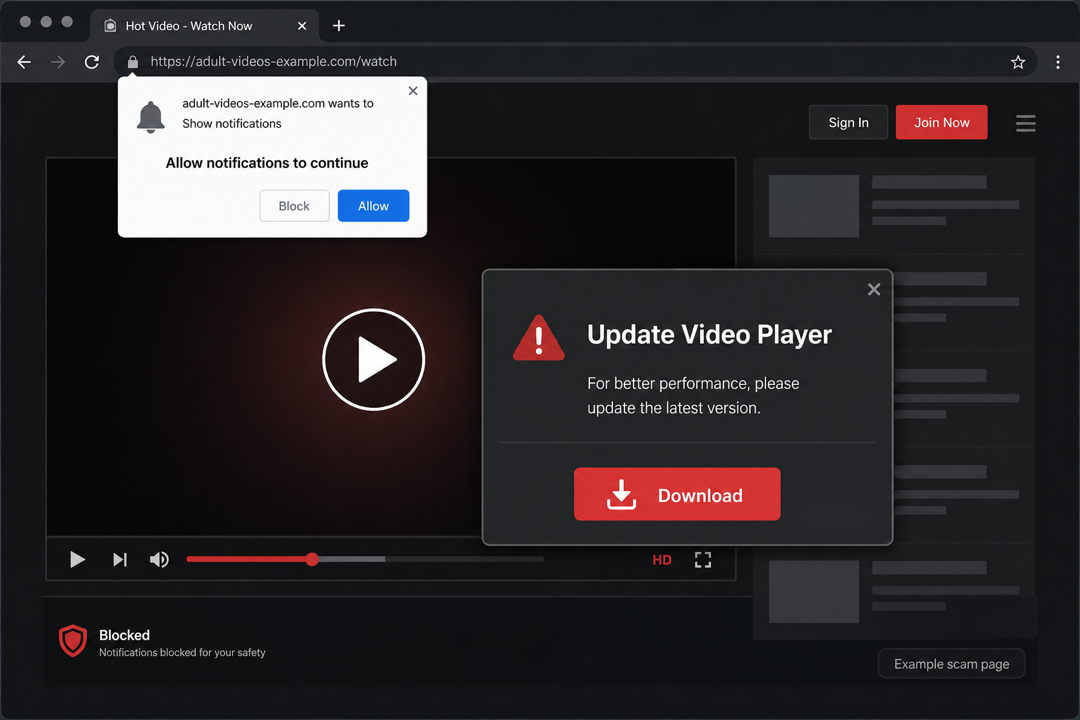
A page may claim that the video will not play until you install a codec, update a player, or run a small installer. Modern browsers do not need random video codecs from adult pages. Treat EXE, MSI, DMG, ZIP, and APK downloads from these prompts as suspicious.
Push notification spam
Many scam pages ask you to press Allow to prove you are 18+, continue watching, or pass a fake verification check. This permission lets the site send browser notifications later, including fake virus alerts and misleading antivirus warnings. For a full walkthrough, use our guide on disabling push notifications in your browser.
Malvertising and forced redirects
Malicious ads can open tabs that imitate security warnings, adult dating forms, gambling pages, or fake download portals. Similar ad abuse appears outside adult sites too; our Google Search malvertising article shows how attackers use ads to make unsafe pages look legitimate.
Phishing and fake verification
Age verification, premium access, private chat, or “free account” forms may collect email addresses, passwords, phone numbers, and card details. If you reused the same password elsewhere, treat it as compromised even if no file was downloaded.
Adware and browser hijackers
If adult pop-ups keep appearing after the tab is closed, look for browser extensions, notification permissions, unwanted apps, proxy/DNS changes, and scheduled startup entries. Our PUA and browser hijacker removal guide and adware symptoms checklist cover that cleanup path in more detail.
What to do if you clicked, allowed, or downloaded something
- Close the page without interacting further. Do not call numbers, install “support” tools, or pay for fake cleanup.
- Delete suspicious downloads. If you did not run the file, delete it and empty the recycle bin. If it ran, continue with the next steps.
- Remove notification permissions. In Chrome or Edge, open site settings, find Notifications, and block or remove the suspicious domain.
- Check extensions and installed apps. Remove unknown extensions, suspicious video players, download helpers, and programs installed around the same time.
- Scan the device. Use a reputable antivirus and run a second-opinion scan if pop-ups, redirects, or unknown processes continue.
- Change passwords if you entered them. Do this from a clean device, then enable multi-factor authentication.
- Watch payment accounts. If you typed card data into a suspicious form, contact the issuer and monitor charges.
After uninstalling the suspicious app or deleting the visible threat, use Gridinsoft Anti-Malware to check hidden files, startup entries, scheduled tasks, bundled apps, browser changes, and other persistence points that can restore malware.
Download Anti-MalwareSigns you should run a malware scan
- The browser opens adult, gambling, dating, or fake antivirus pages by itself.
- You see fake virus alerts even when no adult site is open.
- Your homepage or search engine changed without permission.
- A browser says it is Managed by Your Organization on a personal device.
- Unknown extensions return after removal, new apps appear, or CPU/network activity stays high.
- Security tools block repeated outbound connections or flag adware, trojans, or unwanted apps.
If the only symptom is a browser notification, removing that permission may be enough. If downloads ran, redirects persist, extensions return, or settings are locked, treat it as a broader cleanup case. Our fake virus alert removal guide explains the scareware path, while DNS problems after malware covers cases where cleanup affects network settings.
How to reduce the risk next time
- Keep the browser, operating system, and security tools updated.
- Do not install codecs, players, extensions, or APKs offered by video pages.
- Block notifications by default and allow them only for sites you trust.
- Use separate passwords and MFA for email, payment, and social accounts.
- Avoid entering payment data on redirected or unfamiliar adult pages.
- Do not rely on private browsing as a malware defense; it mainly limits local history.
FAQ
Can you get a virus just by watching porn?
It is possible but less common on a fully updated device. Most real infections happen after a click, download, permission grant, fake update, or phishing form.
Are porn site pop-up virus warnings real?
Most pop-up warnings on random adult pages are scareware. Close the tab and scan with your own security tool instead of clicking the warning.
What if I clicked Allow notifications?
Remove the site from browser notification permissions. If pop-ups continue outside the browser, also check extensions and installed apps.
What if I installed a video player or codec?
Uninstall it, delete the installer, check browser extensions, and run a full malware scan. Fake players are a common delivery method for adware and trojans.
Does Incognito mode protect against porn site malware?
No. Incognito mode does not block malicious downloads, phishing, browser permissions, or exploit attempts. It mainly keeps local browsing history out of the normal profile.
References
- Microsoft Support. “Protect yourself from tech support scams.” Microsoft, accessed June 1, 2026. https://support.microsoft.com/en-us/windows/protect-yourself-from-tech-support-scams-2ebf91bd-f94c-2a8a-e541-f5c800d18435
- Microsoft Support. “Protect your PC from potentially unwanted applications.” Microsoft, accessed June 1, 2026. https://support.microsoft.com/en-US/security/protect-your-pc-from-potentially-unwanted-applications
- Google Chrome Help. “Block or allow pop-ups in Chrome” and notification settings guidance. Google, accessed June 1, 2026. https://support.google.com/chrome/answer/3220216
- Cybersecurity and Infrastructure Security Agency. “Avoiding Social Engineering and Phishing Attacks.” CISA, accessed June 1, 2026. https://www.cisa.gov/news-events/news/avoiding-social-engineering-and-phishing-attacks
- Google Search Central. “Malware and unwanted software.” Google, accessed June 1, 2026. https://developers.google.com/search/docs/monitor-debug/security/malware