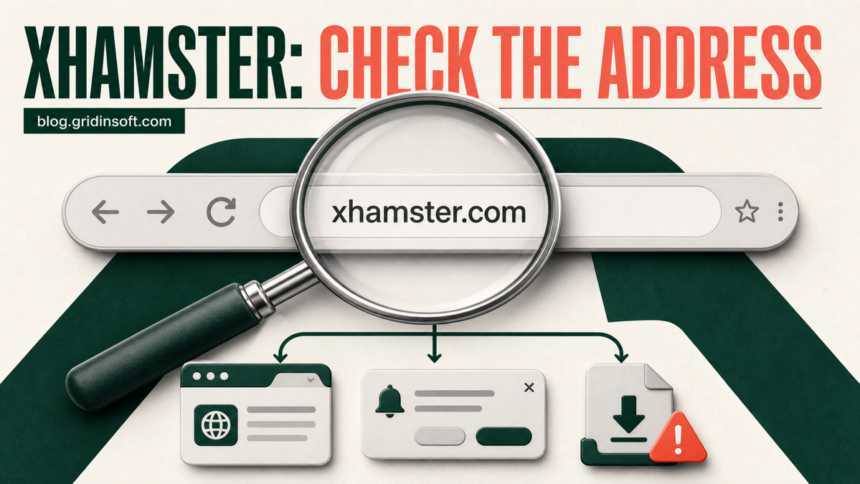
Yes—the recognized xhamster.com domain looked low-risk in Gridinsoft’s check on July 18, 2026: it scored 95/100 and had no provider warnings at that moment. That result applies to the domain that was checked, not to every page opened after an ad click, copied look-alike address, notification prompt, or download. A view-only visit that ended when you closed the tab is not the same event as installing malware. Risk rises if the address changed, you pressed Allow, downloaded or ran a file, installed an extension or app, or entered a password or payment details.
What the current xhamster.com check does—and does not—prove
The current Gridinsoft Website Reputation Checker report for xhamster.com describes a long-established, popular domain with no active provider warnings in its latest scan. That is useful evidence for the exact host shown in the report. It is not a permanent guarantee, and it does not automatically cover an advertising destination, shortened link, copied login page, fake player, or file hosted somewhere else.
This distinction explains why two people can describe very different “xHamster problems.” One may have stayed on the recognized site and closed a normal ad. Another may have landed on an unrelated domain that displayed a fake virus alert or download prompt. Judge the second page by its own address and by what you did there.
Privacy and infection are different safety questions
A visit can leave a privacy concern without infecting the device. First decide who you are concerned about: someone using the same computer, the website itself, or whoever manages the network.
- On a shared device: Chrome Incognito stops retaining that session’s browsing history and site data after all Incognito windows close. Downloaded files and saved bookmarks remain. It does not erase an earlier visit made in a normal window.
- At the website: private browsing does not stop websites or their services from collecting activity. Signing into an account identifies that session to the site; closing a private window does not retract information you submitted.
- On the network: Incognito does not make browsing invisible to your employer, school, or internet provider. Google explicitly distinguishes local browsing privacy from what sites and network operators may observe [4].
A VPN connection is not a malware scan or a cleanup result. Neither a VPN nor an Incognito window changes what happened if you allowed notifications, installed an extension, ran a downloaded player, or entered information on a copied login page. Choose the response in the action checklist below. If your only concern is local browsing history and there are no downloads, permissions, or continuing symptoms, treat that as a privacy decision rather than assuming infection.
The address bar is the fastest safety check
Before interacting with a warning, age check, player message, or payment form, look at the complete hostname in the address bar. The domain must end exactly in xhamster.com. A name such as xhamster.example.com belongs to example.com, not to xHamster. Misspellings, extra words, unfamiliar country domains, and a different host after a click should be treated as separate sites.
If the address changed after an ad or play-button click
Close the destination tab without pressing its buttons, calling a displayed phone number, or accepting a download. Malvertising can use ads on otherwise legitimate sites to force a redirect or load a malicious payload, so the destination matters more than the brand name visible on the earlier page [3]. Reopen the page from a saved, verified address instead of using the redirected tab’s Back button or pop-up controls.
If the page says your device has a virus
A web page cannot prove infection merely by drawing a warning in the browser. Google notes that unsafe or deceptive pages may try to make visitors reveal information or install harmful software, and Chrome can show a separate browser-controlled warning for known unsafe pages [1]. Close the tab. Do not call a support number, install a proposed “security update,” or turn off Safe Browsing because the page tells you to.
Choose the response by what actually happened
| What happened | Risk and next step |
|---|---|
| You viewed a page, downloaded nothing, allowed nothing, and closed the tab | This alone does not prove infection. Update the browser, clear the suspicious tab from Recent Tabs, and monitor for symptoms. |
| An ad opened another domain | Close it and do not interact. Check that no download started and no permission was granted. |
| You pressed Allow on a notification prompt | Remove that site from notification permissions. The alert source shown in the notification may be the redirected domain, not xhamster.com. |
| A file downloaded but you did not open it | Delete it from Downloads and empty the recycle bin or trash. Do not bypass a browser or security-tool warning. |
| You ran an EXE, MSI, DMG, APK, script, or browser extension | Stop sensitive activity on the affected device. On Windows, use the Full Scan cleanup route below; on other platforms, use cleanup appropriate to that operating system. Protect exposed accounts from a clean device without waiting for the scan. |
| You entered a password, card, ID, or verification data on another domain | Assume that data may be exposed. Change the password, revoke sessions, enable MFA, and contact the card issuer when payment data was submitted. |
Stop xHamster-related pop-ups and notifications
Notifications that appear after the browser is minimized or closed usually come from a site permission. Read the small source domain on the notification itself. It may be an ad destination that used xHamster branding, while the permission belongs to a completely different host.
- Open the browser’s notification settings. In Chrome, go to
Settings > Privacy and security > Site settings > Notifications. Edge uses a similar path under Cookies and site permissions. - Find unfamiliar entries under Allowed and remove or block them. Google confirms that notification permissions can be changed at any time and that misleading notification requests may be blocked automatically [2].
- Clear browsing data for the redirected host if it keeps restoring prompts.
- For browser-specific screenshots and paths, follow our guide to disable unwanted push notifications.
If a fake player or update downloaded
A video page should not need a random codec, browser update, “special player,” VPN installer, or extension from an unfamiliar domain. Use the browser’s own menu and official app store for updates. A page that says “your browser is outdated” and immediately offers an executable or archive is a separate download decision, not proof that xhamster.com itself is malware.
- Not opened: delete the file and check the browser download history. If you still need to inspect an executable, use our EXE file safety checklist before running it.
- Opened or installed: on Windows, use the Full Scan cleanup route below, restart, and recheck the original symptom. Manual app, extension and startup checks are optional if symptoms remain. A Windows scanner does not clean macOS, Android or iOS; use the affected platform’s own app and security controls there.
- A command or terminal opened: treat that as execution. Our fake Chrome update response guide covers the containment and account steps.
If redirects or alerts return after xHamster is closed
A one-time ad tab should stop when the tab closes. Recurring redirects, a changed home page or search engine, extensions that return, new desktop alerts, or tabs that reopen after reboot point to browser permission abuse or unwanted software. Google lists persistent pop-ups, unfamiliar redirects, changed browser settings, and returning extensions as signs that unwanted software may be installed.
If alerts come only from a notification permission, remove that permission using the section above. For a file you ran on Windows or browser changes that keep returning, use this cleanup route:
- Stop sensitive sign-ins on the affected PC and keep any security-tool detection quarantined. On a work or school device, involve IT.
- Download and install Gridinsoft Anti-Malware using the button below, update its database, and choose Full Scan.
- Review detection names and file paths, then apply the recommended cleanup to confirmed unwanted components. Keep uncertain files quarantined rather than allowing them.
- Restart Windows and recheck the original redirect or alert. If it returns, update and scan again, then use the optional checks below or ask support to review the logs.
If the visible tab is gone but the behavior keeps returning, a bundled app, extension, startup entry, scheduled task, or other unwanted component may still be restoring the browser change. Gridinsoft Anti-Malware can check these Windows persistence points together; you do not need to complete a manual app or startup hunt before choosing this route. A clean scan cannot guarantee that no compromise occurred or recover information already exposed.
If redirects, notifications, extensions, homepage changes, or managed policies return after browser cleanup, the source is often outside the browser: an installed app, policy, scheduled task, or startup entry.
Check this PC for browser changesOptional targeted troubleshooting if symptoms remain:
- Remove notification permissions for every unfamiliar domain.
- Disable extensions you do not recognize, then remove them rather than merely switching them off.
- Check installed apps for anything added when the problem began.
- Restore the browser’s home page, search engine, and startup pages.
These browser checks are also useful when a changed setting is the only problem. Use controls appropriate to the affected browser and operating system; the Windows scan route does not apply to mobile devices or Macs.
Protect accounts if you typed information
Closing the tab does not retract information already submitted. If you reused a password on a redirected page, change it from a device you trust and sign out other sessions. Enable multi-factor authentication and replace the same password anywhere else it was used. If card details were entered, contact the issuer and monitor transactions. A malware scan cannot recover a stolen password or prove that an account was never accessed.
For the broader risks behind adult-site ads, fake verification, notification spam, and downloads, use our hub on malware risks on porn sites.
FAQ
Can xHamster give you a virus just by watching?
A normal view-only visit with no redirect, permission, download, or exploit warning does not by itself prove infection. Keep the browser updated and investigate if pop-ups, redirects, extensions, or alerts continue after the tab is closed.
Why did xHamster redirect me to another website?
An advertisement or copied play button may open a third-party destination. Close it and judge that destination by its own hostname. Do not assume the xHamster name on an earlier page makes the new domain trustworthy.
Are xHamster virus pop-ups real?
A page-drawn alert is not a malware scan. Close the tab without clicking its buttons. A separate warning generated by Chrome, the operating system, or installed security software should be reviewed in that product’s own interface.
Why do alerts appear after I close xHamster?
They are often browser notifications from a domain that received permission during a redirect. Check the source domain on the alert and remove it from the browser’s notification settings. If redirects or settings also return on Windows, use the Full Scan route above; manual app and extension checks are optional if symptoms remain.
Should I scan after visiting xHamster?
Scanning is most useful when a file ran, an extension or app was installed, browser changes keep returning, or security alerts continue after reboot. On Windows, install and update Gridinsoft Anti-Malware, run a Full Scan, review and apply cleanup, then restart and recheck. Manual troubleshooting is optional if symptoms remain. A clean view-only visit without symptoms does not automatically require emergency remediation.
References
- Google Chrome Help. “Manage warnings about unsafe sites.” Google, accessed July 18, 2026. https://support.google.com/chrome/answer/99020
- Google Chrome Help. “Use notifications to get alerts.” Google, accessed July 18, 2026. https://support.google.com/chrome/answer/3220216
- Cybersecurity and Infrastructure Security Agency. “Securing Web Browsers and Defending Against Malvertising: Guidance for Non-Federal Organizations.” CISA, September 2023, accessed July 18, 2026. CISA malvertising guidance
- Google Chrome Help. “Browse in Incognito mode.” Google, accessed September 12, 2026. Incognito privacy limits