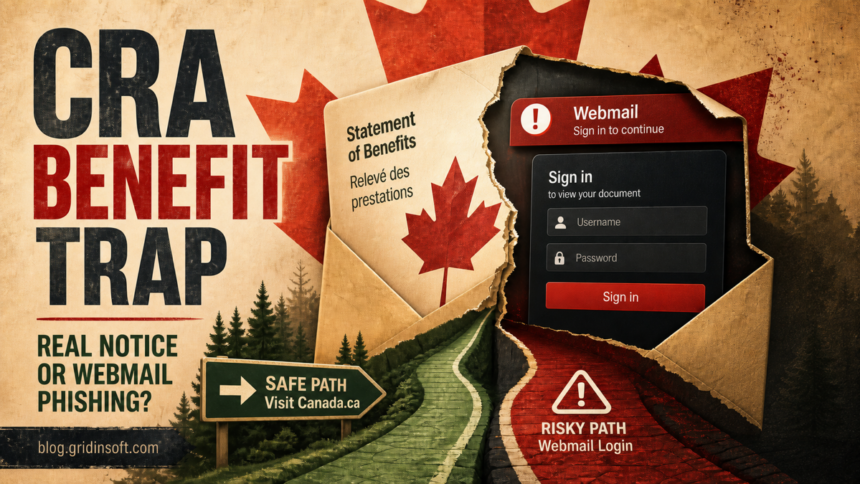
A “CRA Benefit Statement” email that sends you to a third-party Webmail sign-in is phishing. The Canada Revenue Agency can email a notification when new mail is available in My Account, but its notification will not ask you to enter personal or financial information through an email link. Do not use the message button. Type canada.ca/myaccount into the browser yourself, sign in through the official page, and check whether the same notice exists there. If you entered a mailbox password, secure the email account first because it can reset your CRA, banking, and other accounts.
Check the message without using it
- Do not click Review Your Statement, reply, or use a phone number from the email.
- Open a new browser tab and type
canada.ca/myaccountyourself. - Check CRA My Account mail, benefit details, and recent profile changes.
- If the email opened a Webmail login, close it and follow the recovery branch that matches what you entered.
| What you see | What it means |
| A notification says new CRA mail is available and you verify it independently in My Account | Potentially legitimate. Do not judge by the sender name alone; use the official account to confirm it. |
| The button opens a generic Webmail, email-provider, or unrelated sign-in page | Phishing. CRA does not need your mailbox password to show a benefit statement. |
| The page asks for a SIN, banking login, card details, or identity documents | Stop. The page is collecting sensitive information rather than displaying CRA correspondence. |
| The message is bilingual or uses a maple leaf and real benefit names | Not proof either way. Scammers can copy official wording and visual cues. |
What the fake CRA Benefit Statement email looks like
The lure claims that a 2025-2026 CRA Benefit Statement is ready. It may mention the Canada Child Benefit, GST/HST Credit, and Climate Action Incentive, then place English and French calls to action beside a maple-leaf graphic. Those familiar names make the message feel relevant to many Canadian households.
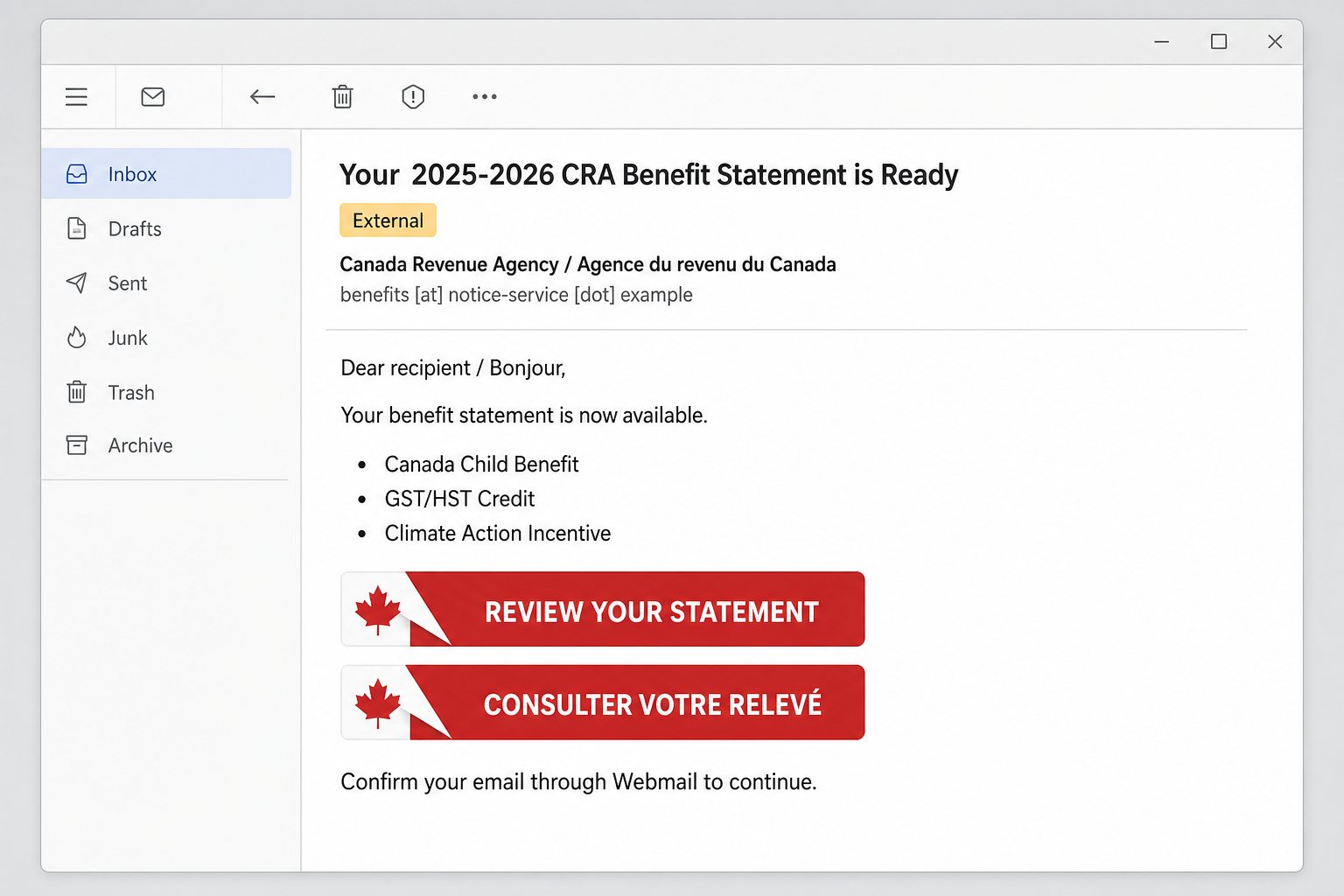
Example
Subject: Your 2025-2026 CRA Benefit Statement is Ready
From: Canada Revenue Agency / Agence du revenu du Canada <benefits [at] notice-service [dot] example>
Dear recipient / Bonjour,
Your 2025-2026 benefit statement is now available.
Votre relevé de prestations 2025-2026 est maintenant disponible.
The statement includes updates about:
- Canada Child Benefit
- GST/HST Credit
- Climate Action Incentive
Button: Review Your Statement / Consulter votre relevé
You will be asked to confirm your email through Webmail.
The sender above uses the reserved .example domain and cannot receive mail. Real phishing campaigns rotate addresses and destination pages, so blocklists and one visible sender are not enough. Focus on the action: a government-benefit notice should not hand you to a third-party mailbox credential form.
Why the Webmail handoff proves it is phishing
A mailbox password proves access to email; it does not prove eligibility for a Canadian benefit. The Webmail page is therefore unrelated to the task the message claims to perform. A prefilled email address can make the form feel personal, but it may simply be copied from the recipient list or added to the phishing URL.
CRA guidance draws a precise boundary: the agency may email when new correspondence is available in an online CRA account, or send a requested link, form, or publication during a call or meeting. A CRA email will not ask the recipient to reply or follow a link that collects personal or financial information. [1] CRA’s notification guide also says account holders should view mail inside My Account and describes the sender name used by the notification service. [2]
Do not make the decision from a flag image, spelling mistake, or bilingual layout alone. A scammer can correct a graphic or copy polished French text. The durable tests are the destination domain, the requested information, and whether the same notice exists in the official account you opened independently.
How to verify a CRA notice safely
- Leave the email closed. Do not return to its button to “check” the destination.
- Open the CRA site independently. Type
canada.ca/myaccountinto a new tab or use a trusted bookmark. - Review My Account mail and benefits. Look for the notice, benefit details, recent changes, and messages that match the email’s claim.
- Check the profile. Confirm the email address, direct-deposit details, mailing address, phone number, representatives, and multi-factor authentication settings are still yours.
- Contact CRA through Canada.ca if anything is unclear. Do not call a number printed in the suspicious message.
This process avoids both common mistakes: trusting a forged sender name and dismissing every CRA email as fake. If you want to inspect the sender and headers after securing the account, use the phishing email checklist.
What to do based on what happened
If you only received or opened the email
Reading the plain message does not mean the device is infected. Do not reply or use its buttons. Mark it as phishing, keep a screenshot or original message if you plan to report it, then delete it. Verify the supposed statement through CRA My Account.
If you clicked but entered nothing
Close the page. Do not download anything, allow notifications, install an extension, call a number, or accept a remote-support request. Clear the tab from your recent browser session if another person uses the device. A click can reveal that the address is active, so watch for follow-up messages, but do not assume that a click alone installed malware.
If you entered your mailbox password
Use a trusted device and secure the email account before other logins. The mailbox can receive password resets and security codes for CRA, banks, shopping, cloud storage, and social accounts.
- Change the email password to a new, unique password.
- Sign out other sessions and remove devices you do not recognize.
- Check recovery email addresses, phone numbers, aliases, delegates, app passwords, and multi-factor authentication methods.
- Delete forwarding rules, filters, inbox rules, or automatic replies you did not create.
- Review connected apps and revoke access you do not recognize.
- Check Sent, Deleted, Trash, and security-event history for attacker activity.
- Change reused passwords on other services, starting with CRA and financial accounts.
The complete hacked-account recovery order explains why sessions, recovery methods, and mailbox rules must be checked after the password changes.
If you disclosed CRA, banking, SIN, or identity information
Sign in to CRA My Account independently and check for changes to direct deposit, address, contact details, representatives, benefit applications, and tax information. If the account may be compromised or you see an unauthorized change, report it to CRA through its official scam and identity-theft page. CRA also directs affected people to contact their financial institution, credit-reporting agencies, local police when appropriate, Service Canada for suspected SIN misuse, and the Canadian Anti-Fraud Centre. [3]
- Bank or card data: call the bank using its official app, statement, or the number on the card. Ask the fraud team about replacing credentials, cards, or account access and review pending transactions.
- CRA credentials or profile data: report the suspected compromise and ask CRA to protect the account.
- SIN or identity documents: record exactly what was shared, monitor for misuse, and follow the official Service Canada and CRA reporting routes.
- Credit exposure: review credit files and consider alerts or a fraud warning when the disclosed data could support new-account fraud.
The identity-theft warning-sign guide covers unfamiliar credit inquiries, benefit changes, tax notices, and accounts opened in your name. Keep case numbers, dates, screenshots, messages, and transaction records together.
If the email downloaded or installed something
A file that stayed downloaded but unopened is a different exposure from an installer, extension, document macro, remote-support tool, or command that ran. Use the downloaded-file decision guide before opening or deleting evidence you may need.
If software or an extension ran, deleting the visible download may leave startup entries, scheduled tasks, bundled apps, browser changes, or other persistence. Run a full Gridinsoft Anti-Malware scan, remove confirmed detections, reboot, and scan again if suspicious behavior returns. A clean scan does not recover a stolen mailbox password, so finish the account steps separately.
How to report the message in Canada
- Use your email provider’s phishing-report button so it can block related messages.
- Report suspected CRA account compromise or unauthorized account changes through the official CRA reporting page.
- Notify the Canadian Anti-Fraud Centre even if the attempt did not result in a loss.
- Contact the bank immediately if financial credentials or payment data were entered.
- Preserve the original message and headers for a report, but do not forward active phishing links to friends.
A related Canadian campaign uses fake Government of Canada deposits and bank-selection pages in text messages. The fake Interac deposit guide covers that banking branch; this article focuses on the email-to-Webmail credential trap.
FAQ
Does CRA send email notifications?
Yes. CRA can email when new mail is available in an online CRA account, and it can send a link, form, or publication requested during a call or meeting. Its notification emails will not ask you to reply or use a link that collects personal or financial information.
Is a bilingual CRA email automatically fake?
No. Bilingual wording can appear in legitimate Canadian government communication and can also be copied by scammers. Verify the notice inside CRA My Account and judge the destination and requested information, not the language alone.
Would CRA ask for my Webmail password?
No. Your mailbox password is unrelated to viewing a benefit statement. A CRA-branded message that hands you to a generic Webmail or email-provider login is trying to capture email credentials.
Can opening the email infect my device?
Simply reading the message is usually not the main risk. The response changes if you entered credentials, opened an attachment, installed software or an extension, copied a command, or allowed remote access.
Does a prefilled email address make the page legitimate?
No. A phishing page can copy the recipient address from the message list or URL. Prefilling reduces typing and makes the form feel familiar; it does not authenticate the page.
References
- Canada Revenue Agency. “Scams and fraud – CRA: Recognize a scam.” Government of Canada, updated 2026; accessed July 27, 2026. Canada.ca CRA scam-recognition guidance.
- Canada Revenue Agency. “Email notifications from the CRA – Individuals.” Government of Canada, updated June 2026; accessed July 27, 2026. Canada.ca CRA email-notification guidance.
- Canada Revenue Agency. “Report a scam or identity theft.” Government of Canada, updated March 20, 2026; accessed July 27, 2026. Canada.ca CRA reporting guidance.