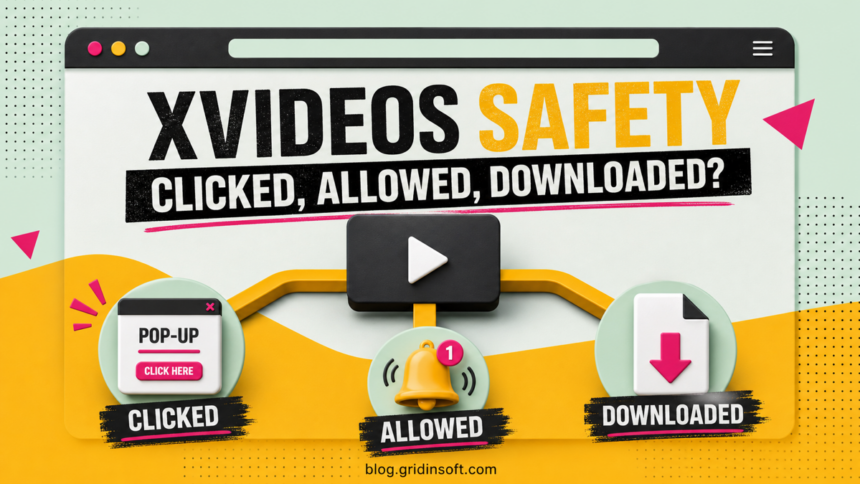
XVideos is not automatically a malware infection. If you opened the recognized site, watched a video in an up-to-date browser, and did not click an ad, allow notifications, download a file, install an extension, or enter account details, there is no clear sign that your device was infected. The risk changes after an ad or redirect takes you elsewhere, a look-alike domain asks for action, or you run something it downloaded.
This guide is about browser and device security. Adult content is for adults only, and access or age-verification rules vary by location.
Is XVideos safe? Use the action, not the page name, to decide
| What happened | What it usually means and what to do |
|---|---|
| You only viewed a page or streamed a video | A visit alone is not proof of malware. Close the page when finished and keep the browser and operating system updated. |
| An ad opened another tab | The destination is a separate risk. Close it without clicking warnings, phone numbers, Allow buttons, or download prompts. |
| You clicked Allow for notifications | The site can send browser notifications later. Revoke that permission; notification spam is not the same thing as a system infection. |
| A file downloaded, but you did not open it | Delete it and empty the browser’s download list or quarantine it. Check the real file extension before opening anything. |
| You ran an EXE, APK, installer, script, or extension | Treat this as a higher-risk event. Disconnect from sensitive accounts, remove the item, and scan the device. |
| You entered a password or payment details | Assume the destination may have captured them. Change the password from a clean device or contact the card issuer. |
The important distinction is between content you viewed and actions you took. A browser tab cannot prove that Windows, macOS, Android, or iOS has a virus. A fake alert inside that tab also cannot scan the device. By contrast, a program you ran, an extension you installed, or credentials you submitted can create a real incident.
Where the actual risk comes from
Ads and forced redirects
An ad click can open a gambling page, fake security warning, subscription trap, or download prompt. That new page is not evidence that XVideos itself installed malware; it is a separate site and should be judged separately. Do not press a large “Close,” “Scan,” or “Update” button inside the page. Use the browser tab’s own close control instead.
CISA describes malvertising as malicious or hijacked advertising used to redirect people or spread malware. This is why the destination and the requested action matter more than a familiar-looking play button.
Fake mirrors and look-alike pages
Search ads, mistyped addresses, copied pages, and pop-up chains can lead to domains that imitate a known brand. A matching color scheme or video layout does not prove ownership. Check the address character by character, and do not return through a notification or pop-up link. We deliberately do not link to the adult site from this article.
Fake players, codecs, apps, and browser updates
A normal streaming page should not require a Windows codec pack, a “special” player, an APK from an unknown source, a browser extension, or a manual browser update from the page. If a pop-up says video playback requires one of these, stop. Obtain browser updates only through the browser or its official vendor.
A file named like a movie may still be an executable or shortcut. If you are deciding whether a downloaded video is really media, use the checks in our guide to MP4 malware risk and real file extensions.
Notification permission
Clicking Allow on a browser permission prompt can let a site send messages after the tab is closed. Those messages can imitate antivirus warnings or lead back to scam pages. This is usually a site-permission problem, not proof that malware has been installed.
What to do after a pop-up or redirect
- Close the destination tab. Do not call a displayed phone number, install a recommended tool, or let anyone remotely access the device.
- Check Downloads. If an unexpected file appeared and you did not open it, delete it. Do not disable browser or antivirus warnings to keep it.
- Review recent extensions and apps. Remove only items you do not recognize or did not intentionally install. A page that keeps returning after the browser restarts may point to an extension, startup item, or adware.
- Clear the risky site’s permissions. Revoke notifications, pop-ups, redirects, camera, microphone, and location access if they were granted.
- Look for persistence. If tabs open by themselves on startup, the homepage or search engine changed, or an extension returns after removal, follow the deeper checks for a browser that keeps opening tabs.
A browser warning that says “your device has 5 viruses” is designed to create urgency. It does not have access to a full antivirus scan. Our fake virus alert removal guide covers persistent warning pages, browser notifications, and phone-number scams.
How to stop XVideos-related notifications
In Chrome, open Settings → Privacy and security → Site settings → Notifications, find the unfamiliar or unwanted domain, and choose Block or Remove. Also check Pop-ups and redirects. Do not remove only the XVideos name if the notification actually comes from a different domain; use the source shown on the notification.
Edge, Firefox, Safari, and Android Chrome place the control in different menus. Use our browser-by-browser instructions to disable unwanted push notifications. If messages stop after the permission is removed and no other symptoms remain, that strongly points to a browser permission rather than installed malware.
If you downloaded or ran something
If a file downloaded but was never opened, delete it and scan the Downloads folder. The higher-risk branch starts if you launched an installer, opened a script, sideloaded an APK, installed a browser extension, or approved a system prompt.
- Disconnect the device from sensitive work or financial sessions while you investigate.
- Uninstall the suspicious app or extension, but do not assume uninstalling removes every scheduled task, browser policy, or startup entry.
- Run the operating system’s security scan. On Windows, include a full scan when the file executed or browser changes persist.
- Use Gridinsoft Anti-Malware to check for adware, browser hijackers, loaders, and persistence left by a fake player or installer.
- If the scan finds an information stealer or remote-access tool, change important passwords from a different clean device and revoke active sessions.
If redirects, notifications, extensions, homepage changes, or managed policies return after browser cleanup, the source is often outside the browser: an installed app, policy, scheduled task, or startup entry.
Scan for browser hijacker leftoversDo not reinstall the operating system merely because one tab redirected. Escalate based on evidence: a file was executed, security settings changed, unknown programs appeared, the browser stays hijacked, or accounts show unauthorized activity. For a broader explanation of the infection paths around adult sites, see can porn sites give you a virus?
If you entered a password, card, or personal details
A look-alike login or “age verification” page can be a phishing form. If you entered a password, change it from a clean device, use a unique replacement, enable multi-factor authentication, and sign out other sessions. If the same password protects email, change email first because it can reset other accounts.
If you entered card details, contact the issuer through the number on the card or the bank’s official app. Ask about freezing or replacing the card and monitor transactions. Do not pay a second “verification,” “cancellation,” or “refund” fee.
Does Incognito mode make XVideos safe?
No. Incognito mode mainly limits what Chrome saves on the device after the private session ends. It does not make you anonymous, verify the site, block every redirect, neutralize a malicious download, or protect credentials entered into a phishing page. Google also notes that downloaded files remain on the device and that websites and network operators may still observe activity.
Incognito can reduce local browsing history on a shared device, but it is not a security boundary. Keep the browser updated, do not ignore Safe Browsing or antivirus warnings, and avoid installing anything offered by a video page.
When should you scan the device?
Run a scan if any of these signs appear after the visit:
- an EXE, MSI, script, APK, disk image, or extension was opened or installed;
- pop-ups or new tabs continue when the original site is closed;
- the homepage, search engine, proxy, or browser policy changed;
- an unknown app or extension returns after removal;
- security tools are disabled or cannot update;
- accounts show unfamiliar logins, password-reset messages, or transactions.
If none of these happened and you only watched a stream, a panic-driven cleanup is not warranted. Close the page, clear any permission you granted, update the browser, and watch for concrete symptoms.
FAQ
Can XVideos give you a virus just by watching?
Simply streaming a video in an updated browser is unlikely to install malware by itself, and a visit is not proof of infection. Risk rises when you follow an ad or redirect, install a player or extension, sideload an app, or run a downloaded file.
Is an XVideos virus warning real?
A warning displayed inside a web page cannot perform a full device scan. Close it without calling the number or downloading the proposed fix. A warning from your installed security software is different: note the exact detection name and file path, then verify it in the security app.
Why do XVideos notifications appear when the browser is closed?
A site or redirect domain probably received notification permission. The browser can deliver those messages in the background. Revoke the permission from the domain shown on the notification.
What if I clicked an ad but downloaded nothing?
Close the destination, check the browser’s download list, and review site permissions. If no file ran, no extension was installed, and the browser behaves normally, the click alone does not prove compromise.
Should I change my password after visiting XVideos?
Not for a visit alone. Change it if you typed it into a redirected or look-alike page, reused it on an untrusted form, or see unfamiliar account activity.
References
- Google Chrome Help. Remove unwanted ads, pop-ups and malware. Google; accessed July 17, 2026.
- Google Chrome Help. Browse in Incognito mode. Google; accessed July 17, 2026.
- Cybersecurity and Infrastructure Security Agency. Securing Web Browsers and Defending Against Malvertising. CISA; 2023; accessed July 17, 2026.