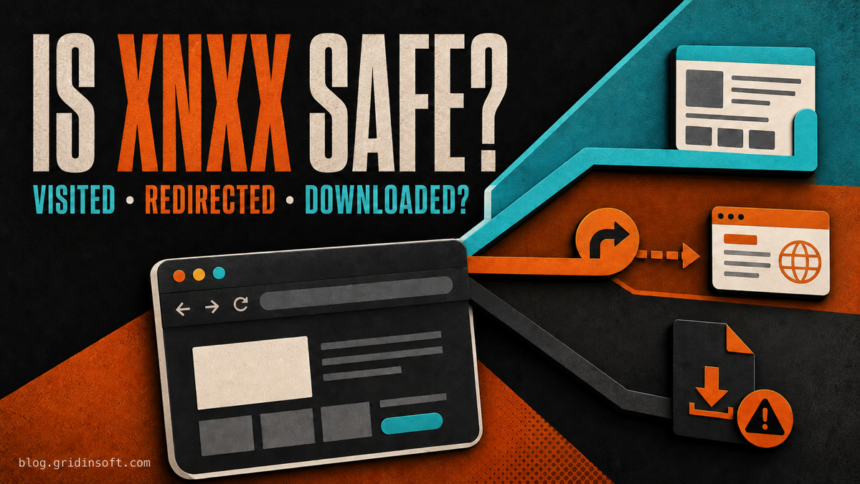
XNXX is not automatically a malware infection. If you opened the recognized site in an updated browser, streamed a video, and did not follow an ad, allow notifications, download a file, install an extension or app, or enter account details, there is no clear evidence that the visit infected your device. The risk changes when another domain opens, a fake warning asks you to act, or something is downloaded and run.
This guide is about browser and device security. Adult content is for adults only, and access or age-verification rules vary by location.
Is XNXX safe? Separate the domain from what happened next
The current Gridinsoft XNXX website reputation report describes the recognized main domain as an established, low-risk site at the time of its latest check, with no active provider warnings recorded in that report. That is useful evidence about the domain at one point in time. It does not certify every advertisement, redirect destination, mirror, user-submitted link, or file offered during a later visit.
| What happened | Risk and next step |
|---|---|
| You only viewed a page or streamed a video | A visit alone is not proof of infection. Close the page normally and keep the browser and operating system updated. |
| Another tab or domain opened | Treat the destination as a separate site. Close it with the browser control; do not use its fake Close, Scan, Update, or Continue buttons. |
| You clicked Allow for notifications | Revoke the permission from the domain shown in the notification. Notification spam is not the same as installed malware. |
| A file downloaded but was not opened | Delete or quarantine it and check the real extension. Do not launch it merely because the name looks like a video. |
| You ran an EXE, APK, script, installer, or extension | This is the higher-risk branch. Remove the item, scan the device, and check for browser or startup persistence. |
| You entered a password, card, or identity data | Assume the destination may have captured it. Secure the affected account or contact the card issuer from a trusted path. |
The action is more informative than the brand name. A clean reputation result cannot make a third-party download safe, while a single redirected tab does not prove that Windows, macOS, Android, or iOS is compromised.
Why XNXX pop-ups and fake virus alerts can appear
An ad sends the browser to a different site
A click on Play, a blank area, or an apparent close button can trigger an advertising redirect. The destination may be a gambling page, subscription trap, fake security warning, or download offer. CISA describes malvertising as malicious or hijacked advertising used to redirect people and, in some cases, distribute malware.
Judge the page now visible in the address bar, not the page you started from. We deliberately do not link to the adult site in this article.
A copied page uses the XNXX name
Look-alike pages can copy colors, thumbnails, navigation, and age prompts without being controlled by the real service. Search ads, mistyped addresses, notification links, and redirect chains can all land on a clone. Check the domain character by character. A familiar layout, HTTPS padlock, or long video list is not proof of ownership.
A browser permission was granted
A page may ask you to press Allow to prove you are an adult, continue watching, or pass a verification check. That permission can let the source domain deliver browser notifications later, including fake antivirus warnings. The notification may appear when the original tab is closed because the browser is delivering it in the background.
Use the small source line shown on the notification. It may name a redirect domain rather than XNXX. Removing permission from the wrong entry will not stop messages from the actual sender.
A fake player or download is offered
A normal browser should not need a random codec, “HD player,” extension, APK, or manual browser update from a video page. Leave if playback supposedly requires an EXE, MSI, DMG, ZIP, APK, script, extension, or permission to manage the device. Browser updates should come through the browser or its official vendor.
What to do after an XNXX redirect
- Close the destination with the browser tab control. Do not press a large X or Close button inside the page; it may be another link.
- Check the browser download list. Remove an unexpected file without opening it. If the file is already quarantined, do not restore it just to see what it contains.
- Review recent permissions. Remove notification, pop-up, camera, microphone, location, and clipboard access you did not intend to grant.
- Inspect new extensions and apps. Remove items installed during the incident, especially anything described as a player, search tool, VPN, security update, or video helper.
- Watch for recurrence. New tabs at startup, a changed homepage or search engine, a managed-browser message, or an extension that returns after removal points beyond a one-time ad redirect.
If nothing downloaded, no permission was granted, and the browser behaves normally after the tab closes, the redirect alone does not establish an infection. If pages continue opening by themselves, use the deeper checks in our guide for a browser that keeps opening new tabs.
How to stop unwanted XNXX-related notifications
In Chrome, open Settings → Privacy and security → Site settings → Notifications. Find the domain printed on the unwanted notification and choose Block or Remove. Also review Pop-ups and redirects. Edge, Firefox, Safari, and Android Chrome use different menus, so follow our browser-specific instructions to disable unwanted push notifications.
If the messages stop after the permission is removed and no other symptoms remain, that is strong evidence of notification abuse rather than an installed virus. If they continue from multiple sources or the permission reappears, inspect extensions, browser sync, policies, and installed apps.
What if a file downloaded?
If the file downloaded but was never opened, the safest response is to delete or quarantine it, clear the related browser download entry, and verify that no unexpected extension was installed. Our downloaded-but-not-opened checklist explains why an unopened file is a different incident from an executed installer.
Do not rely on the filename or icon. A file that looks like a video can end in .exe, .msi, .scr, .lnk, .js, or .apk. Windows may hide known extensions unless you enable File name extensions in File Explorer.
What if you ran an installer, APK, or extension?
Execution changes the response. Disconnect the device from sensitive work, banking, or password-manager sessions while you investigate. Uninstall the suspicious app or extension, but remember that uninstalling the visible item may leave a scheduled task, startup entry, service, browser policy, or second bundled component.
If an XNXX prompt installed an Android app, Trojan Scanner for Android can check the software on the phone. Scan installed apps, review the app warnings and confirm unwanted-app removal. A redirect alone does not mean an app was installed.
- Run a full security scan and remove detections.
- Reboot, then check whether the browser change, redirect, or warning returns.
- On Windows, review startup apps, scheduled tasks, browser extensions, proxy settings, and recently installed software if symptoms persist.
- On Windows, use Gridinsoft Anti-Malware to check for adware, browser hijackers, loaders, unwanted apps, and persistence left by a fake player or installer.
- If a scan identifies an information stealer or remote-access tool, change important passwords from a different clean device and revoke active sessions.
If redirects persist after browser cleanup on Windows, or a fake player or installer ran, scan the PC. Gridinsoft Anti-Malware can help find unwanted software behind the recurring browser changes.
Check Windows for adwareDo not reinstall the operating system because one ad opened another tab. Escalate when there is evidence: a file ran, an unknown app appeared, security settings changed, browser modifications survive a reset, or accounts show unauthorized activity. The broader porn-site malware guide explains the main infection paths shared across adult-site ads, fake verification, and downloads.
Is the XNXX virus warning real?
A warning drawn inside a web page cannot perform a full scan of the device. Claims such as “five viruses found,” a countdown, a support phone number, or an urgent install button are scare tactics. Close the tab without calling, paying, installing the proposed fix, or allowing remote access. Our fake virus alert guide covers browser lockers, notification warnings, and support-number scams.
A warning from an installed security application is different. Open that application directly, record the exact detection name and file path, and decide from the source and file context. Do not trust a web page merely because it copies Microsoft, Apple, McAfee, or another security brand.
If you entered a password, card, or verification data
If a redirected or look-alike page received a password, change it from a clean device, replace reused passwords, enable multi-factor authentication, and sign out other sessions. Secure email first when it can reset the affected account.
If you entered payment details, contact the issuer through the number printed on the card or the bank’s official app. Ask about freezing or replacing the card and monitor transactions. Do not pay a second “verification,” cancellation, or refund fee.
Identity or age-verification requests deserve separate caution because the data may be difficult to replace. Stop when the domain is unfamiliar or the process began after a redirect. Use only the official service and the verification method required in your location; this article does not recommend bypassing access controls.
Does Incognito mode make XNXX safe?
No. Incognito or private browsing mainly limits the history and site data saved locally after the session. It does not verify a domain, block every redirect, neutralize a malicious download, or protect information entered into a phishing form. Downloaded files remain on the device, and websites or network operators may still observe activity.
Private browsing can reduce local traces on a shared device, but it is not an antivirus or an anonymity guarantee. Keep the browser updated and treat unexpected permissions, apps, extensions, and downloads the same way you would in a normal window.
When should you scan the device?
Run a full scan when one or more of these occurred:
- an installer, script, APK, disk image, shortcut, archive payload, or extension was opened;
- pop-ups or tabs continue after the original browser session ends;
- the homepage, search engine, proxy, DNS, or browser policy changed;
- an unknown app or extension returns after removal;
- security tools are disabled, excluded folders appeared, or updates fail;
- accounts show unfamiliar logins, password resets, messages, or transactions.
If you only watched a stream, did not interact with a redirect, and see no persistent symptoms, panic-driven cleanup is not warranted. Close the page, remove any permission you accidentally granted, update the browser, and respond only to concrete evidence.
FAQ
Can XNXX give you a virus just by watching?
Simply streaming a video in an updated browser is not evidence that malware was installed. Risk rises after a malicious redirect, permission grant, fake update, unexpected download, or executed file.
Why did XNXX redirect me to another website?
An advertisement or deceptive page control may have opened a separate destination. Close that tab without interacting with its warnings or downloads, then check the browser’s download list and recent site permissions.
Why do XNXX-related notifications appear after the browser is closed?
A site or redirect domain probably received browser notification permission. Use the source printed on the notification to find and revoke the correct permission.
What if I clicked an ad but downloaded nothing?
Close the destination, check Downloads, and review permissions. If nothing ran, no extension or app was installed, and the browser behaves normally, the click alone does not prove compromise.
Should I change my password after visiting XNXX?
Not for a view-only visit. Change it if you typed it into a redirected or look-alike page, reused it on an untrusted form, or see unfamiliar account activity.
References
- Google Chrome Help. “Remove unwanted ads, pop-ups and malware.” Google, accessed July 18, 2026. Chrome Help guidance.
- Google Chrome Help. “Browse in Incognito mode.” Google, accessed July 18, 2026. Chrome Incognito documentation.
- Cybersecurity and Infrastructure Security Agency. “Securing Web Browsers and Defending Against Malvertising.” CISA, 2023; accessed July 18, 2026. CISA malvertising guidance.