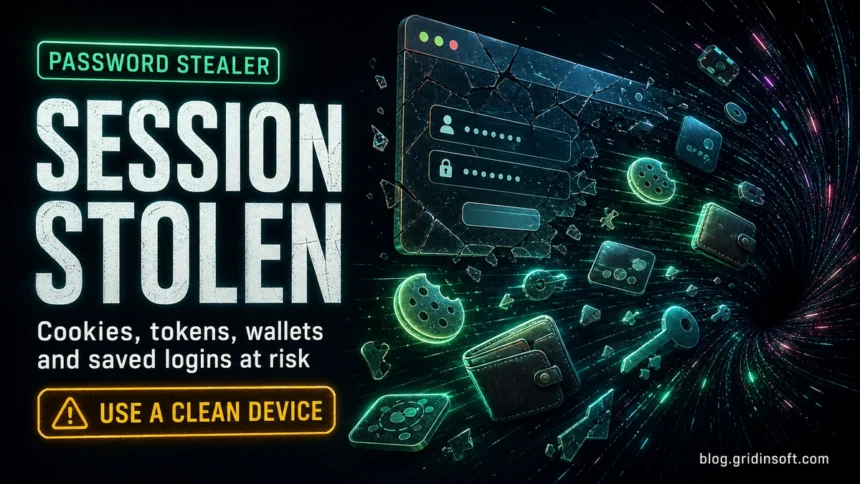
A password stealer is malware that collects saved passwords, browser cookies, session tokens, autofill data, cryptocurrency wallets, and other account secrets from an infected device. Treat it as an account-compromise incident, not only as a file-cleanup problem: clean the device first, then reset passwords and sessions from a clean phone or computer.
If the detection names an older family such as AZORult Stealer, handle it the same way: clean the PC first, then reset passwords and sessions from a clean device.
If you are not sure whether the incident was malware theft, phishing, spraying, or reused credentials, use the Gridinsoft password attacks guide to identify the attack path first.
What should I do after a password stealer infection?
- Disconnect the infected PC from sensitive accounts and stop using it for logins.
- Scan and clean Windows before changing passwords on that device.
- Use a clean device to change email, banking, password manager, cloud, work, gaming, and social passwords.
- Use “sign out everywhere” or “log out of all sessions” wherever the service offers it.
- Reset MFA, remove unknown recovery emails or phones, and revoke suspicious connected apps.
After cleanup, rebuild your accounts from a safer baseline: use unique passwords, a password manager that is safe to use, MFA, and offline recovery codes. If you are changing many accounts, start with the mailbox and password manager because they can be used to reset everything else. See our guide on how to store passwords securely before changing everything at once.
What is a password stealer?
Password stealers are lightweight malware families built for fast data theft. Many do not need to stay visible for long: once launched, they gather browser profiles, saved logins, cookies, wallet files, tokens, and local documents, then send the archive to an attacker-controlled server.
The modern risk is session theft. Google explains that infostealer malware can extract browser session cookies and use them to access accounts without needing the password itself; this is why a password reset alone may not immediately remove every active attacker session.[1]
What password stealers target in 2026
| Data targeted | Why it matters |
| Browser passwords | Direct account takeover, especially when passwords are reused |
| Cookies and session tokens | May keep an attacker logged in even after MFA was completed |
| Autofill data | Names, addresses, phone numbers, payment hints, and identity details |
| Crypto wallets and seed phrases | Direct financial theft with little chance of recovery |
| Password manager files, vault exports, API keys, and notes | High-value secrets that can unlock many other services |
Recent campaigns show why the old idea of “it only steals passwords” is outdated. Microsoft documented fake developer interview attacks that searched for password stores, wallet material, API tokens, signing keys, cloud credentials, documents, screenshots, and clipboard data.[2] Qualys also reported Lumma Stealer delivery through fake CAPTCHA flows, with collection logic for browser credential data, password files, and cryptocurrency wallet files.[3]
An emerging platform called WARDEN Stealer has been advertised with browser-cookie, wallet, clipboard, and loader capabilities. Its public evidence is still limited to the observed advertisement and seller claims, so use the exact guide for the evidence boundary and state-based recovery rather than assuming a verified campaign or IOC set.
How people usually get infected
- Cracked software, game cheats, repacks, fake activators, and “free premium” tools.
- Fake CAPTCHA or “verify you are human” pages that tell users to paste a command into Windows Run or PowerShell.
- Fake browser updates, malicious ads, and lookalike download pages.
- Phishing attachments, fake invoices, fake shipping notices, and archive files.
- Fake job interview tasks, malicious repositories, or developer packages that ask the victim to run code.
If your infection started after a game/mod download, also read Infostealer After Downloading a Game or Mod. If a Microsoft account was already accessed, use our Microsoft account hacked after malware recovery checklist.
If several services were taken over or the original cause is still unclear, use the hacked-account first-response router to secure email, sessions, connected apps, payments, and contacts in the right order.
Possible signs of a password stealer
- Unknown logins to email, social, gaming, banking, crypto, or cloud accounts.
- Security alerts after installing a crack, cheat, fake update, or unknown browser extension.
- Accounts show activity from another country even though MFA was enabled.
- Browser sessions are suddenly logged out, settings are changed, or recovery details are modified.
- Antivirus detects a stealer, trojan, loader, suspicious script, or fake CAPTCHA payload.
Password stealer recovery steps
- Stop using the infected device for logins. Do not enter new passwords on a machine that may still be monitored.
- Disconnect and clean Windows. Remove the suspicious installer, extension, scheduled task, startup item, and payload, then run a full malware scan.
- Use a clean device for account recovery. Start with email, password manager, banking, cloud storage, work, social, gaming, and crypto accounts.
- Change passwords and revoke sessions. Use “sign out everywhere” where available, then remove unknown devices and connected apps.
- Reset MFA and recovery options. Replace backup codes, check authenticator entries, remove unknown recovery email addresses or phone numbers, and disable app passwords you do not recognize.
- Check mailbox rules and forwarding. Attackers often add filters, forwarding rules, or hidden recovery paths so they can regain access later.
- Monitor money and identity risk. Watch payment accounts, crypto wallets, saved cards, tax/identity portals, and password-reset emails for follow-up abuse.
After uninstalling the suspicious app or deleting the visible threat, use Gridinsoft Anti-Malware to check hidden files, startup entries, scheduled tasks, bundled apps, browser changes, and other persistence points that can restore malware.
Download Anti-MalwareWhy changing the password may not be enough
If an attacker stole a session cookie or token, they may already have a logged-in browser session. Changing the password is still necessary, but it should be paired with session revocation, connected-app cleanup, MFA reset, and recovery-method review. Prioritize accounts that control other accounts first: primary email, password manager, cloud drive, phone carrier, banking, and work identity.
Do I need to reinstall Windows?
Not every password stealer infection requires a full reinstall. A clean full scan plus manual startup, task, browser, and extension cleanup may be enough for a basic one-time payload. Reinstall Windows from trusted installation media if the malware persists, admin access was abused, security tools were disabled, unknown remote-access tools appeared, or you cannot confidently identify what ran.
How to reduce the next-stealer risk
- Avoid cracks, cheats, “free premium” tools, and random download mirrors.
- Do not paste commands from web pages into Windows Run, Terminal, PowerShell, or browser developer tools.
- Keep browser profiles lean: remove extensions you do not actively trust.
- Use unique passwords and MFA, but remember that session theft means MFA is not a complete recovery plan by itself.
- Keep offline recovery codes and emergency access notes outside the infected computer.
If the detection or research name is KuinaExtractor or k0to, use our KuinaExtractor stealer removal and account-recovery guide for the exact cleanup, session-revocation, and Windows Credential Manager checklist.
FAQ
Can a password stealer bypass MFA?
Sometimes. If it steals session cookies or tokens, an attacker may access an already authenticated session. That is why signing out of all sessions matters.
Are saved browser passwords safe?
They are convenient, but malware running on the device can target browser data. A password manager, unique passwords, and clean-device recovery are safer.
Should I change passwords before removing the stealer?
No. Change passwords from a clean phone or computer first, or after the infected device is cleaned. Otherwise the new passwords may be stolen too.
What account should I recover first?
Recover your main email and password manager first, then banking, cloud, work, social, gaming, and crypto accounts. The mailbox is especially important because it can reset many other accounts.
References
- Ackerman, B., Rubery, D., and Ehinger, G. “Protecting Cookies with Device Bound Session Credentials.” Google Security Blog, April 9, 2026, accessed June 7, 2026. https://blog.google/security/protecting-cookies-with-device-bound-session-credentials/
- Microsoft Defender Experts and Microsoft Defender Security Research Team. “Contagious Interview: Malware delivered through fake developer job interviews.” Microsoft Security Blog, March 11, 2026, accessed June 7, 2026. https://www.microsoft.com/en-us/security/blog/2026/03/11/contagious-interview-malware-delivered-through-fake-developer-job-interviews/
- Qualys Threat Research Unit. “Unmasking Lumma Stealer: Analyzing Deceptive Tactics with Fake CAPTCHA.” Qualys, updated 2026, accessed June 7, 2026. https://blog.qualys.com/vulnerabilities-threat-research/2024/10/20/unmasking-lumma-stealer-analyzing-deceptive-tactics-with-fake-captcha