USFans appears to operate a real shopping-agent service, and the main usfans.com domain currently has a low-risk technical profile in Gridinsoft’s Website Reputation Checker. That does not guarantee a predictable final shipping bill, correct item, on-time parcel, successful insurance claim, or refund. The safest answer is therefore conditional: verify the exact domain, understand that product purchase and international delivery are separate stages, inspect every QC photo and parcel detail, and keep payment and support evidence before approving shipment.
- A clean domain check addresses malware and phishing signals, not customer-service outcomes.
- The product payment is not necessarily the final delivered cost.
- QC photos help only if you compare them with the seller listing, size, color, weight, and parcel label.
- Mixed reviews are evidence to investigate, not proof that every order succeeds or fails.
- Use a payment method with a documented dispute process and save every order record.
How the USFans Shopping-Agent Model Works
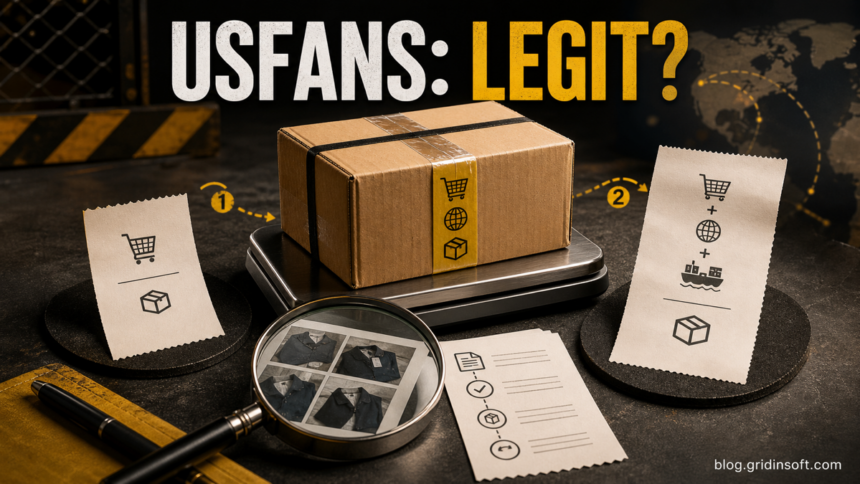
USFans describes a four-step service: it purchases an item from a Chinese marketplace or seller, receives it at a USFans warehouse, photographs and checks it, and then ships a consolidated parcel internationally. Its public pages distinguish the seller-to-warehouse leg from the warehouse-to-customer leg and advertise shipping estimation, warehouse management, inspection, returns, and after-sales support.[1]
This matters because a low product price can be only the first part of the cost. International shipping depends on the packed parcel, route, weight, dimensional weight, restrictions, optional services, insurance, and destination rules. A calculator can help with planning, but the amount shown before the warehouse receives and measures the goods may not be the final charge.
| Stage | What to verify before continuing |
|---|---|
| Product order | Seller, item link, size, color, quantity, domestic delivery cost, and return conditions. |
| Warehouse arrival | QC photos, visible defects, labels, measurements, item weight, and whether the received product matches the listing. |
| Parcel submission | Packed weight and dimensions, shipping line, insurance terms, restricted-item rules, address, and the complete charge. |
| International delivery | Tracking acceptance, carrier handoff, customs status, delivery scan, and damage or loss evidence. |
Is USFans Legit? What the Current Evidence Shows
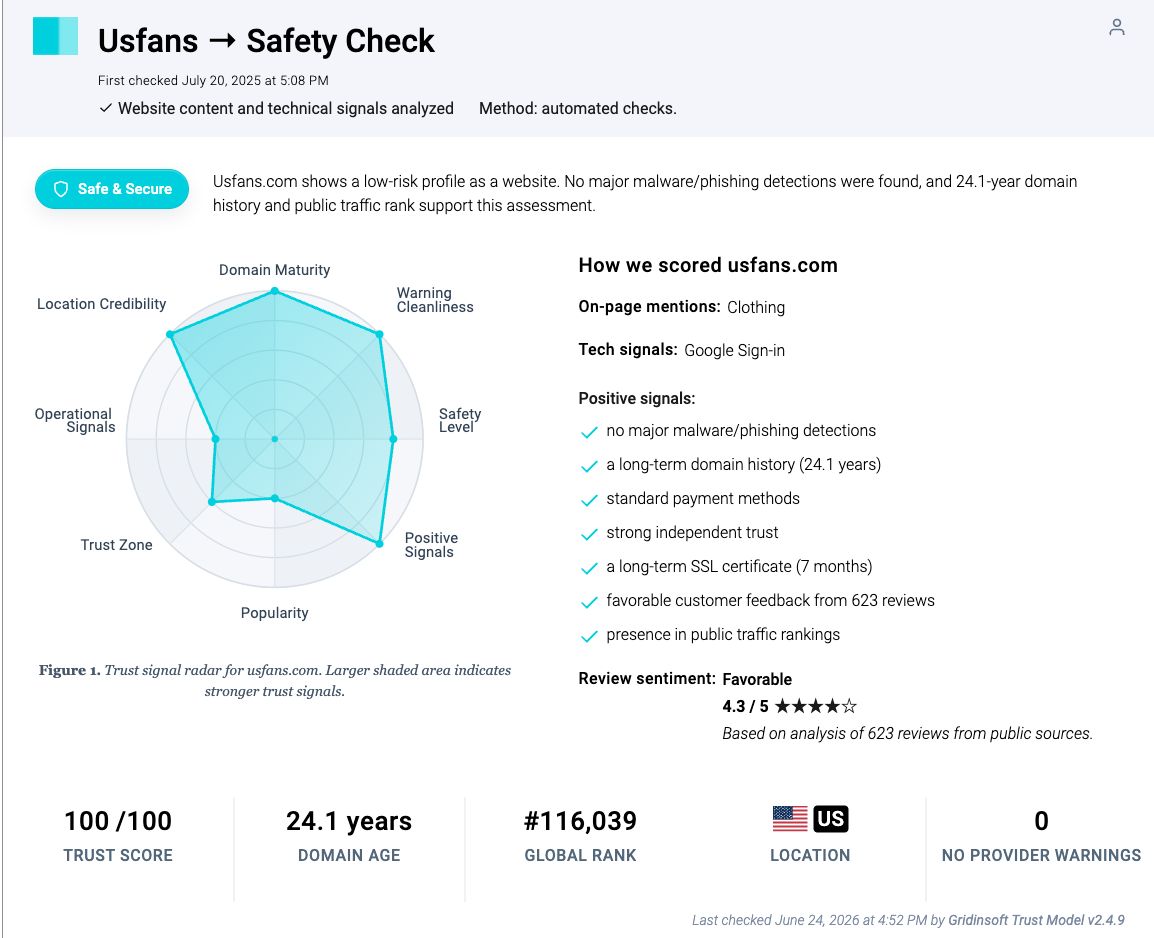
The evidence supports a bounded answer rather than a one-word verdict. Gridinsoft’s current report for the main domain shows a 100/100 technical trust score, no provider warnings in its checked set, a long domain history, and no major malware or phishing detection at the time of analysis. Use the live USFans domain report to recheck those signals because a website assessment can change.
Customer-service evidence is less clean. Trustpilot currently withholds the company’s rating and says it removed a number of fake reviews after a guidelines breach. The same profile still contains both positive reports about delivery and support and negative claims about shipping charges, refunds, and payment security.[2] That warning makes the headline rating unreliable as a shortcut; it does not prove that every positive or negative review is false.
Recent Reddit discussions also contain allegations of wrong items and difficult refunds. In one thread, a user alleged that items were switched, while a USFans representative denied swapping goods, described a QC process, requested order details, and said an investigation had been opened.[3] Treat both the complaint and the company response as attributed claims until order records, QC images, labels, and resolution evidence establish what happened.
Normal Shopping-Agent Friction vs. a Serious Warning
Shopping-agent orders have more handoffs than a direct retail purchase. A second shipping payment, warehouse delay, volumetric-weight adjustment, or seller return is not automatically fraud. The concern rises when the service cannot show how a charge was calculated, does not preserve QC or parcel evidence, changes the destination details, ignores a documented mismatch, or asks the buyer to move payment or support outside the official account.
- Potentially explainable: international shipping is billed after warehouse arrival; the parcel is reweighed after packaging; a seller rejects a return; tracking is created before a carrier scan.
- Needs written clarification: a large difference between estimated and final shipping, an unexpected balance restriction, unclear insurance coverage, or a parcel label that omits address details.
- High-risk: payment to a personal wallet or unrelated account, requests for passwords or one-time codes, a different lookalike domain, pressure to install an unknown app or extension, or unauthorized card activity.
Checklist Before You Pay or Submit a Parcel
- Verify the exact domain and app publisher. Open the site manually, check the address character by character, and avoid links sent through an unsolicited message or social post. A similar subdomain is not proof that it belongs to the main service.
- Model the delivered cost, not only the item price. Record the product, seller-to-warehouse fee, estimated item weight, likely parcel dimensions, international line, insurance, and destination charges.
- Read the live return and insurance terms. Note when the return window begins, which costs are non-refundable, what evidence a claim needs, and whether compensation is platform credit or a refund to the original method.
- Use a payment route with dispute records. Avoid irreversible payment methods for a normal consumer order. Do not store a card unless necessary, and enable transaction alerts.
- Keep the first version of every promise. Save the item page, price, shipping estimate, delivery window, insurance description, support transcript, and order number before they can change.
- Start with a low-value order. A small test limits the amount exposed while you learn how the warehouse, QC, shipping, and support stages work.
How to Use QC Photos as Evidence
Do not approve a parcel because the thumbnails merely look plausible. Compare the warehouse photos with the original seller listing and your order record. Ask for clarification before shipment when a decisive detail is missing.
- Match the model, color, size tag, quantity, accessories, and visible serial or product label where appropriate.
- Check measurements and weight against what the seller advertised; document any large difference.
- Zoom in on seams, soles, connectors, screens, packaging, damage, and other item-specific details.
- Save the QC images locally with the order number and date.
- Before parcel submission, capture the destination address, parcel weight, dimensions, selected line, insurance choice, and complete cost.
- When the label becomes available, verify the name, street, unit, city, postal code, country, and tracking number.
What to Do If an Order Goes Wrong
- QC mismatch before international shipment: do not submit the parcel. Save the seller listing and warehouse photos, identify the exact mismatch, and open the platform’s return or after-sales request within the live deadline.
- Unexpected shipping charge: ask for the packed weight, dimensions, volumetric divisor, route, service fees, insurance, and any adjustment. Compare the answer with the estimate you saved.
- Wrong or damaged item after delivery: photograph the unopened parcel label and all sides, record an unbroken opening video when practical, keep the packaging, and match the contents to the QC images and order record.
- Tracking does not progress: distinguish label creation from a carrier acceptance scan. Request the handoff date and carrier proof in writing before assuming the parcel is lost.
- Refund becomes platform credit: ask support to identify the policy accepted at payment, the original refund route, any non-refundable fee, and the expected timeline. Preserve the answer before escalating through the payment provider.
- Unauthorized card activity: lock the card in the issuer’s official app if available, call the number on the card, describe the transaction accurately, and ask whether replacement or a dispute is appropriate. For a wider response plan, follow the steps to take after an online scam.
- Reused password or account takeover: move to a trusted device, secure the email account first, change reused passwords, revoke sessions, and use the hacked-account recovery checklist.
When This Becomes a Device-Security Problem
The main USFans domain’s current low-risk result does not automatically apply to every USFans-themed subdomain, advertisement, support account, browser extension, or download. Treat the incident as a device-security problem if a lookalike page made you install an app outside the expected store, run a downloaded file, add a browser extension, allow remote access, or approve unexpected notification permissions.
Disconnect remote-access software, remove unknown extensions or notification permissions, and scan the device before using it for banking or account recovery. The broader online shopping scam guide explains fake-store and malicious-download warning signs. A malware scan can find suspicious files, startup entries, browser changes, and persistence; it cannot reverse a payment or prove that an order dispute will succeed.
FAQ
Is USFans a scam?
The current evidence does not support an unqualified claim that every USFans order is a scam. The main domain has strong technical reputation signals, while independent review pages and forums show a mixed customer-service record and a review-integrity warning. Judge the exact transaction by its costs, QC evidence, shipping records, support response, and payment outcome.
Why does USFans charge shipping after I already paid?
A shopping agent normally separates the seller purchase from international parcel delivery. The final shipping charge may be calculated only after goods arrive, are consolidated, packed, measured, and assigned to an available route. Ask for the packed weight, dimensions, line, fees, and insurance before approving payment.
Does a 100/100 Gridinsoft trust score guarantee my order?
No. It describes technical website-reputation signals observed for the domain, including provider warnings, infrastructure, and other trust indicators. It does not guarantee product quality, shipping cost, delivery, customer support, insurance, or refunds.
What should I save before approving shipment?
Save the original listing, order details, QC photos, measured weight and dimensions, shipping estimate, final charge, insurance terms, destination address, parcel label, tracking number, and support messages.
What should I do if I suspect my card was compromised?
Use the issuer’s official app or the number on the card to lock or replace it and review recent transactions. Explain whether a charge was unauthorized or whether the dispute concerns goods or services that were not delivered as promised. Change any password reused on the shopping account.
References
- USFans. “USFans: Taobao/1688/Weidian Shopping Agent and Global Shipping from China.” USFans, accessed July 29, 2026. https://www.usfans.com/
- Trustpilot. “USFans Reviews: usfans.com.” Trustpilot, accessed July 29, 2026. https://uk.trustpilot.com/review/usfans.com
- ShoddyFerret2284 and USFans representative. “I got sent wrong items … how can I get my money back or get the items?” Reddit r/USFansWorld, July 2026, accessed July 29, 2026. https://www.reddit.com/r/USFansWorld/comments/1uxb5n4/i_got_send_wrong_items_or_they_switch_my_shit_how/