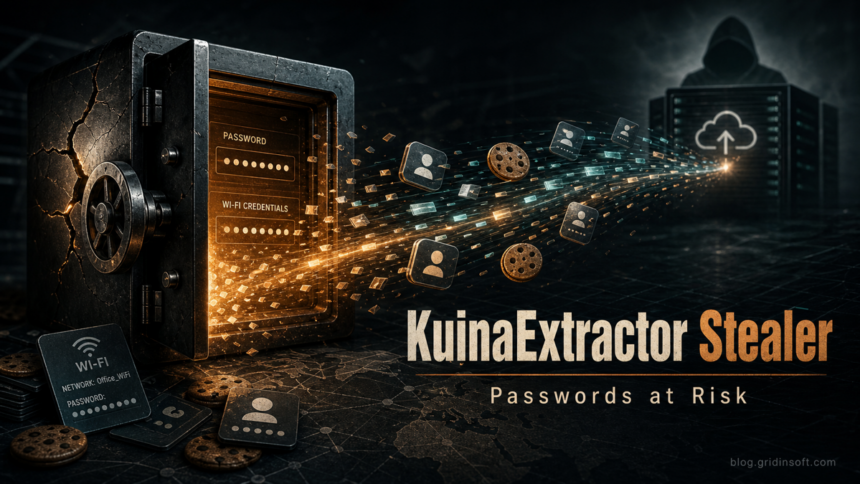
KuinaExtractor stealer is a Windows information stealer now also tracked under the k0to name. If you ran a suspicious file and later saw a security warning, Discord or Steam activity, browser session problems, or a Trojan:Win32/Zusy.HAK!MTB detection, treat it as both a malware cleanup and an account-recovery incident: remove the payload first, then reset passwords and revoke sessions from a clean device.
This guide focuses on the practical response for home users and small teams. It does not try to retell every research detail. The key point is simple: KuinaExtractor is reported to target browser data, cookies, crypto wallets, Discord, Steam, Roblox, Windows Credential Manager, and Wi-Fi credentials, so deleting one downloaded file is not enough if the file already ran.
What is KuinaExtractor / k0to?
KuinaExtractor is a Rust-based infostealer family documented by Threatray after tracking builds from late 2025 through mid-2026. The same research describes a June 2026 rebrand to k0to, with newer builds focusing more on concealment and one-way file upload. Microsoft also has a generic Defender page for Trojan:Win32/Zusy.HAK!MTB, a detection name that may appear around samples in this cluster.
For the reader, the exact family label matters less than the response path. A stealer can copy secrets that stay useful after the malware file is gone: browser cookies, saved passwords, session tokens, wallet files, game accounts, chat tokens, and stored Windows credentials. That is why cleanup and account recovery must happen in the right order.
First actions if you think KuinaExtractor ran
- Stop signing in on the affected PC. Do not open banking, email, password manager, crypto, Discord, Steam, Roblox, or work accounts from that Windows profile until cleanup is done.
- Disconnect from sensitive networks. If this is a work or school device, disconnect it from VPN and Wi-Fi and notify IT before changing anything.
- Keep the detection details. Save the detection name, affected path, file name, and time. Common places to inspect include
%USERPROFILE%\Downloads,%LOCALAPPDATA%\Temp, the desktop, browser download folders, and extracted archive folders. - Do not restore or allow the file. A generic-looking detection can still represent a working stealer if the file came from a crack, mod, launcher, Telegram/Discord attachment, fake GitHub project, or unknown mirror.
- Use a clean device for password changes. Change the main email and password-manager passwords only after you are using a phone or computer that was not exposed.
What KuinaExtractor can put at risk
| Area | Risk and what to do |
|---|---|
| Browser passwords and cookies | Saved logins and active sessions may be copied. Reset important passwords and use each service’s sign-out-everywhere option. |
| Discord, Steam, Roblox, and gaming accounts | Session tokens may let an attacker act without knowing the password. Revoke sessions, reset passwords, check connected apps, and review trades or purchases. |
| Crypto wallets | Wallet files, seed phrases saved in text files, and browser wallet data are high-risk. Move funds from a clean device if wallet secrets may have been exposed. |
| Windows Credential Manager and Wi-Fi profiles | Stored Windows, network, and Wi-Fi credentials can expose other systems. Rotate shared passwords and remove old saved credentials after cleanup. |
| Defender or security-tool settings | Some stealer builds try to interfere with security tooling. Check for exclusions, disabled protection, unusual scheduled tasks, and startup entries. |
How to remove KuinaExtractor and k0to leftovers
Start with the visible detection, but do not stop there. An infostealer may create a loader, scheduled task, startup entry, Defender exclusion, or browser-profile change that survives the first quarantine. Use this order:
- Quarantine or delete the detected file. If Microsoft Defender or another security tool already quarantined it, leave it quarantined while you investigate.
- Run a full system scan. Update definitions first, then scan all drives that may contain downloads, extracted archives, launchers, and temporary files.
- Check Startup, Task Scheduler, and Services. Look for entries launched from user-writable paths such as
%APPDATA%,%LOCALAPPDATA%,%TEMP%, unusual folders under%USERPROFILE%, or command wrappers likeC:\Windows\System32\cmd.exestarting unknown scripts. - Inspect Defender exclusions and security settings. Remove exclusions you did not create. If protection was disabled, turn it back on before reconnecting the machine to accounts.
- Review Run keys only if you are comfortable in Registry Editor. Suspicious values under
HKCU\Software\Microsoft\Windows\CurrentVersion\Runor the matching machine-wide Run key deserve investigation, especially if they point to a downloaded executable or script. - Reset affected browsers. Remove unknown extensions, clear malicious startup pages, and review password storage. If the browser profile itself is suspicious, export bookmarks only and rebuild the profile.
If the file ran from a crack, mod, fake installer, or unknown archive, the visible alert may be only the first piece. A full Gridinsoft Anti-Malware scan can help find hidden files, startup entries, scheduled tasks, bundled modules, browser changes, and persistence that a first quarantine may miss. Remove detections, reboot, and scan again if alerts or account symptoms return.
If a token stealer ran here, logging back in can hand the attacker your new Discord session, email cookie, Steam token, or wallet access. Scan this Windows PC first, then reset passwords from a clean device.
Scan for stealer leftoversAccount recovery checklist after KuinaExtractor
Do recovery from a clean device, not from the infected Windows session. Prioritize accounts that can reset other accounts or move money.
- Main email and password manager. Change passwords, revoke all sessions, reset MFA backup codes, and remove unknown recovery email addresses or phone numbers.
- Microsoft, Google, Apple, and cloud accounts. Review recent sign-ins, devices, connected apps, OAuth permissions, and mailbox forwarding rules.
- Discord, Steam, Roblox, Epic, and other gaming accounts. Log out all sessions, reset passwords, check purchases, trades, messages, and connected payment methods.
- Banking, payment, and crypto accounts. Change credentials from a clean device, enable strong MFA, review transactions, and contact the provider if a wallet seed, exchange password, or payment card may have been stored locally.
- Work or school accounts. Tell IT if the PC held VPN credentials, RDP credentials, code-signing material, browser SSO sessions, SSH keys, or saved admin passwords.
- Wi-Fi and network credentials. Rotate the home or office Wi-Fi password if the infected profile stored it and untrusted users could benefit from it.
For a broader recovery sequence, use our password stealer malware recovery guide. If the infection began after a game, mod, launcher, or repack, compare the symptoms with our infostealer after downloading a game or mod checklist.
Could KuinaExtractor be a false positive?
False positives can happen with packed or protected software, but the KuinaExtractor/k0to lane is not a good candidate for casual restore decisions. Treat the file as unsafe if any of these are true:
- it came from a crack, repack, mod menu, unofficial launcher, Telegram/Discord attachment, or unknown GitHub mirror;
- the path is under Downloads, Temp, AppData, an extracted archive, or a recently created folder;
- Defender or another tool also reports credential theft, trojan, stealer, or behavior-blocking names;
- the alert returns after reboot or after you delete the original file;
- accounts show new logins, spam, trades, password resets, or MFA prompts.
If the file is from a known vendor and you need it for work, do not restore it blindly. Check the digital signature, download it again from the official source, submit the file to the vendor or Microsoft for analysis, and keep the suspicious copy isolated until the review is complete. Our Microsoft Defender detection names guide explains why a generic family name does not prove a file is harmless.
How to avoid the next stealer incident
- Keep gaming, chat, crypto, banking, and work accounts out of the same browser profile used for risky downloads.
- Do not test cracks, loaders, cheats, or unknown scripts on the Windows profile where you keep password-manager sessions.
- Use unique passwords and MFA, but remember that stolen session tokens may bypass a fresh password until sessions are revoked.
- Store recovery codes offline, not in a text file on the same desktop.
- Keep Windows, browsers, and security tools updated, and review browser extensions after any suspicious download.
FAQ
Is KuinaExtractor the same as k0to?
Current research treats k0to as a later KuinaExtractor name or rebrand. For cleanup, handle both names as the same account-risk incident unless a trusted analyst proves your specific file is unrelated.
What should I recover first?
Recover your main email and password manager first, then Microsoft/Google, banking, crypto, Discord, Steam, Roblox, work, and cloud accounts. Use a clean device for every password reset.
Can antivirus remove everything?
Security tools can remove malware files and persistence, but they cannot revoke stolen cookies, reset passwords, reverse crypto transfers, or undo account changes. Account recovery is a separate step.
Should I wipe Windows?
Consider reinstalling Windows if the stealer ran with administrator rights, security settings were disabled, alerts keep returning after cleanup, or the computer held business/admin credentials. Back up personal documents carefully and do not restore unknown executables or browser profiles.
References
- Threatray. “KuinaExtractor: Six Months of a Rust Infostealer’s Evolution.” Threatray, published June 25, 2026, accessed July 3, 2026. https://www.threatray.com/blog/kuinaextractor-six-months-of-a-rust-infostealers-evolution
- Microsoft Security Intelligence. “Trojan:Win32/Zusy.HAK!MTB.” Microsoft, updated October 27, 2025, accessed July 3, 2026. https://www.microsoft.com/en-us/wdsi/threats/malware-encyclopedia-description?Name=Trojan%3AWin32%2FZusy.HAK%21MTB&ThreatID=2147956065