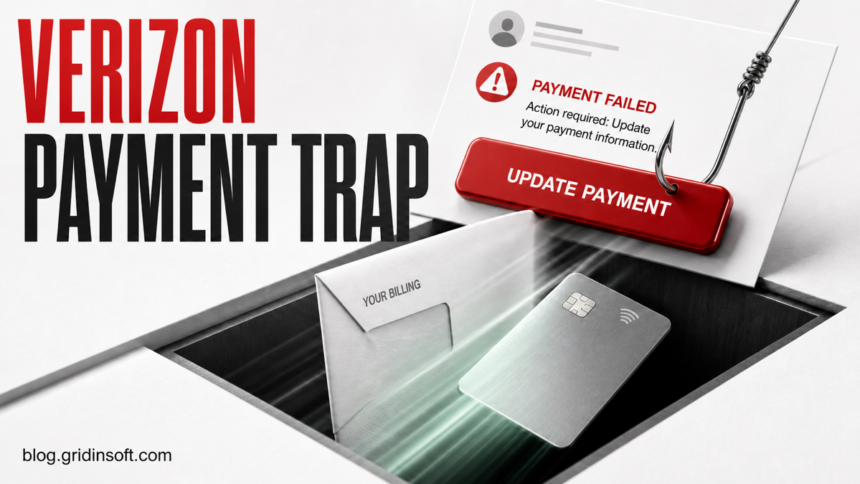
The reviewed “Verizon Bill Payment Could Not Be Processed” email is a phishing lure. It says a recent bill payment failed and pushes an Update Your Payment Method button. Do not use that button. Open the My Verizon app or type the official Verizon address yourself, then compare the bill balance, payment history, notifications, and saved payment methods.
A real card can expire and a bank can decline a legitimate charge, so the words “payment failed” alone do not prove fraud. The safe decision comes from what your account shows outside the message. If My Verizon shows no matching billing problem, treat the email as fake. If it shows a real issue, fix it only inside the official app or site.
What the fake Verizon payment email looks like
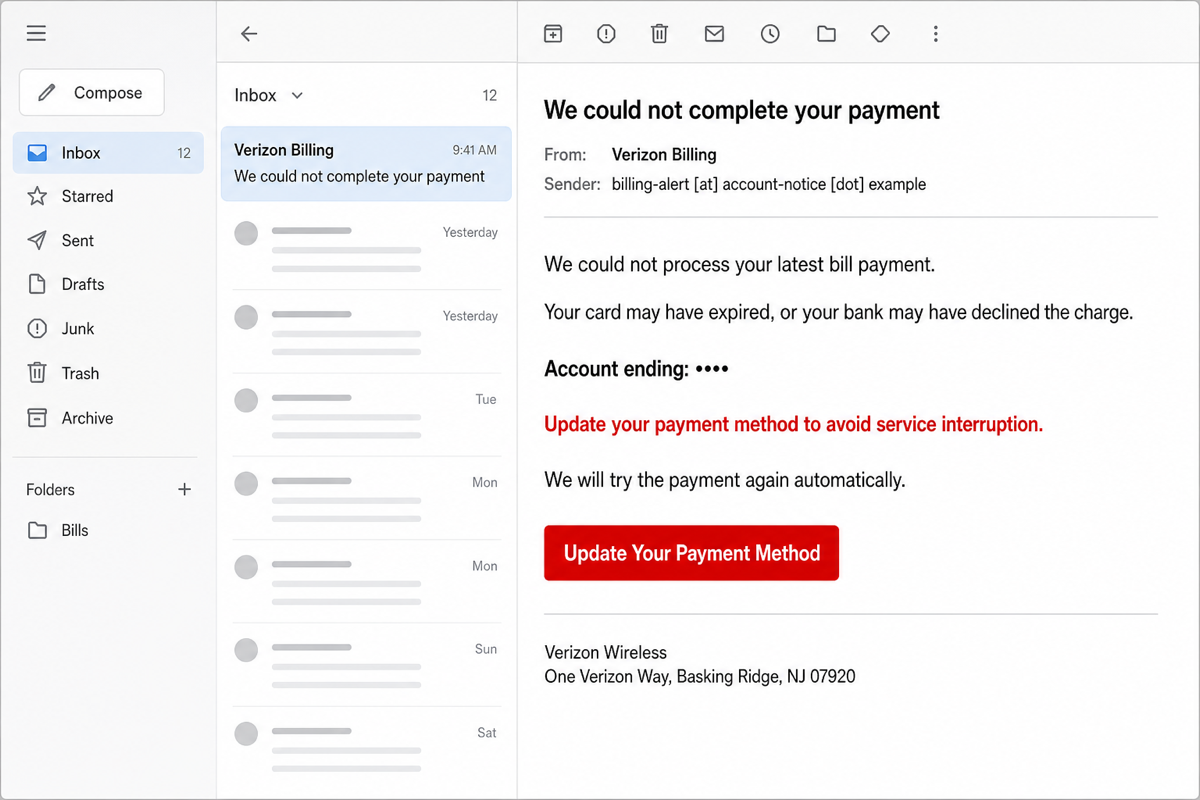
Example
Subject: We could not complete your payment
From: Verizon Billing <billing-alert [at] account-notice [dot] example>
We could not process your latest bill payment. Your card may have expired, or your bank may have declined the charge.
Account ending: ••••
Update your payment method to avoid service interruption. We will try the payment again automatically.
Button: Update Your Payment Method
Verizon Wireless
One Verizon Way, Basking Ridge, NJ 07920
The example is deliberately non-functional and uses an obfuscated .example sender. Real campaigns can change the sender, account suffix, wording, button color, and destination. The consistent tactic is pressure to leave your normal Verizon account path and submit information through the message.
Why the message is suspicious
| Message clue | What it means |
|---|---|
| Unexpected payment failure | A plausible billing problem creates urgency, but only the real account can confirm whether a charge failed. |
| “Update Your Payment Method” button | The button hides the destination on mobile and may lead to a copied sign-in or payment form. |
| Expired-card or bank explanation | This broad wording fits many recipients without proving the sender knows anything about the account. |
| Service-interruption pressure | A deadline is meant to make you act before checking the bill independently. |
| Masked account ending | A few masked characters can be copied, guessed, leaked elsewhere, or shown without any digits. They are not authentication. |
| Verizon name, social icons, and One Verizon Way footer | Public brand assets and a public postal address are easy to copy. They do not validate the sender domain or link. |
Verizon says it does not ask for personal or account information by email or text, and tells customers not to click links, open attachments, or provide data through suspicious messages [1]. A polished layout is not a substitute for checking the real destination. For a broader sender, link, header, and pressure-tactic checklist, see how to spot a phishing email.
How to verify a real Verizon payment problem
- Do not reply or press the email button. Do not call a number shown only in the message.
- Open My Verizon independently. Use the installed app, a saved bookmark, or type the official Verizon address yourself.
- Check the current balance and payment history. Look for a declined, reversed, pending, or missing payment that matches the timing of the email.
- Review notifications and saved payment methods. Confirm whether the card or bank account on file actually needs attention. Verizon documents payment-method changes inside My Verizon [2].
- Resolve a genuine issue inside the account. If the bill really is unpaid, change the payment method from the authenticated My Verizon session—not from the email.
- Contact Verizon through a known channel if the account does not make sense. Start from the app or official site so a fake phone number cannot redirect the call.
If you are not a Verizon customer, or the masked details do not fit your account, do not try the button to “see what happens.” Mark the message as phishing and delete it after reporting.
What to do after interacting with the email
If you only received or opened it
Receiving or opening the email is usually not the main risk. Do not reply, load an attachment, scan a QR code, or use the button. Report it, delete it, and check My Verizon independently if you are concerned about the bill.
If you clicked but entered nothing
Close the page and do not revisit it. Check whether the browser downloaded a file, asked to install an extension, requested notification permission, or opened another app. Clear site data for the suspicious domain if it loaded. Our clicked-phishing-link guide covers the lower-risk click-only case and the higher-risk credential, download, and payment branches.
If you entered a Verizon password, email password, PIN, or one-time code
- From a clean browser or device, open the real account and change the exposed password immediately.
- If the same password was reused, change it on every other account, starting with email and financial services.
- Review recovery email addresses, phone numbers, account managers, security PINs, recent sessions, and changes you did not make.
- Turn on multi-factor authentication where available. Do not approve unexpected prompts or share new one-time codes.
- Contact Verizon through the official app or site if you cannot sign in or see an unauthorized account change.
A stolen email login can be used to reset other passwords, so secure the mailbox before lower-value accounts.
If you entered card or bank information, or an unauthorized payment appeared
Call the card issuer or bank using the number on the physical card, a saved statement, or the institution’s real app. Ask about blocking pending transactions, replacing the card, changing compromised bank details, and disputing charges. Save the email, full headers, page screenshots, transaction IDs, and the time of the incident before deleting anything. Do not use contact details from the phishing page.
The FTC advises people who exposed credit-card, bank-account, or identity data to use official recovery channels and report the incident; it also recommends updating security software and scanning after clicking a suspicious link [3].
If the email downloaded or installed something
Account recovery does not check the device. If a file ran, an extension was installed, a command was entered, or pop-ups and redirects continue, a loader, startup entry, scheduled task, browser change, or bundled module may remain. Disconnect the device from sensitive work, remove the visible download or extension, then run a full Gridinsoft Anti-Malware scan and reboot. Scan again if the symptoms return.
If the page or email made you download an invoice, coupon, tracking app, browser extension, or support tool, scan the PC before opening it again or logging into sensitive accounts.
Scan after a suspicious downloadHow to report the Verizon phishing email
- Forward the suspicious email to
phishing [at] verizon [dot] com, following the current instructions on Verizon’s official phishing page. - Use the mail provider’s Report phishing or Report spam action.
- If money or identity data was exposed in the United States, report it through the FTC’s official fraud and identity-theft recovery services.
- After preserving evidence and reporting, delete the message and empty it from the trash so it is not clicked later.
Do not forward the lure to friends as a clickable example. A screenshot or quoted text without an active link is safer.
How to avoid similar failed-payment lures
- Use a bookmark or the official app for billing and payment changes.
- Use a unique Verizon password and protect the connected email account with multi-factor authentication.
- Treat a footer, logo, sender display name, and masked account number as presentation—not proof.
- Preview the registered link domain before clicking, but verify high-risk payment requests outside the message even when the domain looks plausible.
- If a message is difficult to judge, copy its text and sender into the Gridinsoft Email Checker without opening its links.
Failed-payment pressure is also used in fake subscription warnings. The Norton payment-failed scam guide shows the same independent-account-check rule in a browser pop-up rather than a carrier email.
FAQ
Is every Verizon payment-failure email fake?
No. A legitimate payment can fail because a card expired, a bank declined a charge, or account details changed. The safe test is to open My Verizon independently and check the bill and payment history. Never let the email button be the source of truth.
Does the One Verizon Way address prove the email is genuine?
No. One Verizon Way is public information that scammers can copy into a footer. The visible brand name, address, and social icons do not authenticate the sender or destination.
What if the email shows part of my account number?
A masked suffix can make the lure more convincing, but it is not enough to trust the message. Verify the same details inside My Verizon. If the suffix is correct and the account shows no matching issue, report the email and review the account for unauthorized changes.
Can opening the email alone infect my device?
Usually the larger risk begins when you click, download, install, allow notifications, or enter data. Keep the mail app and browser updated, avoid remote content and attachments from suspicious messages, and scan if a file ran or device symptoms appeared.
References
- Verizon. “Phishing Scams.” Verizon Support, accessed July 21, 2026. verizon.com/support/residential/announcements/phishing
- Verizon. “My Verizon Website — Pay Bill / Manage Bill Settings.” Verizon Support, updated July 20, 2026; accessed July 21, 2026. verizon.com/support/knowledge-base-301813
- Federal Trade Commission. “Don’t Take the Bait on Phishing Scams.” Consumer Advice, September 2024; accessed July 21, 2026. consumer.ftc.gov/consumer-alerts/2024/09/dont-take-bait-phishing-scams