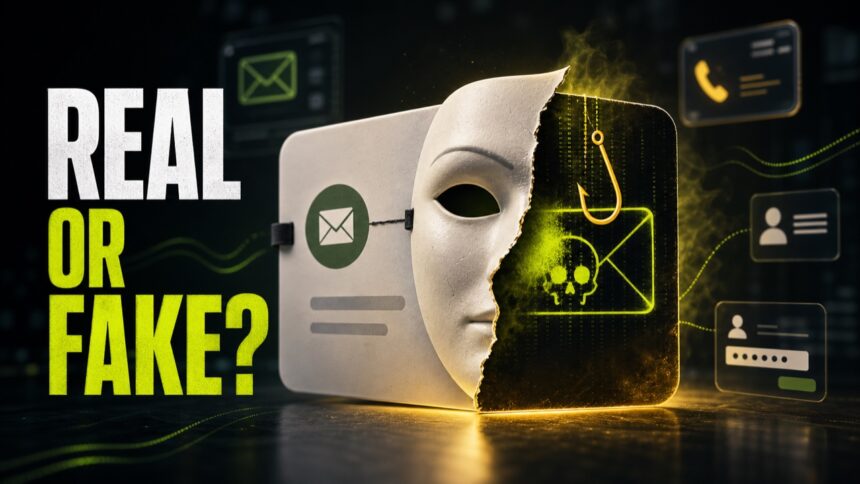
Phishing and spoofing are related, but they are not the same thing. Phishing is the scam that tries to make you click, sign in, pay, or reveal data. Spoofing is the disguise that makes the message, caller, domain, or website look trusted. Many real attacks use both at once: a spoofed sender delivers a phishing link.
Phishing vs spoofing
- Phishing is the attempt to steal passwords, card data, codes, files, or money by tricking a person.
- Spoofing is falsifying identity, such as a sender address, caller ID, domain, website, QR code, or login page.
- Phishing often uses spoofing, but spoofing can also be used for spam, fraud, fake support calls, or malware delivery.
- The safest check is to verify the request through a separate official channel instead of replying, clicking, or calling the number in the message.
At a glance
- Main idea: phishing tricks the victim into an action; spoofing makes the source look like someone or something else.
- Typical goal: phishing aims to steal credentials, payment data, one-time codes, files, or money; spoofing aims to impersonate a brand, person, phone number, email sender, domain, or website.
- Simple example: a fake Microsoft sign-in page asking for your password is phishing; a sender name, caller ID, or domain made to look like Microsoft is spoofing.
- Best first action: for phishing, do not click or enter data; for spoofing, do not trust the visible identity until you verify the real domain, number, and request.
That distinction matters because people often ask the wrong question. “Is this sender real?” is only one part of the check. A message can come from a real but compromised account, and it can still be phishing. A caller ID can show a familiar number, and the call can still be a scam. Treat the request, link, attachment, payment method, and login page as separate evidence.
Why the difference matters in 2026
Real attacks rarely stay in one neat category. The FBI’s 2025 IC3 report recorded 1,008,597 complaints, and phishing/spoofing was the largest complaint type by volume with 191,561 complaints [1]. The FTC also reported that imposter scams were the number-one scam category for the ninth year in a row, with more than 1 million reports and $3.5 billion in reported losses in 2025 [2].
That is why the practical check is not just “is this phishing or spoofing?” The better question is: which part can you verify without using the link, phone number, QR code, attachment, or reply address supplied by the message? APWG’s Q1 2026 trends summary also shows why this is current, not historical: observed phishing attacks rose to 971,181 in Q1 2026, and impersonation made up a large share of social-platform threats [3].
What is phishing?
Phishing is social engineering that pushes a person to reveal something valuable or perform an unsafe action. CISA describes phishing as a social-engineering threat that can arrive through email, texts, websites, or other messages [4]. In 2026, clean grammar is not enough to prove a message is safe; the request, destination, sender path, and verification channel matter more.
Common phishing goals include:
- Stealing account passwords and session tokens.
- Capturing one-time passcodes or MFA approval prompts.
- Collecting card details, banking logins, tax data, or identity documents.
- Convincing a person to install remote access software or malware.
- Redirecting payment to a scammer-controlled wallet or bank account.
For a broader list of attack formats, see our guide to types of phishing attacks.
What is spoofing?
Spoofing means falsifying the visible identity of a communication or destination. The spoof can be technical, visual, or both. A scammer may spoof an email sender, caller ID, website design, domain spelling, QR code destination, login form, social profile, or support chat.
The FBI groups spoofing and phishing together because spoofing is often the mask used to make phishing believable. A spoofed website may look nearly identical to a bank or credit card portal and ask for passwords, PINs, or payment details.
Common examples
- Fake bank SMS: the brand name, short link, and urgent wording are spoofed; phishing begins when the link asks for banking credentials.
- Support call: the caller ID or company name is spoofed; phishing begins when the caller asks for a code, remote access, or payment.
- Lookalike domain: the spelling, logo, and page design are spoofed; phishing begins when the page collects passwords or card data.
- Fake invoice email: the display name, reply-to address, and signature are spoofed; phishing begins when the attachment or payment link steals data or money.
Newer patterns to watch
- AI-written messages: clean grammar is no longer enough to prove a message is safe. Judge the request, domain, and verification path.
- QR phishing: a QR code is just a link in another form. Do not scan it from a work, banking, or admin device until you know where it leads.
- Voice and caller ID spoofing: a familiar number or realistic voice can still be a scam. Hang up and call back using a trusted number.
- Search-result spoofing: fake login and support pages can appear through ads, redirects, or compromised pages. Check the final domain before signing in.
How to tell which one you are dealing with
Use this simple rule: if the main problem is the request, it is phishing. If the main problem is the identity disguise, it is spoofing. If both are present, call it a phishing attack using spoofing.
Safe check before you click
- Do not use links, phone numbers, or QR codes inside the message.
- Open the company website by typing the known address yourself.
- Check the real sender address, reply-to address, and domain spelling.
- Never share MFA codes, banking PINs, recovery codes, or remote access approval.
- If a URL looks suspicious, scan it first with the Gridinsoft URL Scanner.
Is the sender spoofed or hacked?
This is the question victims usually need answered first. If an email looks like it came from your address, your boss, a vendor, or a friend, do not assume the same fix applies every time.
- Likely spoofed: the message is not in the real sent folder, recent sign-ins look normal, no new forwarding rules exist, and replies or bounces mention messages you never sent.
- Likely hacked: the sent folder shows unknown messages, password resets arrive, recovery details changed, new devices are logged in, or contacts received messages from the real mailbox.
- First action: if you control the mailbox, change the password from the official site, revoke sessions, remove unknown forwarding rules, and enable MFA. If it is only spoofing, report the message and tighten domain authentication where you control the domain.
For mailbox recovery steps, use our scammer has my email address guide. For domain-owner protection, use how to prevent email spoofing.
Prevention for personal accounts
For personal accounts, the strongest defense is not trying to “read the tone” of every message. Instead, reduce the damage if one message fools you.
- Use a password manager so lookalike domains do not autofill your real password.
- Turn on MFA, preferably with an authenticator app or security key.
- Keep recovery email and phone numbers current.
- Use account alerts for banking, email, social media, and cloud storage.
- Report suspicious messages instead of forwarding them to friends.
Prevention for businesses
For businesses, spoofing prevention is partly technical and partly procedural. Email authentication such as SPF, DKIM, and DMARC helps reduce domain abuse, but it does not stop every lookalike domain, compromised account, or fake vendor request.
- Require out-of-band verification for payment changes and sensitive requests.
- Use DMARC monitoring and review suspicious lookalike domains.
- Train staff to inspect links and reply-to addresses, not only display names.
- Protect admin accounts with phishing-resistant MFA where possible.
- Keep a simple reporting path so employees report quickly instead of hiding mistakes.
What to do if you clicked
If you clicked but did not enter anything, close the page, do not download files, and scan the URL or attachment if needed. If you entered a password, change it from the official site immediately and sign out other sessions. If you shared banking data, card details, or MFA codes, contact the provider or bank now. If this happened at work, report it to IT or security even if nothing seems to have happened yet.
FAQ
Is spoofing the same as phishing?
No. Spoofing is the fake identity or disguise. Phishing is the attempt to steal data, money, access, or actions. Many phishing attacks use spoofing to look trusted.
Can a real email account send phishing?
Yes. A compromised real account can send phishing without spoofing the sender address. That is why the request, link, attachment, and login page matter more than the display name alone.
Is caller ID spoofing always illegal?
Caller ID can be spoofed for different reasons, but using misleading caller ID to defraud, cause harm, or wrongfully obtain value is treated as abusive and should be reported.
What is the safest way to verify a suspicious message?
Do not reply or click. Contact the organization through a known official website, saved app, or trusted phone number. For workplace requests, verify through an approved internal channel.
Search-result manipulation can also make phishing pages look more trustworthy; see our SEO poisoning and black hat SEO phishing guide for the search-result angle behind fake login pages and malicious downloads.
References
- Federal Bureau of Investigation. “2025 IC3 Annual Report.” FBI Internet Crime Complaint Center, 2026. Report
- Federal Trade Commission, BCP Staff. “New trends in reports of imposter scams.” FTC Consumer Advice, May 7, 2026. Guidance
- Anti-Phishing Working Group. “Phishing Activity Trends Reports.” APWG, accessed June 7, 2026. Report hub
- Cybersecurity and Infrastructure Security Agency. “Recognize and Report Phishing.” CISA Secure Our World, accessed June 7, 2026. Guidance
- Federal Bureau of Investigation. “Spoofing and Phishing.” FBI Scams and Safety, accessed June 7, 2026. Guidance
Related: For a general checklist, see how to spot a phishing email, or analyze a suspicious message with GridinSoft Email Checker.