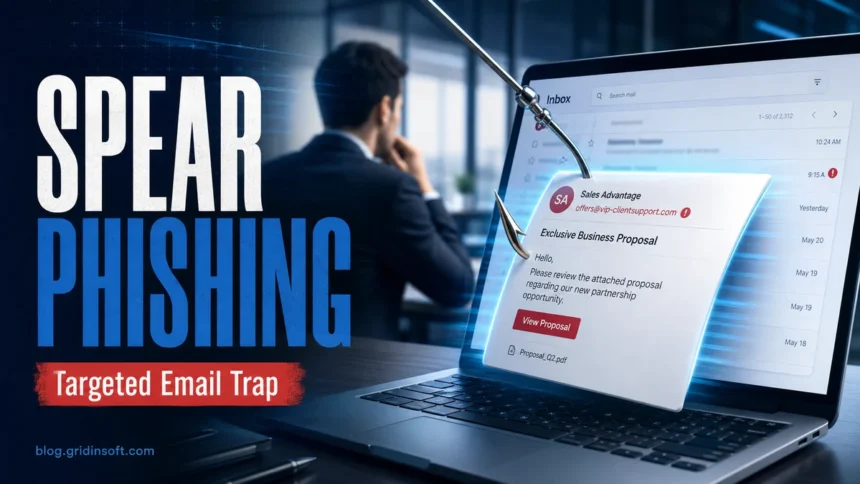
Spear phishing is a targeted phishing attack aimed at a specific person, role, company, or small group. Instead of blasting the same fake warning to thousands of inboxes, the attacker adds context you recognize: your job title, manager, vendor, invoice number, project name, recent meeting, public social media details, or a real coworker’s compromised mailbox.
The safest rule is simple: when a message asks you to sign in, approve MFA, open a file, change payment details, or move quickly, verify it through a separate trusted channel before you click. Modern spear phishing often has clean grammar and believable formatting, so the decision should be based on sender identity, request context, link destination, attachment type, and whether the request makes sense.
Spear phishing in one minute
- Regular phishing is broad and often generic.
- Spear phishing is personalized and may mention real people, tools, meetings, invoices, or account details.
- Common goals include credential theft, business email compromise, payment fraud, malware delivery, and access to work accounts.
- Best first response: do not reply to the message; contact the person or service another way.
| Attack type | What it usually means |
|---|---|
| Phishing | A broad scam message sent to many people, usually with a fake login page, malicious attachment, or payment lure. |
| Spear phishing | A targeted message built around a specific person, team, role, vendor, customer, or recent event. |
| Whaling | Spear phishing aimed at executives, finance leaders, administrators, or other high-value accounts. |
| BEC | Business email compromise: a payment, payroll, invoice, gift card, or data request that abuses trust in a company email workflow. |
CISA’s phishing guidance says phishing can arrive through email, text, social media, direct messages, and calls, and warns that AI-era messages may have perfect grammar and spelling.[1] That matters because spear phishing is designed to pass a quick visual check.
Why Spear Phishing Is Hard to Spot
Spear phishing is hard to spot because the attacker does not need to fool everyone. They only need to make one message feel normal to one person. A targeted email can mention a real project, copy a vendor’s tone, use a familiar display name, arrive inside an existing thread, or ask for an action that the target already performs at work.
This is why a clean-looking message is not enough. The question is not only “does this email look professional?” The better question is “can I verify the sender, request, destination, and attachment without using the message itself?”
How Spear Phishing Usually Works
- Research: the attacker collects names, roles, suppliers, invoices, events, leaked credentials, email signatures, social posts, or public company pages.
- Pretext: the message is built around something believable, such as an invoice, HR file, shared document, meeting note, shipment, security alert, or payment change.
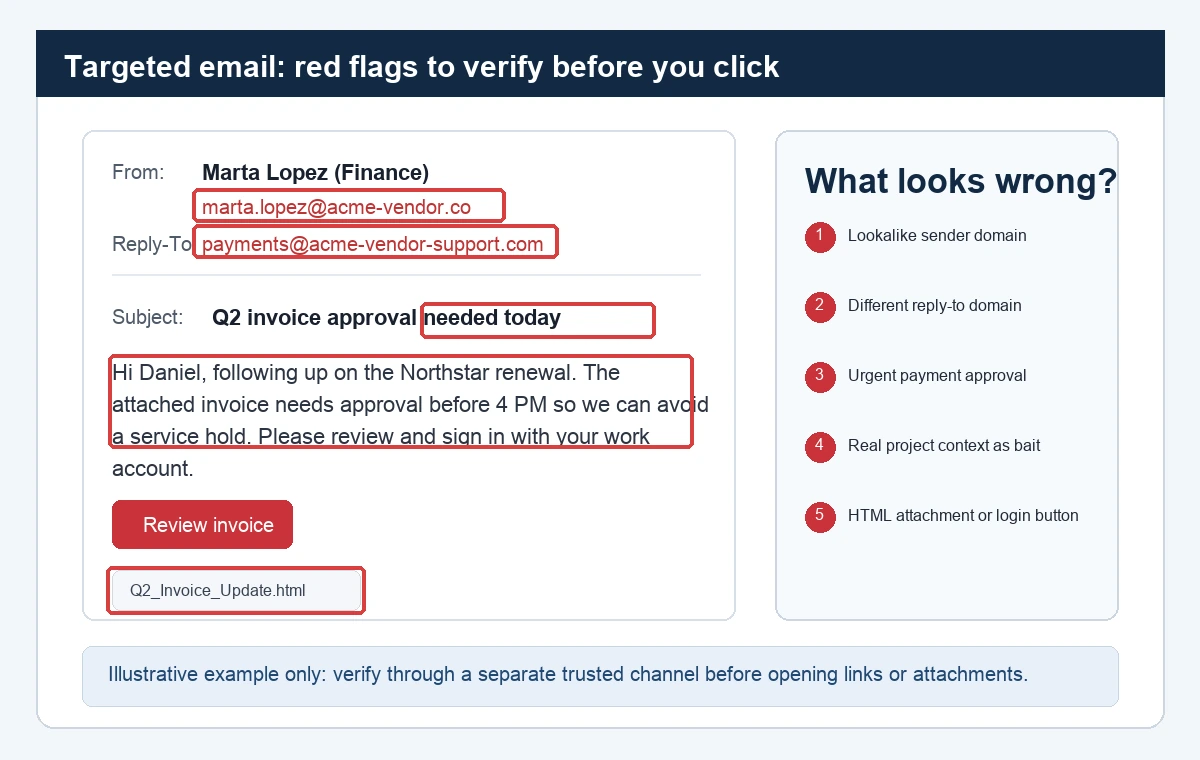
- Trust cue: the sender may use a lookalike domain, spoofed display name, compromised mailbox, or a real thread hijack.
- Pressure: the message asks for action before the target has time to verify: “today”, “before close of business”, “account will be locked”, or “the client is waiting”.
- Payload: the target is pushed to a fake login page, malicious attachment, QR code, OAuth consent screen, MFA prompt, payment instruction, or data request.
- Follow-through: if the first step works, attackers may search the mailbox, add forwarding rules, send more internal phishing, or attempt payment fraud.
Common Spear Phishing Examples
- Fake Microsoft 365 sign-in: a message after a real meeting says the recording or document is ready, then sends the target to a fake login page.
- Invoice or vendor update: a lookalike supplier domain asks finance to approve a new bank account or pay an “overdue” invoice.
- Compromised coworker account: the email comes from a real internal mailbox and asks you to open a shared file, approve MFA, or review a link.
- HR or payroll lure: an employee is asked to confirm tax, benefits, salary, or direct-deposit details.
- Executive request: a CEO-style message asks for gift cards, urgent wire transfer, confidential document, or password reset.
- Recruiter or customer lure: a fake candidate, client, or partner sends a “portfolio”, “contract”, or “requirements” attachment.
- QR-code phishing: the message avoids a normal clickable URL and asks the target to scan a code with a phone, moving the login attempt outside normal desktop protections.
Red Flags That Matter More Than Typos
| Signal | What to check |
|---|---|
| Personal detail | Does the message mention your role, manager, vendor, project, ticket, or recent activity to build trust? |
| Sender mismatch | Check the real address, reply-to address, domain spelling, and whether the account could be compromised. |
| Login request | Open the service directly in a saved bookmark or typed address. Do not use the message link. |
| Payment pressure | Verify payment, bank-account, payroll, gift-card, or invoice changes through an approved second channel. |
| Attachment type | Be extra careful with HTML, ISO, ZIP, RAR, Office macro documents, shortcut files, or password-protected archives. |
| QR code | Treat QR sign-in requests like links. Verify the destination and do not approve unexpected MFA prompts. |
| Thread hijack | A real email thread is not automatic proof. Attackers can reply from compromised mailboxes. |
How to Verify a Targeted Message
- Do not reply to the suspicious message, because the attacker may control the inbox or reply-to address.
- Contact the person through a known phone number, saved internal chat, ticketing system, or address you type yourself.
- Open cloud apps, banks, payroll portals, and email accounts by typing the official address or using a bookmark.
- Hover or copy the link destination only if you can do so safely. Shortened URLs and lookalike domains need extra caution.
- Scan suspicious URLs with the Gridinsoft URL Scanner.
- Analyze suspicious email headers and sender details with GridinSoft Email Checker.
- Report workplace attempts to IT or security, even if you did not click. A fast report can protect other people who received the same targeted lure.
If You Clicked or Entered a Password
Do not wait to see whether anything bad happens. Spear phishing often gives attackers a small opening that they use later.
- Change the password from the official website or app, not from the email link.
- Revoke active sessions where the service allows it, especially for Microsoft, Google, banking, payroll, and admin accounts.
- Check MFA methods for unknown phone numbers, authenticator apps, backup codes, passkeys, or email addresses.
- Review mailbox rules for forwarding, hidden folders, deletion rules, and unusual delegated access.
- Scan the device if you opened an attachment, ran a file, enabled macros, or downloaded anything from the message.
- Warn finance, HR, or IT if the message involved invoices, payroll, tax data, customer data, or access to company systems.
For files or links that still look suspicious, check the URL reputation first and run a malware scan before reopening anything. Gridinsoft Anti-Malware can help inspect downloaded files and remove malicious components when a phishing message delivered a payload instead of only stealing credentials.
How to Reduce Spear Phishing Risk
For personal accounts, use unique passwords, MFA, a password manager, and recovery email/phone numbers that are not shared publicly. Keep social media and professional profiles useful but not overly revealing: attackers like job titles, manager names, conference photos, vendor relationships, and “new role” posts.
For companies, the strongest controls are boring but effective:
- require second-channel verification for bank-account, payroll, and payment changes;
- disable legacy authentication and enforce phishing-resistant MFA where possible;
- watch for suspicious inbox rules, impossible travel, unusual OAuth consent, and new forwarding addresses;
- separate invoice approval from payment execution;
- make reporting suspicious messages fast and low-friction;
- train staff on real workflows: invoice changes, shared files, QR sign-ins, MFA fatigue, and compromised internal accounts.
The FBI’s IC3 has treated business email compromise as a major financial scam for years, reporting more than $50 billion in domestic and international exposed losses in its 2023 public service announcement.[4] That is why spear phishing is not only an “email safety” issue; it is also an access, payment, and process-control issue.
Spear Phishing vs Phishing: The Practical Difference
Regular phishing asks, “Can we trick anyone?” Spear phishing asks, “Can we trick this person with the right context?” That difference changes the defense. You cannot rely only on spelling mistakes, generic greetings, or obviously fake brands. You need to verify whether the request belongs to the normal workflow and whether the sender is truly who the message claims.
Related reading: how to spot a phishing email, phishing vs spoofing, types of phishing attacks, and password attacks.
FAQ
Is spear phishing only an email attack?
No. Email is common, but spear phishing can also happen through SMS, phone calls, social media, collaboration tools, QR codes, fake login pages, and compromised internal accounts.
Can spear phishing come from a real account?
Yes. A compromised coworker, vendor, customer, or partner mailbox can send a targeted message from a real address. Verify unusual requests through another channel.
What is the difference between spear phishing and whaling?
Whaling is spear phishing aimed at a high-value target, such as an executive, finance leader, administrator, or person with access to sensitive systems or payment workflows.
What should I do if I entered a password on a phishing page?
Change the password from the official site, revoke active sessions, check MFA methods, review mailbox rules, and report the incident to the service or workplace security team.
Are AI-written phishing emails harder to detect?
They can be. AI can remove obvious grammar mistakes and make messages sound natural. Focus on sender identity, request context, link destination, attachment type, and verification through a trusted channel.
References
- Cybersecurity and Infrastructure Security Agency. “Recognize and Report Phishing.” CISA, accessed June 1, 2026. https://www.cisa.gov/secure-our-world/recognize-and-report-phishing
- Cybersecurity and Infrastructure Security Agency. “Avoiding Social Engineering and Phishing Attacks.” CISA, accessed June 1, 2026. https://www.cisa.gov/news-events/news/avoiding-social-engineering-and-phishing-attacks
- Microsoft Security. “What is Business Email Compromise (BEC)?” Microsoft, accessed June 1, 2026. https://www.microsoft.com/en-us/security/business/security-101/what-is-business-email-compromise-bec
- Federal Bureau of Investigation, Internet Crime Complaint Center. “Business Email Compromise: The $50 Billion Scam.” IC3 Public Service Announcement, June 9, 2023, accessed June 1, 2026. https://www.ic3.gov/PSA/2023/PSA230609