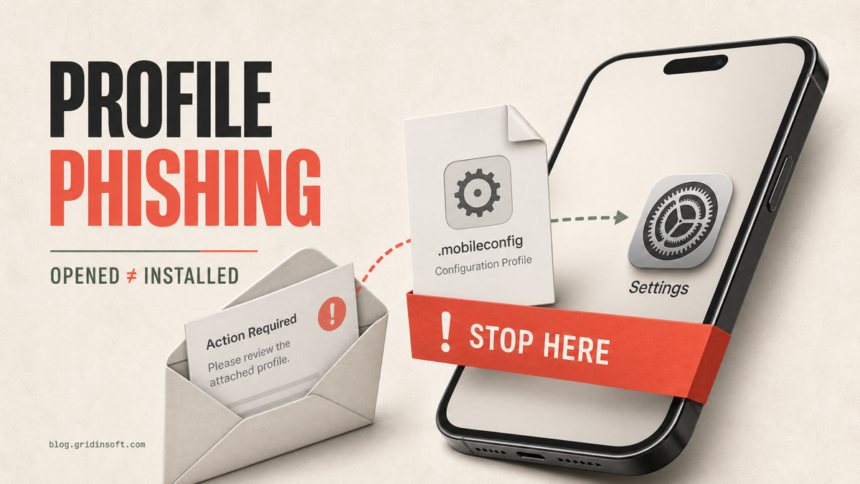
Opening or previewing an iPhone .mobileconfig attachment does not install a configuration profile. Downloading it is also not the final approval: Apple requires you to open Settings and tap Install. If you did not approve that step, delete the message, avoid the sender, and check Settings > General > VPN & Device Management. An uninstalled downloaded profile is automatically deleted after eight minutes.
If an unknown profile is listed as installed, remove it, restart the iPhone, and treat any password or security code entered during the lure as exposed. Removing a profile reverses its associated settings, but it cannot undo credentials already sent to a phishing page.
What happened? Check the exact profile state
| What you did or see | Risk and what to do |
|---|---|
| Opened or previewed the attachment, then closed it | The profile was not installed unless you later approved installation in Settings. Delete the email and confirm that no unknown profile appears under VPN & Device Management. |
| Profile Downloaded appears in Settings | The file is waiting for approval, not installed. Do not tap Install. Apple says an uninstalled download is automatically deleted after eight minutes. |
| An unfamiliar profile appears under VPN & Device Management | The profile is installed. Open it, record its name and organization, review its payloads, and remove it if it is not legitimate. |
| You approved Enroll in [organization] or device management | The device may be enrolled in an MDM service. On a personal phone, unknown enrollment needs urgent review. On a school or work phone, contact the administrator before deleting anything. |
| You typed an Apple Account password, email password, card number, or security code | This is also an account-compromise event. Change the exposed credentials through the real service, review trusted devices and sessions, and contact the bank if payment details were entered. |
The important distinction is approval. A .mobileconfig file is a legitimate Apple configuration format used by employers, schools, VPN providers, and administrators. Its extension alone does not prove malware. The danger is an unsolicited sender persuading you to approve settings or management that you did not request.
What a profile-phishing email may look like
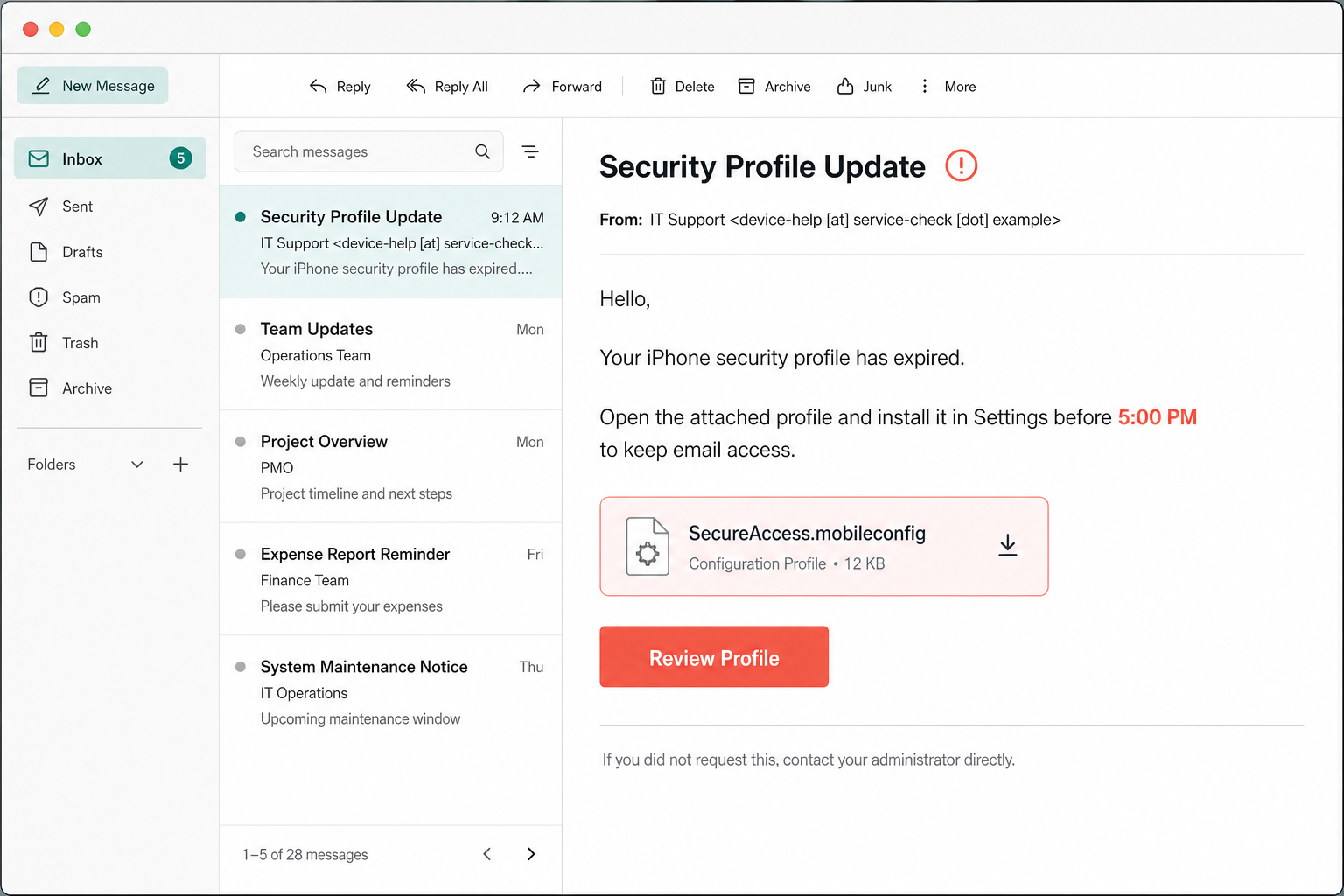
A typical lure invents an expiring security setting, lost access, or an urgent company requirement. It then pushes the recipient to open an attachment and approve it in Settings. The names and addresses below are fictional, but the pressure pattern is realistic.
Example
Subject: Security Profile Update
From: IT Support <device-help [at] service-check [dot] example>
Hello,
Your iPhone security profile has expired. Open the attached profile and install it in Settings before 5:00 PM to keep email access.
Attachment: SecureAccess.mobileconfig
Button: Review Profile
Warning signs include an unsolicited attachment, a deadline, a sender domain unrelated to your employer or school, and instructions that ask you to approve a profile without first contacting the real administrator. A legitimate organization should be able to confirm the profile through an independently found phone number, portal, or IT channel.
How to check whether a profile is installed
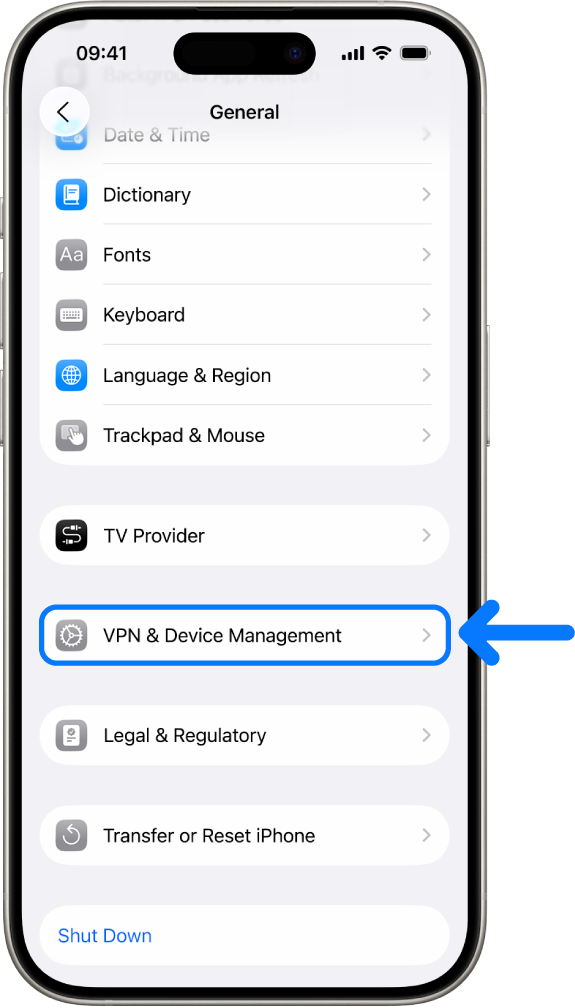
- Open Settings.
- Tap General.
- Open VPN & Device Management.
- Review every configuration profile or management entry you see. If this menu shows no profiles, Apple says no device-management profiles are installed.
- Open an unfamiliar entry and read the displayed organization, description, and payload list. Look for settings you did not request, such as an account, VPN, certificate, web filter, restriction, or device-management enrollment.
Do not remove a profile only because its name is unfamiliar. A school, employer, mobile carrier, or VPN service may have installed it for a valid reason. Verify through the organization’s normal support channel, not through contact details in the suspicious message.
How to remove an unknown iPhone profile
- Before changing anything, take a screenshot of the profile name and organization if you may need to report the incident.
- Go to Settings > General > VPN & Device Management.
- Select the unknown profile.
- Tap Remove Profile or Delete Profile, enter the iPhone passcode if requested, and confirm.
- Restart the iPhone.
- Return to VPN & Device Management and confirm that the unknown entry is gone.
- Open Settings > General > Software Update and install the current iOS update available for the device.
Removing a profile also removes the settings, apps, and data associated with that profile. If the phone belongs to a school or business, deleting a legitimate profile can remove work accounts, managed apps, VPN access, or organization data. Contact the administrator first.
If the Remove option is missing, the device may be supervised or the profile may have a removal restriction. Do not install bypass tools or follow random removal videos. On an organization-owned device, contact IT. On a personal device with unknown management, preserve the profile details and contact Apple Support for the safest recovery path.
If you entered a password or approved MDM enrollment
Profile removal and account recovery solve different problems. A removed profile can no longer apply its associated settings, but a password already submitted to a phishing page may still be used from another device.
- Change the exposed password from Settings or from the service’s real website opened independently. Do not return through the message.
- If it was your Apple Account, follow the Apple Account recovery checklist, confirm two-factor authentication, and remove devices you do not recognize.
- Change reused passwords on other accounts. Start with the email account because it can reset many other logins.
- Reject unexpected sign-in prompts and review active sessions or trusted devices.
- If you entered payment information, contact the card issuer through the number on the card and monitor transactions.
If the email also contained a website link, you can check the domain separately with the Gridinsoft Website Reputation Checker. Check only the URL or domain; do not upload a private message, profile, credential, or the original Reddit attachment.
What to check after removing the profile
- VPN and certificates: verify that an unknown VPN no longer connects and that certificate warnings do not continue.
- Accounts: review Settings for mail, calendar, and account entries you did not add.
- Browser behavior: if Safari still shows certificate errors or unusual redirects, use the Safari secure-connection troubleshooting guide.
- Calendar spam: repeated events may come from a subscribed calendar rather than a profile; follow the iPhone Calendar Virus cleanup steps.
- Phishing exposure: if you also opened a link, downloaded another app, or shared information, use the clicked-phishing-link response checklist.
Do not assume that every pop-up after the incident proves the profile survived. Recheck the installed-profile list, browser settings, subscribed calendars, accounts, and sign-in history separately. If an unknown device-management entry returns after removal, or the phone still reports that it is managed, contact Apple Support or the legitimate organization administrator.
FAQ
Does opening a .mobileconfig attachment install it?
No. Apple requires a separate installation approval in Settings. Opening or downloading the file can display its contents or create a temporary Profile Downloaded entry, but it is not the final installation step.
What does Profile Downloaded mean on iPhone?
It means a configuration profile is waiting for you to review and install. If you do not install it, Apple says the downloaded profile is automatically deleted after eight minutes.
What if VPN & Device Management shows no profiles?
Apple states that if no profiles appear there, no device-management profiles are installed. You should still secure any credentials you typed into a phishing page.
Can a configuration profile read everything on my iPhone?
Capabilities depend on the profile and whether the device was enrolled in management. Profiles can configure accounts, restrictions, credentials, VPNs, and other settings; management tools may have broader organization-defined access. Review the displayed payloads instead of assuming every profile has the same powers.
Does deleting the profile completely fix the incident?
Deleting it removes the profile and its associated settings, apps, and data. It does not reverse passwords, security codes, or payment details already disclosed, so complete the relevant account-recovery steps too.
References
- Apple Inc. “Install a configuration profile on your iPhone, iPad or Apple Vision Pro.” Apple Support, updated April 22, 2026; accessed August 3, 2026. support.apple.com/en-ie/102400
- Apple Inc. “Review and delete configuration profiles.” Apple Personal Safety User Guide, updated October 2025; accessed August 3, 2026. support.apple.com/en-gb/guide/personal-safety/ips327569a75/web
- Apple Inc. “Recognise and avoid social engineering schemes including phishing messages, phony support calls and other scams.” Apple Support, updated June 22, 2026; accessed August 3, 2026. support.apple.com/en-ie/102568