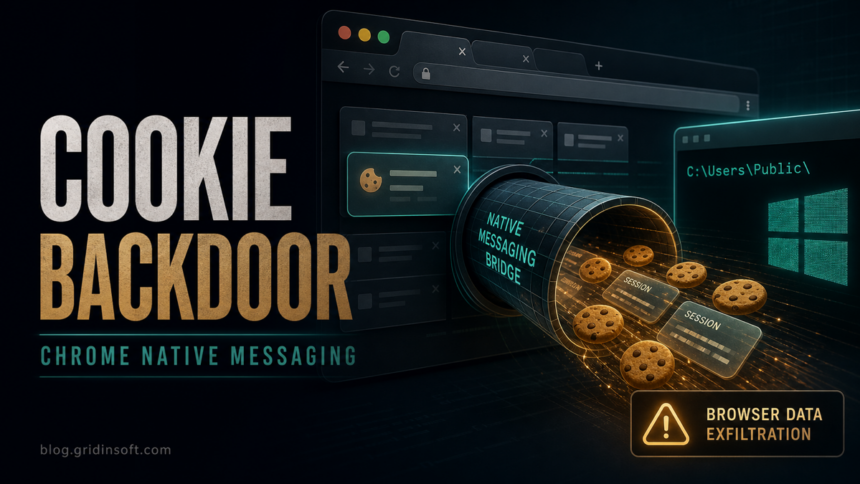
D3Lab researchers documented a June 2026 malware campaign in Italy that used a fake invoice email to install a malicious Google Chrome extension and a Native Messaging Host on Windows. The important risk is not only browser spying: the extension, named Cloud vn105rkj64 in the analysis, could pass commands through Native Messaging and trigger PowerShell outside Chrome’s normal sandbox.[1]
The observed extension ID was gghagmhimhgfeajfdmjkgmmehbokmglg. D3Lab reported that the first exchange with the controller included a Google cookie, open tabs and URLs, user-agent data, language settings, and a stable victim identifier. That makes this a session-risk story as much as a malicious-extension story: changing the password may not be enough if a stolen cookie or active session remains valid.[1]
What happened
The lure started with an Italian invoice message. The user saw what appeared to be a PDF document, but the downloaded payload was an obfuscated Windows JavaScript file named Fattura-2819889242.pfd.js. That extension order matters: Windows treats the final .js suffix as executable script.
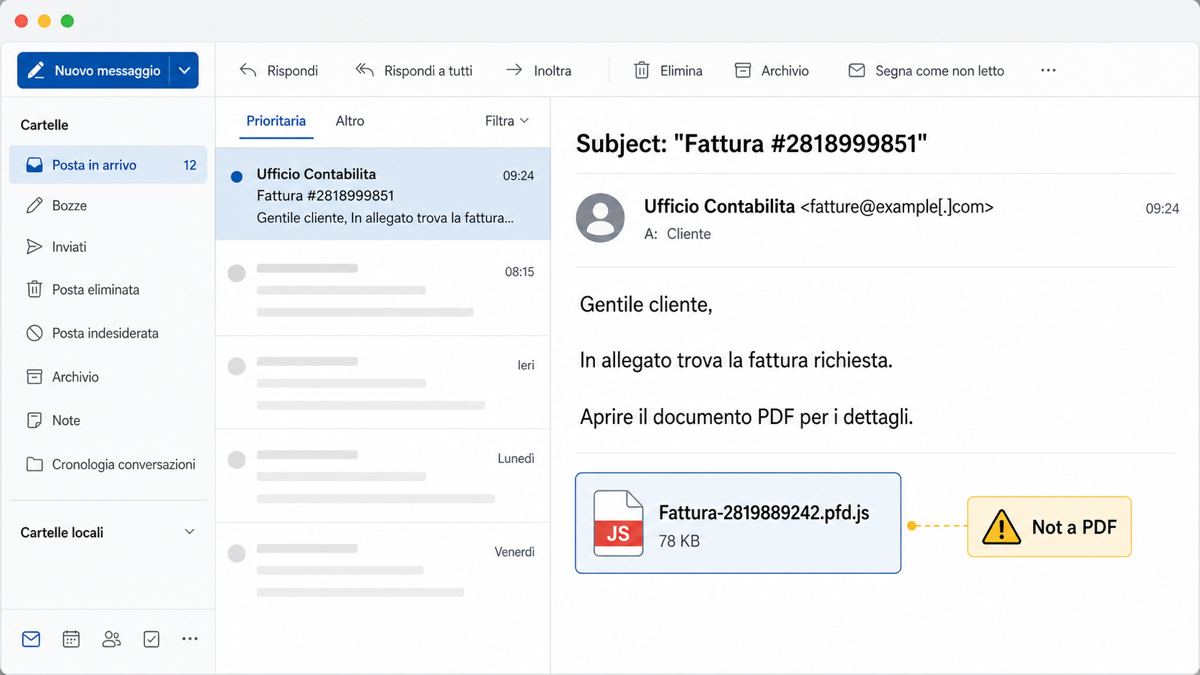
.pfd.js, not .pdf.After execution, the malware used a signed application associated with Epic Games to side-load a malicious d3d11.dll from %TEMP%. The DLL launched hidden PowerShell, prepared the Chrome extension, and changed Chrome policy values so the extension looked administrator-controlled instead of user-installed.
Why Native Messaging changes the risk
Chrome extensions can have broad browser permissions, but they cannot normally start arbitrary Windows programs. Native Messaging is the legitimate Chrome mechanism that lets an installed native application exchange messages with an extension.[2] Password managers and enterprise tools use it for valid reasons, but malware can abuse the same bridge when it controls both the extension and the local host.
In this campaign, D3Lab observed the extension contacting ext2[.]info and using a Native Messaging registration similar to HKCU\Software\Google\Chrome\NativeMessagingHosts\com.vn105rkj64.tr7qprrt7g. The Native Messaging Host gave the browser-side code a path to run operating-system commands. D3Lab also reported a command result showing a directory listing of C:\, which is direct evidence of remote-command behavior rather than only passive data theft.[1]
Key indicators
| Artifact | Why it matters |
|---|---|
Fattura-2819889242.pfd.js |
Fake invoice payload; the final .js suffix runs script on Windows. |
Cloud vn105rkj64 |
Name of the malicious Chrome extension observed by D3Lab. |
gghagmhimhgfeajfdmjkgmmehbokmglg |
Chrome extension ID tied to the Native Messaging origin. |
ext2[.]info |
Reported command-and-control domain for extension traffic. |
HKCU\Software\Google\Chrome\NativeMessagingHosts\com.vn105rkj64.tr7qprrt7g |
User-level Native Messaging Host registration that can connect Chrome to a local executable. |
HKCU\Software\Policies\Google\Chrome\ExtensionInstallAllowlist |
Chrome policy area that should be suspicious on an unmanaged home PC. |
What to check on Windows
- Do not open or restore the invoice file. Keep the original filename and email headers if you need to report the incident.
- In Chrome, review extensions and remove anything named
Cloud vn105rkj64or any unknown extension that says it is controlled by policy. If an extension keeps returning, follow the policy and companion-app cleanup path in our extension keeps returning guide. - Check whether Chrome is unexpectedly managed. On a personal PC, unknown entries under
ExtensionInstallAllowlist,ExtensionInstallSources, orNativeMessagingHostsdeserve investigation. - Look for recent hidden PowerShell,
csc.exe, or unusual files under%TEMP%, especiallyd3d11.dllbeside an unexpected signed executable. - Sign out of affected Google sessions, revoke suspicious connected apps, and reset passwords from a clean device. If Google blocks the next sign-in with a protection or malware warning, use the Google “signed out for your protection” recovery sequence before signing back in on the affected browser. MITRE tracks web session cookie theft as a credential-access technique because cookies can let an attacker act as a logged-in user without knowing the password.[4]
- If the fake invoice file ran, scan the PC before trusting the browser again. A visible extension removal does not prove the Native Messaging Host, policy keys, scheduled tasks, or loader files are gone.
For the local cleanup step, run a full Gridinsoft Anti-Malware scan after disconnecting suspicious browser sessions. The goal is to find the dropped script, side-loaded DLL, hidden startup or task entries, unwanted Chrome policy changes, and any companion loader that could reinstall the extension.
If the page or email made you download an invoice, coupon, tracking app, browser extension, or support tool, scan the PC before opening it again or logging into sensitive accounts.
Scan after opening a fake invoice fileHow to reduce the chance of a repeat
- Show file extensions in Windows Explorer so
.pfd.js,.pdf.exe, and similar tricks are visible. - Treat unexpected invoice attachments as executable-risk files unless the sender and document portal are verified separately.
- Review browser extensions by publisher, permissions, and install source. Our browser extension safety guide explains the permission risks that matter most.
- After any stealer-like infection, handle browser cookies as account credentials. Our infostealer recovery guide covers session revocation and password reset order.
FAQ
Is Cloud vn105rkj64 a normal Chrome extension?
No. In the D3Lab report, Cloud vn105rkj64 was the malicious extension installed by the malware chain. Treat that name or the ID gghagmhimhgfeajfdmjkgmmehbokmglg as an incident indicator.
Can a Chrome extension run PowerShell?
Not by itself. The risky part is the Native Messaging Host. Once a local host is registered and allowed for the extension, Chrome can start that host and exchange messages with it, which malware can turn into a command bridge.
Do I need to change passwords?
Yes, if the file ran or the extension appeared in Chrome. Change passwords from a clean device, sign out of active sessions, and revoke suspicious connected apps because stolen session cookies can keep access alive after a password change.
References
- Andrea Draghetti, D3Lab. “Breaking Out of Chrome’s Sandbox: A Native Messaging Backdoor Observed in Italy.” D3Lab, June 22, 2026, accessed June 26, 2026. https://www.d3lab.net/breaking-out-of-chromes-sandbox-a-native-messaging-backdoor-observed-in-italy/
- Google Chrome Developers. “Native Messaging.” Chrome for Developers, accessed June 26, 2026. https://developer.chrome.com/docs/extensions/develop/concepts/native-messaging
- Chrome Enterprise and Education Help. “ExtensionInstallForcelist policy.” Google Help, accessed June 26, 2026. https://chromeenterprise.google/policies/#ExtensionInstallForcelist
- MITRE ATT&CK. “Steal Web Session Cookie: T1539.” MITRE, accessed June 26, 2026. https://attack.mitre.org/techniques/T1539/