

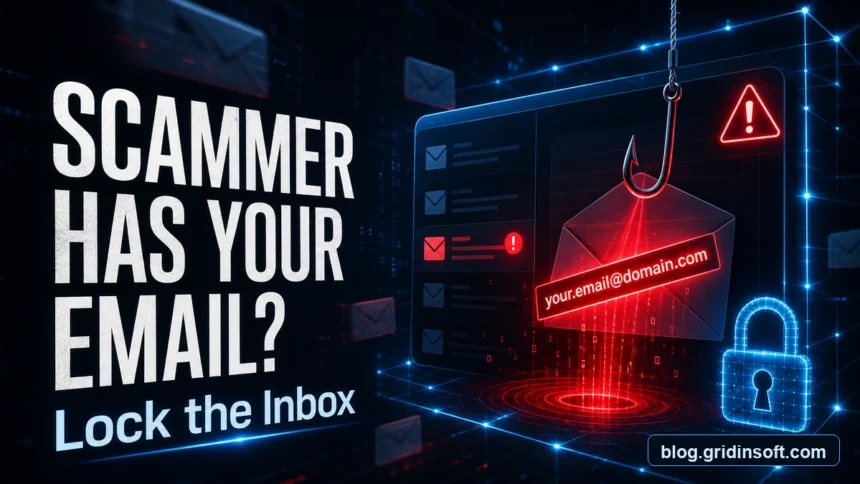
If a scammer has your email address, it does not automatically mean your mailbox was hacked. An email address alone lets criminals send phishing, password-reset attempts, fake invoices, extortion messages, spam, or spoofed messages that only appear to come from you. Treat it as a warning signal: secure the mailbox, check whether a password or session was exposed, and do not reply to the scammer.
What should I do first?
- Change the email password if it is old, reused, weak, or appeared in a breach.
- Turn on multi-factor authentication for the mailbox and important accounts that use that email address.
- Review recent sign-ins, recovery details, forwarding rules, filters, and connected apps.
- Do not pay, reply, click links, open attachments, or call numbers from the message.
- Warn contacts if messages were actually sent from your account.
Fresh fraud data shows why this small detail matters. The FTC reported more than $12.5 billion in consumer fraud losses for 2024, while the FBI’s 2025 IC3 report said cyber-enabled crime losses approached $21 billion and listed phishing/spoofing and extortion among the most frequent complaint types [1] [2]. A leaked email address is often the starting point for those follow-up attempts, not the whole attack by itself.
How bad is it?
| What the scammer has | Risk and what to do |
| Email address only | Expect spam, phishing, impersonation attempts, and account lookup attempts. Enable MFA, tighten spam filters, report phishing, and watch for password resets. |
| Email plus an old password | Credential stuffing can target email, banking, shopping, social, and cloud accounts. Change reused passwords everywhere, use a password manager, and sign out unknown sessions. |
| Email plus phone, name, or address | Personalized phishing, fake delivery notices, fake support calls, and identity-theft attempts become more convincing. Secure financial accounts and monitor credit if sensitive data leaked. |
| Access to the mailbox | This is account takeover territory: password resets, hidden forwarding, and scams sent to contacts. Recover the account, remove malicious rules/apps, change passwords from a clean device, and notify contacts. |
What can a scammer do with your email address?
With only the address, a scammer usually cannot open your inbox. They can, however, use it as a target and as a piece of identity data. Expect more phishing, fake invoices, fake security alerts, password-reset attempts, and messages that include your name or a leaked old password to make the scam look personal.
They can also try email spoofing, where the visible sender looks like your own address even though the message did not leave your account. If you received an extortion email “from yourself”, read it as a spoofing check first, not proof that the attacker is inside your mailbox. Our guide to spotting phishing email red flags explains how to inspect sender, links, urgency, attachments, and login requests before you act.
What to do in the first 10 minutes
- Stop interacting with the scammer. Do not reply, unsubscribe from a suspicious message, pay, or open attached files.
- Open your email account from a trusted bookmark or app. Do not use the link in the warning email.
- Change the password if there is any chance it was reused or leaked. Start with the mailbox, then change banking, social, Apple/Google/Microsoft, shopping, crypto, and work accounts that used the same password.
- Turn on MFA. Use an authenticator app or passkey where available. SMS is still better than no MFA, but it is weaker than app-based or hardware-backed methods.
- Check recent sign-ins and active sessions. Sign out unknown devices.
- Check recovery email, phone number, forwarding, filters, and connected apps. Attackers often hide persistence there after account takeover.
- Search the inbox for security alerts. Look for password resets, new device logins, payment changes, and rule creation notices.
- Scan the device if you opened an attachment, installed a file, allowed remote access, or entered credentials on a linked page.
Run a full system scan and check browser extensions, startup entries, and saved passwords before trusting the device again.
Was my email hacked or just spoofed?
The difference matters. A spoofed message can look scary, but it does not necessarily mean the attacker controls your account. A hacked mailbox leaves stronger signs.
| Sign | Likely meaning |
| The message appears from your address, but it is not in Sent Mail | Often spoofing. Check full headers and delete/report the message. |
| Contacts received messages that are present in your Sent Mail | Possible account compromise. Change password, revoke sessions, and warn contacts. |
| You see unknown forwarding rules or filters | High-risk compromise. Remove the rule and change passwords immediately. |
| Login history shows unfamiliar locations, devices, or apps | Possible account takeover or stolen session. Sign out everywhere and secure recovery options. |
| The email quotes an old password | Usually a data-breach/extortion template. Change reused passwords and do not pay. |
If the scam says someone entered the correct password for your account, compare it with the pattern in our correct-password scam email guide. Many of those messages mix real leaked data with fake hacking claims.
If scam emails were sent from your account
- Recover access from the provider’s official recovery page.
- Change the mailbox password from a clean device.
- Remove forwarding addresses, inbox rules, filters, delegated access, and unknown OAuth/connected apps.
- Sign out every active session.
- Check your cloud storage, contacts, calendar, and password manager for unauthorized changes.
- Send a short warning to contacts who received the scam: say the account was abused, ask them not to click links, and tell them to delete the message.
- Change passwords on sensitive accounts that use this email for password resets.
If the scammer sent an extortion email
Most “I hacked your device” or “I recorded you” emails are mass extortion templates. They often include your email address, an old password, or a spoofed sender to make the threat feel real. Do not pay. Save a copy, report it, block the sender, and secure reused passwords. If the message includes a real password you still use anywhere, change it everywhere immediately.
For the common webcam/sextortion script, compare the wording with our professional hacker email scam guide and the broader sextortion signs and response guide.
Where should you report it?
- Use your email provider’s Report phishing or Report spam button. This trains filtering and may block the campaign for other users.
- Report money loss or attempted fraud to the FTC at ReportFraud.ftc.gov if you are in the United States [1].
- Report internet crime to the FBI IC3 at ic3.gov if money, identity theft, business email compromise, extortion, or account takeover is involved [2].
- Report brand impersonation to the brand if the email pretends to be Microsoft, PayPal, Amazon, a bank, a delivery company, or your employer.
- Keep evidence. Save the message, sender address, links, attachments names, payment addresses, phone numbers, and full email headers before deleting.
If your goal is to fight spam legally without contacting criminals, use our legal spam email reporting guide instead of trying to “hack back” or harass the sender.
Can you stop scam emails without changing your address?
Usually, yes. Changing an email address is disruptive and often unnecessary. A better first step is to harden the account and reduce exposure.
- Use separate aliases for shopping, newsletters, work, and private contacts.
- Create filters for repeated scam phrases, but avoid rules that hide all security alerts.
- Mark phishing through the provider’s reporting button instead of just deleting it.
- Turn off automatic image loading if you see tracking-heavy spam.
- Remove the address from public pages where possible.
- Use unique passwords for every account that uses this email as the username.
Consider changing the address only if it is tied to severe harassment, doxxing, repeated account abuse, or a public role where a clean alias strategy is easier than filtering.
Email security checklist
- Password is unique and not reused anywhere else.
- MFA or passkey is enabled.
- Recovery phone and recovery email are yours.
- No unknown forwarding address, filter, or rule exists.
- No unknown app has mailbox access.
- Recent login history matches your devices and locations.
- Important accounts do not reuse the same password.
- Bank, payment, cloud, and social accounts have their own MFA enabled.
FAQ
Can someone hack me with only my email address?
Not usually. An email address alone is not enough to open your inbox, but it helps scammers target you with phishing, password guessing, credential stuffing, and personalized fake alerts.
Should I change my email address?
Only if the address is causing ongoing harassment, doxxing, or repeated account abuse. Most people should keep the address, enable MFA, change reused passwords, clean rules and sessions, and use aliases for future signups.
How do I know if my email was actually hacked?
Look for unknown sign-ins, sent messages you did not write, password-reset emails, changed recovery details, new forwarding rules, deleted messages, or unknown connected apps. If those signs exist, treat it as account takeover.
Why did I get an email from my own address?
It is often spoofing. Check whether the message is in Sent Mail and inspect full headers. If it is not in Sent Mail and there are no unknown logins or rules, the sender probably forged the visible From address.
What if the scammer has my email and phone number?
Expect more convincing phishing and scam calls. Secure the email first, then watch for fake delivery, bank, crypto, job, and support messages that combine email and phone details to look legitimate.
References
- Federal Trade Commission. “New FTC Data Show a Big Jump in Reported Losses to Fraud to $12.5 Billion in 2024.” FTC, March 2025, accessed June 7, 2026. https://www.ftc.gov/news-events/news/press-releases/2025/03/new-ftc-data-show-big-jump-reported-losses-fraud-125-billion-2024
- Federal Bureau of Investigation. “Cryptocurrency and AI Scams Bilk Americans of Billions.” FBI, April 2026, accessed June 7, 2026. https://www.fbi.gov/news/press-releases/cryptocurrency-and-ai-scams-bilk-americans-of-billions
- Microsoft Support. “What to do if your email address is leaked.” Microsoft, accessed June 7, 2026. https://support.microsoft.com/en-us/defender/what-to-do-if-your-email-address-is-leaked


Good atricle