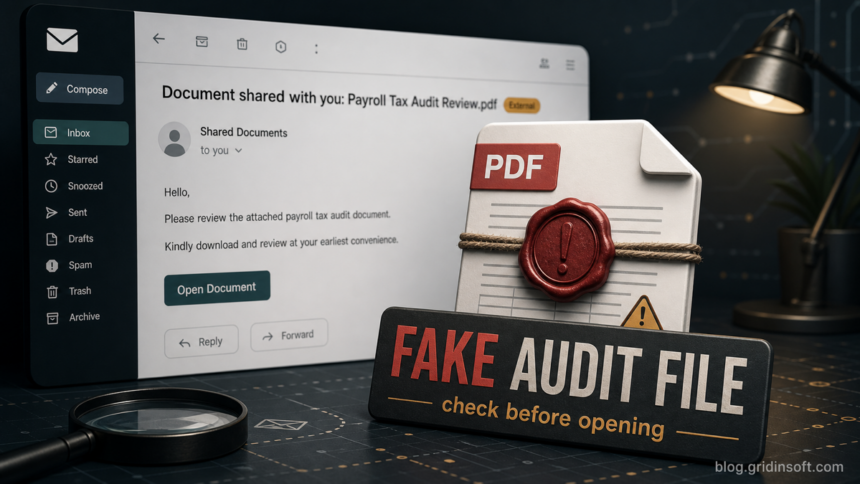
An email with the subject Legal Payroll & Tax Audit Shared Document should be treated as a phishing-style shared-file lure when it arrives unexpectedly, especially if the button does not lead to a payroll, legal, tax, Microsoft 365, or company document portal you already use. The sample pattern uses a claimed Payroll & Tax Audit Report.pdf and an Open Share button to push the recipient toward a login route. Do not open the button from the message; verify the request through your legal, payroll, or tax contact using a channel you already trust.
This article uses a neutral example. Real recipient addresses, company-specific link details, and private mail headers should not be shared publicly because the same template can be aimed at many organizations.
What the fake email looks like
The lure is built to look like a document-sharing notification rather than a traditional tax warning. It may use a display name such as Office File, mention a payroll or tax audit, and claim that the recipient’s email address will be used to grant access to a PDF.
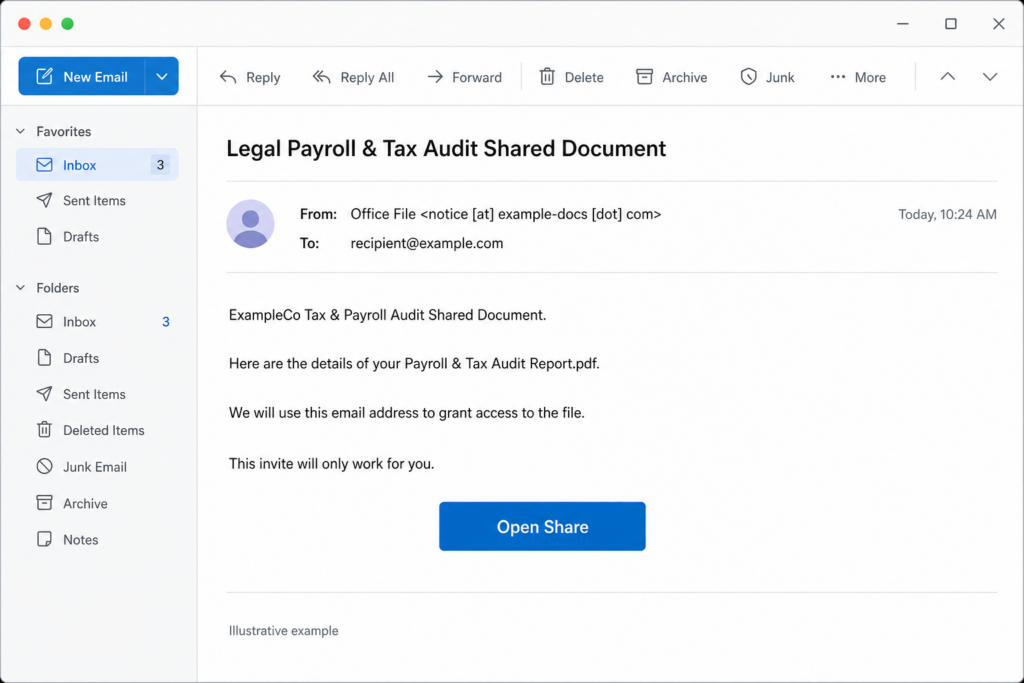
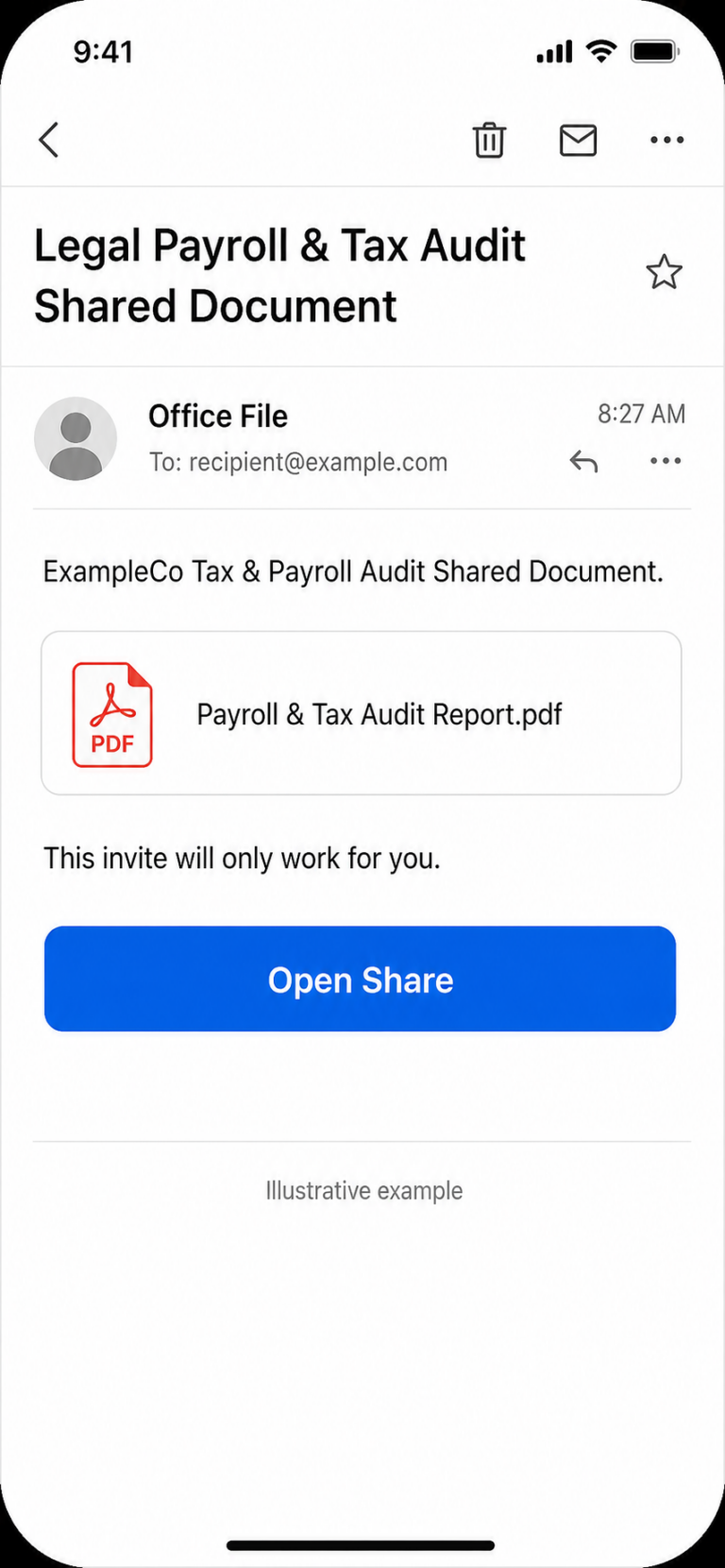
Example
Subject: Legal Payroll & Tax Audit Shared Document
From: Office File <notice [at] example-docs [dot] com>
To: recipient [at] example [dot] com
ExampleCo Tax & Payroll Audit Shared Document.
Here are the details of your Payroll & Tax Audit Report.pdf.
We will use this email address to grant access to the file.
This invite will only work for you.
Button: Open Share
Red flags in this email
| Signal | Why it matters |
|---|---|
| Generic sender display name | A phrase such as Office File does not identify a real legal, HR, payroll, tax, or document-sharing owner. |
| Tax and payroll audit pressure | Payroll and tax audits feel urgent and confidential, which makes recipients more likely to click before verifying. |
| Claimed PDF but no real attachment | The email promises Payroll & Tax Audit Report.pdf, but the action is a button that can lead to a credential page instead of a file. |
| Unfamiliar destination domain | A legitimate shared document should normally open in a known company, payroll, legal, tax, or approved document portal. A target-branded subdomain under an unrelated domain is suspicious. |
| Recipient address in the link or page | Phishing pages often pre-fill or display the victim’s email address to make the request feel personalized. |
| Authentication passes for the wrong trust question | SPF, DKIM, or DMARC can show that a sending domain authenticated its mail. They do not prove that the document request is real, expected, or authorized by your company. |
How to check it safely
- Do not use the email button. Close the message and start from a known bookmark, internal portal, payroll system, tax platform, or saved document workspace.
- Ask the named business owner directly. Contact your legal, finance, payroll, HR, or tax team through chat, phone, ticketing, or an address from the company directory.
- Check the real sender domain. A display name is not enough. Look at the full address and compare it with your organization’s approved vendors and internal systems.
- Inspect the link without opening it. If your mail client allows safe link preview, check whether the destination belongs to an expected service. Do not paste private payroll or tax links into public tools.
- Use a reputation check only for non-private domains. If the visible link points to an unfamiliar public domain, a tool such as the Gridinsoft Website Reputation Checker can help review the domain. Do not upload confidential tax or payroll documents without authorization.
- Report it internally. Send the message to your security, IT, or abuse mailbox as an attachment if your organization has a phishing-report process.
For a broader checklist, see our guide on how to spot a phishing email. If the message is framed around salary, payroll profile changes, or benefits rather than a legal/tax document, compare it with the Your Payslip Is Available email scam, the Selectfood Payroll email scam, and the Benefits Review Notice email scam.
If you clicked the Open Share button
Clicking the button is not the same as giving away your password, but it raises the risk. What matters is what happened next.
If the page only opened
- Close it without entering credentials.
- Clear the browser tab and avoid granting notifications, downloads, extensions, or file permissions.
- Report the message to IT or your mail-security team with the original email attached.
- Watch for follow-up messages that reuse the same payroll, legal, or audit theme.
If you entered your password
- Use a clean, trusted device to change the affected work email, SSO, Microsoft 365, Google Workspace, webmail, payroll, or document-portal password.
- Revoke active sessions and refresh sign-in tokens where your admin portal allows it.
- Turn on or reset MFA if the account did not already use it.
- Check mailbox forwarding rules, inbox filters, OAuth app consents, recovery emails, and recent sign-ins.
- Tell payroll, finance, legal, and IT because a compromised mailbox can be used for business email compromise or employee-data theft.
For the business-impact angle, read our Business Email Compromise guide. If a file was downloaded or a browser extension, support tool, or unknown app was installed after the click, scan the device before continuing normal work. The Gridinsoft Online Virus Scanner can check a non-confidential downloaded file, and Gridinsoft Anti-Malware can help inspect a Windows device for unwanted files or persistence after a suspicious download.
For HR, payroll, legal, and IT teams
- Search mail logs for the subject line and close variants such as Payroll & Tax Audit Report.pdf and Open Share.
- Block the destination domain and any lookalike subdomains after verifying they are not approved vendors.
- Identify users who clicked, submitted credentials, downloaded files, or received follow-up messages.
- Reset affected accounts and revoke sessions before relying on a password change alone.
- Warn employees with the neutral wording and a screenshot-free description if the real sample contains private company or recipient data.
How to report tax-related phishing
This sample pattern is not automatically an IRS or Treasury message. However, it uses a tax-audit pretext, so U.S. recipients should know the official reporting route for IRS, Treasury, or tax-related phishing. The IRS says suspicious IRS, Treasury, or tax-related emails and messages should be reported through its phishing-reporting process, and users should not reply, click links, or open attachments from the suspicious message.
If the message is only a workplace shared-document lure, also follow your company’s internal phishing-report process. If money, payroll records, W-2 data, tax IDs, or employee personal data may have been exposed, escalate it as a security incident rather than treating it as ordinary spam.
FAQ
Is the Legal Payroll & Tax Audit Shared Document email real?
It should be treated as suspicious unless you can verify it through a known legal, payroll, tax, HR, or document portal. An unexpected shared-document button is not enough proof.
Does a valid DKIM, SPF, or DMARC result mean the email is safe?
No. Those checks can authenticate the sending domain, but they do not prove the business request is legitimate or that the sender is an approved payroll or tax-audit contact.
Should I open the PDF to check it?
No. Start from a trusted portal or ask the internal owner first. In many phishing emails, the PDF is only a lure and the button leads to credential theft.
What if I only clicked the link?
Close the page, do not enter a password, report the email, and watch for downloads, notification prompts, or follow-up messages. If you entered credentials, reset them from a clean device and revoke sessions.
Should I report it to the IRS?
Report it to the IRS if it claims to be from the IRS or Treasury, or if it is otherwise tax-related under the IRS reporting guidance. For workplace-only lures, also report it internally to IT or security.
References
- Internal Revenue Service. “Report fake IRS, Treasury or tax-related emails and messages.” IRS, accessed July 7, 2026. https://www.irs.gov/help/report-fraud/report-fake-irs-treasury-or-tax-related-emails-and-messages
- Federal Trade Commission. “How To Recognize and Avoid Phishing Scams.” FTC Consumer Advice, accessed July 7, 2026. https://consumer.ftc.gov/articles/how-recognize-avoid-phishing-scams
- Federal Bureau of Investigation. “Common Frauds and Scams.” FBI, accessed July 7, 2026. https://www.fbi.gov/how-we-can-help-you/scams-and-safety/common-frauds-and-scams