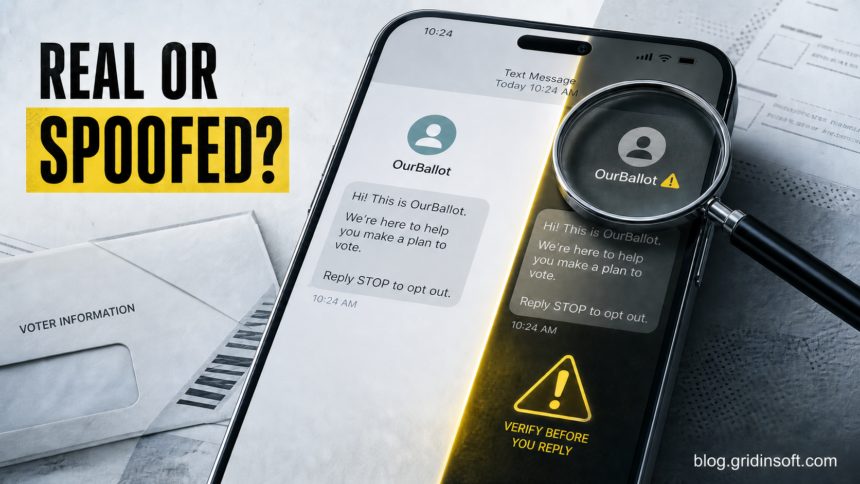
The common OurBallot text asking whether it reached the right person is not, by itself, proof of a phishing scam. OurBallot has a public voter-education site and a privacy policy that describes phone and text contacts. But a sender name can be copied, and neither “OurBallot” nor a mention of Vote.gov proves who sent one specific message. If the text only asks for a Y/N confirmation and offers STOP, you can ignore, block, or independently verify it. Do not trust a follow-up that asks for a password, Social Security number, payment, one-time code, app installation, or personal details through an unfamiliar link.
Is the OurBallot text legitimate?
The most accurate verdict is possible voter outreach, but not an authenticated government message. The site at our-ballot.com says it provides voter registration guidance, election deadlines, polling-place information, vote-by-mail help, and voter education [1]. Its privacy policy says OurBallot operates a site and messaging service and discusses consumers reached by customers through that service [2].
Those facts explain why a real outreach campaign could use the name. They do not authenticate the phone number in your inbox, prove that the organization selected your number correctly, or make every later request safe. A message can be genuine but unwanted, sent to an old or mismatched contact record, or copied by a scammer.
| What the text does | Risk and safest response |
|---|---|
| Asks only whether it reached the named person; offers Y/N and STOP | More consistent with outreach or list confirmation than credential phishing. You do not have to reply; report or block it if unwanted. |
| Links to voter information without asking for sensitive data | Do not use the message link. Open your state or local election office independently, or type vote.gov yourself. |
| Claims your registration or ballot has an urgent problem | Verify in the official state system. Do not resolve it through the text thread. |
| Requests a password, one-time code, SSN, bank/card data, payment, remote access, or an app | Treat it as phishing. Do not reply, tap, pay, install, or disclose anything. |
What the reported OurBallot message says
Recipients have reported variations that identify the organization, insert a person’s name, and ask for a simple confirmation. A typical version looks like this:
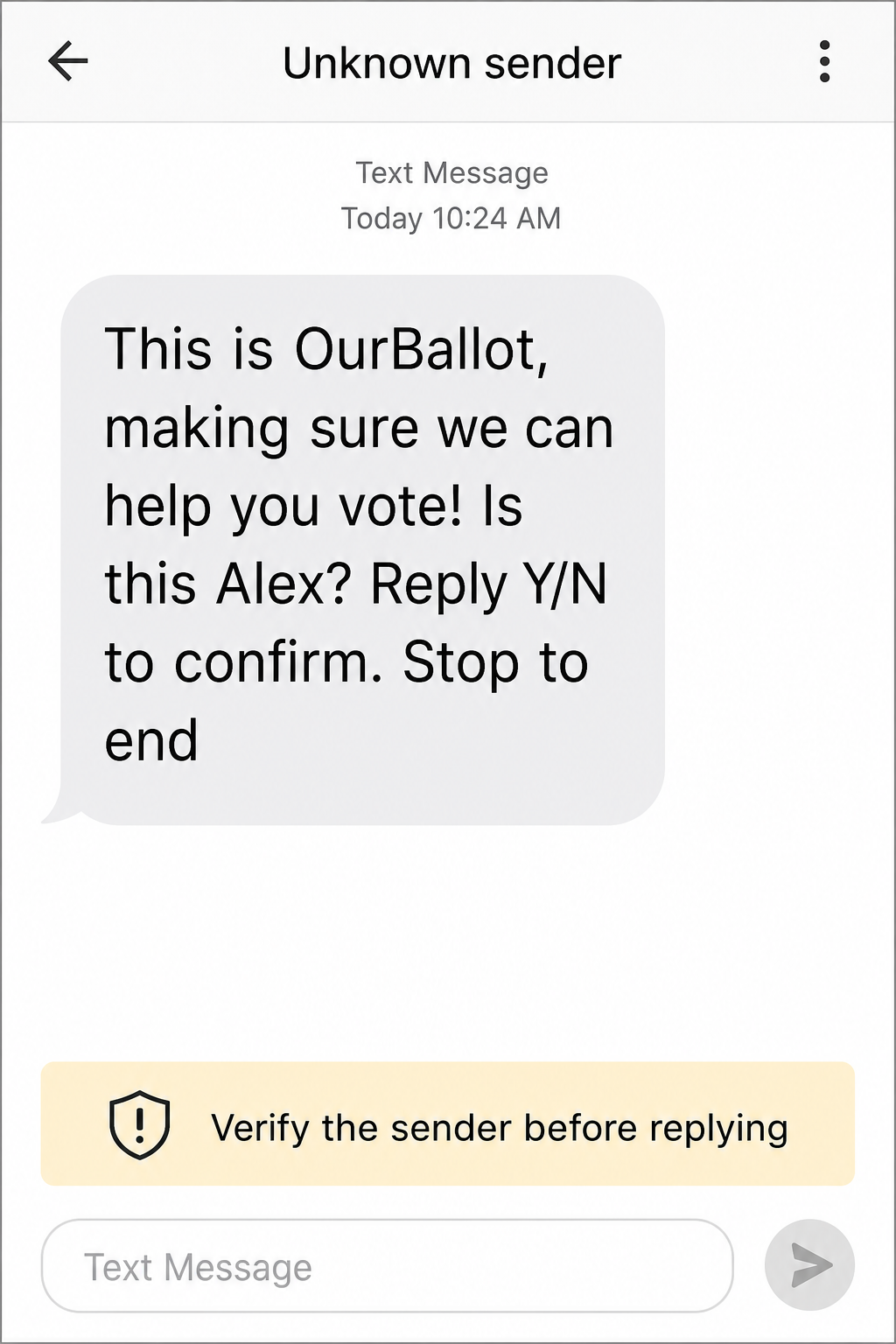
Example
Sender: Unknown sender
This is OurBallot, making sure we can help you vote! Is this Alex? Reply Y/N to confirm. Stop to end
The fictional name above avoids exposing a real recipient. The wording has no payment request, password field, attachment, or download. That lowers the immediate risk, but it does not tell you who controls the sending number or what a follow-up may request.
How to check the message without trusting it
- Read the requested action, not just the sender label. A plain identity confirmation is different from a link, registration-warning claim, data form, payment, or download.
- Do not treat the displayed name as authentication. SMS sender names and phone numbers can be changed, recycled, or spoofed. A familiar label is only context.
- Inspect any domain without tapping it. Copy only the hostname if your phone allows that safely, then check it with the Gridinsoft Website Reputation Checker. A clean report is supporting evidence, not proof that the sender is authorized.
- Open voter resources independently. Type the address yourself or start from your state or local election office. Vote.gov is an official U.S. government site and routes users to state registration information [3], but visible link text in an SMS can hide a different destination.
- Verify ballot or registration claims in the official system. Do not confirm a deadline, ballot problem, polling place, or registration change only because the text says it is urgent.
Should you reply Y, N, or STOP?
You are not required to confirm your identity to an unexpected sender. If you do not recognize the campaign, the lowest-risk choice is to avoid replying, use your messaging app’s report-junk option, and block the number. A Y or N reply does not normally compromise a phone by itself, but it confirms that someone reads messages at that number and may trigger more outreach.
STOP is appropriate for a legitimate messaging program you recognize. If you are unsure whether the sender is genuine, report and block the message instead. OurBallot’s public site includes a contact purpose labeled “Opt Out,” and its privacy policy describes a removal request by email. Reach that route by typing the known domain yourself, never through a link supplied by a suspicious follow-up.
For the broader decision about when STOP is safe, see the Gridinsoft guide to spam text messages and SMS phishing. The related smishing vs vishing guide explains how a text can switch into a fake call or login-page trap.
When an OurBallot follow-up should be treated as phishing
The name OurBallot does not make a dangerous request safer. Stop the conversation if a later message does any of the following:
- claims that you will lose voting access unless you act immediately;
- asks for a password, authentication code, full Social Security number, card or bank details;
- charges a fee to register, fix a ballot, find a polling place, or unlock information;
- sends a shortened, misspelled, or unrelated domain;
- asks you to install an app, configuration profile, browser extension, or remote-support tool;
- offers a reward, gift card, cash, or benefit for voting-related information;
- asks you to photograph identification or a ballot and return it through the text thread.
The FTC advises people not to use links in unexpected texts that request personal or financial information. It recommends contacting the organization through a website or number you already know is real, then reporting unwanted texts in the messaging app, to the carrier at 7726 where supported, or at ReportFraud.ftc.gov [4].
What to do if you already replied or clicked
- You replied Y, N, or STOP only: do not panic. A text reply alone is not evidence that malware was installed. Stop responding if the conversation changes, report or block the sender, and watch for follow-up messages.
- You opened a page but entered nothing: close it. Check the exact hostname independently. Remove any notification permission the page persuaded you to grant.
- You entered an account password or one-time code: open the real account directly, change the password, sign out other sessions, and enable multifactor authentication. Change reused passwords elsewhere.
- You shared SSN, banking, card, or identity information: contact the bank or card issuer, use IdentityTheft.gov for a recovery plan, and consider a credit freeze with the three U.S. credit bureaus.
- You installed an app or profile: disconnect it, review device-administration, accessibility, VPN, and notification permissions, remove the item, update the phone, and seek device-specific help if it cannot be removed.
FAQ
Is OurBallot a government agency?
No. Its public site says it is paid for by OurBallot and is not authorized by a candidate or candidate’s committee. Treat it as a separate outreach organization, not as your state or local election office.
Does a Vote.gov link make the text safe?
No. Vote.gov is an official .gov site, but link text can disguise another destination. Type the address yourself or start from your state election office.
Can replying Y hack my phone?
A normal Y reply does not usually install malware or expose every account. It can confirm that the number is active and may start more messages. The serious risk begins when a follow-up requests data, credentials, payment, a download, or permissions.
Why did the text use the wrong name?
Outreach lists can contain old, reassigned, household, or mismatched phone records. A wrong name is a reason not to confirm the identity; it is not proof by itself that the phone was hacked.
Where should I verify my voter registration?
Use your official state or local election website. Vote.gov can route you to state registration resources, but open it independently instead of using an unsolicited message link.
References
- OurBallot. “OurBallot.” OurBallot, accessed July 22, 2026. https://www.our-ballot.com/
- OurBallot. “OurBallot Privacy Policy.” OurBallot, effective January 1, 2025, accessed July 22, 2026. https://www.our-ballot.com/privacy-policy
- U.S. Election Assistance Commission. “Register to Vote in Your State.” Vote.gov, accessed July 22, 2026. https://vote.gov/
- Federal Trade Commission. “How to Recognize and Report Spam Text Messages.” FTC Consumer Advice, July 2022, accessed July 22, 2026. https://consumer.ftc.gov/articles/how-recognize-and-report-spam-text-messages