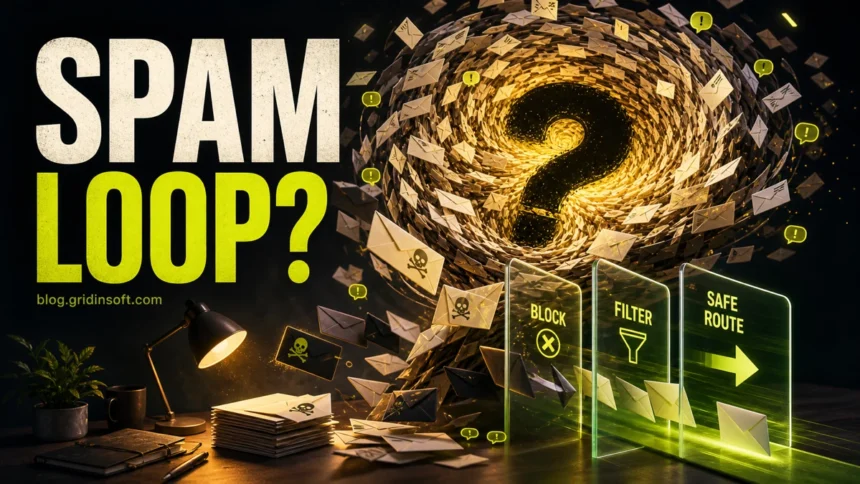
You cannot stop every spam email permanently, but you can reduce the volume and make dangerous messages easier to catch. Start by reporting real spam or phishing inside your mail app, blocking repeat senders, using filters for patterns, protecting your email account with two-factor authentication, and avoiding replies or suspicious unsubscribe links. If you already clicked a link or opened an attachment, switch to incident triage first.
Spam email guide map
Use this page as the spam-email hub. Start here for the strategy, then move to the guide that matches what happened in your inbox.
Choose the right spam-email guide:
- Reduce spam safely: stay on this hub for why spam keeps arriving, when to report, block, filter, unsubscribe, and how to handle spam floods.
- Change mailbox settings: use the Gmail, Yahoo, and Outlook spam settings guide for provider-specific steps.
- You clicked, replied, opened a file, or entered data: go to Dangers of spam email for risk triage.
- The message might be phishing: compare it with phishing email red flags and examples.
- You want to report or push back legally: use legal ways to report and fight spam email.
- Your address or domain is being forged: read how to prevent email spoofing.
- You want stronger long-term habits: follow the email security tips checklist.
Common spam-email scam examples: compare the professional hacker sextortion email, McAfee scam email, account verification alert scam, IMAP session authentication scam, and avoid getting locked out phishing email.
Why spam emails keep arriving
Spam usually reaches you because your address is public, leaked in a breach, sold through a marketing list, guessed by automated tools, reused across old accounts, or harvested after you replied to an unwanted message. Blocking one sender rarely fixes the root cause because many campaigns rotate domains, sender names, and reply addresses.
The goal is not one magic block button. The goal is to train your mailbox, reduce exposure, and avoid actions that confirm your address is active.
How to stop spam emails safely
- Report spam or phishing instead of replying. Reporting helps the mailbox learn. Replies tell the sender that a real person is reading.
- Block repeat senders only when the sender is stable. Blocking helps with newsletters and persistent senders, but not with spoofed or rotating spam.
- Create filters for repeated patterns. Filter by subject phrases, sender domains, or recurring words when the spam uses a predictable pattern.
- Use aliases for risky signups. Shopping, forums, coupons, sweepstakes, and one-time downloads should not all use your main email address.
- Secure the email account itself. Turn on two-factor authentication, review recovery email and phone settings, and sign out unknown sessions.
- Do not use suspicious unsubscribe links. Unsubscribe is useful for legitimate newsletters you recognize, but risky in unknown spam.
- Scan after suspicious attachments or downloads. If a spam message launched a file, treat it as a device-safety issue, not only an inbox issue.
Report, block, filter, or unsubscribe?
| Action | Use it when |
|---|---|
| Report spam | The message is unwanted, suspicious, or clearly promotional spam. |
| Report phishing | The message asks for passwords, payment, codes, remote access, or urgent login. |
| Block sender | The same recognizable sender keeps contacting you from a stable address. |
| Create a filter or rule | The spam repeats the same subject, phrase, sender pattern, or list behavior. |
| Unsubscribe | The message is a real newsletter or service you knowingly joined. |
Where to change Gmail, Yahoo, Outlook, and iCloud settings
This page explains the strategy. For click-by-click settings in Gmail, Yahoo Mail, and Outlook, use the dedicated provider spam cleanup guide. For iCloud Mail, use Apple’s built-in junk filtering, hide-my-email aliases, and sender blocking where available.
If your emails go to someone else’s spam folder
This is a different problem from receiving spam. If mail you send lands in someone else’s spam folder, check SPF, DKIM, and DMARC records for your domain, avoid spammy subject lines, keep mailing lists clean, and do not send bulk mail from a normal personal mailbox. If you use Gmail, Yahoo, Outlook, or iCloud as a sender, review forwarding, aliases, and account security first so your mailbox is not sending suspicious traffic.
What to do during email bombing
Email bombing is a sudden flood of hundreds or thousands of messages. It may be harassment, but it can also hide one important alert about a bank transfer, store order, password reset, or account takeover. Do not mass-delete the flood first.
- Search the inbox for words such as order, receipt, password, security, verification, payment, and login.
- Check bank, PayPal, shopping, crypto, cloud, Microsoft, Google, and Apple accounts from official apps or websites.
- Save a few sample messages if you need to report abuse.
- Create filters after you confirm there is no hidden transaction or login alert.
What if you clicked a spam email?
If you clicked a link, opened an attachment, replied, called a phone number, entered a password, or paid money, move to the action-based guide: Is Spam Email Dangerous? Risks and What to Do After a Click. That page separates low-risk opening from high-risk clicks, attachments, credentials, and payment mistakes.
Long-term spam prevention checklist
- Use a separate alias for shopping, newsletters, forums, and downloads.
- Keep your main email private on public websites and social profiles.
- Use unique passwords so a breached site does not expose your email account.
- Turn on two-factor authentication for email before other accounts.
- Review account recovery settings every few months.
- Keep your browser and mail app updated.
- Check suspicious links or attachments before opening them with the Gridinsoft Online Virus Scanner.
FAQ
Can I block all spam emails permanently?
No. You can reduce spam and make filtering stronger, but spam senders rotate domains, lists, and spoofed addresses. Reporting, filters, aliases, and account security work better than relying on one block list.
Is it safe to unsubscribe from spam?
Only unsubscribe from legitimate newsletters or services you recognize. For unknown spam, use the mail app’s spam or phishing report button instead.
Why do blocked senders keep coming back?
The sender address may be spoofed or rotated. Use filters for patterns, report the messages, and avoid replying or clicking anything that confirms your address is active.
Should I delete spam immediately?
For ordinary spam, reporting then deleting is fine. During email bombing, search for hidden account, payment, and password-reset alerts before deleting the flood.