

The best spam email revenge is not replying, threatening, or hacking back. It is creating reports that help email providers, anti-phishing feeds, browser blocklists, hosting companies, and law enforcement connect the scam to the sender, landing page, wallet, phone number, or domain. If one spam email only annoys you, report it inside your mailbox and block it. If your inbox is suddenly flooded with newsletters, one-time codes, or subscription confirmations, pause before bulk-deleting: criminals sometimes use an email bomb to hide a real bank, shopping, or account-security alert.
This guide is for people who searched for spam email revenge because they are tired of scam messages and want to do something that actually matters. The safe path is defensive but still satisfying: train filters, feed phishing takedown systems, warn browser blocklists, find hidden account alerts, and create a record if money or identity data was involved. If you already opened an attachment, entered a password, or paid money, start with the dangers of spam email guide and scan the device before continuing.
Legal Spam Email Revenge: What Works Fast
| If the email… | Best legal action | Why it hurts the scam operation |
|---|---|---|
| Is generic spam or a fake newsletter | Report spam inside Gmail, Outlook, Yahoo, or your mail app | Provider filters learn from the original message and similar campaigns are more likely to land in spam. |
| Contains a phishing link or fake login page | Report the message to APWG and the URL to Google Safe Browsing or Microsoft | Phishing feeds and browser blocklists can warn other users before they click. |
| Impersonates a company, bank, delivery service, or government agency | Report it to your mailbox provider and the impersonated organization | Brand abuse teams can request takedown or warn customers. |
| Caused a payment, crypto transfer, or account loss | Report to FTC ReportFraud and IC3; also contact your bank or platform | Law-enforcement and fraud systems need transaction, wallet, and timeline data to connect cases. |
| Suddenly floods your inbox with hundreds of signups or codes | Search for hidden bank, order, login, and password-reset alerts before bulk-deleting | Email bombing is often a cover screen for account theft or payment fraud, so the real alert matters more than the noisy spam. |
| Includes threats, extortion, or private information | Stop replying, preserve evidence, report to IC3/local law enforcement, and secure accounts | Threat cases need a record; replying usually gives the scammer more leverage. |
If You Are Being Email-Bombed, Look For The Alert They Are Hiding
An email bomb is a burst of junk signups, verification codes, or newsletter confirmations sent to bury something important. The attacker may be trying to hide a card purchase, password reset, shipping change, bank transfer, or login alert. Treat the flood as a smoke screen until you prove there is no account activity behind it.
- Search before deleting: look for
password,security,login,order,withdrawal,payment,gift card, and the names of your bank, shopping, email, and payment accounts. - Check spam and trash too: real alerts can be pushed out of sight by filters or accidental bulk actions.
- Secure the exposed account first: change the password from a clean device, revoke unknown sessions, enable two-factor authentication, and contact the bank or platform if money moved.
- Then clean the flood: report the messages in your mailbox, create narrow filters for repeated signup phrases, and avoid broad delete rules that could hide future security alerts.
Where To Report Spam And Phishing Emails
Do not send every message to every possible inbox. Pick the channel that matches the problem. A mailbox report is enough for ordinary junk. A phishing page needs a URL report. A money-loss scam needs a fraud or cybercrime complaint.
| Report target | Use it when | What to send |
|---|---|---|
| Gmail spam/phishing report | The message is in Gmail or Google Workspace. | Use Gmail’s built-in Report spam or Report phishing option so Google receives a copy for analysis. |
| Outlook report phishing | The message is in Outlook.com, Outlook, or Microsoft 365. | Select the message, then use Report > Report phishing or Junk. |
| Yahoo report spam or abuse | The message is in Yahoo Mail, or a Yahoo/AOL account is abusing the service. | Use Spam and choose a reason; use Yahoo’s abuse report for impersonation or account abuse. |
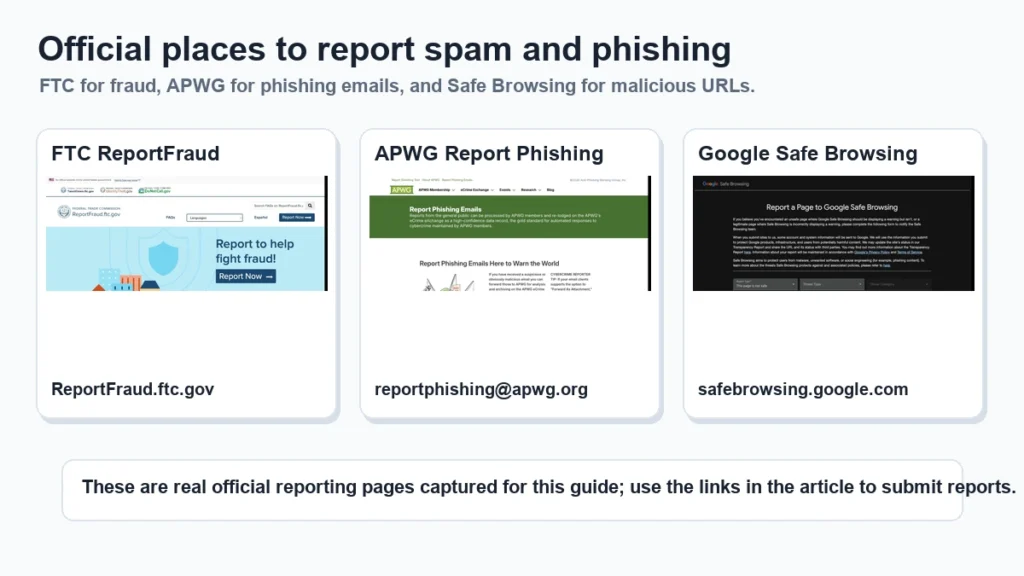
| APWG phishing report | The email is phishing or has a credential-stealing link. | Forward the suspected phishing email to [email protected]. |
| FTC ReportFraud | You are in the United States and the spam involved fraud, impersonation, or attempted theft. | Describe the scam, sender, website, phone number, payment method, and loss if any. |
| FBI IC3 | You lost money, faced extortion, business email compromise, crypto theft, or serious cyber-enabled fraud. | Submit the timeline, messages, transaction IDs, wallet addresses, domains, phone numbers, and account details. |
| Google Safe Browsing | The email links to a fake login, malware, or social-engineering page. | Report the landing page URL, not just the sender address. |
| Microsoft report unsafe site | The link should be blocked by Microsoft Defender SmartScreen or Edge. | Submit the unsafe website URL and select phishing or malware as appropriate. |
Step 1: Report Inside Your Mailbox First
Your email provider has the best copy of the message: headers, sender infrastructure, authentication results, links, and attachments. Reporting inside the mailbox is often more useful than copying the visible sender address into a separate complaint form.
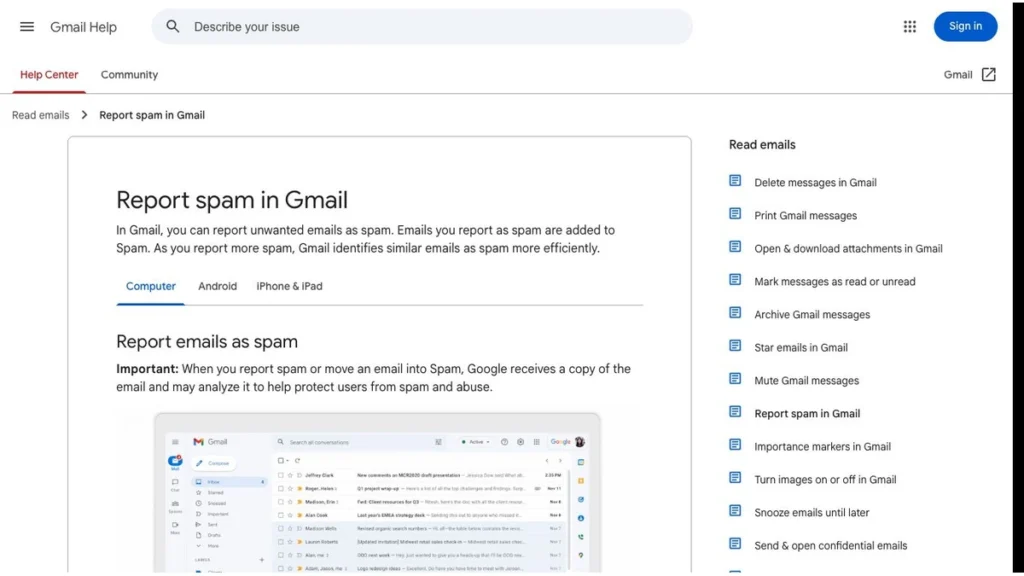
- Gmail: open the suspicious email, use the More options menu, then choose Report phishing or Report spam.
- Outlook: select the message, use Report, then choose Report phishing or Junk.
- Yahoo Mail: mark the message as spam and choose the closest reason when Yahoo asks.
- Business mailbox: use your company’s phishing-report button or forward the message to the security team. Do not send the message to coworkers as a warning; use screenshots or a sanitized summary instead.
Step 2: Preserve Evidence Before You Delete The Email
If the email was only annoying, you can report and delete it. If it involved money, login credentials, attachments, threats, or a fake website, preserve evidence first. The visible sender name is not enough because scammers spoof addresses constantly.
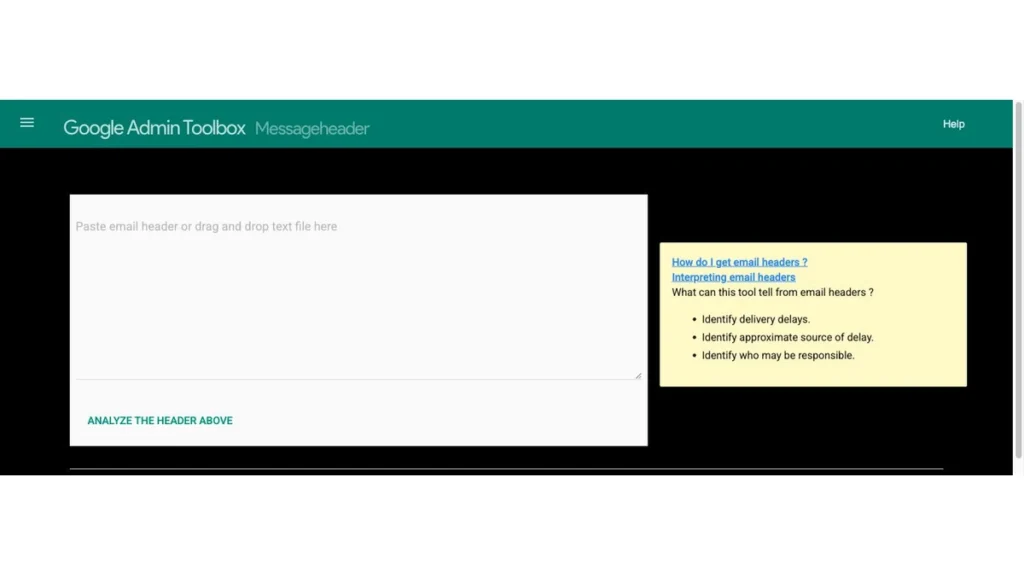
- Save the original email if your mail app allows exporting it as
.emlor showing the original message. - Copy full headers, especially Received lines, SPF/DKIM/DMARC results, Return-Path, Reply-To, and message ID.
- Copy the landing page URL without visiting it again. If you already clicked it, copy it from browser history instead of reopening the site.
- Record payment data such as card charge, bank transfer, crypto wallet, transaction hash, gift card code type, or payment app username.
- Keep the timeline: when the email arrived, when you clicked, what you entered, what you paid, and what the scammer said afterward.
Step 3: Report The Phishing Website, Not Only The Email
Many spam campaigns rotate sender accounts quickly. The more valuable target is often the phishing page, fake checkout, malware download, or redirect chain. URL reports help browser and search blocklists warn users even if the scammer switches email accounts.
Before reporting a link, do not log in, do not test payment forms, and do not upload documents. If you need a quick reputation check, paste the URL into the Gridinsoft Online Virus Scanner or another safe scanner instead of opening the page directly.
Step 4: Escalate If Money, Passwords, Or Accounts Were Involved
Reporting spam is not the same as recovering from fraud. If you entered a password, paid money, installed a file, or gave remote access, treat the incident as account compromise or malware exposure.
- If you entered a password: change it from a clean device, revoke active sessions, and enable two-factor authentication. Start with the account that was phished, then check email, banking, and password-manager accounts.
- If you paid money: contact the bank, card issuer, payment app, exchange, or gift card provider immediately. Then file FTC/IC3 reports with transaction details.
- If you opened an attachment: disconnect suspicious remote-access tools, scan the device, and review startup apps, browser extensions, and recent downloads.
- If scammers have your email address: read the guide on what to do when a scammer has your email address; most cases need filtering and account hardening, not a new inbox.
Step 5: Use Filters And Blocks Without Hiding Real Alerts
Blocking a sender can feel good, but spam campaigns rarely depend on one sender address. Use blocks for repeated nuisance senders, and use filters for patterns you trust: a repeated subject line, a fake brand phrase, or a disposable domain. Avoid broad filters that delete security alerts, invoices, password reset messages, or bank notifications.
If you suddenly receive hundreds of newsletter signups or one-time-code messages, do not only bulk-delete them. That can be an email-bombing tactic meant to hide a real bank, shopping, or account-change alert. Search your inbox and spam folder for terms like password, security, login, order, withdrawal, and your bank or payment app name.
What Not To Do For Spam Email Revenge
The line between legal “revenge” and risky behavior is simple: do not attack, threaten, impersonate, or expose people. Even if the sender is a scammer, you can create legal trouble for yourself or make your inbox a better target.
- Do not hack back, DDoS, scan, or attempt to break into sender infrastructure.
- Do not threaten scammers or send abusive messages.
- Do not reply from your real inbox to “waste their time.” That confirms the address is active.
- Do not open attachments to “see what happens.” Use safe scanning and preserve evidence.
- Do not publish phone numbers, addresses, or personal data from a suspected scammer. Spoofing and mule accounts are common.
- Do not click unsubscribe in obvious phishing or malware emails. Use unsubscribe only for legitimate newsletters you recognize.
Is Scambaiting Ever Worth It?
Scambaiting can waste a scammer’s time, but it is not the best recommendation for ordinary users. It requires a separate identity, a separate mailbox, a safe device or virtual machine, and the discipline to avoid emotional replies. For most readers, reports and takedown signals are safer and more useful than a long conversation with a criminal.
If you still choose to engage, never use your real identity, never send documents or payments, never open files, and stop immediately if threats begin. In most cases, the better move is to document the threat and report it.
Spam Email Revenge Checklist
- Do not reply, click links, or download attachments.
- Report the message inside your mailbox first.
- Preserve the original message and full headers if the scam is serious.
- Report phishing emails to APWG and fraud attempts to FTC or IC3 when appropriate.
- Report phishing or malware URLs to Google Safe Browsing and Microsoft.
- Change passwords and enable two-factor authentication if you entered credentials.
- Contact your bank or payment provider immediately if money moved.
- Scan the device if you opened a file, installed software, or gave remote access.
- Block or filter the pattern after reports are filed.
- Delete the message once evidence is saved and reports are submitted.
FAQ
What is the best legal spam email revenge?
The best legal revenge is to report the message and the linked infrastructure: mailbox provider, APWG for phishing emails, FTC or IC3 for fraud, and Google Safe Browsing or Microsoft for phishing URLs. These reports can improve filters, feed blocklists, and create evidence if the scam is part of a larger campaign.
Should I reply to a spam email to waste the scammer’s time?
Usually no. Replying confirms that your address is active and can expose your writing style, timezone, language, signature, device details, or personal information. If you are not using a separate identity and a safe environment, reporting is safer than scambaiting.
Where do I report a phishing email?
Report it inside your mailbox first. Then forward phishing emails to APWG at [email protected]. If the message attempted fraud or caused a loss, report it to FTC ReportFraud and IC3. If it includes a fake login page, report the URL to Google Safe Browsing or Microsoft.
What should I include in a spam or phishing report?
Include the original email, full headers, sender address, Reply-To address, suspicious URLs, attachment names, phone numbers, payment details, crypto wallet addresses, transaction IDs, and a timeline of what happened. Do not include passwords or unnecessary personal documents.
Why am I suddenly getting hundreds of spam emails?
A sudden flood of signup confirmations, newsletters, or one-time-code messages can be ordinary list abuse, but it can also be an email-bombing tactic used to hide a real purchase, login, password reset, or bank alert. Search for account and payment terms before deleting the flood, then secure any affected account.
Can reporting spam actually make a difference?
Yes, especially when the report includes the original message or phishing URL. Mailbox reports train provider filters, APWG receives phishing emails for analysis and archiving, and browser blocklist reports can help warn other users before they visit a malicious page.
What if I clicked the link before realizing it was spam?
Do not enter more data. Close the page, copy the URL from browser history for reporting, change any password you entered, revoke active sessions, enable two-factor authentication, and scan the device if you downloaded or ran anything.
References
- Federal Trade Commission. “Protect yourself from phishing scams.” Consumer Advice, updated 2025. Accessed June 7, 2026. FTC phishing guidance.


Ok
keeps gettin hacked…help me i know i vist lots of porn sites but how can i get them to stop bothering me plse help before my wife sees
Sean this is your wife, I’m very disappointed i had to find out this way.
think of our children
and the children in the drain.
omg
+919821144201