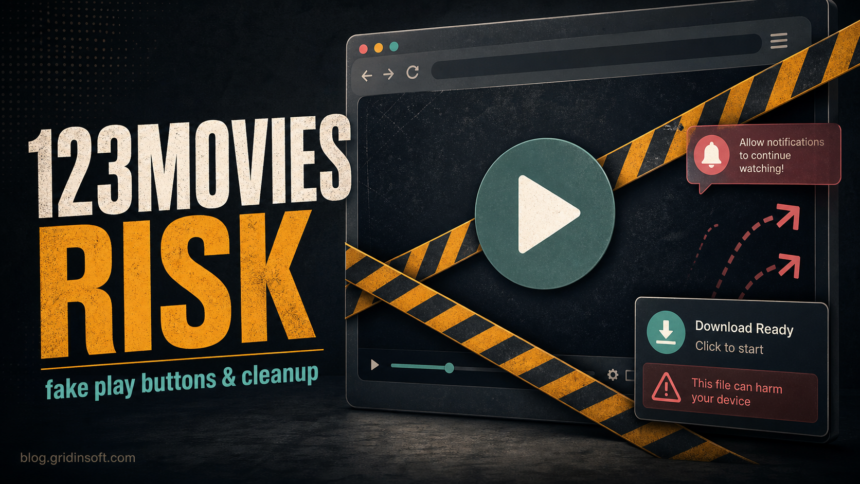
123Movies-style clone sites should not be treated as safe just because a video page loads. The risk is the ecosystem around the player: fake play buttons, pop-ups, redirect chains, notification prompts, fake CAPTCHA pages, Android APK offers, browser extensions, and downloaded files that may have nothing to do with the movie. If you only opened the page, close it and remove any notification permission. If you downloaded, installed, or entered card or login data, treat it as a cleanup and account-safety event.
Why 123Movies Clone Sites Are Risky
The original 123Movies brand is no longer a stable, official service; current search results and social links usually point to clones, mirrors, lookalikes, or pages using the same name for traffic. That makes the domain name a weak trust signal. A page can look familiar today and still change ad networks, redirect behavior, or download prompts tomorrow.
Illegal or gray-area streaming apps and sites are also a known malware-delivery risk. The FTC has warned users that unofficial streaming apps can carry malware and expose personal information.[1] Google Chrome Help lists persistent pop-ups, hijacked browsing, returning extensions, and fake virus alerts as signs of unwanted software or malware.[2] Those are the same symptoms users often report after streaming-clone redirects.
123Movies Risk Signs To Take Seriously
| What you saw | Risk and what to do |
|---|---|
| Fake play button, new tab, or redirect chain | Close the tab. Do not follow secondary buttons, surveys, VPN prompts, or “continue watching” pages. |
| Browser asked to allow notifications | Block or revoke the site permission. Notification spam can imitate virus alerts, delivery messages, or security warnings. |
| Downloaded a player, codec, APK, extension, archive, or EXE | Delete it if unopened. If it ran, scan the device and check browser extensions, startup apps, and installed programs. |
| Asked for card verification, account login, or phone number | Assume the form may be a scam. Contact the card issuer if payment data was entered and change reused passwords. |
| A child used the device on a clone site | Clear permissions, review downloads, remove unknown apps/extensions, and use safer legal sources before returning the device. |
What To Do After Visiting Or Clicking
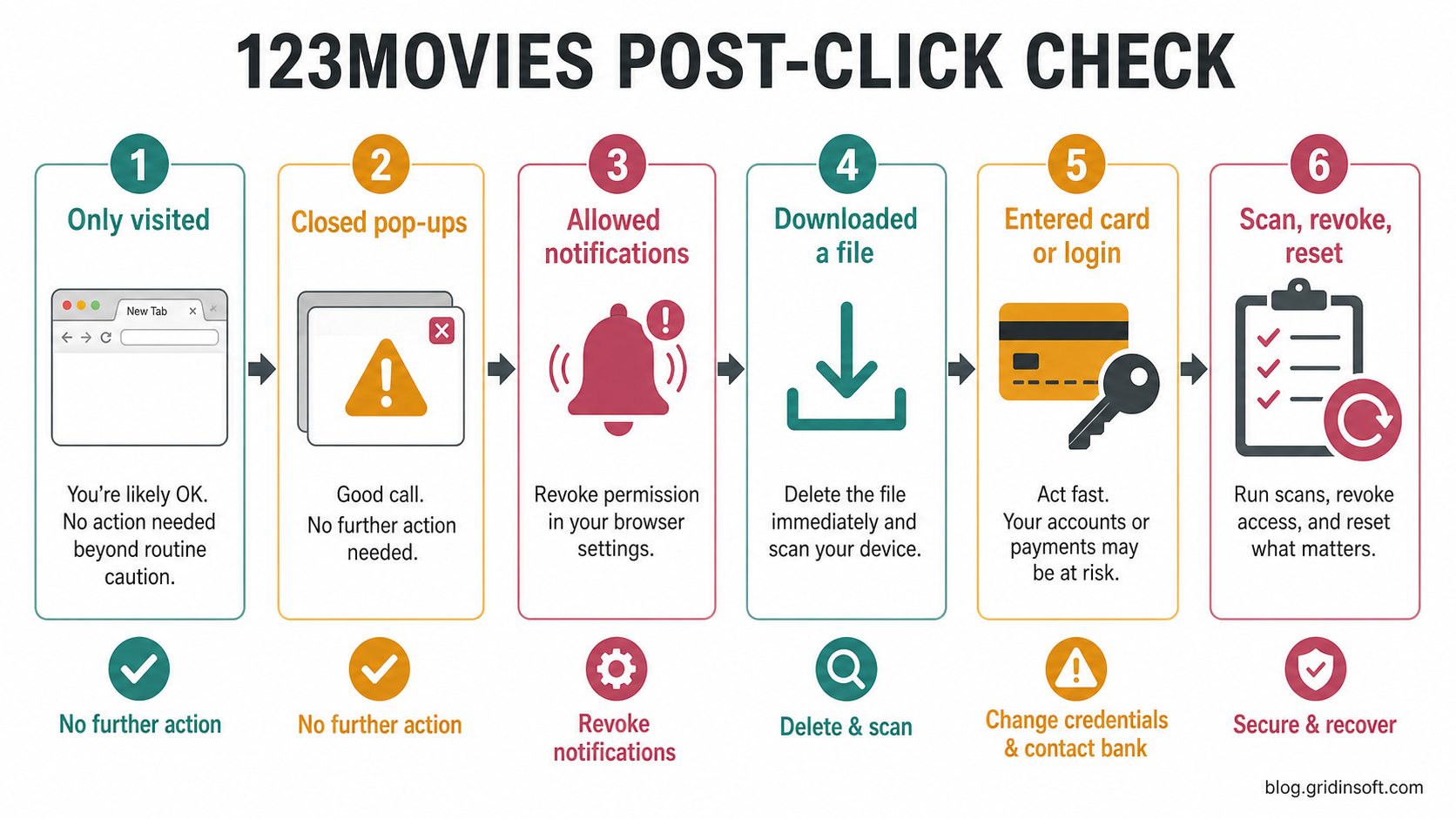
If you only opened a 123Movies clone and closed it without clicking prompts, the practical risk is lower. Clear the tab, avoid restoring the session, and check browser notification permissions for unfamiliar sites. If the browser keeps opening new tabs, use the browser opens multiple tabs cleanup guide to separate adware from a single bad site permission.
If you clicked a fake play button or allowed notifications, remove that permission first. For Chrome, go to site settings for notifications, pop-ups, and redirects; Google documents both unwanted pop-up cleanup and notification blocking paths for desktop and mobile Chrome.[2] If fake security warnings keep returning, compare the behavior with our fake virus alert removal guide.
If you downloaded anything, do not open it to “check.” Streaming clones often wrap the real lure in names such as player update, HD codec, APK, browser extension, archive, or installer. A video file can also hide behind a double extension or a misleading archive; our MP4 malware risk guide explains the file-type decision in more detail.
What About FMovies, SFlix, HDToday, And Soap2Day?
FMovies, SFlix, SolarMovie, HDToday, Soap2Day, and 123Movies searches often lead to the same safety question: not “which mirror works,” but whether the clone ecosystem around free streaming can be trusted. The answer is the same for each brand family. Do not trust card checks, notification prompts, APKs, extensions, or downloads just because the page uses a familiar streaming name.
For broader context, use the free movie streaming scams guide. For site-specific patterns, compare this page with the MoviesJoy safety guide, the WatchCartoonOnline/WCO safety guide, the KissAnime safety guide, and the 9Anime clone guide. The names differ, but the unsafe prompts are usually similar.
Cleanup Checklist After A 123Movies Clone
- Close the tab and do not use the browser back button if the page is trapping navigation. Close the whole window if needed.
- Revoke notifications for unfamiliar sites in the affected browser.
- If a fake player, installer or extension ran on Windows, download and install Gridinsoft Anti-Malware from its official source and update its detection database. Run a Full Scan, review the detections, apply cleanup to confirmed unwanted or malicious items, then restart Windows and recheck the browser. Scan again if pop-ups, redirects, or unknown startup items return. Manual checks are not required before this scan.
- Optional follow-up if symptoms persist: remove identified unwanted extensions, especially video downloaders, “safe search,” coupon, VPN, or player helpers.
- As part of that optional follow-up, check installed apps for unwanted additions from the day of the streaming visit.
- If a suspicious download stayed unopened, keep it closed and delete it, or scan it locally before deciding what to do with it.
- If card, login, email, or phone data was entered, change reused passwords, revoke active sessions, and contact the card issuer when payment data was involved.
If a 123Movies “player” installed on Android, check it with Trojan Scanner for Android instead of relying on its name. Scan installed apps, review findings and confirm unwanted-app removal. For notification spam without installation, use browser permissions.
On Windows, a loader, scheduled task, extension policy or startup entry can recreate redirects after the tab is closed. Use the Full Scan route above as the main cleanup step after a fake player, installer or extension ran, or when unwanted apps and browser changes persist. Review and apply cleanup, restart, and recheck the browser before using the PC for banking, email or a child profile; manual checks are optional follow-up.
Parent And Shared-Device Safety
Do not treat 123Movies-style clones as child-safe. Even when the cartoon or movie page appears to load, the surrounding ads and redirects can lead to adult ads, gambling pages, fake security warnings, APK downloads, or notification spam. On a shared device, use a separate child profile, block notification prompts by default, keep downloads visible, and review browser history only to understand exposure, not to shame the user.
FAQ
Is 123Movies safe if I only watched a movie?
Watching a page without clicking downloads or allowing permissions is lower risk, but it is still not a trusted environment. Close the tab, avoid mirror links, and check that no notifications were allowed.
Can 123Movies give my device a virus?
A web page usually does not infect a fully updated browser by itself, but fake downloads, browser extensions, APKs, archives, and scareware prompts can lead to malware or unwanted software.
Should I enter card details for verification?
No. Treat card verification on a free streaming clone as a scam risk. If you already entered payment data, contact your card issuer and watch for unauthorized charges.
What should I do if 123Movies notifications keep appearing?
Remove the site from browser notification permissions, then check extensions and installed apps if notifications, redirects, or fake alerts keep returning.
Are FMovies, SFlix, and Soap2Day safer than 123Movies?
No brand name in this clone category is a safety guarantee. Judge the prompts and behavior: fake buttons, redirects, notification requests, downloads, and card checks are the warning signs.
References
- Federal Trade Commission. “Malware from illegal video streaming apps: What to know.” FTC Consumer Advice, May 2, 2019, accessed July 7, 2026. https://consumer.ftc.gov/consumer-alerts/2019/05/malware-illegal-video-streaming-apps-what-know
- Google Chrome Help. “Remove unwanted ads, pop-ups & malware.” Google, accessed July 7, 2026. https://support.google.com/chrome/answer/2765944?co=GENIE.Platform%3DDesktop&hl=en
- Wikipedia contributors. “123Movies.” Wikimedia Foundation, accessed July 7, 2026. https://en.wikipedia.org/wiki/123Movies