Amazon phishing emails imitate order alerts, Prime billing notices, delivery problems, account locks, refunds, product recalls, and gift card messages. A familiar display name, logo, or plausible sender address is not proof: check the full address and link domain, then verify the alert in Amazon’s Message Center, Orders, Prime, or Account settings. If it is not there, treat the email as fake, report it, and secure the account only through the official app or website.
amazon.com yourself, then check Orders, Message Center, Prime, and Account settings. Customers can use Amazon’s self-service reporting tool; people without an Amazon account can send the suspicious message to [email protected].[1]
What Is an Amazon Phishing Email?
An Amazon phishing email is a fake message that pretends to come from Amazon or Amazon support. It may use Amazon branding, order-style formatting, delivery language, or a believable sender name. Some messages are sloppy, but many are convincing enough to fool a busy shopper.
The email usually leads to one of three outcomes:
- a fake Amazon login page that steals your username and password;
- a fake payment or refund page that asks for card details;
- a fake support number where a caller tries to get codes, remote access, or payment.
Common Amazon Email Scam Themes
| Scam theme | What it says | What to check |
| Fake order confirmation | You bought an expensive item and must cancel quickly. | Open Amazon Orders directly. Do not call the phone number in the email. |
| Prime billing problem | Your Prime membership will expire or renew unless you update payment. | Open Amazon Account > Prime Membership yourself. |
| Delivery issue | A package is held, address confirmation is required, or customs fee is due. | Check tracking inside the Amazon app, not through the link. |
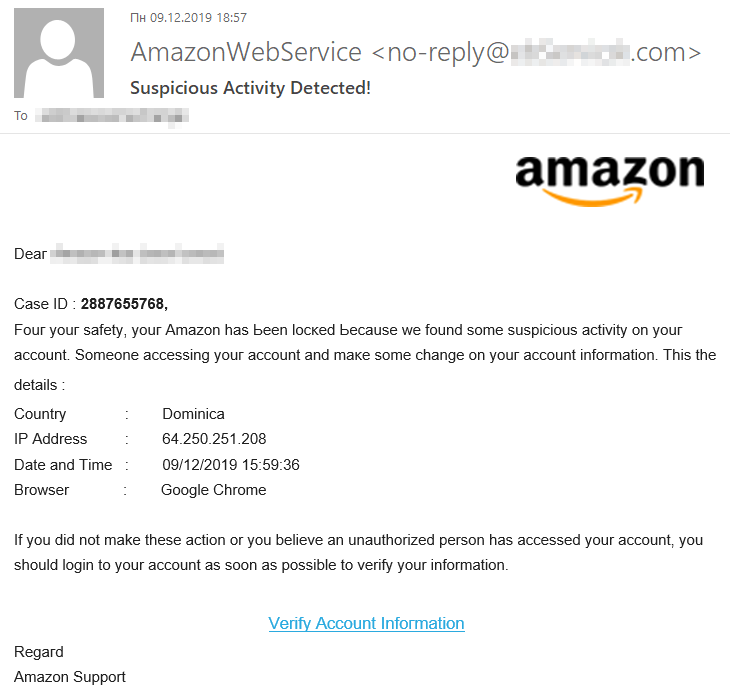
| Account locked | Unusual activity was detected and your account needs verification. | Go directly to Amazon and review sign-in/security settings. |
| Product recall or refund | An item is unsafe or a refund is waiting. | Verify inside your order history and official Amazon message center. |
| Gift card or reward | You won a card, survey reward, or loyalty bonus. | Assume unsolicited rewards are fake unless visible in your account. |
Fake Amazon Phishing Email Example
Real scams change wording often, but the pressure pattern is usually the same.
Subject: Action required: your Amazon order cannot be shipped
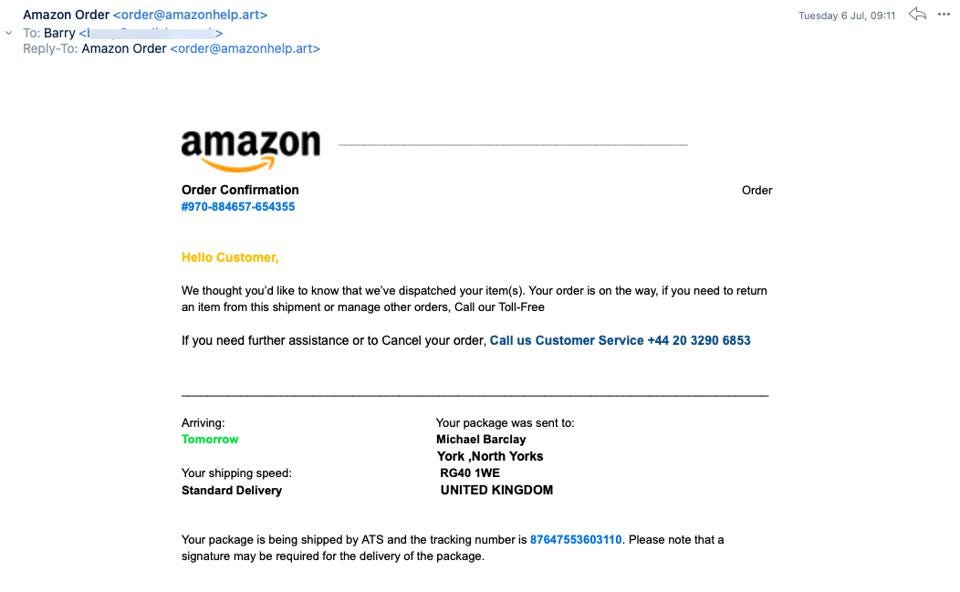
Dear customer, we could not confirm the payment method for your recent order. To avoid account suspension and shipping cancellation, update your billing details within 24 hours. Use the secure button below and do not reply to this message.
The warning signs are the generic greeting, urgent deadline, account threat, payment request, and button-driven action. Amazon says impersonation reports often involve account or order issues, and email remains a leading contact method in U.S. customer reports.[2] Open Amazon directly and check Orders, Message Center, Prime, and Login & Security instead of following the email.
For broader Amazon order, refund, gift-card, and fake-site traps, use our Amazon scams guide as the supporting checklist.
How to Tell If an Amazon Email Is Fake
Do not judge only by the logo. Check the action the email wants you to take.
- The link does not go to Amazon. Hover or long-press before opening. Watch for misspellings, extra words, hyphens, strange subdomains, and non-Amazon domains.
- The full sender address is not Amazon-owned. Open the sender details, not just the display name. A name like Amazon Support is not proof; a real Amazon sender should use an Amazon-owned domain, not a look-alike mailbox.
- The email asks for urgent payment or login. Scammers use countdowns, threats, and “act now” language.
- The order is not in your Amazon account. Real order problems should appear in Orders or Message Center.
- The phone number is in the email body. Fake support-number scams use this to move you from email into vishing.
- The message asks for codes or gift cards. Amazon will not ask you to read a one-time code to a caller or pay a fee with gift cards.
- The attachment is unexpected. Do not open invoices, HTML files, archives, or documents from suspicious emails.
How to Check Safely
- Do not click the button in the email, open attachments, scan QR codes, or call numbers printed in the message.
- Open the Amazon app or type
amazon.comin the browser. - Check Orders, Returns, Prime Membership, Message Center, and Your Account alerts.
- Review Login & Security for unfamiliar devices, password changes, passkey prompts, or one-time-code requests.
- If a charge is mentioned, check your bank or card app separately.
- If the email claims a refund, recall, locked account, or Prime renewal, verify that exact issue in your Amazon account before doing anything else.
- Report the phishing email to Amazon through the official reporting flow, then delete it.[1]
For non-Amazon messages, use the same checks in our broader guide on how to spot a phishing email.
How to Report an Amazon Phishing Email
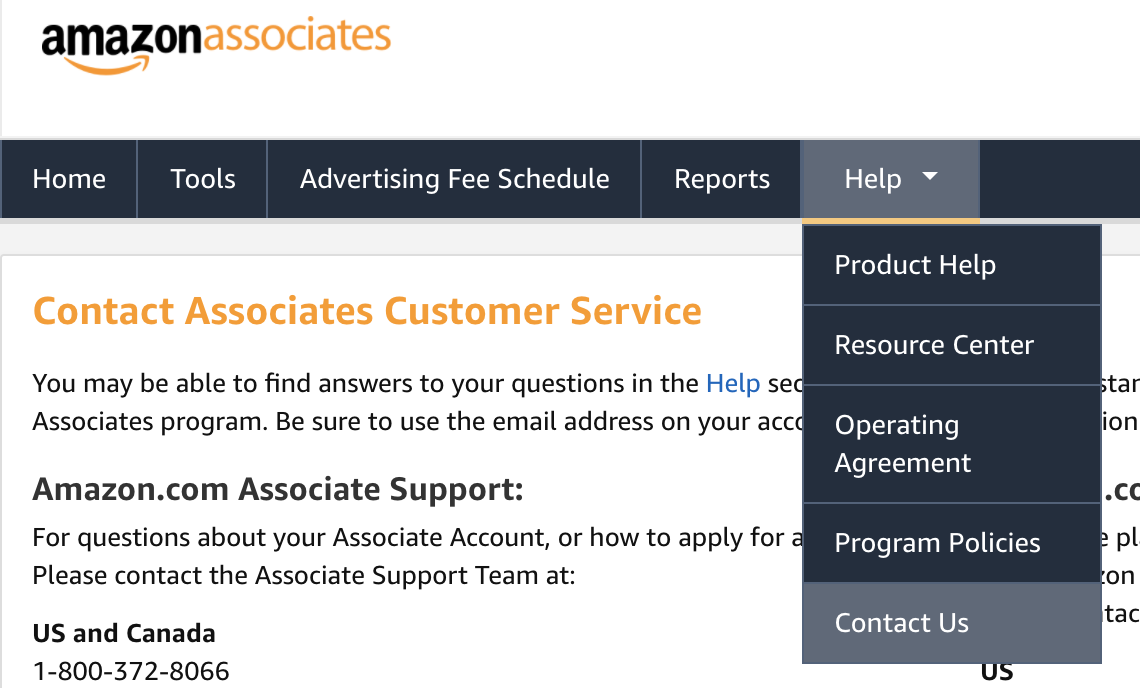
Keep the message intact long enough to report it. Amazon directs customers to its official self-service reporting tool. If you do not have an Amazon account, send the suspicious message to [email protected]; attach the original message when your mail app supports it so the sender and routing headers stay available. Do not forward it to friends or reply to the sender.[1]
- Email: use Amazon’s self-service tool, or send the message to
[email protected]if you do not have an Amazon account, then mark it as phishing or junk in your mail app. - Text message: use your phone’s report-junk option or forward the text to
7726where supported. - Money or personal information was lost: report the fraud to the FTC or your local consumer-protection agency, and contact your bank or card issuer.[3]
- Work account involved: send the original message to your IT or security team because headers and attachment names may help them block similar emails.
What If the Email Came From a Real-Looking Address?
A real-looking sender is helpful, but it is not enough. Display names can be faked. Some scams also abuse legitimate email services or forwarding systems, so the message may pass simple checks while still pushing you to a malicious page or phone number.
The safest rule is this: if the email asks you to act, verify the action inside your Amazon account without using the email link.
What to Do If You Clicked an Amazon Phishing Link
Your next step depends on what happened:
- You only opened the page: close it, do not enter anything, and clear suspicious browser notifications if prompted.
- You entered your Amazon password: change the password from a clean device, enable MFA or passkey sign-in, and sign out of active sessions.
- You entered card details: contact the card issuer, freeze or replace the card, and review recent transactions.
- You called the number: do not follow further instructions. If you installed remote access software, disconnect and scan the device.
- You shared a one-time code: assume the account may be compromised and secure it immediately.
You can check suspicious URLs with the Gridinsoft URL Scanner before opening them. If your browser started showing pop-ups after a fake Amazon page, see our guide on disabling malicious browser notifications. If you reused the same password elsewhere, change it on those accounts too, starting with your email account.
How to Protect Your Amazon Account
- Use a unique password that is not reused on email, shopping, or banking sites.
- Enable MFA or passkey sign-in where available.
- Keep your email account secure because it can reset your Amazon password.
- Review saved payment methods and remove cards you no longer use.
- Do not store gift card claim codes in email screenshots or chats.
- Be extra cautious around Prime Day, holidays, Black Friday, delivery delays, and refund periods.
FAQ
Does Amazon send security emails?
Yes, Amazon can send legitimate security and order emails. The safe way to verify them is to open Amazon directly and check your account, not to use links or phone numbers in the message.
Can an Amazon phishing email install malware?
It can if you download and run a file, allow browser notifications, install a fake extension, or give remote access to a scammer. Most Amazon phishing emails focus on stealing logins or payment details.
What is a real Amazon email address?
Real Amazon messages use Amazon-owned domains, including the appropriate regional Amazon domain, but the display name or sender address alone is not enough. Check the full link destination and verify the same order or alert in Amazon’s Message Center or app.
Where do I forward an Amazon scam email?
Amazon customers should use the official self-service reporting tool. If you do not have an Amazon account, send the suspicious message to [email protected]. Attach the original email when possible, then mark it as phishing in your mail app.
Should I call the number in an Amazon email?
No. If you need support, use the Amazon app or official website to reach customer service. Fake order emails often include a phone number that connects to scammers.
What should I do if my Amazon account was hacked?
Change the password from a clean device, secure your email account, enable MFA or passkey sign-in, remove unfamiliar devices or payment methods, check orders and gift card activity, and contact Amazon support through the official site.
References
- Scott Knapp. “6 tips to help you spot and avoid scams impersonating Amazon.” About Amazon, accessed July 15, 2026. https://www.aboutamazon.com/news/retail/how-to-avoid-amazon-scams
- Amazon. “Tracking the latest scam trends.” Trustworthy Shopping at Amazon, accessed June 23, 2026. https://trustworthyshopping.aboutamazon.com/amazon-scam-trends
- Federal Trade Commission. “Scammy texts offering refunds for Amazon purchases.” Consumer Advice, July 24, 2025, accessed June 23, 2026. https://consumer.ftc.gov/consumer-alerts/2025/07/scammy-texts-offering-refunds-amazon-purchases