

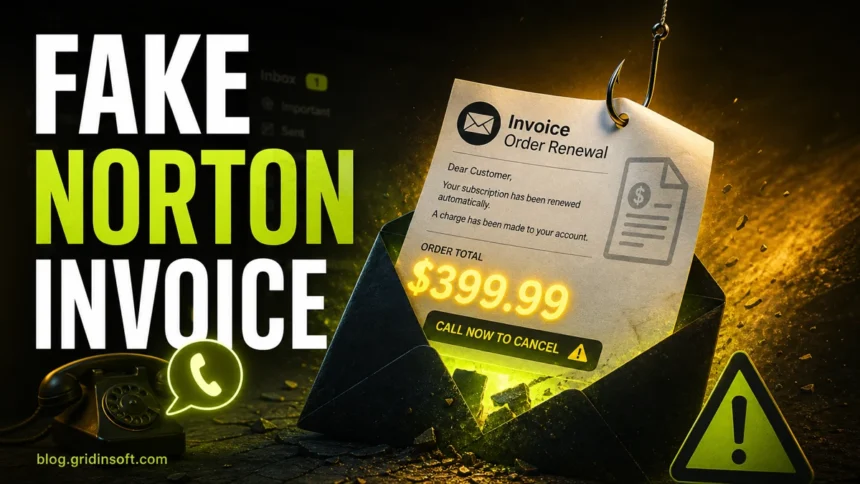
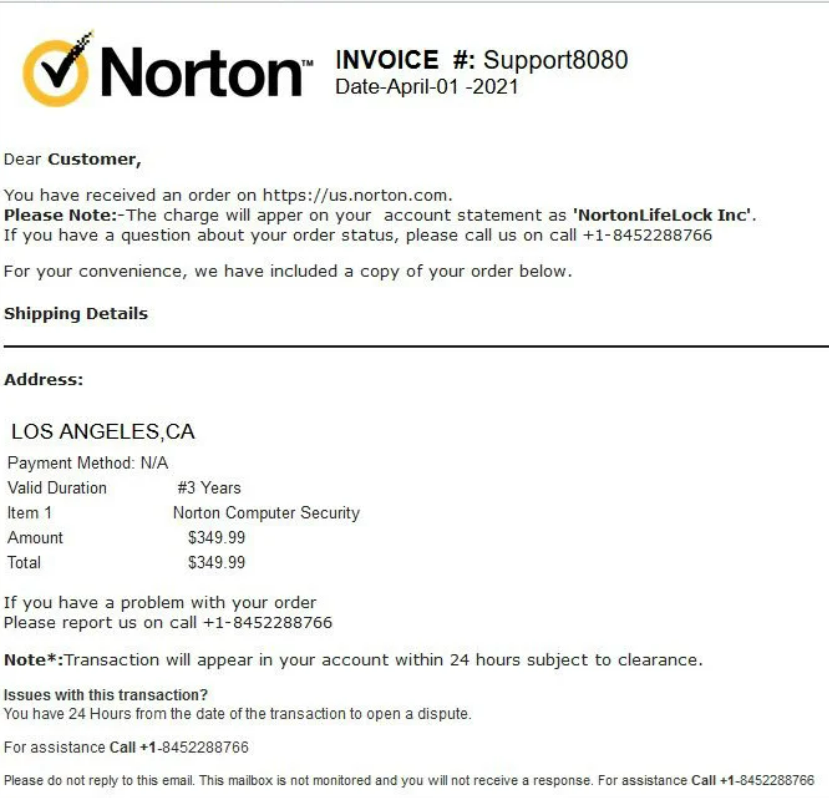
A Norton scam email is a fake message that pretends to be from Norton, NortonLifeLock, LifeLock, or Norton 360. Most versions claim that your subscription renewed, your card was charged, or an invoice is ready. The message gives a phone number or link to “cancel” the charge, but the real goal is refund fraud, remote-access fraud, or payment-data theft. The same callback script can also arrive as a Google Calendar renewal warning scam instead of a normal email.
Is a Norton invoice email a scam?
- It is suspicious if you did not buy Norton or the email claims a large renewal charge.
- Do not call phone numbers or use links from the email.
- Check your bank statement and Norton account directly from the official website.
- Never install remote-access software for someone who called or emailed about a refund.
- If you paid or gave card details, contact your bank immediately.
What is a Norton scam email?
Norton scam emails are usually refund or invoice scams. The attacker sends a fake renewal notice with a high dollar amount and a support number. When the victim calls, the scammer pretends to cancel the charge or issue a refund. Then they ask for remote access, bank details, card data, or a payment to “fix” a refund mistake.
| Scam sign | Why it matters |
| Unexpected renewal invoice | Scammers rely on surprise and urgency |
| Phone number for cancellation | The call leads to refund or tech support fraud |
| Gmail or random sender address | Official billing does not come from personal mailboxes |
| Remote-access request | Scammer wants control of the computer |
| Refund overpayment story | Classic trick to make victims send money back |
Common Norton scam email versions
- Norton 360 subscription renewal invoice.
- Norton LifeLock annual charge confirmation.
- Fake PayPal invoice for Norton protection.
- Refund department message with a phone number.
- Security warning that asks you to install support software.
- Browser page that says Norton Subscription Payment Has Failed and asks you to update payment details.
- Fake cancellation form that asks for card or banking details.
A September 16 investigation of a fake Avast renewal page shows how a supposed cancellation can ask only for contact details. That particular form was unfinished and sent nothing, an important distinction from a confirmed data-theft incident.
Example: “Billing department update” Norton receipt scam
A current version uses the subject line “Billing department update” and pretends to confirm a completed antivirus service order. The sender does not match Norton, the greeting is generic, the brand line is written as “N0RT0N Secure Device Care”, and the message pushes the reader to call about a $370.99 charge. Treat that pattern as a refund scam even when there are no links or attachments.
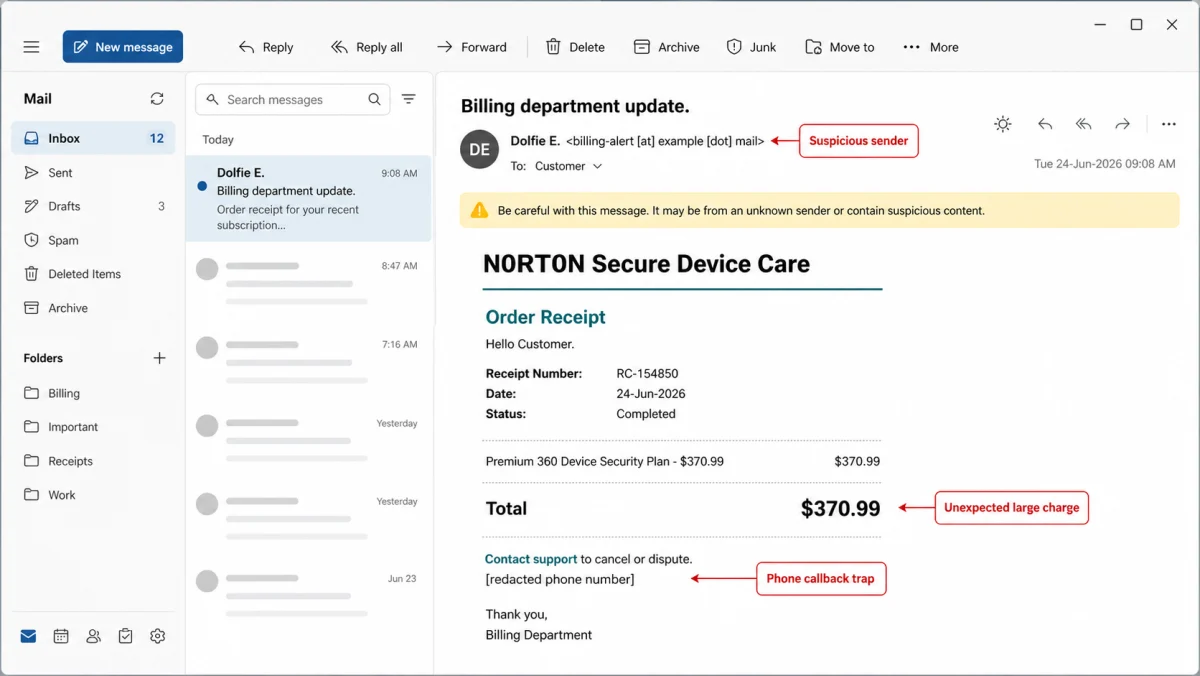
Subject: Billing department update
Sender: unrelated school-domain mailbox shown as a billing contact
Brand line: N0RT0N (Secure Device Care)
Message: Order Receipt. Hello Customer. Thank you for choosing Secure Device Care. This email confirms your recent order and service activation. Receipt Number: RC-154850. Date: 24-Jun-2026. Status: Completed. Premium 360 Device Security Plan, quantity 1, amount $370.99. Total $370.99. Your service coverage has been successfully activated and is now available under your account. If you have any questions regarding your order, contact customer support at [redacted phone number].
Do not call the number in this kind of message. Check your card or bank account directly, open Norton only from the official site if you actually use it, and report the email as phishing or spam. If someone already called, use the recovery steps below.
If the message arrived through a real PayPal invoice or money request, use our PayPal invoice scam guide to verify whether it is only an unpaid request or a real charge before calling any number in the note.
What to do if you received a Norton scam email
- Do not call the number. Scammers are waiting for worried victims to call.
- Do not click links. Open Norton or your payment account directly if you need to check.
- Check your actual bank or card statement. Do not rely on the invoice text.
- Report and delete the message. Use your email provider’s phishing report option.
- Warn family members. Refund scams often target people who may panic over a large charge.
If you called the fake Norton number
Hang up. If you installed remote-access software, disconnect from the internet and uninstall it. If the scammer saw your bank account, card details, password manager, email, or documents, change passwords from another device and call your bank. If money was sent, request a reversal as soon as possible.
Can a Norton scam email install malware?
The email itself usually pushes a phone call, but some versions include attachments, fake invoices, or links to downloads. If you opened an attachment or installed anything, run a full malware scan and check browser extensions, startup entries, and remote-access tools.
After uninstalling the suspicious app or deleting the visible threat, use Gridinsoft Anti-Malware to check hidden files, startup entries, scheduled tasks, bundled apps, browser changes, and other persistence points that can restore malware.
Download Anti-MalwareThe same fake-invoice pressure can appear outside email. If a Norton-themed receipt appears inside an order-tracking app, use the Shop app fake receipt scam checklist before calling any number in the order details.
FAQ
Why do Norton scam emails show such large amounts?
A large charge makes people panic and call the fake support number quickly. The scammer then runs a refund or remote-access scam.
Should I reply to a Norton scam email?
No. Replying confirms that your inbox is active. Report it as phishing or spam instead.
What if the Norton email came through PayPal?
Open PayPal directly and check your account. Do not call numbers inside invoice notes or email bodies.
Can I ignore it if there is no charge on my statement?
Yes, if you did not click, call, install anything, or enter data. Report and delete the email.


Like