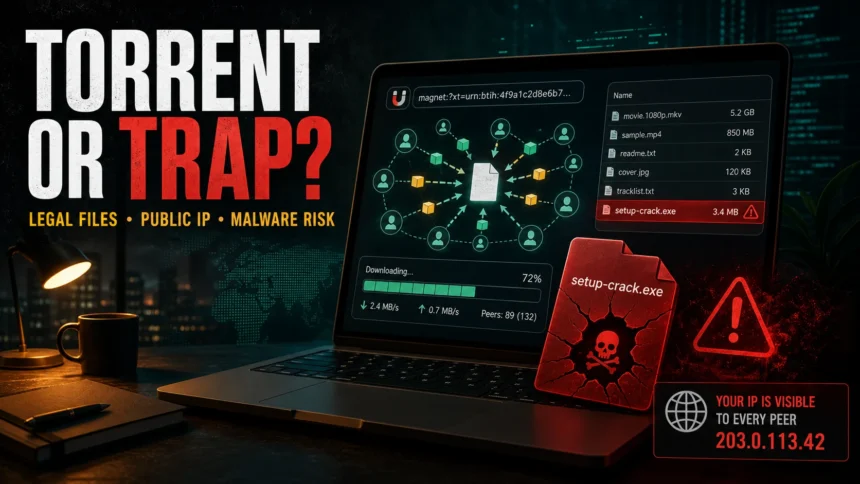
Torrenting is legal when sharing is permitted.
Safe examples include open-source software, public-domain media, your own files, and content distributed with permission.
Risk starts with copyrighted material without permission, fake Pirate Bay mirrors, torrent-index ad redirects, cracked software, game repacks, keygens, fake media players, and archives that ask you to disable security tools. A VPN can hide your IP from peers. It cannot make piracy legal or malware safe.
For a site-specific version of this risk model, use the Pirate Bay safety guide to separate fake mirrors, notification prompts, media downloads, archives, and files that already ran.
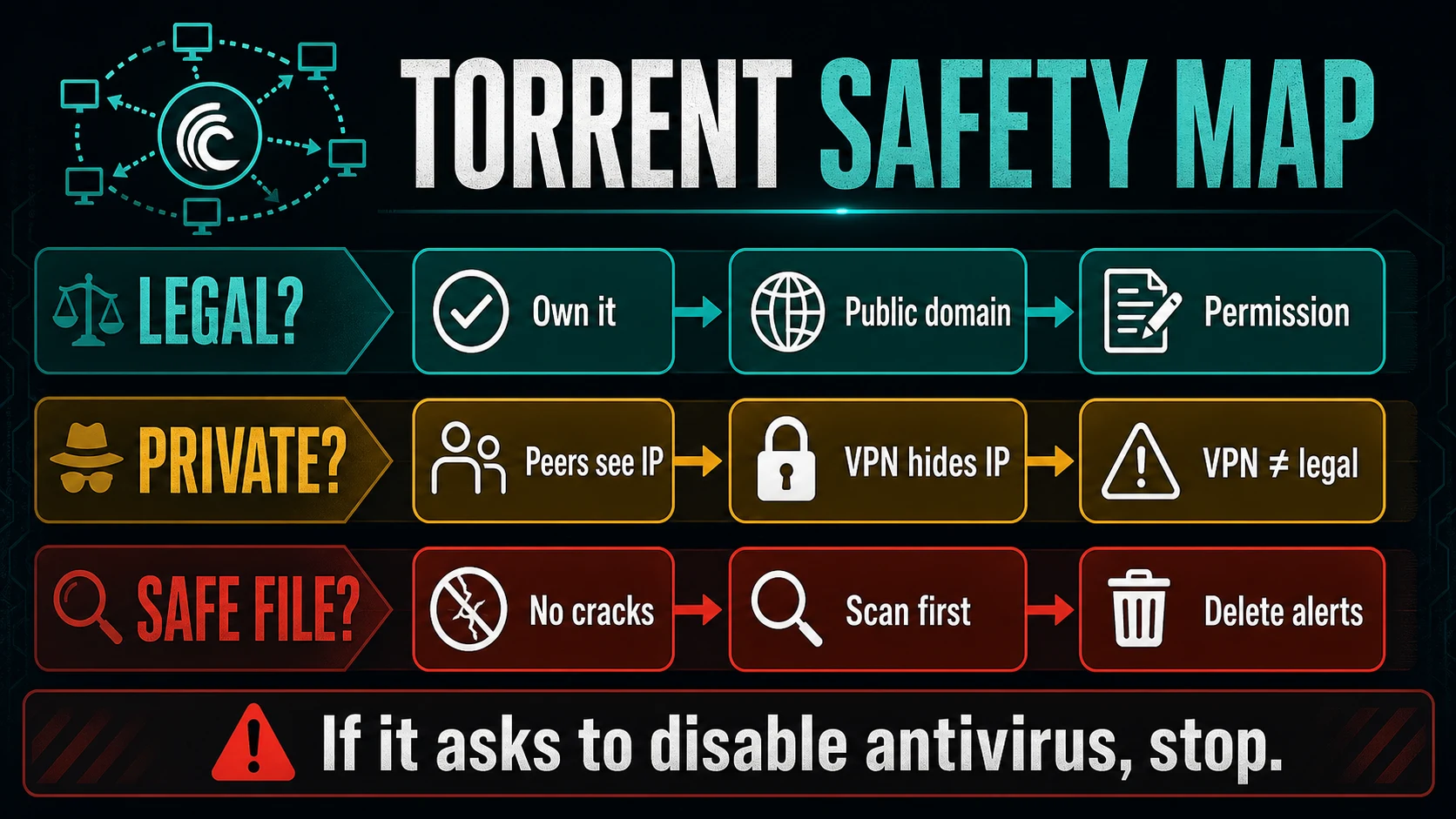
Before you download a torrent, check three things:
- Rights: do you own the file, is it public-domain, or did the creator allow redistribution?
- Privacy: public torrent swarms can expose your IP address to other peers.
- Source page: an official project link is very different from a proxy, clone, or ad-heavy mirror.
- File safety: cracks, keygens, installers, scripts, and password-protected archives are the highest-risk torrent downloads.
If your question is about a specific torrent site or movie domain rather than torrenting in general, separate the site risk from the file risk. For example, see the YTS.GG scam and safety guide before allowing browser notifications or running a movie-player download.
What is torrenting?
Torrenting is a peer-to-peer file-sharing method. Instead of downloading one file from one server, a BitTorrent client downloads small pieces from many peers and may upload pieces back to others in the same swarm. The BitTorrent protocol is a real file-transfer technology, not a synonym for piracy; the protocol specification describes peer handshakes and file-piece exchange between clients.[1]
That is why the same technology can be used for completely legitimate downloads, such as Linux images, public datasets, creator-approved media, or large open-source releases. The risk depends on the content, the source, and what the downloaded files ask you to run.
Is torrenting legal?
Torrenting itself is not automatically illegal. The legal issue is usually the file being downloaded or shared. Copyright generally protects original works such as movies, music, books, software, games, images, and other creative material once they are fixed in a tangible form.[2] Downloading or uploading copyrighted works without permission can create legal risk, and rules vary by country.
| Situation | Practical answer |
| Open-source software ISO or public dataset | Usually a legitimate use of BitTorrent when the project provides the torrent or magnet link. |
| Public-domain or Creative Commons media | Can be legal when the license allows redistribution and you follow the license terms. |
| Movie, TV show, paid game, ebook, or commercial app from an unofficial torrent | High legal risk if you do not have permission from the rights holder. |
| Crack, keygen, activator, or repack | High legal and security risk. These files often require behavior that security tools flag for good reason. |
| A file you bought elsewhere | Owning a copy does not automatically give permission to download or share another copy through a swarm. Check the license and local law. |
This article is a security guide, not legal advice. If the question is about a specific country, school, employer, ISP notice, or copyright claim, check local rules or speak with a qualified legal professional.
Can you get caught torrenting?
Public torrents are not private by default. Other peers in the swarm can usually see the IP addresses they connect to. Rights-monitoring companies, network administrators, or other observers can also join a swarm and record IP addresses. Your ISP may then receive a complaint, throttle traffic, send a notice, or take other action depending on local policy and law.
Uploading matters too. BitTorrent clients often upload pieces while they download. Even if a user thinks they are only downloading, the client may be distributing pieces to others unless upload is disabled or limited. That is one reason copyrighted torrents can create more legal exposure than ordinary web downloads.
Is torrenting safe?
Torrenting can be technically safe when the source is legitimate and the file type is expected. It becomes dangerous when the torrent source is anonymous, the download contains executable files, or the instructions ask you to weaken security. The FBI has warned that pirated or counterfeit software may contain malware, including products made to look authentic.[3]
High-risk torrent signs
- The download is a crack, keygen, activator, patcher, loader, or “pre-activated” installer.
- The archive is password-protected and the page claims the password avoids antivirus detection.
- Instructions say to disable antivirus, SmartScreen, firewall, browser protection, or Windows Security.
- The torrent title promises a new paid game, movie, or app before or shortly after official release.
- The file extension does not match the content: a movie as
.exe, a document as.scr, or a shortcut/script hidden in an archive. - The comments are copied, generic, or full of “works 100%” replies with no real details.
- The downloaded folder contains unfamiliar scripts such as
.bat,.cmd,.ps1,.vbs, or.js.
Torrent-site safety decision: mirrors, ads, and file types
For Pirate Bay-style indexes, the biggest security risk is usually not the BitTorrent protocol itself. It is the path around the torrent: fake mirrors, clone domains, redirect ads, fake download buttons, notification prompts, bundled torrent clients, and archives that push an extra player, patcher, or installer. Popcorn Time adds a streaming interface but keeps both risk layers; the dedicated Popcorn Time safety guide separates P2P exposure from fork and installer trust.
| What you see | Safer decision |
| Official project torrent or magnet link from the creator | Usually the lowest-risk torrenting case. Still verify the file name, hash if provided, and expected file type. |
| Pirate Bay proxy, clone, or mirror with multiple download buttons | Assume ads and fake buttons may be hostile. Do not install a helper app, player, extension, or VPN pushed by the page. |
Movie or music torrent that includes .exe, .scr, .lnk, .js, .vbs, .ps1, or a password-protected archive |
Stop before opening it. Check our MP4 malware risk guide and ZIP/RAR safety guide when the file type does not match the content. |
| Cracked software, activator, keygen, game repack, FitGirl/DODI-style download, or patcher | Treat it as high risk even when comments say it is clean. Start with the cracked games malware guide, FitGirl repack safety guide, and DODI repacks check. |
| Windows Security or another tool flags the torrent client bundle | Do not ignore the alert to finish setup. The uTorrent BundleInstaller PUA guide explains why bundled client installers can be risky. |
Does a VPN make torrenting legal or safe?
A VPN can reduce peer-to-peer privacy exposure by hiding your home IP address from other peers and from some local-network observers. It does not change copyright law, prove that a file is allowed, or inspect every downloaded file. A VPN also cannot fix the core malware problem: if you run a malicious crack, loader, or fake installer, the payload runs on your device.
| What a VPN can help with | What it cannot solve |
| Hide your residential IP address from peers in a public swarm. | Make copyrighted downloads legal. |
| Reduce visibility on shared Wi-Fi or some ISP-level traffic views. | Verify that a torrent is safe or clean. |
| Protect traffic metadata better than torrenting directly from a home IP. | Stop malware after you manually run a malicious file. |
Safer torrenting checklist
- Prefer official torrent links. If a Linux distribution, public dataset, creator, or software project offers its own torrent, use that source instead of a random index.
- Avoid pirated software and game repacks. This is where legal and malware risk overlap the most.
- Check file types before opening anything. A video should not require an executable player from the torrent folder; if it does, use the MP4 and archive safety checks linked above before running anything.
- Do not disable protection to install a torrent download. Treat that instruction as a stop sign.
- Scan archives before extraction and scan extracted files before running them. Use local antivirus and a second-opinion scanner for suspicious files.
- Be careful with password-protected archives. Attackers use passwords to make scanning and moderation harder.
- Keep the torrent client updated. Old clients may have security issues or unsafe defaults.
- Limit automatic startup and file association changes. A torrent client should not quietly become a general download manager for unknown links.
- Back up important files before testing unknown downloads. Ransomware and stealers often arrive through tempting “free” software.
- Delete the whole package if a security tool flags it. Do not restore a crack just because a comment claims it is a false positive.
If you need a second opinion on a single suspicious file, upload it to the Gridinsoft Online Virus Scanner. If you already ran a torrent installer, repack, keygen, or fake player and now see pop-ups, browser redirects, blocked outbound traffic, unknown startup entries, or repeated antivirus alerts, remove the original download package and check for leftovers that can relaunch after reboot.
Cracks, repacks, and activators can add Defender exclusions, startup tasks, services, browser changes, stealers, or miners outside the folder you meant to install. Scan for those changes before trusting the PC.
Scan for torrent malware leftoversWhat to do if antivirus detects a torrent file
Do not restore the file just to “finish the install.” Security alerts on torrent downloads are often triggered by real behavior: patching program files, dropping loaders, disabling services, adding startup tasks, injecting into browsers, or unpacking stealers. A false positive is possible, but cracks and keygens are not normal software.
- Stop the torrent and remove the downloaded folder from the client.
- Delete the archive, extracted folder, and any installer you ran from it.
- Empty the torrent client’s incomplete/download cache if the threat keeps returning.
- Run a full scan with your security tool.
- Check browser extensions, startup apps, scheduled tasks, and recently installed programs.
- Change passwords from a clean device if you ran a suspicious installer and then logged into accounts.
For symptoms after a bad download, the follow-up risk is often a trojan, stealer, miner, adware bundle, or browser hijacker. Our guides to trojan malware, browser hijackers, and unusual malware spreading methods explain the cleanup paths in more detail.
Examples of safer legal torrent use
Legitimate torrenting is usually boring in a good way: the source is official, the files are expected, and no one asks you to bypass security. Examples include open-source operating system images, creator-approved large media files, public datasets, game mods distributed by their authors, and archives you created yourself for private sharing.
The safest signal is not “many seeders” or “good comments.” It is permission from the source that actually owns or maintains the file. A torrent from an official project page is very different from a random page offering a cracked paid app.
FAQ
Is BitTorrent illegal?
No. BitTorrent is a peer-to-peer file-transfer protocol. The legal risk comes from downloading or sharing content you do not have permission to use or redistribute.
Is torrenting without a VPN illegal?
Using no VPN does not make torrenting illegal by itself. It does make public torrenting less private because peers can usually see your IP address. The legality still depends on the content and local law.
Can torrenting give you malware?
Yes. The highest-risk torrents are cracked software, game repacks, fake installers, keygens, password-protected archives, and downloads that tell you to disable antivirus protection.
What happens if you get caught torrenting copyrighted content?
Possible outcomes include ISP warnings, account action, throttling, settlement letters, or legal claims, depending on the country, ISP, rights holder, and what was shared. Rules and enforcement vary widely.
Why do cracks and keygens trigger antivirus alerts?
They often modify files, bypass licensing checks, drop loaders, or behave like malware. Even when a crack appears to work, it can still install a stealer, miner, backdoor, or adware bundle.
Should I delete a torrent if Windows Security or another antivirus flags it?
Yes, especially if it is a crack, installer, script, or unknown executable. Delete the package, stop seeding it, and scan the system instead of restoring the file from quarantine.
References
- BitTorrent.org. “The BitTorrent Protocol Specification.” BitTorrent Enhancement Proposals, accessed June 11, 2026. https://www.bittorrent.org/beps/bep_0003.html
- U.S. Copyright Office. “What is Copyright?” U.S. Copyright Office, accessed June 11, 2026. https://www.copyright.gov/what-is-copyright/
- Federal Bureau of Investigation. “Pirated Software May Contain Malware.” FBI, accessed June 11, 2026. https://www.fbi.gov/news/stories/pirated-software-may-contain-malware1