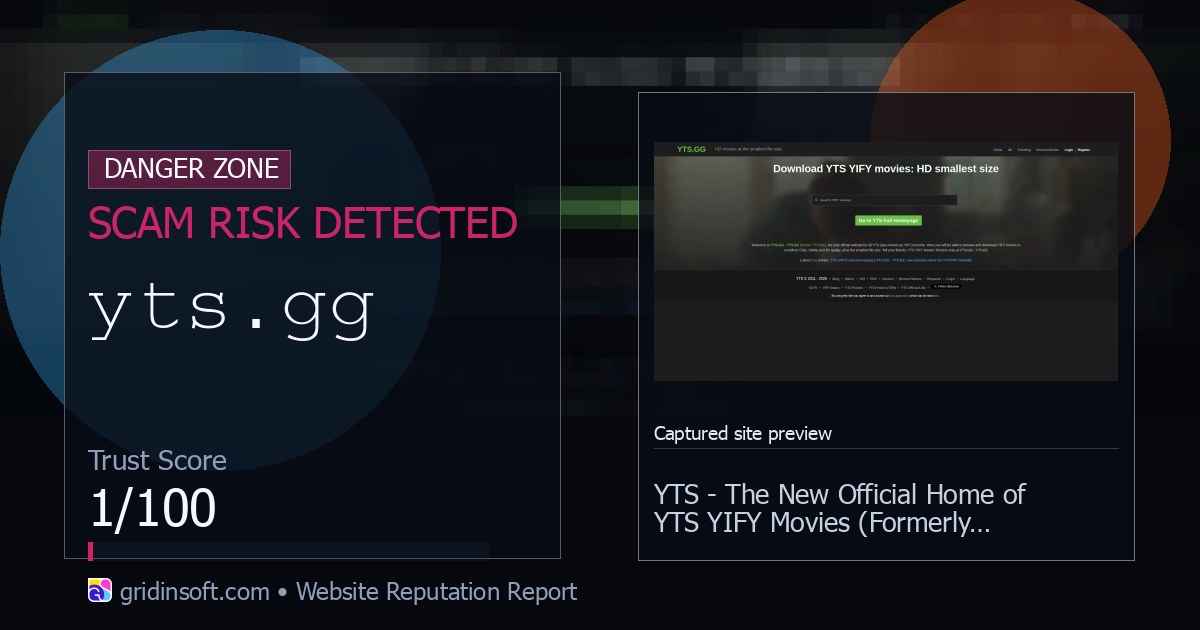
YTS.GG may look like a YTS/YIFY movie-torrent mirror and may show a security-verification page or magnet link, but neither signal proves the site or its downloads are safe. Gridinsoft’s current URL report gives yts.gg a very low 5/100 trust score, marks it as a scam-risk domain, and records blacklist warnings. Do not create an account, enter payment data, allow browser notifications, disable security warnings, or install a “browser component,” codec, VPN, player, extension, archive payload, or executable from the site.
If you compare YTS-style movie pages with broader torrent indexes, the Pirate Bay safety guide shows the same fake-mirror and post-download cleanup decisions without recommending any mirror.
What to do now: close the tab, do not sign in, delete anything you downloaded from the session, and scan the file before opening it. If you already entered a password or ran a downloaded file, change that password from a clean browser session and check the PC for unwanted apps, browser changes, and startup entries.
What Is YTS.GG?
YTS.GG presents itself as a YTS/YIFY-style movie torrent site. That wording is why people searching for free movies may assume it is just another mirror or proxy. The safety decision should not be based on the movie posters, HD/4K claims, or familiar YTS-style branding. A polished piracy site can still expose you to deceptive ads, fake download buttons, browser-notification traps, malicious archives, or cloned pages that collect account data.
The safer way to read the page is simple: yts.gg is an untrusted movie-download domain with current risk signals. Gridinsoft’s scanner report is not a legal judgment about every torrent file on the internet; it is a warning that this specific domain should not be treated as a safe place to register, pay, or download software.
Why YTS Shows Security Verification or a Browser Issue
A normal anti-bot check can ask the browser to wait, reload, or confirm that JavaScript and cookies work. It does not prove that the destination is legitimate. Stop if a YTS-branded page says a browser component is missing, asks you to paste a command, install an extension, download a verification tool, turn off protection, or open an executable. A real browser check should finish inside the page; it should not require software from a torrent mirror.
YTS-style domains also change, redirect, and copy one another. A familiar logo, a working movie search, or a claim that a new domain is “official” is not enough to establish ownership or safety. Verify the exact domain independently and do not follow forum mirror lists merely to bypass a warning.
Yifyhd.co: A Current YIFY-Style Notification Trap
As of August 29, 2026, Gridinsoft still classifies yifyhd.co as Browser Notification Spam with a 1/100 trust score. The domain uses familiar YIFY/YTS-style movie and download wording, but that branding does not make it an official or safe mirror. Treat fake download buttons, redirects, and any request to click “Allow” for notifications as separate warning signs.
Choose the response by what happened, not by the domain name alone:
- You only visited: close the tab. A visit alone does not prove infection, but do not return through a working-mirror or movie-catalog result.
- You allowed notifications: remove the site’s browser notification permission and clear its site data. Do not click security, download, or prize alerts that appear afterward.
- You downloaded a torrent or media file: check the real extension before opening it and reject unexpected archives, shortcuts, scripts, installers, or double extensions.
- You ran an installer, codec, extension, or archive payload: stop using the download, remove new browser additions or unwanted apps, and run a full malware scan for bundled files and persistence.
- You entered login or payment data: change reused passwords from a clean session, end unknown sessions, enable two-factor authentication, and contact the card provider if payment details were submitted.
Why YTS.GG Is Risky
The biggest risk is not the word “movie” on the page. It is the chain of actions a user may take after landing there: turning off a blocker, clicking a download mirror, accepting a browser prompt, opening a ZIP or RAR archive, running a fake media player, or installing a “required” codec. That chain gives scammers and malware distributors several chances to move from a website visit to a real PC or account problem.
- Blacklist signals: security providers currently flag the domain, and Gridinsoft records a very low trust score for it.
- Mirror confusion: YTS/YIFY names are reused by many mirrors and lookalike domains, so a familiar layout is not proof of ownership or safety.
- Ad and redirect risk: download pages can route through deceptive ads, push-notification prompts, fake VPN/player pages, or fake update pages.
- File risk: a real video is usually data, but a fake
.mp4.exe, ISO, script, archive, or “codec installer” can execute code. - Account risk: registration forms, comments, wallet/payment prompts, and reused passwords can turn a piracy-session mistake into account compromise.
If You Only Visited YTS.GG
If you only opened the page and closed it, the risk is usually lower than if you downloaded or ran something. Still, check whether the site asked for notification permissions, opened extra tabs, or pushed you to disable a security extension. If you clicked “Allow” on a browser notification prompt, remove the permission from Chrome, Edge, Firefox, or Safari before the site starts sending fake security alerts.
Do not whitelist the domain just because a forum comment says it is a working mirror. Blocking can be noisy, but it is also exactly what should happen when a domain has current reputation problems. If you need general context on the legal and malware side of torrents, read our torrenting safety guide before visiting similar sites again.
If You Downloaded a Movie, Archive, or Installer
Start by checking what you actually downloaded. A magnet link is a pointer that a torrent client uses to locate torrent metadata and peers; it is not itself the movie or the executable payload. The practical risk comes from the page that supplied it, the peer-delivered files, deceptive ads, and anything the site asks you to install. Inspect the torrent contents before opening them and reject unexpected scripts, shortcuts, password-protected archives, or installers.
A normal .mp4 or .mkv file should not ask to install anything. Be much more cautious if the download is a ZIP/RAR/7z archive, ISO image, script, shortcut, .exe, .msi, or a file with a double extension such as movie.mp4.exe. Our guide on MP4 malware risk explains the difference between a real video file and a fake executable, while the ZIP/RAR safety guide covers archive-specific risk. If a download also pushes a torrent client update or extra installer, compare it with our uTorrent BundleInstaller warning before running it.
- Do not run the file again. If it is open, close the media player, browser, or archive tool first.
- Delete obvious fake installers, codecs, VPN installers, and password-protected archives from the download session.
- Check browser notification permissions and remove anything related to the site or to a random ad domain.
- Look for new browser extensions, changed search/homepage settings, and unwanted apps installed on the same date.
- Run a full malware scan if you launched an installer, script, archive payload, or fake media player.
A security scan is most useful when the file already ran or the browser started acting differently afterward. A visible download can be only one part of the problem; bundled modules, startup entries, scheduled tasks, browser changes, or notification permissions can remain after you delete the original file.
If the page or email made you download an invoice, coupon, tracking app, browser extension, or support tool, scan the PC before opening it again or logging into sensitive accounts.
Scan downloads from YTS.GGSigns the Visit Became a Real Problem
Watch for symptoms that continue after you close the page. Fake virus alerts, new tabs that open by themselves, search redirects, browser policies you did not set, unknown extensions, disabled security settings, or an installer that returns after reboot are stronger signals than a single blocked page. If redirects or notifications keep coming back, use the browser hijacker removal guide to clean browser permissions, extensions, and managed settings.
If you used a password on YTS.GG or a page it opened, change that password anywhere else you reused it. Do this from a clean session, enable two-factor authentication where possible, and check recent sign-in activity for the affected account. If the page asked for payment data, contact the card provider and preserve the URL, time, and screenshots for a dispute or fraud report.
How To Avoid Similar Torrent-Site Traps
Do not use a domain’s self-description as proof that it is official. Check the exact URL, avoid ad download buttons, refuse notification prompts, and do not install players, codecs, browser extensions, or VPN apps from a movie-download page. For cracked games and repacks, the same rule applies: the mirror and the file you ran matter more than the name on the page. Our FitGirl repacks safety guide covers that decision path in more detail.
Legal streaming and download sources are the safer option. If you still inspect torrent-related files for research or recovery, keep your browser and media apps updated, leave security tools enabled, scan downloads before opening them, and never reuse important passwords on piracy or mirror sites. For broader fraud patterns, compare it with our free movie streaming scam guide and these online scam warning signs.
FAQ
Is YTS.GG safe?
No. Treat YTS.GG as unsafe for account creation, payments, notification permissions, and downloads. Gridinsoft currently marks the domain as a scam-risk site with a 5/100 trust score.
Does visiting YTS.GG automatically infect my PC?
Usually no. A simple visit is less risky than running a downloaded file or allowing browser prompts. The risk increases if you accepted notifications, installed an extension, opened an archive, or ran a player, codec, VPN, or executable from the session.
Can a movie file from YTS.GG contain malware?
A normal video file is usually data, but fake videos often arrive as .exe files, archives, ISO images, scripts, or installers. Check the real extension before opening anything and scan files from untrusted torrent pages.
Does a YTS security-verification page mean the site is safe?
No. A browser verification page can be an anti-bot check, but it does not validate the destination. Leave immediately if it asks you to install a component or extension, paste a command, download a verification tool, or disable protection.
Can a YTS magnet link itself contain a virus?
A magnet link is metadata used by a torrent client, not the downloaded payload. Risk comes from the site, redirects, ads, torrent contents, and unexpected executables, scripts, archives, or installers delivered afterward.
Should I unblock YTS.GG if my security tool blocks it?
No. Do not whitelist the domain just to reach a torrent page. A block warning is a reason to stop and verify the source, not a reason to disable protection.
What should I do if I entered a password?
Change that password from a clean browser session, change it anywhere else it was reused, enable two-factor authentication, and review recent account activity. If you also downloaded or ran a file, scan the PC before continuing normal use.
References
- Gridinsoft. “Yts.gg Review: Scam Risk (5/100 Trust Score).” Gridinsoft Website Reputation Checker, accessed August 29, 2026. https://gridinsoft.com/online-virus-scanner/url/yts-gg