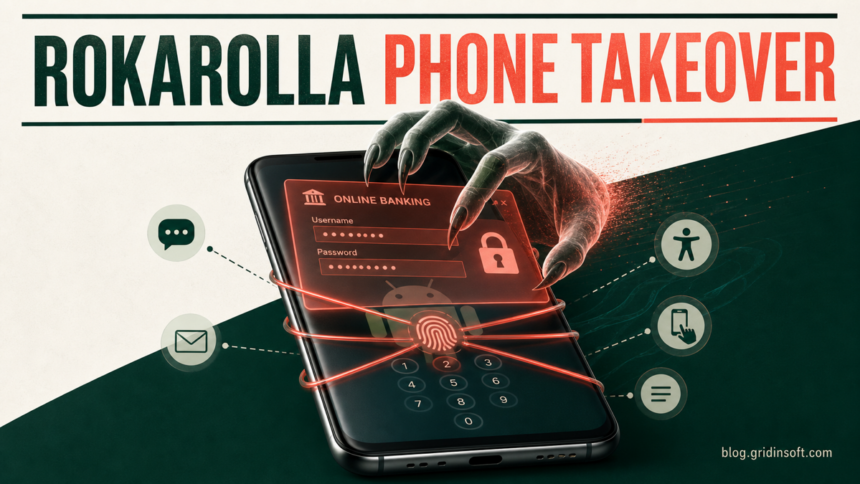
Rokarolla is an Android banking trojan that can steal banking logins, lock-screen credentials, SMS codes, screenshots, and clipboard data after a victim installs a fake TikTok or Chrome APK and grants powerful permissions. If you installed the app, disconnect the phone, stop using it for banking, revoke Accessibility and other special access, uninstall the suspicious app, and secure financial accounts from a different trusted device. A normal uninstall is not enough if you entered credentials, approved an OTP, or let the app control the screen.
What to do based on what happened
| What happened | Risk and next action |
| You only saw the fake TikTok or Chrome page | Close it. Do not download an APK, disable Play Protect, or allow installs from that website. |
| You downloaded the APK but did not install it | Delete it from Downloads and any chat or file-manager folder. If you need to preserve the file for investigation, check it with the Gridinsoft Online Virus Scanner from a clean device without running it. |
| You installed it but denied special permissions | Uninstall it, run Play Protect, update Android, and review recently installed apps. The risk is lower, but the app still came from an unsafe source. |
| You granted Accessibility, SMS, notification, overlay, or call access | Treat the phone as compromised. Isolate it, revoke every special role, remove the app, and begin account recovery from another device. |
| You opened a bank or wallet app, entered data, approved a code, or saw money move | Call the bank or crypto provider immediately from a clean phone. Freeze affected payment methods or transfers, revoke sessions, and change exposed credentials through the provider’s official process. |
What is Rokarolla Android malware?
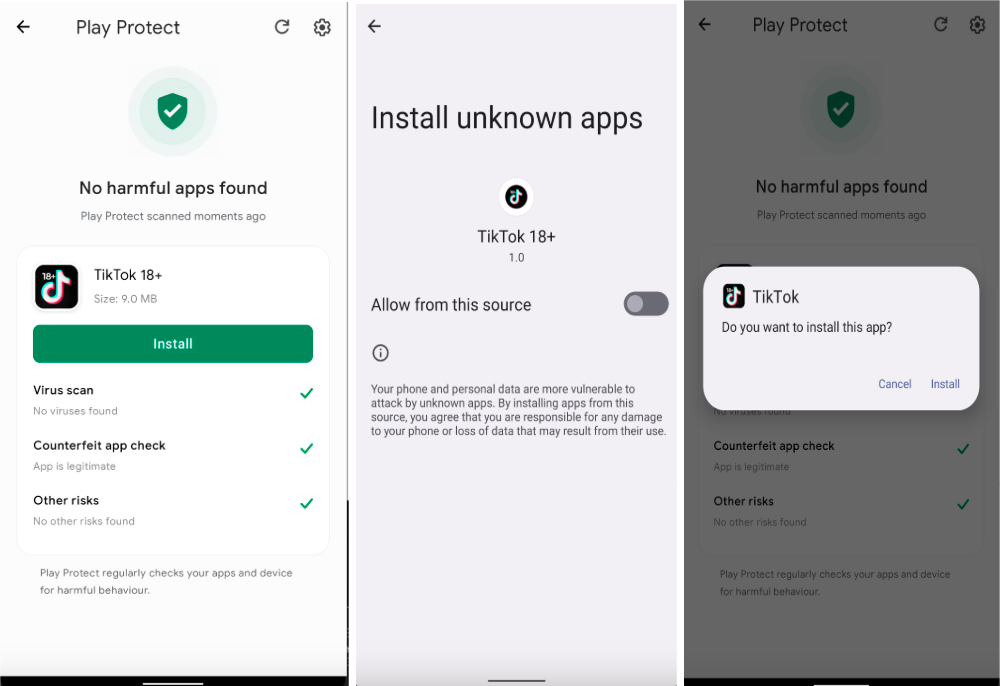
Rokarolla is a mobile banking trojan documented by Zimperium’s zLabs team in June 2026. The analyzed campaign used malicious websites that presented fake TikTok or Google Chrome downloads. The first app acted as a dropper and imitated Google Play Protect while leading the victim through unknown-source installation and high-risk permission prompts. The research did not report Rokarolla as a Google Play Store app.
The trojan supports 137 remote commands and targets 217 banking and cryptocurrency apps. It can download fake login pages and display them over legitimate financial apps, capture PINs and lock patterns, read or send SMS messages, intercept notifications, block calls, take screenshots, log input, and replace copied cryptocurrency wallet addresses. It can also hide its icon and attempt to disable Play Protect. Those capabilities explain why account recovery matters even after the visible app disappears.
A newer family, Manic Android malware, adds a store-and-forward relay that can pass encrypted stolen data through nearby infected phones. Its clean-device banking and identity recovery guide is the better next step when the Manic name or phone-to-phone relay appears in an alert or incident report.
How to recognize the fake TikTok, Chrome, or Play Protect flow
The strongest clue is the sequence, not one icon or app name. TikTok and Chrome should come from Google Play or another device-maker’s official store. A website that offers a special TikTok 18+ build, an age-verification APK, or a Chrome installer and then asks to allow unknown apps is moving outside the normal Android update path.
- The download comes from a website, social message, advertisement, or third-party store rather than Google Play.
- An app claiming to be Play Protect asks you to install another APK. Real Play Protect is part of Google’s security services; it does not need a separate website APK.
- The app requests Accessibility control, notification access, SMS or call roles, display-over-other-apps permission, or permission to install unknown apps.
- The icon disappears, uninstall controls are blocked, the phone becomes silent, banking screens look slightly different, or incoming bank calls do not arrive.
- A copied wallet address changes after you paste it. Never approve a transfer until the full destination address has been checked on a trusted screen.
How to remove Rokarolla from Android
- Isolate the phone. Turn on airplane mode, then switch off Wi-Fi and Bluetooth. Do not open banking, email, password-manager, or cryptocurrency apps on the affected device.
- Use a separate clean device for urgent calls. Contact the bank using the number on the physical card or its official website. Do not trust a number displayed by the infected phone or a message that arrived during the incident.
- Revoke Accessibility access. In Settings, search for Accessibility or Installed apps/services. Turn off any service belonging to the fake TikTok, Chrome, Play Protect, update, or other unfamiliar app. Menu names vary by manufacturer.
- Remove other special roles. Check Device admin apps, Notification access, Display over other apps, Install unknown apps, VPN, Usage access, default SMS app, and default Phone app. Restore trusted defaults and disable the suspicious app everywhere it appears.
- Scan and review installed apps. Once the suspicious access is contained, open Trojan Scanner for Android, update the threat database, and tap Start. The scan checks installed apps even when their icons are hidden. Open each finding, review the app name and warning, then remove unwanted apps and confirm Android’s uninstall prompt. This is more useful than trying to judge a fake TikTok or Chrome icon by appearance.
- Use Settings or Safe Mode if removal is blocked. Open Settings → Apps → See all apps and choose Uninstall for the identified app. If it interferes, follow the phone manufacturer’s official Safe Mode instructions, then repeat the permission-revocation and uninstall steps. Safe Mode labels and key combinations differ, so do not follow random button sequences from comments or videos.
- Turn Play Protect back on and update Android. Open Google Play → profile icon → Play Protect → Settings, enable scanning, and run a scan. Install Android security and Google Play system updates.
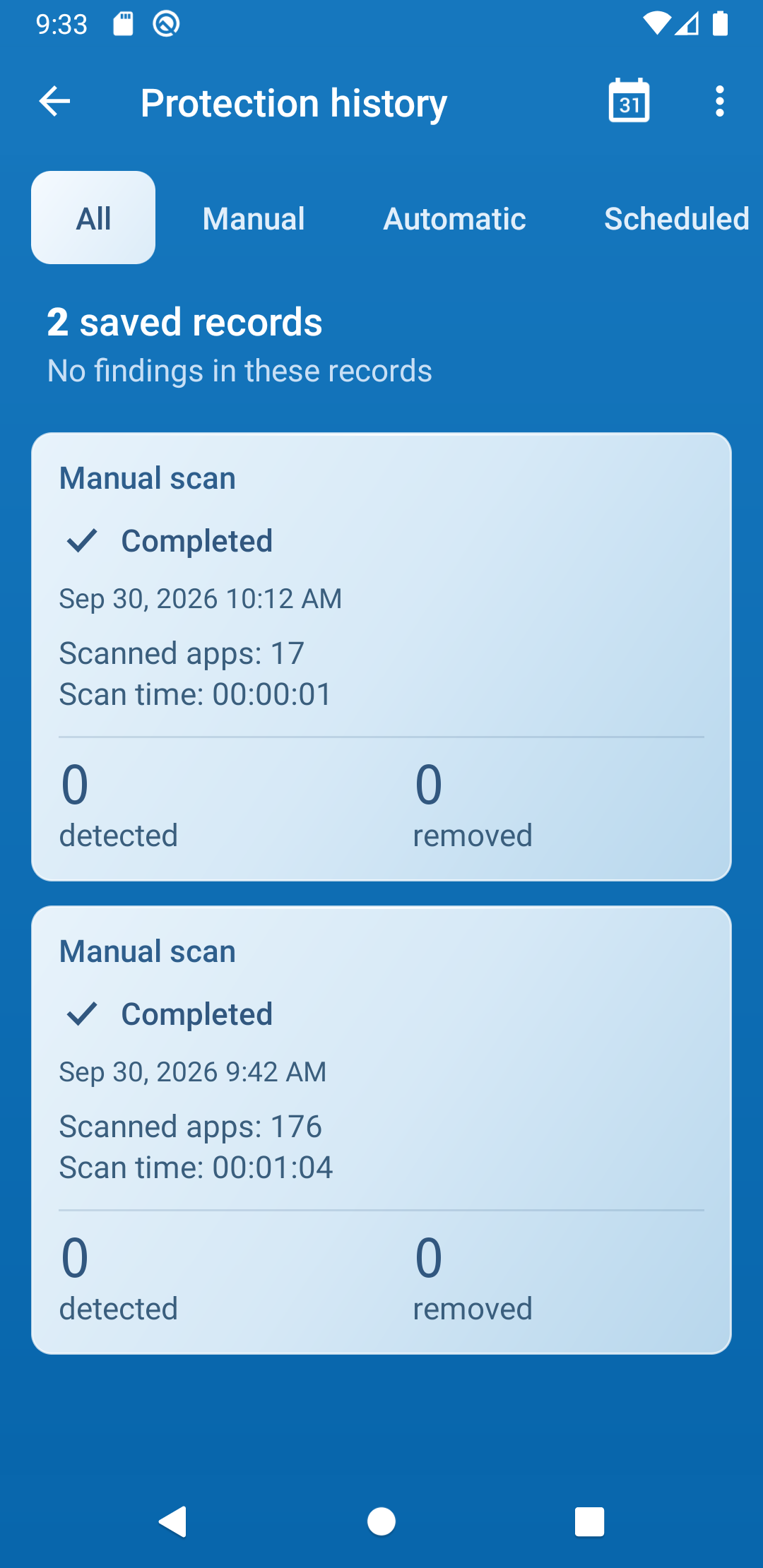
- Restart, scan again and verify. Revisit the scan findings and Protection history to see what was found or removed. Recheck Accessibility, device admin, notification access, default SMS/call handlers, VPNs, and installed apps. Watch for the app returning, Play Protect switching off, unexplained overlays, blocked calls, new texts, or unusual battery and data use. Continue the account-recovery steps below even after a clean scan.
For a wider permission and symptom checklist, use the Android malware removal guide. If you are unsure whether the problem is an app, a stolen account, or a fake web warning, compare the signs in How to Tell If Your Phone Is Hacked.
Secure banking, crypto, email, and phone accounts
Start recovery on a trusted computer or another phone. Rokarolla can capture what appears on the infected screen and intercept SMS or notifications, so changing a password on that device may hand the new password to the attacker.
- Bank and payment accounts: report a possible mobile-banking compromise, review pending and completed transfers, freeze affected cards or payment methods, and follow the institution’s reissue or credential-reset process.
- Email: change the primary email password first, remove unknown sessions and recovery methods, inspect forwarding rules, and replace reused passwords.
- Cryptocurrency: stop transfers, verify wallet addresses on a clean device, revoke exchange sessions and API keys, and contact the provider’s fraud team. Blockchain transfers may not be reversible.
- Google and other app accounts: review recent security events and signed-in devices, remove sessions you do not recognize, and enable phishing-resistant multi-factor authentication where available.
- Mobile carrier: ask the carrier to verify that call forwarding, SIM/eSIM changes, and account PINs were not altered. Replace an exposed carrier PIN.
Save screenshots or transaction details from clean provider dashboards, but do not reconnect the infected phone just to collect more evidence. Follow the bank’s or law-enforcement agency’s instructions when funds were moved.
When should you factory-reset the phone?
A factory reset is the safer branch when you cannot revoke a special permission, the app blocks uninstall, high-risk settings return after reboot, Play Protect keeps turning off, an unknown device-management profile remains, or sensitive apps were used while screen control and SMS access were active. It is also reasonable when you cannot establish which payloads the dropper installed.
Back up only essential photos and documents, not the suspicious APK or a full app/settings backup. Use the phone manufacturer’s official erase procedure, set the phone up as new, reinstall apps only from official stores, and change credentials from a clean device before signing back in. A reset can remove ordinary malicious apps, but it cannot reverse stolen passwords or financial transactions. See what a factory reset removes and what it does not before restoring data.
How to prevent another fake-app infection
- Install TikTok, Chrome, banking apps, and wallet apps only from official stores or links published by the provider.
- Keep Play Protect and harmful-app detection enabled.
- Do not grant Accessibility, default SMS/call, notification, overlay, or device-admin control to an app just because an install page requests it.
- Keep Android and Google Play system updates current.
- Verify the full destination address before every cryptocurrency transfer.
- Use unique passwords and stronger multi-factor authentication so one captured login does not unlock several accounts.
FAQ
Was Rokarolla distributed through Google Play?
The primary research described delivery through malicious websites posing as TikTok or Chrome, followed by sideloaded APK installation. It did not report Rokarolla as a Google Play Store app.
Can Rokarolla hide its app icon?
Yes. The analyzed malware can hide its launcher icon, so check Settings → Apps and Android’s special-access lists instead of trusting the home screen or app drawer.
Is uninstalling the fake app enough?
It may remove the visible malware, but it does not cancel stolen passwords, banking sessions, SMS codes, lock-screen credentials, or wallet addresses. If powerful permissions were granted or sensitive apps were opened, complete account recovery from a clean device.
Should I change passwords before removing Rokarolla?
Use a different trusted device. Changing passwords on the affected phone can expose the new credentials through overlays, keylogging, screenshots, or notification access.
References
- Pratapagiri, V., and F. Ortega. “Rokarolla: Android Banker with Complete Device Takeover Capabilities.” Zimperium zLabs, June 16, 2026; accessed July 31, 2026. Zimperium research report.
- Google. “Remove Malware or Unsafe Software on Android.” Google Account Help; accessed July 31, 2026. Android malware-removal guidance.