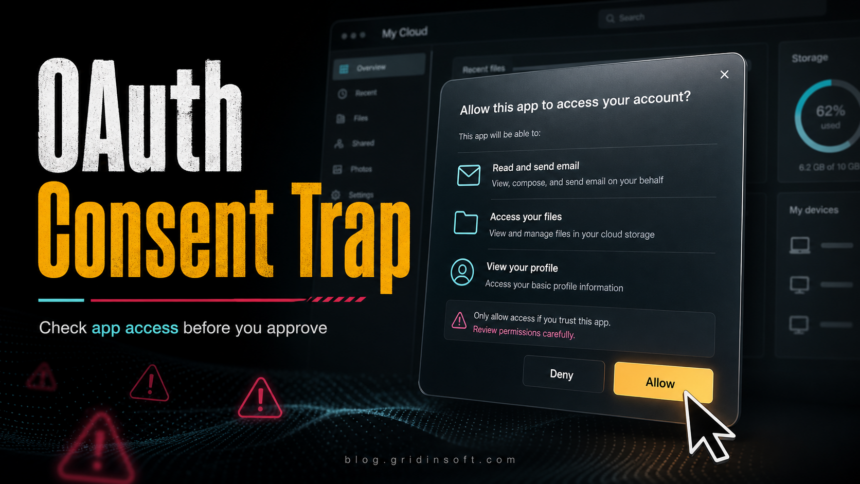
OAuth consent phishing tricks a user into approving a cloud app instead of only stealing a password. The sign-in page can look legitimate, MFA can still complete normally, and the dangerous action is the permission grant: the app may receive access to mail, files, profile data, or other Microsoft 365 resources until that access is revoked.
If you already clicked a document, meeting, or security-check lure and approved an unfamiliar app, do not only reset the password. Revoke the app permission first, end active sessions, review mailbox rules and sign-in activity, and scan the device used for the lure if it also involved a download, browser extension, fake meeting app, or copy-pasted command.
What OAuth consent phishing is
OAuth is the normal authorization system that lets one app ask a service for limited access. A legitimate example is a calendar tool requesting permission to read meeting availability. In a consent-phishing attack, the attacker registers or abuses an app, gives it a trustworthy-looking name, and sends a lure that ends on a real authorization screen.
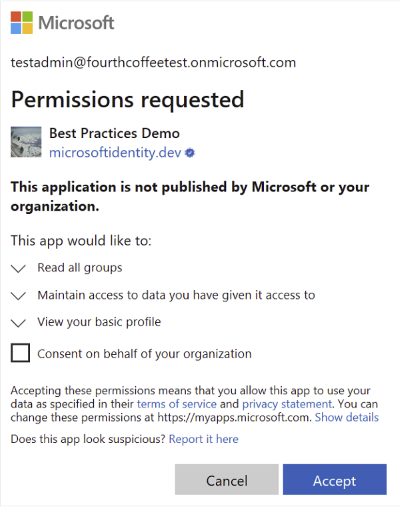
The victim may not type a password into a fake page. Instead, they approve requested scopes such as reading profile details, reading mail, accessing files, or maintaining access. That is why the attack can feel confusing: the browser may show a real Microsoft address, but the app and permissions are not safe.
Signs the consent prompt is suspicious
- The app asks for broad mailbox, file, offline access, or organization-wide permissions for a simple document or meeting task.
- The publisher is unverified, unfamiliar, or does not match the company named in the message.
- The prompt appears after a fake document, invoice, HR notice, Teams meeting, security check, CAPTCHA, or browser verification page.
- The message pressures you to approve quickly or says access will expire today.
- The flow asks you to copy a code, paste a command, install an extension, or open a downloaded helper before or after sign-in.
Example lure text
An OAuth consent lure often looks like a routine shared-document notice. The exact wording changes, but the goal is to move you from a message into an approval screen where the requested permissions do not match the task.
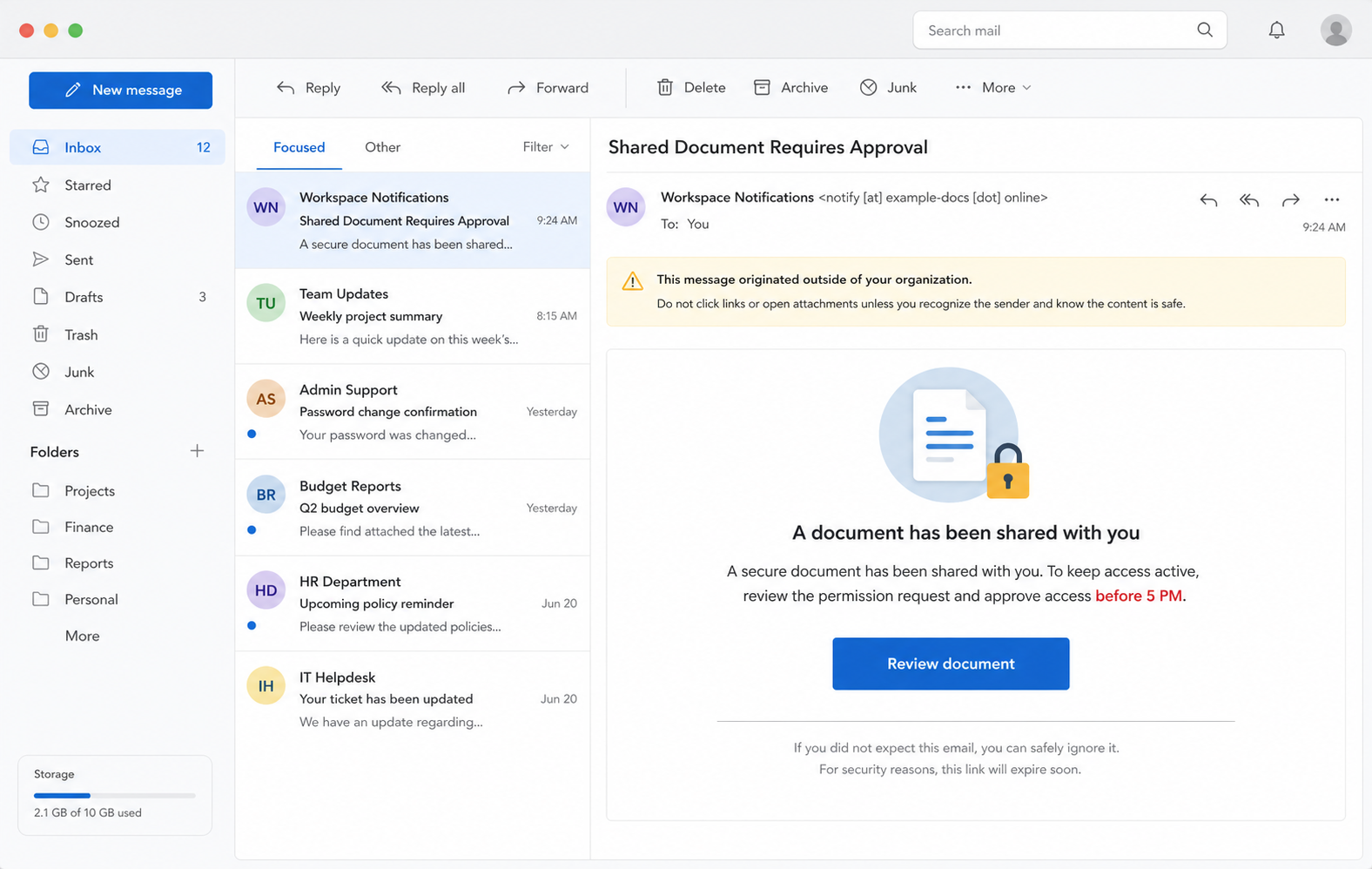
Subject: Shared Document Requires Approval
Sender: Workspace Notifications <notify [at] example-docs [dot] online>
Hello,
A secure document has been shared with you. To keep access active, review the permission request and approve access before 5 PM.
Button: Review document
What to do if you approved a malicious app
- Do not approve the prompt again. Close the page and save the app name, publisher, requested permissions, URL, and time if you can do that safely.
- Revoke the app permission. In Microsoft 365, remove the suspicious app from user app permissions or ask an admin to remove the enterprise application/service principal and consent grant from the tenant.
- Revoke sessions and refresh tokens. Sign out active sessions for the affected account after the app grant is removed, so existing access is not left alive.
- Change the password after revocation. A password change alone does not always remove the app permission, so do it after access has been revoked.
- Review mailbox and cloud changes. Check inbox rules, forwarding, connected apps, recent sign-ins, file sharing, OAuth app audit logs, and any unexpected admin-consent activity.
- Warn your organization. If this was a work or school account, report it to IT/security because malicious app consent can affect shared data and other users.
When to scan the device too
OAuth cleanup is mainly a cloud-account task, but the original lure may also leave endpoint risk. Scan the computer if the message made you download a file, install a meeting app, add a browser extension, run a PowerShell or terminal command, or pass through a fake verification page. Gridinsoft Anti-Malware can check for hidden files, startup entries, browser changes, scheduled tasks, bundled apps, and persistence left by that local part of the attack.
If the page or email made you download an invoice, coupon, tracking app, browser extension, or support tool, scan the PC before opening it again or logging into sensitive accounts.
Scan the device used for the lureIf the incident started with a Microsoft device-code screen rather than an app permission prompt, use the separate device-code phishing cleanup guide. If the prompt named a specific Microsoft Defender Platform app ID, compare it with the cab96880 sign-in prompt checklist before assuming the app is fake.
How to prevent the next approval trap
- Do not approve OAuth permissions from email, chat, QR-code, or CAPTCHA flows unless you expected that exact app.
- Read the scopes, not only the sign-in domain. A real login page can still be used to grant a risky app.
- Prefer admin approval workflows for new cloud apps and block user consent for risky or unverified apps when the tenant allows it.
- Use phishing-resistant MFA where possible, but remember that MFA does not make a malicious app permission safe.
- Review connected apps regularly, especially after a phishing email, suspicious shared document, or fake meeting invitation.
For broader message triage, compare the lure with the phishing email red flags checklist and the types of phishing attacks guide. If you downloaded software during a recruiter, meeting, or document-review flow, follow the post-download malware cleanup order before signing back in from that device.
If the shared-document page asks for a password on a non-Microsoft host instead of showing an app-permission screen, use the SharePoint Document Added workspace email scam guide for the password, session, mailbox-rule, and downloaded-file response.
OAuth consent is not the only way attackers can obtain persistent cloud access. A related Microsoft 365 campaign uses phone calls and fake passkey enrollment pages; review the fake passkey setup warning signs when a caller asks you to add a new sign-in method.
FAQ
Can OAuth consent phishing bypass MFA?
It can bypass the protection you expected from MFA because the user is not only authenticating; they are approving an app permission. MFA may confirm the sign-in, while the malicious app still receives the granted access until the permission is removed.
Is every Microsoft permission prompt malicious?
No. Many real workplace apps use OAuth permission prompts. Treat the prompt as suspicious when the app, publisher, requested scopes, or message context does not match the task you intended to perform.
Is changing the password enough?
No. Change the password, but first remove the suspicious app grant and revoke sessions or refresh tokens. Otherwise, the app permission or existing sessions may continue to expose data.
Should home users worry about this?
Yes, but the highest risk is usually for work, school, and Microsoft 365 accounts with mail, OneDrive, SharePoint, Teams, or admin-connected apps. Personal accounts should still remove unknown connected apps and check recent activity.
References
- Microsoft. “Protect your users from consent phishing.” Microsoft Learn, accessed June 23, 2026. https://learn.microsoft.com/en-us/entra/identity/enterprise-apps/protect-against-consent-phishing
- Microsoft. “Detect and remediate illicit consent grants in Office 365.” Microsoft Defender for Office 365 documentation, accessed June 23, 2026. https://learn.microsoft.com/en-us/defender-office-365/detect-and-remediate-illicit-consent-grants
- Push Security. “ConsentFix: Abusing OAuth consent flows in phishing attacks.” Push Security Blog, accessed June 23, 2026. https://pushsecurity.com/blog/consentfix