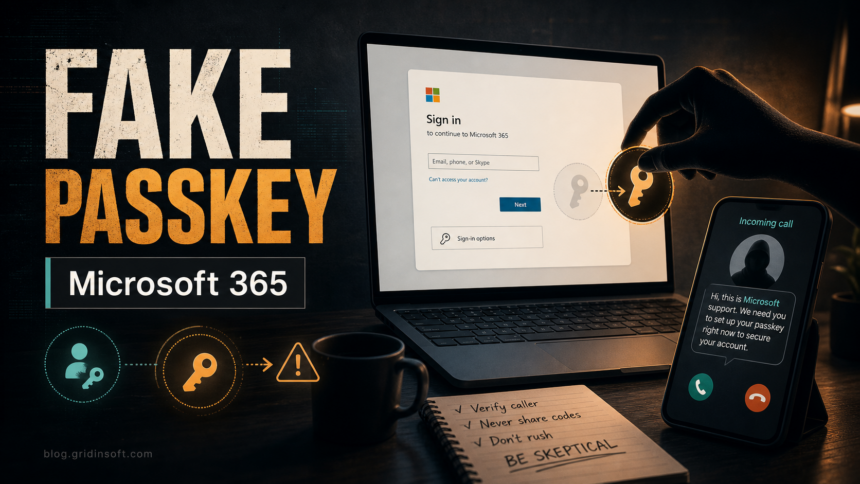
In its July 2026 research, Okta Threat Intelligence says a threat cluster tracked as O-UNC-066, and associated with the Pink extortion operation, is calling Microsoft 365 users and steering them into fake Microsoft Entra passkey enrollment pages. The practical risk is not that passkeys are weak. It is that a caller can abuse a real security rollout as a believable script while the victim approves account access in the background.[1]
The campaign matters because many organizations are now encouraging users to register passkeys. A real registration campaign can appear during sign-in,[2] so an unexpected phone call about a new passkey may feel plausible. Treat that timing as the warning: a legitimate passkey setup should not require a caller to rush you through a link, a seed phrase, or a page outside your normal Microsoft account flow.
Who Is Affected
The reported activity targets Microsoft 365 users in organizations, especially employees who can reach SharePoint, OneDrive, mailbox data, internal documents, or administrator workflows. Okta says the phishing kit can adapt to several MFA methods, including push approval, number matching, one-time codes, and SMS. Home users are not the main reported target, but the same safety rule applies: do not follow a caller into a credential or passkey setup flow.
How The Fake Passkey Setup Works
| Stage | What the victim sees and what to check |
|---|---|
| Phone pretext | A caller claims to be support, security, or IT and says a passkey must be registered now. Verify through your company’s normal help desk channel before doing anything. |
| Fake sign-in | The page imitates Microsoft 365 or company branding. Do not trust branding alone; check the domain, the source of the request, and whether you reached the page from your normal Microsoft sign-in path. |
| MFA relay | The attacker may use your password and prompt you for the MFA response needed to finish a real sign-in. Never approve a push, number match, or code because a caller asks for it. |
| Passkey distraction | The fake flow may ask you to save or verify a recovery phrase. Microsoft Entra passkey registration does not become legitimate just because a page says the passkey was saved. |
| Account takeover | The attacker may register their own credential or keep a live session. Report the incident quickly so sessions and authentication methods can be revoked. |
Real Passkey Setup Versus A Vishing Script
- A real setup is initiated from your known Microsoft account, Security info, company portal, or managed device workflow, not from a caller’s urgent link.
- A real passkey registration uses your device, browser, Authenticator app, Windows Hello, or a security key. It does not ask you to memorize a cryptocurrency-style seed phrase.
- A real IT process should survive verification. Hang up, open a known internal help desk page or ticketing tool, and ask whether a passkey campaign is active.
- A real support employee should not ask for passwords, MFA codes, number-matching approvals, recovery phrases, or screen-sharing access to complete authentication for you.
September update: the passkey story may hide a different approval
Microsoft’s September 9, 2026 research describes passkey-themed calls leading to AiTM or device-code access, often without enrolling a passkey.[4] Keep this separate from Okta’s July O-UNC-066 case; the shared pretext does not establish a shared operator.
- Password and MFA relayed: an AiTM flow can capture credentials and a session token.
- A caller supplied a device code: entering it on a genuine Microsoft page can authorize an attacker-controlled client. The real hostname does not prove that you initiated the request.
- An unfamiliar sign-in method appeared: Microsoft observed attacker-added phone numbers, authenticator apps, and software OTP tokens. Report these even if no new passkey is listed.
Tell IT what you actually did and when; preserve the original message and caller details without reopening the link. For confirmed compromise, administrators should revoke sessions and refresh tokens, reset credentials, remove unauthorized methods and mailbox rules, and arrange secure re-registration. A password change alone is not the complete response.
Cloud sign-in records do not by themselves prove a file download. Microsoft separately observed file-access/download events and email collection; investigators must correlate workload evidence with identity activity before stating what data was taken.
What To Do If You Followed The Call
- Stop the call and do not approve any more prompts.
- Report it through your organization’s security channel from a known bookmark, Teams channel, ticketing portal, or phone number.
- From a clean session, review your Microsoft account Security info and remove unknown passkeys, authenticators, phone numbers, or recovery methods.
- Ask administrators to revoke sessions, reset credentials, review Entra sign-in logs, check recent MFA/passkey registration events, and inspect SharePoint, OneDrive, Exchange, and OAuth activity.
- If you installed a remote-support tool, browser extension, attachment, or helper app during the call, disconnect, preserve the filename or URL, and on Windows run a full Gridinsoft Anti-Malware scan for leftover malware or unwanted remote-access components, but scanning cannot undo already stolen cloud sessions; those must be revoked in Microsoft 365.
A passkey-themed call describes the lure, not a single authentication mechanism. As the September report shows, the lure can lead to device-code phishing. A request to grant an application permissions instead needs the separate checks for OAuth consent phishing. The shared lesson is that authentication prompts are part of the attack surface: if a login, MFA approval, or new sign-in method starts because someone is talking you through it, slow down and verify the channel first.
FAQ
Are Microsoft passkeys unsafe?
No. Passkeys are designed to resist phishing when they are registered and used through the legitimate Microsoft Entra flow.[3] The reported campaign abuses social engineering around enrollment, not passkey cryptography.
Is a phone call about passkey registration always a scam?
Not every organization-wide rollout is fake, but an unexpected caller should never be your proof. Verify through an existing help desk number, internal portal, or manager before approving sign-in or registration prompts.
What is the biggest red flag?
A caller creating urgency while asking you to open a link, approve MFA, enter a code, save a recovery phrase, or register a sign-in method. Those actions can give an attacker control even if the page looks familiar.
What should admins check after a suspected case?
Review authentication method changes, passkey/FIDO2 registration events, sign-in risk, impossible travel, mailbox rules, OAuth grants, SharePoint and OneDrive downloads, and active refresh tokens or sessions.
References
- Okta Threat Intelligence. “Vishing actors target Entra passkey enrollment.” Okta, published July 5, 2026, accessed September 11, 2026. Original campaign and phishing-kit analysis
- Microsoft Learn. “Run a Registration Campaign to Set Up a Passkey or Microsoft Authenticator.” Microsoft, accessed July 9, 2026. Official registration-campaign documentation
- Microsoft Learn. “Authentication methods in Microsoft Entra ID – passkeys (FIDO2).” Microsoft, accessed July 9, 2026. Passkey authentication and phishing resistance
- Microsoft Security Research. “Passkey-themed social engineering leads to identity and cloud compromise.” September 9, 2026, accessed September 11, 2026. September identity and cloud investigation.