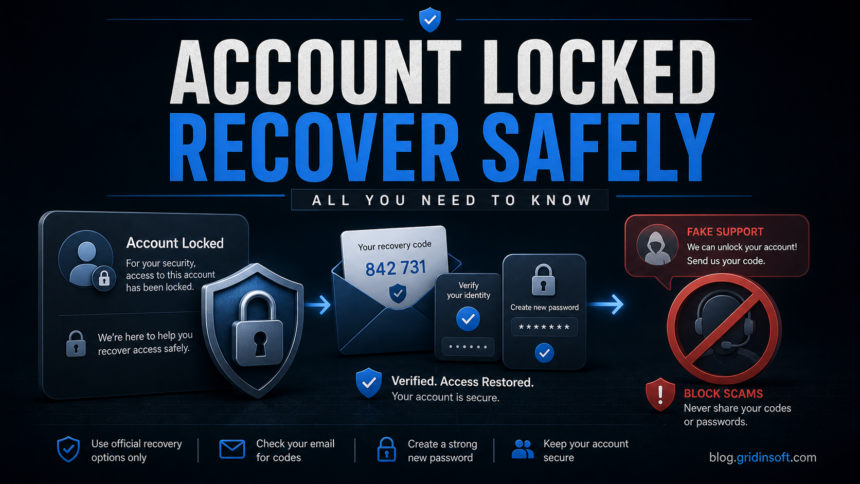
If Microsoft says your account is locked, start from Microsoft’s official sign-in or recovery pages, not from links in an email, SMS, browser pop-up, or phone call. A real lock appears during sign-in to Outlook, Xbox, OneDrive, Skype, Windows, or account.microsoft.com. A warning that asks you to call “Microsoft support,” install a remote tool, or pay an unlock fee is usually a tech support scam.
How to recover a locked Microsoft account
- Go directly to Microsoft: type
account.microsoft.comyourself and follow the unlock prompt. - Use password reset first if you forgot the password or cannot pass normal sign-in.
- Use the account recovery form from a familiar device and location if verification options no longer work.
- Do not call pop-up phone numbers or pay anyone to unlock the account.
- If you gave a scammer access, change passwords, remove remote-access tools, review sign-in activity, and scan the PC.
- If the lock followed malware or a suspicious script, use our Microsoft account hacked after malware checklist before trusting the device again.
| Problem | Microsoft account locked, password reset failed, or fake “account locked” warning |
| Official path | Microsoft sign-in, password reset, unlock prompt, or recovery form |
| Scam sign | Phone number, remote-support app, gift cards, crypto, “support plan,” or browser pop-up |
| Best first action | Open Microsoft manually, verify identity, then secure the account |
Microsoft says locked accounts are usually tied to suspicious activity or Terms of Use issues, and Microsoft’s support agents cannot simply send password reset links or change account details outside the official recovery process. If the normal unlock prompt does not work, Microsoft recommends the recovery form and asks for details only the account owner should know.
Official help: Microsoft account has been locked, Microsoft account recovery form, and reset a forgotten Microsoft account password.
Real Microsoft account lock vs scam pop-up
| Signal | Real account issue | Scam warning |
| Where it appears | During sign-in to Microsoft services | Random browser page or pop-up |
| Action requested | Verify identity, reset password, recovery form | Call support, install remote tool, pay a fee |
| Domain | microsoft.com, live.com, outlook.com sign-in flow | Unknown domain, ad page, fake warning screen |
| Payment | No unlock fee | Gift cards, crypto, bank transfer, “support plan” |
How to unlock or recover a Microsoft account
- Open the official Microsoft sign-in page manually.
- If the password is wrong, use password reset.
- If Microsoft asks for a security code, use your recovery email, phone, or authenticator.
- If you cannot verify normally, fill out the recovery form with old passwords, account details, Xbox/Skype/Outlook info, and familiar device/location details.
- After access is restored, update security info and enable MFA.
Why Microsoft locks accounts
- Suspicious sign-in attempts.
- Password spraying or brute-force attempts against the account.
- Violation or suspected abuse of Microsoft services.
- Compromised recovery information.
- Unusual activity from a new country, device, or network.
If the warning started as an email about unusual sign-in activity, first verify whether the sender and Recent activity entry are real. We cover that exact email scenario in our Microsoft unusual sign-in email guide.
If you interacted with a fake Microsoft locked alert
- Close the browser tab; do not call the number.
- If you installed remote-access software, disconnect internet and uninstall it.
- If you gave a password or code, change the password from a clean device.
- Review Microsoft account sign-in activity.
- Scan the PC for adware, browser hijackers, and remote-access tools.
After uninstalling the suspicious app or deleting the visible threat, use Gridinsoft Anti-Malware to check hidden files, startup entries, scheduled tasks, bundled apps, browser changes, and other persistence points that can restore malware.
Download Anti-MalwareFAQ
Does Microsoft charge to unlock an account?
No. Microsoft does not ask for gift cards, crypto, bank transfers, or a paid “support plan” to unlock a personal Microsoft account.
Why can’t I recover my Microsoft account?
The recovery form can fail if the answers do not match the account history. Try again from a device and network you used before, and include older passwords, Outlook, Skype, Xbox, or billing details you remember accurately.
Can Xbox or Outlook recovery unlock the same account?
Often yes. Outlook, Xbox, Skype, OneDrive, and Windows sign-in can use the same Microsoft account, so details from any of those services can help with recovery.
Is a Microsoft account locked pop-up real?
Usually no. Real account locks appear in Microsoft sign-in flows. Random browser pop-ups with phone numbers are commonly fake support scams.