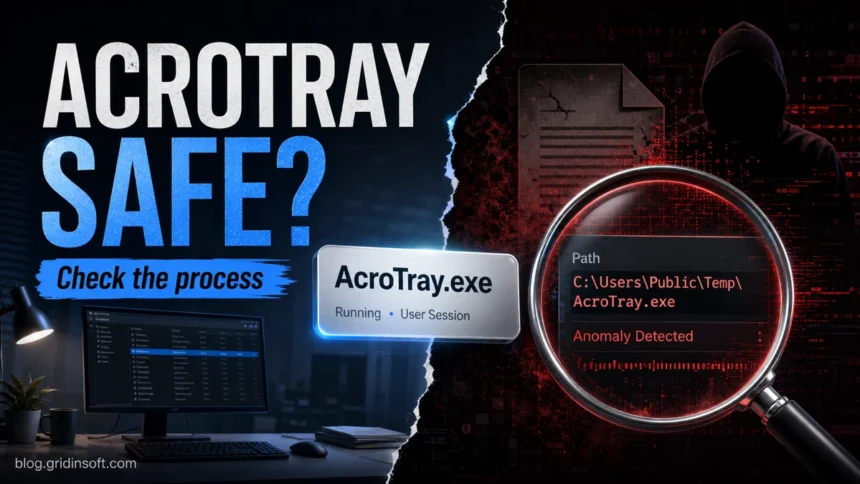
AcroTray.exe is normally the Adobe Acrobat Distiller helper that supports PDF conversion and Acrobat integration in Windows. It is not a Windows system file and it is not required just to open a PDF. A copy inside the Adobe Acrobat installation under Program Files with a valid Adobe signature is usually legitimate; the same name in AppData, Temp, Downloads, or an unrelated folder needs investigation.
Is AcroTray.exe safe, and can you disable it?
- Usually safe: the legitimate process belongs to Adobe Acrobat and normally stays idle until an Acrobat or PDF-conversion task needs it.
- Safe to disable at startup: Windows and basic PDF viewing still work, but Acrobat shell integration, right-click PDF conversion, or Distiller workflows may wait until Acrobat starts or may need AcroTray re-enabled.
- Suspicious: the file is outside an Adobe folder, lacks a valid Adobe signature, appeared after a crack or unknown installer, or produces persistent CPU, ads, redirects, or unusual network traffic.
- Do not delete a signed Adobe copy or download a replacement
AcroTray.exefrom a file site. Disable startup first; repair Acrobat if the file is missing or damaged.
What is AcroTray.exe?
AcroTray is commonly installed with the full Adobe Acrobat application on Windows. Its role is tied to Acrobat and Distiller features that create or convert PDFs and expose Adobe actions to other applications or Windows Explorer. Adobe documents Distiller as the component that converts PostScript files to PDFs and can automate conversion with watched folders.
The process name alone is not a safety verdict. Check the signer, location, and behavior together:
| Check | How to interpret it |
| Publisher | Adobe Inc. or Adobe Systems with a valid digital signature supports a legitimate copy. An unknown publisher or missing signature is a warning. |
| Location | An Adobe Acrobat folder under Program Files is expected; exact folders vary by Acrobat version. AppData, Temp, Downloads, or an unrelated folder is suspicious. |
| Startup behavior | Starting with installed Acrobat components can be normal. Reappearing from a strange path after removal points to another startup entry or installer. |
| Resource use | Short activity during a PDF task is normal. Persistent high CPU, disk, or network use while Acrobat is idle deserves a file and system check. |
How to check AcroTray.exe in Task Manager
- Press Ctrl + Shift + Esc and open Task Manager.
- Find AcroTray.exe, right-click it, and choose Open file location.
- Right-click the file, open Properties, and check the Digital Signatures tab for Adobe.
- Compare the path with the installed Acrobat folder. Do not whitelist the file because of its name alone.
- If you are still unsure, follow the EXE file safety checks before allowing or deleting it.
Can you disable AcroTray.exe at startup?
Yes. Disabling AcroTray startup is reversible and does not remove Acrobat:
- Open Task Manager with Ctrl + Shift + Esc.
- Select Startup apps.
- Select AcroTray or its Adobe Acrobat startup entry and choose Disable.
- Restart Windows, open the PDF and conversion tools you normally use, and confirm they still behave as expected.
- If an Acrobat workflow stops working, return to Startup apps and enable the entry again.
You can also use Settings > Apps > Startup when the entry appears there. Avoid deleting the executable, changing registry keys, or disabling Adobe services as the first step.
| After disabling startup | Expected result |
| Open and read PDFs | Basic PDF viewing should continue; Acrobat can start its own components when you launch it. |
| Right-click or shell PDF conversion | Convert to Adobe PDF or similar Explorer/Office integration may be delayed or unavailable until Acrobat starts. |
| Distiller or watched-folder conversion | Test the workflow after restart. Re-enable AcroTray if an automated conversion path no longer starts correctly. |
| Adobe updates | AcroTray is not the updater. AdobeARM.exe and update tasks are separate, and an Adobe update may register startup entries again. |
AcroTray vs AdobeARM.exe and CCXProcess.exe
These Adobe processes have different jobs. AcroTray supports Acrobat/Distiller and PDF shell or conversion workflows. AdobeARM.exe is the Acrobat/Reader updater owner. CCXProcess.exe belongs to the Creative Cloud experience and integration layer. Disabling one does not necessarily stop the others, so check each entry by its own path, signature, and purpose.
If Task Manager instead shows several Adobe UI processes, the Adobe CEF Helper.exe guide explains why multiple Creative Cloud interface renderer processes can be normal and when idle CPU use needs repair.
n
What to do if AcroTray.exe looks fake
- Do not delete the file while relying only on the process name. Record its full path and signer first.
- If it starts from
AppData,Temp, Downloads, or an unknown folder, keep it blocked and scan the exact file. - Review suspicious startup entries, Task Scheduler, and recently installed software for the launcher that recreates it.
- If the copy came from a crack, repack, or unknown installer, remove that source and run a full system scan instead of restoring the executable.
- If the real Adobe file is missing or damaged, use Acrobat’s installed-app repair option or reinstall Acrobat from Adobe. Never download a loose replacement EXE from a file repository.
If the path or signature is wrong, or AcroTray returns after you remove an unknown installer, a second component may be restoring the process at sign-in. A Gridinsoft Anti-Malware scan can check the suspicious copy together with startup entries, scheduled tasks, and related persistence.
If the process path is wrong, the name imitates a Windows component, or high CPU started after an unknown installer, scan for hidden miners, services, startup entries, and bundled components.
Scan a suspicious AcroTray copyFAQ
What is AcroTray.exe in Task Manager?
It is normally an Adobe Acrobat and Distiller helper for PDF conversion and integration features.
Can I disable AcroTray.exe?
Yes. Disable its startup entry first and test your Acrobat workflows. Basic PDF viewing should continue, but right-click conversion or automated Distiller features may require the helper.
Why does AcroTray.exe use CPU?
Short activity can occur during an Acrobat or PDF-conversion task. Persistent high CPU while Acrobat is idle is not normal; check the file path, Adobe signature, and the process that launched it.
Where should the real AcroTray.exe be located?
The legitimate file should be inside an Adobe Acrobat installation folder under Program Files and carry a valid Adobe digital signature. The exact subfolder varies by Acrobat version.
Why does AcroTray return after I disable it?
An Acrobat update or repair can register Adobe startup components again. Recheck Startup apps after an update; do not delete signed Adobe files or disable unrelated licensing services.
What if Windows says AcroTray.exe is missing?
Repair or reinstall Adobe Acrobat from the installed-app controls or Adobe’s official installer. Do not download a standalone AcroTray.exe from a third-party file site.
References
- Adobe. “Acrobat Distiller overview.” Adobe Acrobat, updated November 5, 2025; accessed July 20, 2026. https://helpx.adobe.com/ca/acrobat/desktop/create-documents/explore-advanced-conversion-settings/acrobat-distiller-overview.html
- Microsoft Support. “System configuration tools in Windows.” Microsoft, accessed July 20, 2026. https://support.microsoft.com/en-us/windows/experience/system-configuration-tools-in-windows