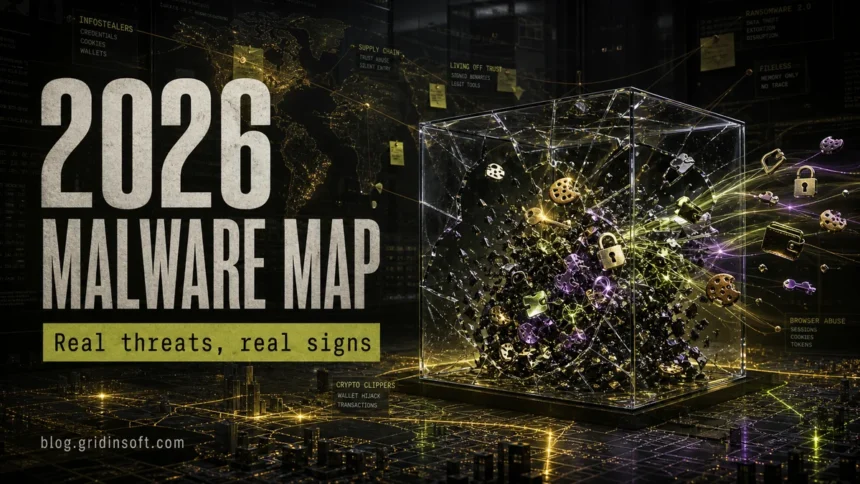
In 2026, the most dangerous malware is not always the loudest one. The real risk comes from malware that steals browser sessions, passwords, crypto wallets, game accounts, cloud tokens, and remote access before the victim notices anything is wrong. Ransomware is still severe, but many attacks now start with an infostealer, a fake installer, a poisoned search result, a ClickFix prompt, a loader, or abuse of normal Windows tools.
This guide maps the malware threats worth watching in 2026 and turns them into practical warning signs. Use it as a hub: if you recognize one of the symptoms, follow the linked Gridinsoft guide for a narrower cleanup path.
What Malware Threats Matter Most in 2026?
The strongest 2026 pattern is convergence. Infostealers feed ransomware. Fake CAPTCHA and fake update pages deliver loaders. Remote access tools become the bridge between one infected PC and a larger compromise. Attackers also rely more on trusted tools, encrypted delivery, and social engineering than on obvious virus files.
| Threat pattern | What victims notice and what to do first |
|---|---|
| Infostealers | Unexpected account logins, stolen browser sessions, drained wallets, or game accounts lost after installing a mod, cheat, cracked app, or fake AI tool. Start with credential reset from a clean device and scan the infected PC. |
| Ransomware and extortion | Files renamed or encrypted, ransom notes, disabled backups, or threats to leak data. Disconnect the device, preserve evidence, and do not rush into random decryptors. |
| Loaders, RATs, and backdoors | Defender or another security tool flags a Trojan, loader, RAT, or suspicious PowerShell command; the PC may still work normally. Treat it as active access until proven otherwise. |
| ClickFix and fake installers | A page tells you to paste a command into Run, PowerShell, Terminal, or a browser console to fix a CAPTCHA, document, video, or app installer. Stop immediately and inspect what was executed. |
| Fileless and living-off-the-land abuse | Security alerts mention PowerShell, mshta.exe, wscript.exe, rundll32.exe, scheduled tasks, or outbound connections instead of a clear malware file. Check persistence and network activity, not only downloads. |
| Botnets, proxyware, and miners | High CPU, noisy fans, strange outbound traffic, IP reputation issues, or router/IoT devices behaving oddly. Scan Windows first, then check browser extensions, services, and network devices. |
1. Infostealers Are the First Domino
Infostealers are often the highest-risk consumer malware in 2026 because they do not need to destroy the system to cause damage. Their job is to collect credentials, browser cookies, saved sessions, crypto wallet data, tokens, autofill records, and sometimes screenshots or files. Once that data is sold or reused, attackers can log in even after the original malware file is gone.
Common user paths include cracked games, fake launchers, suspicious browser extensions, poisoned search ads, fake AI tools, and mod installers. If the infection came after downloading a game, mod, repack, cheat, or utility, start with the Gridinsoft guide on infostealer symptoms after downloading a game or mod. Gridinsoft’s recent GSC data also shows that people search for concrete names and symptoms, such as ExLoader virus and RenPy infostealer, rather than broad “malware trend” phrases.
What to check first: browser sessions, password manager exports, crypto wallets, Discord/Steam/Microsoft/Google accounts, email forwarding rules, and any account recovery methods that attackers may have changed.
2. Ransomware Still Starts With Access
Ransomware remains one of the most damaging malware outcomes, but the entry point is often less dramatic than the final ransom note. Stolen VPN/RDP credentials, exposed services, infostealer logs, fake updates, and loaders can all become the first step. Fortinet reported a large year-over-year increase in confirmed ransomware victims in its 2026 threat landscape coverage and tied modern attacks to an ecosystem of access brokers, AI-enabled tooling, and service kits [1].
For home users, the practical lesson is simple: an infostealer or RAT alert is not “minor” just because files are not encrypted yet. It may be the access stage. If you see a Defender detection name, use the Microsoft Defender detections hub or a specific family guide such as Trojan:Win32/Wacatac removal instead of guessing from the family name alone.
3. Fake Fixes and ClickFix Are Now Malware Delivery
A major 2026 victim pattern is the fake fix. The page says the browser, CAPTCHA, video, document, macOS app, or update is broken and asks the user to paste a command. That command may launch PowerShell, Windows Run, Terminal, curl, bash, AppleScript, or another trusted tool. Sophos documented recent ClickFix-style campaigns targeting macOS users with infostealers, including MacSync, and noted that the method relies on user interaction rather than a traditional exploit [3].
Windows users see the same idea through fake browser updates, fake Chrome fixes, fake Microsoft alerts, and “paste this command” instructions. If a browser page opened a terminal window or asked you to run a command, use the fake Chrome update terminal cleanup guide and check for startup entries, scheduled tasks, and suspicious downloads.
4. Fileless Malware Blends Into Normal Tools
Modern malware often avoids looking like a classic virus file. It may abuse PowerShell, mshta.exe, wscript.exe, rundll32.exe, legitimate remote tools, scheduled tasks, registry run keys, or signed binaries. WatchGuard’s 2026 report highlighted a sharp rise in new malware, a large share of detections evading signature-based detection, and broader use of Windows binaries and living-off-the-land tools [2].
This is why a clean Downloads folder does not prove the PC is clean. Look for recently created scheduled tasks, unknown services, suspicious outbound connections, and PowerShell history. Gridinsoft’s PowerShell outbound connection guide is a useful next step when the alert is about behavior rather than a single file.
5. Loaders, RATs, and Commodity Families Are Still Real
Threat reports and live SERPs still surface familiar families and roles: Agent Tesla, FormBook, XWorm, AsyncRAT, Lumma, StealC, Raspberry Robin, Bumblebee, PlugX, Mirai-style botnets, and ransomware groups such as LockBit, Cl0p, and Qilin. The exact list changes, but the roles are stable:
- Stealers take credentials, sessions, wallets, and tokens.
- Loaders install the next payload after the first click.
- RATs give attackers hands-on control.
- Botnets turn devices into spam, DDoS, proxy, or brute-force infrastructure.
- Ransomware monetizes access through encryption, theft, and extortion.
Victims rarely search these roles first. They search symptoms: “is this file a virus”, “Defender found Trojan:Win32”, “browser managed by your organization”, “CPU high after install”, “zip file virus”, or “can an mp4 contain malware”. That is why a hub like this should send readers to specific explainers such as whether opening a ZIP can infect you, whether MP4 files can contain malware, and Managed by your organization removal.
6. AI Helps Attackers, But Not Like Movie Malware
AI is relevant in 2026, but the realistic risk is not a magic self-aware virus. Google Threat Intelligence Group reported threat actors using AI for research, phishing, and malware development activity [4]. In practice, that means faster lure writing, better impersonation, more convincing fake support pages, and easier automation for lower-skill actors.
For readers, the defensive rule is practical: distrust instructions that ask you to run commands, install “required” tools from ads, disable security features, or sign in again through a page you did not intentionally open. AI can polish the lie; it does not make the downloaded file trustworthy.
7. Botnets, Proxy Abuse, and Miners Are Quiet Money Makers
Not every malware infection wants your files. Some want your bandwidth, CPU, IP reputation, or browser profile. Proxy malware, cryptominers, and botnet components may create high CPU, slow browsing, blocked accounts, weird login locations, CAPTCHA storms, or notices that your IP is suspicious.
Start with the device you control: check installed apps, browser extensions, startup entries, unknown services, and unusual network connections. Then check routers and IoT devices if the symptoms affect the whole home network. Gridinsoft has separate guidance for signs your computer is part of a botnet, botnet risk, and coin miner behavior.
What Should You Do If You Think You Are Infected?
- Disconnect if the behavior is active. If files are being renamed, the PC is making strange outbound connections, or a remote session appears, disconnect from the network.
- Do not keep typing passwords on the same device. Change critical passwords from a clean phone or computer first.
- Preserve the alert name. Save the exact detection label, file path, URL, or command. Exact names matter more than generic “virus” wording.
- Scan the system. Run a full scan with Gridinsoft Anti-Malware or another trusted security tool. For unknown files, use the Gridinsoft Online Virus Scanner.
- Check persistence. Look at startup apps, scheduled tasks, browser extensions, services, and recently installed programs.
- Rotate credentials after cleanup begins. Prioritize email, Microsoft/Google/Apple, password manager, banking, crypto, Steam/Discord, and work accounts.
- Use a clean reinstall when trust is gone. If malware had admin access, remote control, or repeated reinfection, consider the clean Windows install USB after malware path.
FAQ
What is the biggest malware threat in 2026?
For everyday users, infostealers are often the most urgent threat because they can steal passwords, browser sessions, crypto wallets, and account tokens before obvious damage appears. Ransomware remains the most disruptive outcome, especially when stolen access is used against a business or shared device.
Are AI viruses real in 2026?
AI-assisted malware activity is real, but most current risk is practical rather than sci-fi: better phishing, faster lure creation, easier malware development, and more convincing fake support pages. Treat AI as an accelerator for existing attack methods, not as a reason to panic about impossible malware.
Why do victims search for specific malware names instead of malware trends?
Most people search during an incident. They type the exact Defender detection, suspicious file name, app name, browser symptom, or error message they see. That is why specific cleanup pages usually perform better than broad trend articles unless the broad article works as a hub.
Can malware stay after I delete the downloaded file?
Yes. Loaders, scripts, scheduled tasks, browser extensions, services, and stolen sessions can remain relevant after the original download is gone. Deleting the installer is only the first step; persistence and account security matter more.
When should I reinstall Windows?
Consider reinstalling when there was remote access, ransomware, credential theft, admin-level malware, repeated reinfection, or you cannot verify what changed. A clean reinstall is also safer when the PC handles banking, work accounts, or crypto wallets.
References
- Fortinet FortiGuard Labs. “The Fortinet 2026 Global Threat Landscape Report Reveals a Surge in AI-Enabled Cybercrime.” Fortinet, April 30, 2026. https://www.fortinet.com/corporate/about-us/newsroom/press-releases/2026/fortinet-2026-global-threat-landscape-report-reveals-surge-in-ai-enabled-cybercrime-increase-ransomware-victims-year-over-year
- WatchGuard Technologies. “Over 1500% Increase in New, Unique Malware Highlights Growing Security Complexity.” WatchGuard, February 19, 2026. https://www.watchguard.com/wgrd-news/press-releases/over-1500-increase-new-unique-malware-highlights-growing-security
- Sophos X-Ops. “Evil evolution: ClickFix and macOS infostealers.” Sophos, accessed June 7, 2026. https://www.sophos.com/en-us/blog/evil-evolution-clickfix-and-macos-infostealers
- Google Threat Intelligence Group. “Google Threat Intelligence Group reports on AI threat trends.” Google, February 12, 2026. https://blog.google/innovation-and-ai/infrastructure-and-cloud/google-cloud/gtig-report-ai-cyber-attacks-feb-2026/