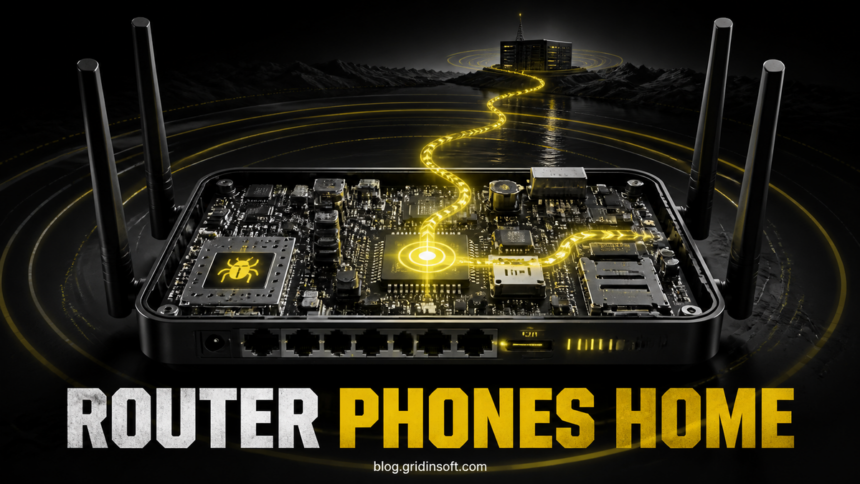
VulnCheck has found a root-control implant, named ENDLESSDOORS and tracked as CVE-2026-66747, inside firmware for 20 tested Zbtlink router models also sold under the Wiflyer name. The component starts at boot, calls an external command server from inside the network, and can accept shell commands as root. There is no fixed vendor firmware in the disclosure, so owners should identify the exact model, isolate the router, and plan replacement instead of treating a password change or factory reset as a complete fix. [1] [2]
The August 5 research does not show that every router was actively controlled or that every computer behind one is infected. VulnCheck verified the implant in the firmware images it examined and demonstrated control of its own test router. Its estimate of at least 100,000 active affected routers describes possible exposure, not a confirmed victim count.
September 9 update: DARKLANTERN and SPEAKINGSTONE
VulnCheck’s August 27 follow-up found both implants in a Deep Orange WE826-T2 with 2019 firmware. DARKLANTERN (infosrvd) accepts unauthenticated commands through WAN UDP/9992. SPEAKINGSTONE (yunmgrd) calls outward over UDP/10000 and supports command execution, PPPoE credential theft, DNS changes and reverse SSH. Researchers observed 203 exposed DARKLANTERN instances and 392 SPEAKINGSTONE devices contacting their sinkhole; these are different measurements, not takeover counts. ZBT hardware also appears under reseller names; the examined MOFI custom firmware lacked implants. A brand or hardware match alone cannot establish infection. [3]
Match the firmware before deciding what the label means
Keep three questions separate: Who sold this router? Which hardware is inside? Which firmware is installed? Photograph the underside and save the administration page’s model, hardware revision and build number. Ask the seller for a security statement that names that exact build. A reply about another model, a current product listing, or “latest firmware” without a build number leaves the question unanswered.
For an administrator reviewing an existing authorized capture, separate incoming WAN traffic from connections the router starts itself. Investigate UDP/9992 exposure and unexpected outbound UDP/10000 alongside the original ENDLESSDOORS checks below. Closing an incoming port is a temporary containment measure; it cannot establish that a gateway’s firmware is trustworthy. Do not run public probe code against a router just to see whether it answers.
If an implant is confirmed, retain the labels and logs, isolate the unit and use a supported replacement. Configure that replacement from known requirements instead of restoring the suspect backup. After the trusted gateway is running, change router and Wi-Fi credentials and ask the ISP to rotate any PPPoE credentials exposed to the old unit. Review DNS and connected devices according to observed symptoms. A Windows scan addresses endpoint malware; it cannot repair router firmware. Do not flash an image from an unrelated model or treat a factory reset as evidence that the implant is gone.
Why ENDLESSDOORS Bypasses Normal Router Defenses
ENDLESSDOORS is a customized version of the old rctl remote-control tool. On the tested router it appeared as two unbracketed kworker processes running as root. Unlike legitimate Linux kernel worker threads, these processes are ordinary user-space programs with memory footprints.
The implant initiates the connection itself. That matters because an outbound connection can pass through NAT and common firewall rules even when the router has no public management page or listening control port. VulnCheck found no authentication or encrypted trust check in the command channel: a system controlling the destination or network path could send commands or request an interactive root shell.
This is a different decision from a typical exposed admin page. Our guide to the Tenda firmware backdoor focuses on specific vulnerable builds and reducing management exposure. ENDLESSDOORS starts from the affected firmware itself and calls outward, so closing remote administration is not enough.
Confirmed Zbtlink and Wiflyer Models
VulnCheck found the implant in every firmware image available on the Zbtlink download page at the time of testing. Match the model number printed on the device or its administration page, not only the logo: Zbtlink offers OEM and ODM manufacturing, and the same hardware may appear under Wiflyer or another reseller label.
| Confirmed model | Confirmed model |
|---|---|
CPE2801 |
WE1026-5G-WD |
WE1326 |
WE2007 |
WE2008-DSIM |
WE2416 |
WE3326 |
WE5927 |
WE5931 |
WE5931AC |
WE826-T3-DSIM |
WG108 |
WG1602 |
WG1608-DSIM |
WG209 |
WG2105 |
WG2107 |
WG259 |
WG3526 |
Z8102AX-2DSIM |
The list is evidence-bounded. It confirms the 20 examined models; it does not prove every device from every reseller is affected or safe. A similar case name is not a substitute for the exact model number.
How to Check Without Losing Evidence
- Photograph the label. Record the brand, exact model, hardware revision, serial number, and current firmware version before changing settings.
- Check the inventory. Include travel routers, cellular gateways, vehicle or RV routers, hotel back-office equipment, branch-office links, and unbranded devices supplied by contractors.
- For managed devices, review the process list. Two unbracketed
kworkerentries with nonzero memory use are the behavior VulnCheck documented. Do not confuse them with legitimate bracketed kernel threads. - Review network telemetry. Unexpected outbound TCP connections on ports
7000or7001from a router or gateway are high-value signals. Preserve DNS, firewall, and DHCP logs before replacing the device. - Check the disclosed files if you already have authorized shell access. The reported artifacts include
/usr/sbin/kworker,/usr/lib/librctl.so,/etc/kworker.cfg, and/etc/init.d/skworker. Do not expose management or enable remote shell access merely to perform this check.
Defenders can also alert on the defanged destinations zbtctl[.]epplink[.]net, online-string[.]com, and rbdg4nzqadui[.]wikaba[.]com. Blocking them limits the observed command path, but it does not make the rest of the firmware trustworthy.
What Owners Should Do Now
- Disconnect or isolate the router. For a home or travel setup, move essential devices to a known-supported replacement gateway. For a business, place the affected unit behind strict egress controls and treat its LAN as untrusted until replacement.
- Do not rely on a reboot, reset, or password change. Those actions can restore settings, but the disclosed component starts from the vendor firmware at boot.
- Replace it with a supported model from a vendor that publishes security updates. Configure the replacement manually rather than importing an old backup that may restore unsafe DNS, forwarding, or administration settings.
- Set new router and Wi-Fi credentials after the replacement is in control. Also review DNS resolvers, port forwards, UPnP mappings, VPN profiles, and unknown administrator accounts.
- Review important accounts and endpoints separately. Look for unexplained DNS changes, certificate warnings, redirects, suspicious downloads, or unusual sign-ins. An affected router creates an attack path; it does not prove that every connected device was compromised.
If DNS or administrator settings changed, use our router compromise checklist to separate gateway changes from local-device symptoms. If a Windows computer downloaded or ran a suspicious file while using the router, isolate and scan that computer as a separate incident; replacing the router cannot remove malware already present on an endpoint.
References
- Jacob Baines. “ENDLESSDOORS Is Phoning Home. Pick Up.” VulnCheck, August 5, 2026. https://www.vulncheck.com/blog/zbt-endlessdoors
- CVE Program. “CVE-2026-66747.” CVE Record, accessed August 5, 2026. https://www.cve.org/CVERecord?id=CVE-2026-66747
- Jacob Baines. “Chinese Implants in the Supply Chain.” VulnCheck, August 27, 2026; accessed September 9, 2026. DARKLANTERN, SPEAKINGSTONE and the hardware supply chain.