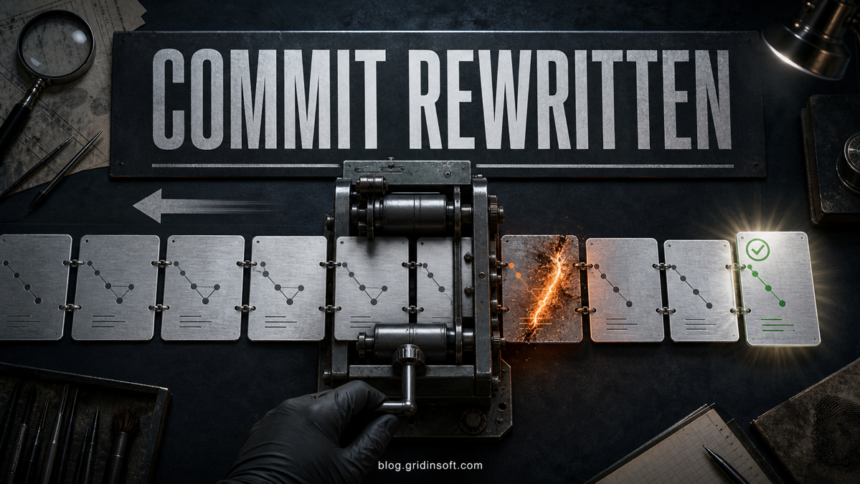
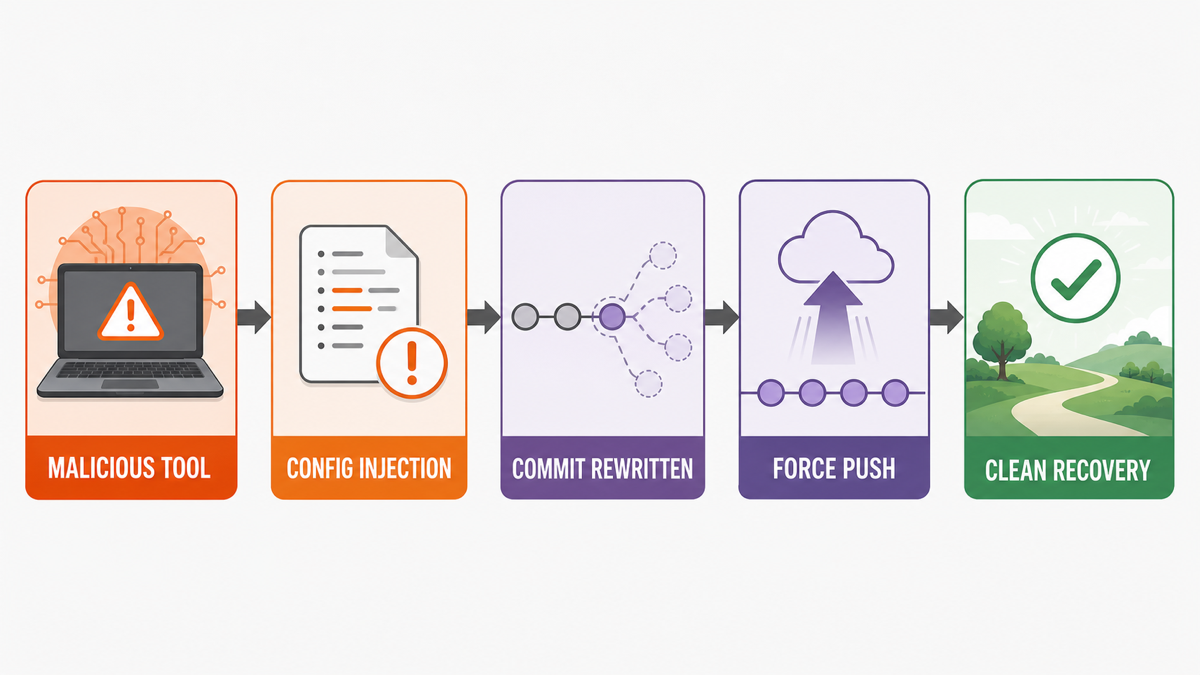
When malware modifies Git commits without your action, especially alongside temp_auto_push.bat, injected JavaScript in project configuration files, or an unexpected force-push, treat both the repository and the developer system as compromised until the evidence says otherwise. Stop builds and deployments, disconnect the affected workstation and runners, and preserve GitHub activity, the local .git directory, reflogs, lockfiles, editor tasks, and process evidence before deleting anything.
These signs are strongly consistent with documented PolinRider behavior, but one filename such as branch_structure.json does not prove the campaign or a specific operator. The recovery goal is broader: find every altered repository, close every credential path, rebuild from trusted sources, and confirm that no infected host or automation can rewrite the history again.
Signs that a Git commit was rewritten by malware
A normal working-tree edit changes files before a commit. A history-rewrite incident is different: the commit object on the remote branch changes, while its visible message, author, or timestamp may still look familiar. Compare several signals instead of trusting the latest GitHub file view.
| Finding | What it means |
|---|---|
temp_auto_push.bat in a repository |
A high-confidence PolinRider propagation artifact documented as amending the latest commit and force-pushing the replacement. Preserve it as evidence; do not run it. |
| Unexpected force-push or changed commit hash | The branch pointer moved to a different commit. Review GitHub activity, organization audit data, local reflogs, and collaborators before deciding who or what made the change. |
| JavaScript appended after a legitimate config export | PolinRider research describes malicious code hidden after otherwise normal PostCSS, Tailwind, ESLint, Next.js, Vite, Webpack, Babel, and similar configuration. |
Unknown .vscode/tasks.json action on folder open |
The repository may execute a task when an editor opens it. Inspect the file as text on an isolated copy; do not open the folder in the affected IDE. |
Unexpected config.bat, temp_interactive_push.bat, branch_structure.json, or new .gitignore entries |
Suspicious in this context, but not proof by themselves. Correlate them with commit changes, injected code, tasks, dependencies, processes, and account activity. |
| New dependency, lockfile change, extension, or fake font asset | A possible initial-access or execution path. Do not install the dependency or load the asset to test it; compare against a trusted release and known-good lockfile. |
OpenSourceMalware’s public dossier shows that the PolinRider batch script reads the previous commit metadata, changes the local identity and system time, amends the commit, and force-pushes the result. That can make the replacement look older than the actual rewrite. The same research also documents config-file injection, malicious packages, editor tasks, and fake font files, so repository cleanup alone is not enough.[1]
Preserve evidence before you clean the repository
Do not immediately reset the branch, delete the suspicious files, or force-push an older commit. Those actions can erase the easiest evidence of when the branch moved and which objects existed before the rewrite.
- Stop execution. Pause local builds, package installation, deployments, editor automation, scheduled jobs, and self-hosted runners that can access the repository.
- Isolate affected systems. Disconnect the workstation and runners from the network. Do not use them to change passwords or push a cleanup commit.
- Capture remote evidence. From a clean device, save the repository Activity view, branch settings, recent pushes, releases, workflow runs, deploys, collaborators, webhooks, deploy keys, and security or organization audit events.
- Preserve local evidence. Make a read-only copy of the entire project, including hidden files and the
.gitdirectory. Also preserve package lockfiles, editor configuration, extension lists, task definitions, process lists, startup entries, and runner logs. - Record known hashes. Note the current local and remote commit hashes, the last known-good release or signed tag, and any hash remembered by another clean clone or build system.
Run only read-only Git inspection commands on a preserved copy from a plain terminal. Do not open the copy in an IDE, install dependencies, run project scripts, or checkout unknown branches until the host and repository have been scoped.
git status --short
git rev-parse HEAD
git log --all --date=iso-strict --decorate --oneline
git reflog --all --date=iso-strict
git fsck --full --no-reflogs --unreachable
git show --stat --summary {current-commit}
git diff --stat {known-good-commit}..{current-commit}
Reflogs may retain earlier local branch tips after a force-push, while git fsck can identify objects that are no longer reachable from current references. Do not publish raw command output without reviewing it: remote URLs, author emails, paths, or configuration can expose internal information.
Scope every repository, collaborator, endpoint, and runner
The first affected laptop is rarely the full boundary. A compromised extension, dependency, token, browser session, or CI secret can reach other repositories even after Windows is reinstalled.
- Repositories and branches: inspect all branches, forks, nested monorepo paths, archived repositories, templates, and recently published packages owned by the same account or organization.
- Collaborators: ask each contributor to compare local hashes and reflogs. A clean clone from another developer may preserve the previous branch tip.
- Developer endpoints: include every workstation that opened the project, installed a related package, or used the same editor profile or browser session.
- CI/CD: pause self-hosted runners, deployment agents, cloud build jobs, and automations with write access. Preserve their logs and recreate them rather than trusting an in-place cleanup.
- Credentials: inventory personal access tokens, SSH and deploy keys, GitHub Apps, OAuth apps, package-registry tokens, cloud keys, hosting tokens, signing keys, webhooks, and application secrets available to builds.
- Published artifacts: identify releases, containers, packages, deployment bundles, and websites built after the last known-good commit. Treat them as untrusted until rebuilt.
If the incident began after a coding test, unfamiliar repository, extension, or developer tool, follow the broader fake job interview and developer-tool malware recovery checklist. A repository can also execute a local lookalike binary when opened, so review the repository-local executable checks for Cursor on Windows before returning to the project.
Clean the repository from a trusted device
Work from a clean administrative device that never opened the suspicious project. Preserve the infected copy separately, then build a clean source tree from a signed release, verified backup, known-good commit object, or independently matching collaborator clone.
- Compare every branch and nested project directory against the trusted baseline. Inspect config files beyond the visible end of the legitimate export.
- Remove injected code, unknown tasks, batch artifacts, unapproved hooks, fake assets, and malicious or unexplained dependencies. Regenerate lockfiles only after the source and package choices have been reviewed.
- Review workflow files, repository secrets, branch rules, webhooks, deploy keys, releases, tags, and package-publishing settings.
- Recreate self-hosted runners and deployment agents from known-good images. Do not reconnect an old runner merely because its project directory was deleted.
- After credentials are revoked and repository access is controlled, publish the clean history through a reviewed recovery process. Coordinate any necessary force-push so collaborators do not restore the compromised branch.
- Invalidate and rebuild packages, releases, containers, or deployments produced during the exposure window.
Do not copy node_modules, editor profiles, extension directories, cached packages, browser profiles, startup items, or CI workspaces from the affected machine into the clean environment.
Clean the developer workstation and CI environment
Deleting temp_auto_push.bat or restoring a commit removes the visible repository artifact, not necessarily the component that created it. A malicious extension, package, scheduled task, service, startup entry, browser change, or other persistence can inject the files again.
- Keep the affected system isolated and uninstall unapproved editor extensions, packages, developer tools, and browser extensions only after their names and versions are recorded.
- Review Task Scheduler, services, startup entries, installed apps, browser extensions, editor tasks, global package locations, temporary folders, and security-tool exclusions.
- Run a full Gridinsoft Anti-Malware scan, remove detections, restart, and scan again if suspicious activity returns. The scan can find malicious files and persistence, but it cannot restore stolen credentials or prove that a repository was never exposed.
- If untrusted code executed with administrator rights, the endpoint handled high-value secrets, or persistence cannot be explained, rebuild Windows from clean installation media prepared on another computer.
- Apply the same rebuild standard to self-hosted runners and cloud agents. Rotate their secrets before reconnecting them.
If the process path is wrong, the name imitates a Windows component, or high CPU started after an unknown installer, scan for hidden miners, services, startup entries, and bundled components.
Scan the developer workstationRotate developer credentials from a clean device
Credential rotation must happen after moving to a trusted device. GitHub documents revoking authorizations, tokens, and SSH keys when account access may be compromised, and warns that the change will break automations until new credentials are installed.[2]
- Secure the primary email account and password manager, then end unfamiliar sessions and enable phishing-resistant sign-in where available.
- Revoke GitHub personal access tokens, SSH keys, deploy keys, OAuth authorizations, GitHub Apps, browser sessions, and organization SSO authorizations that may have been exposed.
- Rotate package-registry, cloud, CI/CD, hosting, database, code-signing, and deployment credentials. Update only clean runners and controlled automations.
- Rotate application secrets that existed in the repository, local environment, build logs, or history. Removing a secret from the latest commit does not invalidate it.
- Review browser extensions and sessions, developer portals, AI coding tools, and billing activity. End sessions and regenerate tokens if usage is unexplained.
If the system may have run an infostealer, use the clean-device account and session recovery order; changing only the GitHub password may leave active tokens or stolen browser sessions usable.
When is it safe to build and publish again?
Resume work only when the repository, identities, and execution environment all pass the check. A clean file diff on one laptop is not enough.
- The clean branch matches a trusted baseline plus reviewed changes, and every unexpected commit object or branch move has been explained.
- No unknown tasks, hooks, extensions, dependencies, services, startup entries, runners, webhooks, apps, keys, or tokens remain.
- All exposed credentials and application secrets have been revoked and replaced from a clean device.
- Self-hosted runners and developer systems have been rebuilt or independently cleared, restarted, and rescanned.
- Fresh builds are reproducible on clean infrastructure and do not recreate the suspicious files or network activity.
- Protected branches block force-pushes, require review and status checks, and apply protections to administrators or bypass roles where the organization supports it. GitHub disables force-pushes by default on protected branches.[3]
FAQ
Is temp_auto_push.bat malware?
In the documented PolinRider context, temp_auto_push.bat is a high-confidence propagation and history-rewriting artifact. Preserve a copy for investigation, do not run it, and treat the repository and host as compromised while you scope the incident.
Does branch_structure.json prove PolinRider infection?
No. An unexpected file or .gitignore entry is suspicious, but attribution requires corroborating evidence such as commit replacement, injected config code, malicious tasks or dependencies, and related endpoint activity.
Can reinstalling Windows stop Git commit changes?
It can remove malware from one endpoint if the reinstall uses clean media, but it does not revoke stolen tokens, repair remote repositories, replace CI secrets, clean collaborators, or remove a compromised extension or runner elsewhere.
Should I force-push the last known-good commit immediately?
No. First preserve activity, reflogs, commit objects, logs, and the infected tree; isolate write-capable systems; and revoke exposed credentials. Then coordinate a reviewed recovery push from a clean device so another compromised host does not restore the malicious history.
Can I trust the author and date shown on the changed commit?
Not by themselves. The documented rewrite script preserves the previous author, message, and timestamp while replacing the commit object. Compare hashes, activity records, reflogs, signed tags, clean clones, and build records.
References
- OpenSourceMalware. “PolinRider: A Detailed Technical Dossier on the DPRK Threat Actor.” GitHub, updated April 11, 2026; accessed August 4, 2026. github.com/OpenSourceMalware/PolinRider.
- GitHub Docs. “Revoking Your Credentials.” GitHub, accessed August 4, 2026. docs.github.com/…/revoking-your-credentials.
- GitHub Docs. “About Protected Branches.” GitHub, accessed August 4, 2026. docs.github.com/…/about-protected-branches.