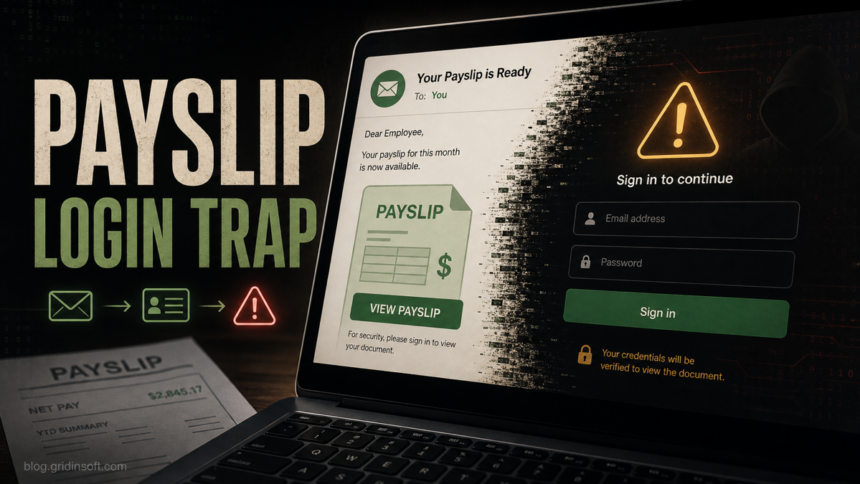
The “Your Payslip Is Available” email is a payroll-themed phishing scam, not a safe HR notice. It pretends that your latest payslip is ready in an employee portal and pushes you to a “Login Here” button that leads to a fake webmail or portal sign-in page. Do not use the link from the message. Open your company payroll system from a saved bookmark or ask HR/payroll through a known internal channel.
This lure is effective because payslip emails can be legitimate in many workplaces. The unsafe part is the route: an unsolicited payroll message asks for a fresh sign-in, often from a vague “Payroll Department” sender, and the login page collects mailbox credentials instead of showing a real payroll portal. The same pattern now appears under subjects such as “Payroll File Shared” and “Important Payroll Update,” so the subject line alone is not a trust signal.
What the payslip scam looks like
Reported samples use a simple workplace tone rather than obvious prize or threat language. The email claims that a new payslip is available, says current and past payslips can be viewed in an employee portal, and places the main action behind a “Login Here” button. In the tracked sample behind this queue item, the landing page imitated a webmail login on an edgeone.dev subdomain instead of a known employer payroll domain.
A related payroll lure uses a fake “Official Notification” subject and an “Update My Payroll Now” button; see the Selectfood Payroll email scam guide for that variant and its credential-recovery steps.
Payroll File Shared and Important Payroll Update variants
Both messages should be treated as payroll phishing when they arrive unexpectedly and route you away from the payroll, HR, or SSO system your employer normally uses. They use different stories, but the decision is the same: do not preview, download, or confirm anything from the email until payroll verifies the request through a known channel.
| Lure | What it tries to make you do |
|---|---|
| Payroll File Shared | Claims that an Excel payroll file was shared and offers Preview or Download. A reported landing page imitated Gmail, said only the authorized address could sign in, and used the unrelated defanged host gmail_i6avw_sign_on_avwkqbs0gg_ayvwuygrdt.mdcserver[.]org. |
| Important Payroll Update | Mimics a forwarded internal thread and asks the employee to Confirm payroll details. The form may seek work credentials, identity details, or information that can support a direct-deposit change. |
A real file-sharing notice should still lead to a known company tenant or approved payroll platform, and a real payroll change should be visible after you open that system independently. If the email claims that only your address is authorized, that does not prove the page is safe; phishing kits commonly prefill or repeat the recipient’s address to make a fake sign-in look personalized.
If you submitted credentials or payroll details, contact IT/security and payroll immediately. Ask payroll to verify your direct-deposit or payment-election details before the next pay run, then change the exposed password, revoke sessions, review MFA methods, and check mailbox rules for hidden payroll notifications.
Common red flags include:
- Generic sender: “Payroll Department” without a real company name, payroll platform, or internal signature.
- Unexpected login request: the email asks you to sign in again even if your payslip portal normally uses SSO or a known HR app.
- Unfamiliar domain: the button opens a webmail page, cloud-hosted subdomain, URL shortener, or any address that does not match your employer’s payroll portal.
- Password-first flow: the page asks for email credentials before showing any payroll context.
- Weak personalization: “Dear Employee” or no employee ID, department, period, or expected payroll details.
Example of the fake email
The wording below is illustrative. Real samples can change the subject line, sender display name, button text, and landing domain, but the decision point is the same: a payroll-themed email tries to move you to a credential form.
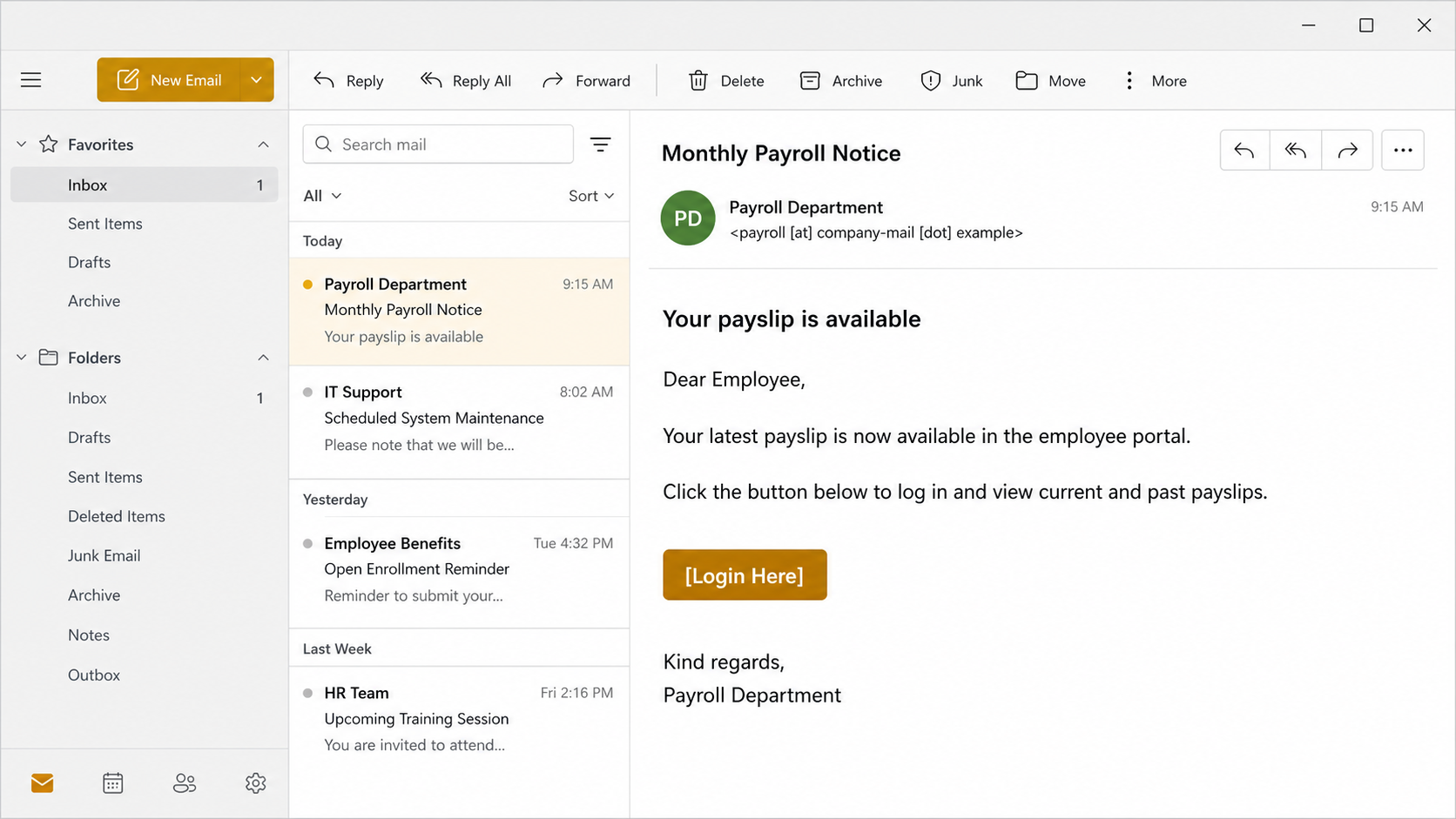
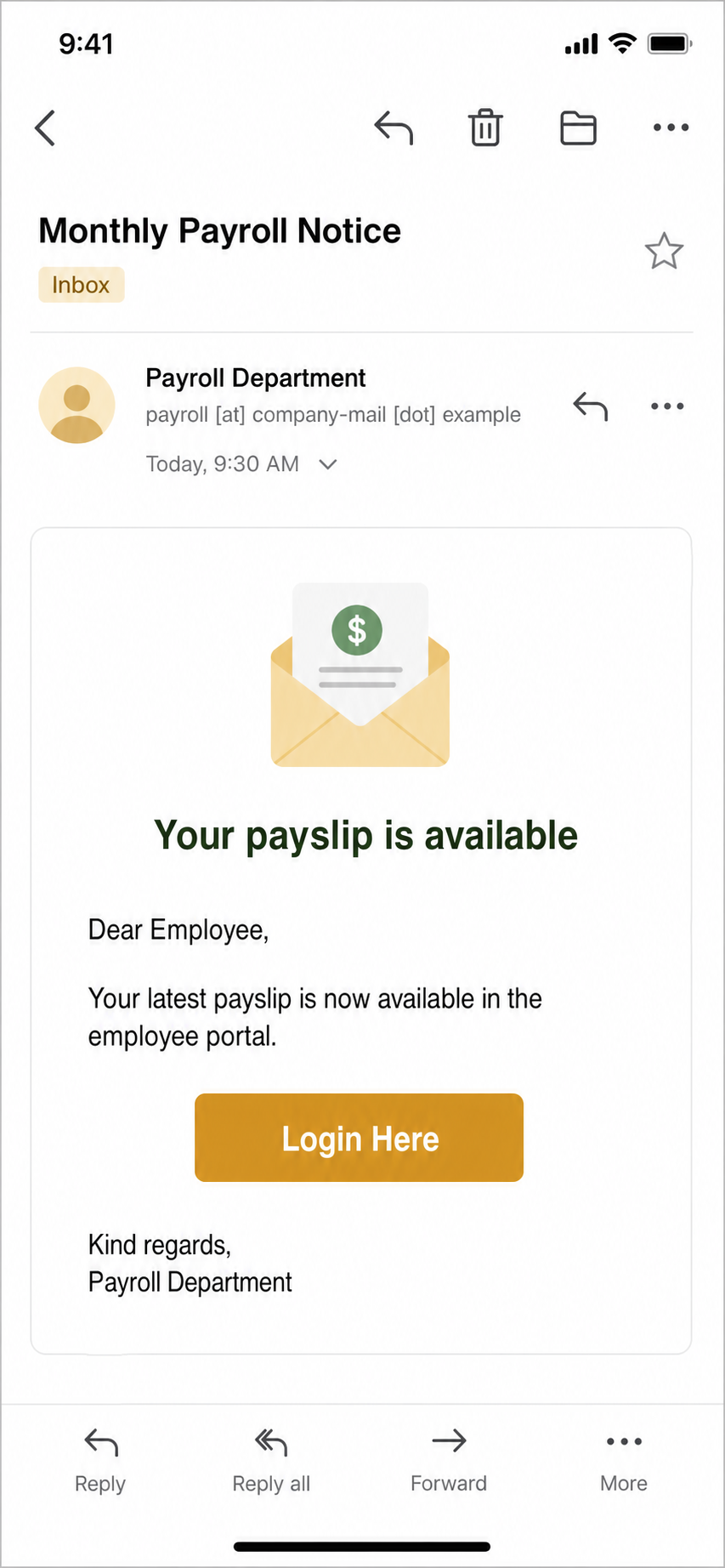
Subject: Monthly Payroll Notice
From: Payroll Department <payroll [at] company-mail [dot] example>
Your payslip is available.
Dear Employee,
Your latest payslip is now available in the employee portal. Click the button below to log in and view current and past payslips.
Button: Login Here
Kind regards,
Payroll Department
How to check it safely
- Do not click the email button. If you need to view a payslip, type the known payroll portal address yourself or use a saved corporate bookmark.
- Check the sender and reply-to address. A display name such as “Payroll Department” is not proof. Compare the real domain with normal internal payroll messages.
- Preview the link without opening it. On desktop, hover carefully; on mobile, long-press only if your mail app previews the URL without loading it. Stop if the domain is not your employer, payroll provider, or SSO provider.
- Ask HR or IT through a known channel. Use Teams, Slack, phone, ticketing, or the HR portal you already trust. Do not reply to the suspicious email for verification.
- Do not upload private payroll files to random scanners. If the email includes a link, you can check the URL with the Gridinsoft URL Scanner. If you received a suspicious message and need a text-based verdict, use the Gridinsoft Email Scam Checker, but avoid pasting confidential payroll data unless your organization permits it.
For broader message triage, compare the email against the checks in our guide to spotting phishing emails. Payroll lures are one example of a larger pattern: attackers pick normal workplace workflows, then replace the expected destination with their own login page.
If you entered your work password
Treat the account as exposed if you submitted a password, MFA code, or session approval through the fake page. A payroll-themed phishing page usually targets the mailbox or SSO account first, because that access can be reused for password resets, internal messages, invoice fraud, or business email compromise.
- Change the password from a trusted device. Use the real corporate identity portal, not a link from the email.
- Report the message to IT/security. Include the original email headers if your company asks for them. CISA and other agencies recommend using built-in reporting workflows because they help defenders block related messages faster.[2]
- Revoke sessions and review MFA. Sign out other sessions, remove unknown devices, and check whether an attacker added a new MFA method.
- Check inbox rules and forwarding. Microsoft notes that attackers can use suspicious inbox manipulation or forwarding rules to hide messages, move mail, or forward mail externally after mailbox compromise.[3]
- Confirm payroll and direct-deposit details before the next pay run. Contact payroll through a known number or internal portal and ask whether payment elections, bank details, or profile contacts changed. Microsoft has documented payroll-focused account compromises that hid Workday notifications with inbox rules before redirecting salary payments.[3] Our BEC guide covers payment-change and internal-request follow-up.
- Scan the device if a file was downloaded or opened. A pure credential page may not install malware, but downloaded HTML files, scripts, support tools, or browser extensions should be treated as suspicious. Gridinsoft Anti-Malware can help check for hidden files, startup entries, browser changes, and persistence if anything ran locally.
Why payroll lures work
Payslip messages sit in a trust zone: employees expect them, they are time-sensitive, and they often involve private financial details. Scammers use that expectation to make a sign-in page feel routine. The FTC describes phishing as messages that imitate trusted sources and ask for personal information such as passwords or account details.[1] A payroll theme adds workplace pressure without needing a dramatic threat.
The same tactic appears in other HR-themed lures, including benefits notices, tax forms, open-enrollment messages, policy acknowledgments, and fake payroll and tax audit shared-document notices. The important split is not whether payroll email notifications exist; many legitimate systems send them. The split is whether the message sends you to a known payroll/SSO destination and whether it can be verified outside the email.
What IT should check
If several employees received the same message, the response should go beyond one password reset. Security teams should preserve the email, collect landing URLs, search mailboxes for the same subject/sender/link, block the landing domain, and review sign-in logs for the submitted accounts. For affected users, check suspicious inbox rules, new forwarding settings, new MFA methods, OAuth app grants, and unusual outbound mail.
If a payroll or HR mailbox was compromised, watch for follow-up messages that ask employees to re-send forms, change direct-deposit details, approve invoices, or open “corrected” documents. That is where a simple credential phishing email can turn into a broader BEC incident.
How to avoid this payroll phishing trap
- Use bookmarked payroll and HR portals instead of email buttons.
- Expect HR/payroll systems to use your normal SSO flow and known company domains.
- Report suspicious payroll messages instead of forwarding screenshots to coworkers.
- Keep MFA enabled, but remember that phishing pages can still trick users into approving prompts.
- Never enter mailbox credentials into a page reached from an unexpected payslip notice.
FAQ
Is the “Your Payslip Is Available” email real?
Treat it as suspicious unless you can verify it through your normal payroll portal or HR channel. The known scam version uses a generic payroll notice and sends victims to a fake login page.
What does the “Login Here” button do?
In the scam flow, it opens a credential-harvesting page rather than a real payroll portal. The page may imitate webmail, SSO, or a generic employee portal.
Can I reply and ask if the email is legitimate?
No. A reply goes back into the same untrusted conversation. Ask HR, payroll, or IT through a known internal channel instead.
What if I clicked but did not type a password?
Close the page, do not continue, and report the message. If the page downloaded a file or asked you to install anything, keep the file quarantined and have the device checked.
What if I entered my password?
Change the password from a trusted device, revoke sessions, review MFA and mailbox rules, and notify IT/security. Do not wait for visible mailbox changes before reporting it.
References
- Federal Trade Commission. “How To Recognize and Avoid Phishing Scams.” Consumer Advice, accessed June 22, 2026. https://consumer.ftc.gov/articles/how-recognize-avoid-phishing-scams
- Cybersecurity and Infrastructure Security Agency. “Phishing Guidance: Stopping the Attack Cycle at Phase One.” CISA, March 2025, accessed June 22, 2026. https://www.cisa.gov/sites/default/files/2025-03/Phishing%20Guidance%20-%20Stopping%20the%20Attack%20Cycle%20at%20Phase%20One%20508.pdf
- Microsoft Threat Intelligence. “Investigating targeted ‘payroll pirate’ attacks affecting US universities.” Microsoft Security Blog, October 9, 2025, accessed July 11, 2026. https://www.microsoft.com/en-us/security/blog/2025/10/09/investigating-targeted-payroll-pirate-attacks-affecting-us-universities/