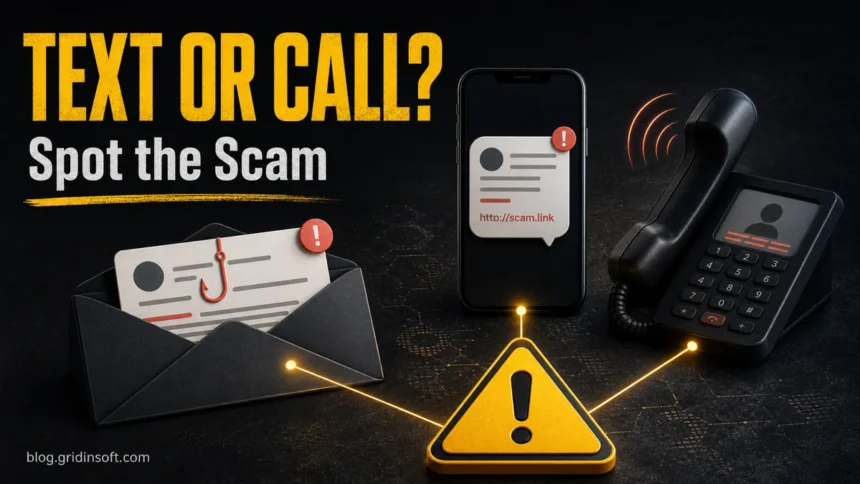
Phishing, smishing, and vishing are the same social-engineering idea delivered through different channels. Phishing usually arrives by email or a fake web page, smishing uses SMS or messaging apps, and vishing uses phone calls, voicemail, or a callback number. The safest first move is the same for all three: do not use the link or phone number in the message; open the real app or website yourself.
Fast difference: phishing asks you to trust an email or web page, smishing asks you to trust a text, and vishing asks you to trust a voice. If any of them asks for a password, one-time code, card number, remote access, gift card, crypto transfer, or urgent payment, stop and verify through a separate trusted channel.
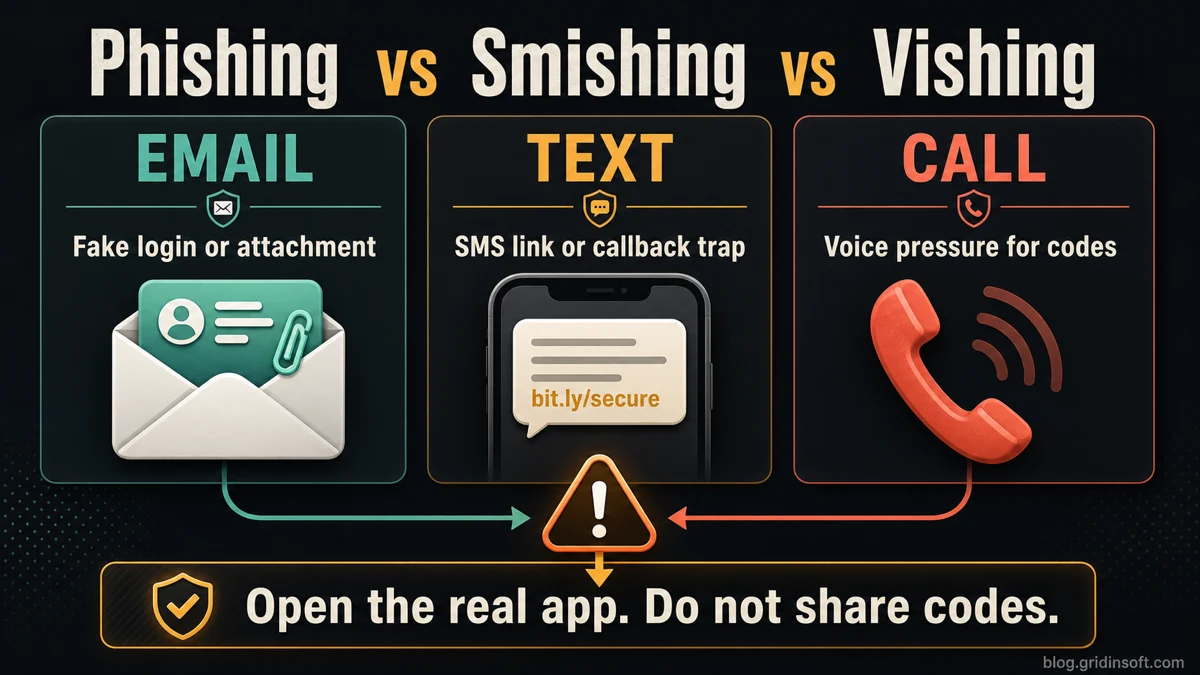
Phishing vs Smishing vs Vishing: The Difference
Google searchers usually want a quick comparison, not three separate definitions. The practical difference is the first contact channel and the action the attacker wants you to take.
| Attack | How it reaches you | What the scammer wants |
| Phishing | Email, fake login page, shared-document link, search ad, or cloned website. | Make you enter credentials, open an attachment, approve a cloud permission, or install malware. |
| Smishing | SMS, MMS, RCS, iMessage, WhatsApp, Telegram, Messenger, or another chat app. | Make you tap a link, pay a fake fee, reply with personal data, call a fake support number, or share a code. |
| Vishing | Phone call, robocall, voicemail, or callback number sent by email or text. | Keep you on the line until you reveal a code, approve a login, install remote access, move money, or disclose account details. |
The criminal does not need to hack your phone first. In most cases, the attack works because the message or caller creates urgency and moves you away from the normal verification path. A text can become a vishing attack if it tells you to call a fake bank number. A vishing call can become a phishing attack if the caller sends you a login link while you are still on the phone.
Which Guide Matches Your Situation?
Use this page when you need the channel difference: email or fake page vs text message vs phone call. If your problem is narrower, these related guides go deeper:
- Spam text messages: SMS examples, red flags, reporting, and what to do after tapping a link.
- Scammer phone numbers: suspicious-number lookup, callback traps, risky patterns, and spoofing caveats.
- Types of phishing attacks: the broader taxonomy, including spear phishing, whaling, quishing, OAuth phishing, and pharming.
- Phishing vs pharming: fake-message attacks compared with DNS, router, browser, or hosts-file redirection.
What Is Phishing?
Phishing is a fake message, page, or workflow that imitates a trusted organization and tries to make you act before you think. The classic version is an email with a fake login link or malicious attachment, but phishing can also appear through search ads, social media messages, cloud-sharing notifications, QR codes, and cloned websites.
Common phishing lures include password resets, invoices, payroll messages, shared documents, subscription renewals, delivery notices, banking alerts, and account-lock warnings. The attacker wants credentials, payment data, malware execution, or permission to access your account.
What Is Smishing?
Smishing is phishing by text message or mobile chat. The message is usually short, urgent, and mobile-friendly. It may claim that a package is held, a toll must be paid, your bank card is blocked, a tax refund is ready, a job offer is waiting, or your account needs review.
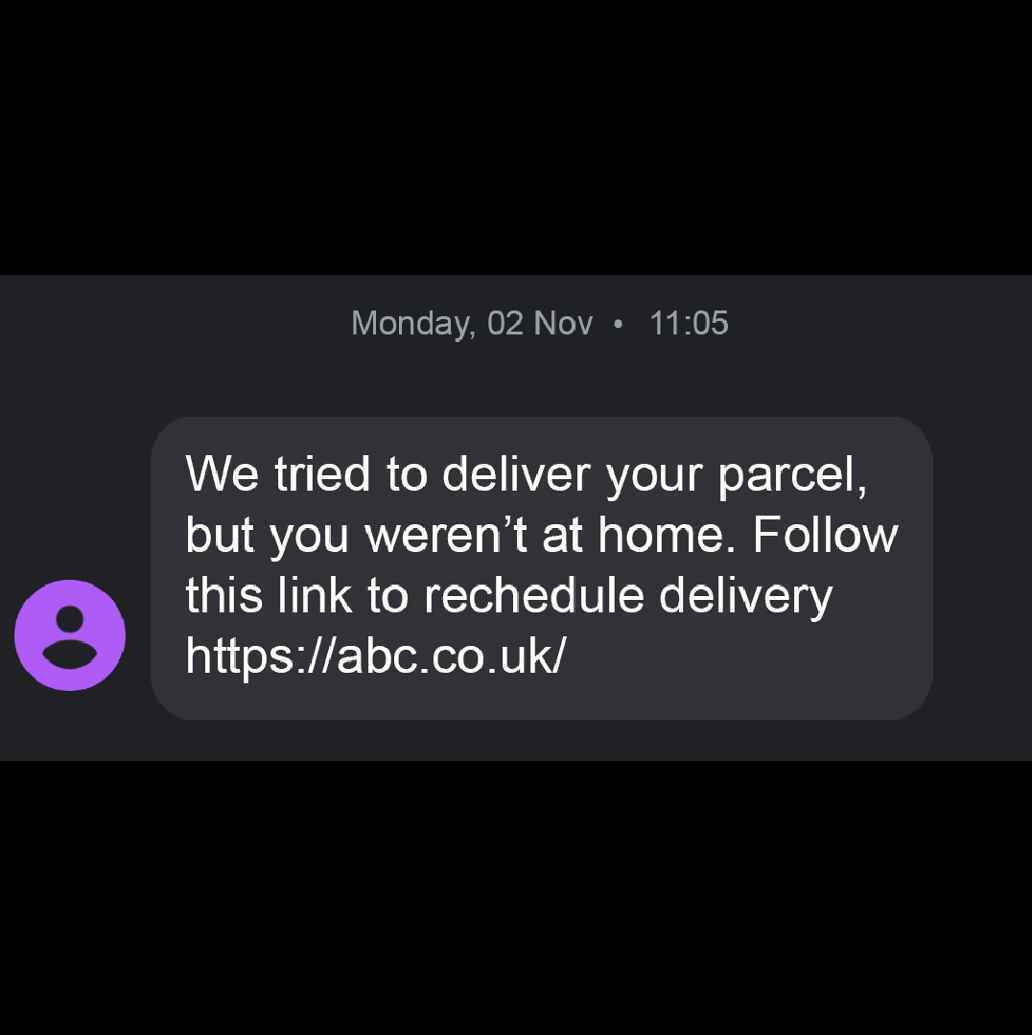
The link may lead to a fake login page, payment form, or page that asks for card details. Sometimes the text is only the first step: after you open the link, the scam continues with a phone call, a fake support chat, or a request for a one-time code.
What Is Vishing?
Vishing is voice phishing. The attacker calls you, leaves a voicemail, or pushes you to call a number from a text or email. The caller may sound calm, professional, or urgent. Some scams use caller ID spoofing so the number appears to belong to a bank, delivery company, government office, employer, Microsoft, Amazon, PayPal, or another familiar organization.
The caller’s goal is to keep you engaged until you bypass your normal caution. They may ask you to read a code, approve a multi-factor prompt, install remote support software, buy gift cards, move money to a “safe” account, or confirm personal information.
Common Examples
These examples are intentionally simple. Real scams may combine several channels in one chain.
Smishing examples
- Package delivery: “We could not deliver your parcel. Confirm your address.”
- Toll or traffic fee: “Unpaid road charge. Pay today to avoid a fine.”
- Bank fraud alert: “Suspicious transaction detected. Verify your account.”
- Tax or government refund: “Your refund is ready. Deposit your money.”
- Job or task scam: “Remote work available. Confirm your wallet or bank account.”
- Wrong-number investment: a friendly stranger starts a conversation, then moves toward crypto or trading.
Vishing examples
- Bank support call: “Your card is under attack. Read the code so we can block it.”
- Tech support: “Your computer is infected. Install this tool so we can fix it.”
- Refund scam: “We overcharged you. Open your banking app so we can send a refund.”
- Government threat: “A warrant, tax penalty, or fine will be issued unless you pay now.”
- Workplace impersonation: “This is IT. Approve the login request or share the reset code.”
How to Recognize the Attack
The channel changes, but the pressure signs are similar:
- The message creates urgency: account locked, delivery failed, payment due, refund expiring, or suspicious login detected.
- The sender asks for a password, PIN, card number, recovery code, one-time code, or full Social Security number.
- The link domain is not the official organization domain, or it uses a shortener, random letters, hyphens, or a strange country-code domain.
- The caller tells you not to hang up, not to contact the company another way, or not to tell anyone.
- You are asked to install remote access software, screen sharing, a “security” app, or a crypto wallet.
- The payment method is unusual: gift cards, crypto, wire transfer, Zelle-style transfer, or payment outside the official platform.
- The message is vague: no real order number, no account context, no exact organization name, or a greeting that does not match your account.
One-time codes are not verification for the caller. If someone asks you to read a login code, they may already have your password and need the code to finish signing in.
What to Do Before You Click or Call Back
- Pause. Scams work best when you react quickly.
- Do not use the link or phone number in the message. Open the real app, official website, bank card, statement, or saved contact yourself.
- Check whether the alert exists in the real account. If the bank, delivery company, toll agency, employer, or marketplace has no matching alert, treat the message as fake.
- Inspect the domain before opening it. Copy only the domain if you need to check it; do not tap the message link on your phone.
- Hang up on pressure. A real fraud team will not require you to stay on the line while moving money or reading codes.
- Report and block after preserving evidence. Screenshots, numbers, links, voicemail, and payment IDs may matter if money or identity data was involved.
If a suspicious text contains a URL, check the domain with the Gridinsoft URL Scanner instead of opening it directly. If you installed an app, ran a file, allowed remote access, or your browser started redirecting after a scam, run a full device scan with a trusted anti-malware tool.
What to Do If You Already Clicked, Called, or Shared Data
The right response depends on what happened. Do not keep testing the link or arguing with the caller; secure the affected account first.
- You opened the page but entered nothing: close it, do not download anything, and check the real account manually.
- You entered a password: change it from a clean device, sign out other sessions, reset MFA if needed, and change the same password anywhere else it was reused.
- You shared a one-time code: treat the account as compromised. Review recent logins, remove unknown devices, and contact the service.
- You entered card or bank data: call the bank using the number on the card or the official app. Ask about freezing, replacing, or monitoring the card.
- You installed remote access: disconnect the session, uninstall the tool, scan the device, and change important passwords from another clean device.
- You sent money: save evidence, contact the bank or payment provider immediately, and report the scam.
How to Report Smishing and Vishing
For suspicious texts in the U.S., the FTC recommends reporting through your messaging app, forwarding unwanted SMS to 7726 (SPAM) where supported, and reporting fraud at ReportFraud.ftc.gov. For unwanted calls, texts, spoofing, or your own number being spoofed, the FCC accepts consumer complaints and uses them to support enforcement and policy work.
Reporting will not undo a payment or account takeover by itself, but it helps carriers, apps, regulators, and security teams connect repeated scam campaigns. If money, identity documents, workplace credentials, or remote access were involved, also report through the affected bank, employer, service provider, or local law-enforcement path.
FAQ
What is the main difference between phishing, smishing, and vishing?
The main difference is the channel. Phishing usually uses email or fake web pages, smishing uses text messages or mobile chat, and vishing uses phone calls, voicemail, or callback numbers.
Is smishing only SMS?
No. The term started with SMS, but the same tactic appears in iMessage, WhatsApp, Telegram, Messenger, RCS, and other messaging apps.
Can a vishing call come from a real-looking number?
Yes. Caller ID can be spoofed, so a familiar number is not proof that the call is genuine. Hang up and call the official number you find yourself.
Can I get hacked just by answering a call?
Usually no. The danger is what the caller convinces you to do: reveal codes, install software, approve a login, share a screen, or transfer money.
Should I reply STOP to a suspicious text?
Only use STOP for legitimate marketing texts from a sender you recognize. For random delivery, toll, bank, prize, job, crypto, or wrong-number messages, report and block instead of confirming that your number is active.
Where does pharming fit?
Pharming is not a message channel like smishing or vishing. It is a redirection attack that can send a correctly typed address to a fake site. For that comparison, use the focused phishing vs pharming guide.
References
- Federal Trade Commission. “How to Recognize and Report Spam Text Messages.” FTC Consumer Advice, July 2022, accessed June 11, 2026. https://consumer.ftc.gov/articles/how-recognize-and-report-spam-text-messages
- Federal Communications Commission. “Unwanted Calls/Texts – Phone.” FCC Consumer Inquiries and Complaints Center, accessed June 11, 2026. https://consumercomplaints.fcc.gov/hc/en-us/articles/115002234203-Unwanted-Calls-Texts-Phone