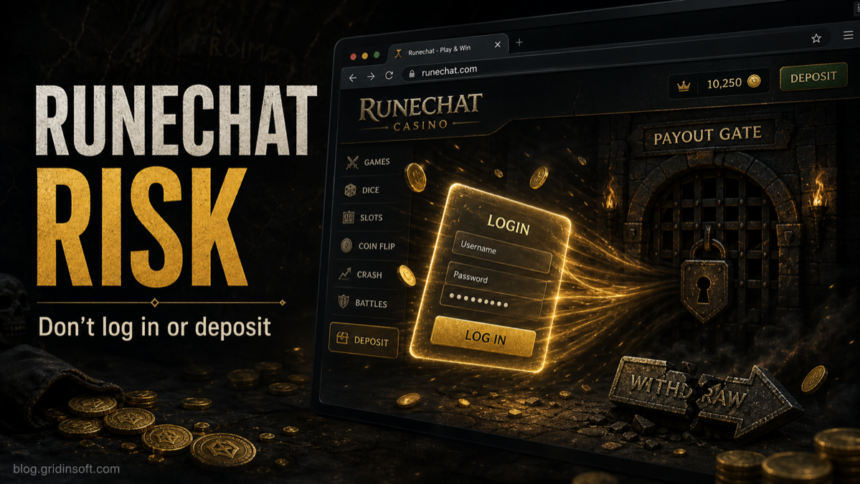
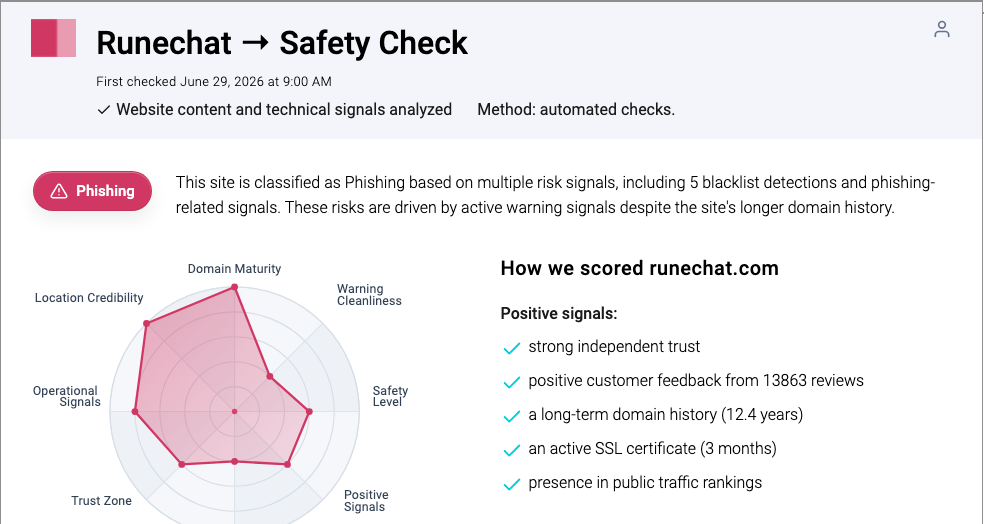
Runechat.com should not be treated as a safe RuneScape or OSRS casino login. Gridinsoft’s current URL report marks runechat.com as phishing with a 3/100 trust score, so the safest move is to avoid logging in, depositing, reusing a password, or installing any helper file from the site. If you already used the page, protect the Jagex account first, then check the email account and device that touched the site.
What to do now: close Runechat.com, do not enter a RuneScape/Jagex password, do not deposit money or in-game value, and do not install a casino client, extension, or “verification” file. If you already logged in, change your Jagex and email passwords from a clean browser session and enable two-factor protection.
What Is Runechat.com?
Runechat.com appears in searches and complaints as a RuneScape or Old School RuneScape casino-style site. That matters because the page asks users to make a trust decision around game accounts, deposits, balances, and withdrawal claims, not only around ordinary web browsing. A casino or gambling-themed page can look familiar to OSRS players while still being unrelated to official Jagex services.
The main risk is not that a browser tab instantly infects the PC. The risk is the chain of actions after the visit: entering a reused game password, depositing money or in-game value, trusting a fake payout screen, downloading a helper file, or following a support link controlled by the same operator. If you need a broader checklist for judging unknown websites, use our scam website safety guide before entering credentials or payment details.
Why Runechat.com Is Risky
Gridinsoft’s Website Reputation Checker classifies Runechat.com as phishing and reports a very low trust score. The page also sits in a messy SERP: review pages, complaint threads, a casino-branded result, and a fresh removal-guide style result all point to the same reader problem, which is whether this is a safe login or payout destination. For Gridinsoft readers, the practical answer is direct: do not authenticate on the site, and treat any password, deposit, or downloaded file from that session as exposed until checked.
| What happened | Risk and what to do |
|---|---|
| You only opened Runechat.com | Close the tab and do not return through ads, Discord links, search ads, or direct messages. Clear browser notifications if the page asked for permission. |
| You typed a Jagex, RuneScape, OSRS, or reused password | Change that password from a clean browser session, then change the email account password if it was reused or exposed. |
| You deposited money, crypto, cards, or in-game value | Stop sending more funds to unlock withdrawals. Save screenshots, transaction IDs, wallet addresses, emails, and chat logs. |
| You downloaded a helper, launcher, extension, or verification file | Delete the file, do not run it again, and scan the device before logging back into game, email, or payment accounts. |
| The site or support chat promised a guaranteed payout | Treat extra verification fees, tax payments, and deposit-to-withdraw requests as advance-fee warning signs. |
If You Only Visited Runechat.com
If you only loaded the site and closed it, the immediate account risk is usually lower than if you signed in or downloaded something. Still, check for browser prompts. Scam pages often try to turn a one-time visit into recurring fake alerts by asking for notification permission or opening extra tabs through ad scripts.
- Do not click “Allow” on notification prompts from the page.
- Do not follow support, Discord, Telegram, wallet, or payout links from the same session.
- Search the exact domain plus words like scam, review, phishing, and complaints before trusting it.
- Check the domain with the Gridinsoft Website Reputation Checker instead of relying on a lock icon or polished page design.
If You Logged In or Reused a Password
A RuneScape-themed phishing page is dangerous because many players reuse the same email or game password across forums, casino sites, Discord bots, and game services. If Runechat.com received a password, assume that password is no longer private even if the login page seemed to fail or asked you to try again.
- Change your Jagex password from a clean browser session. Type the official address yourself or use a saved bookmark, not a link from Runechat.com, an ad, or a chat message.
- Change the email password if it was reused. A game account is much easier to steal when the attacker can also reach the mailbox.
- Enable two-factor protection. Use an authenticator app or the strongest option available for the account.
- Review account recovery details. Check email forwarding rules, recovery email, saved sessions, and recent security messages.
- Watch for follow-up scams. Recovery offers, refund agents, fake moderators, and “unlock your payout” messages often arrive after a user has already engaged with a risky site.
Jagex’s own rules warn that fake sites may be designed to trick players into logging in with game account details and that gambling or phishing links can weaken account security. The important practical point is simple: do not share a game login with a third-party casino, payout page, or support chat.
If You Deposited or Tried to Withdraw
Casino scams usually become obvious at the withdrawal stage. A site may accept deposits quickly, show a balance, then block the withdrawal with verification, a tax, a fee, a wager requirement, or a “security review”. Paying one more amount to unlock a payout is the pattern to avoid.
Save evidence before the page changes: account name, deposit address, transaction IDs, card descriptor, emails, chat handles, support ticket numbers, screenshots of the balance, and every withdrawal demand. Then contact the relevant bank, card issuer, payment platform, or wallet support through a trusted path. Our online betting scams guide explains the same payout-block pattern in broader casino and sports-betting fraud.
If You Downloaded a Client, Extension, or Helper File
Do not assume the only damage is the game account. A downloaded helper, launcher, browser extension, “verification” file, or archive can create a separate PC security problem. If you ran anything from the Runechat session, remove the file, reboot, and scan the system before logging into Jagex, email, Discord, Steam, wallets, or payment accounts again.
Gridinsoft Anti-Malware can check for suspicious files, browser changes, startup entries, scheduled tasks, and persistence that may remain after a visible download is deleted. This does not recover stolen passwords or guarantee that no data was exposed, but it is a useful step before you trust the same device with account recovery.
How to Check Similar RuneScape Casino Links
Use the same checklist for any RuneScape, OSRS, gold, casino, giveaway, or payout domain you find through search, Discord, YouTube comments, Telegram, Reddit, or in-game chat.
- Separate the brand from the domain. A page can use RuneScape wording without being controlled by Jagex.
- Do not use your game password on third-party pages. If a page needs your Jagex login to gamble or claim a payout, leave.
- Be careful with “provably fair” and review claims. A technical-sounding phrase or a review widget does not prove safe withdrawals.
- Check payout pressure. Fees, taxes, verification deposits, or support agents asking for one more payment are strong scam signals.
- Scan files before opening them. Use the Gridinsoft Online Virus Scanner for individual downloads, and use a local anti-malware scan if a file already ran.
FAQ
Is Runechat.com an official RuneScape or Jagex site?
No. Treat Runechat.com as a third-party site, not as an official RuneScape, Old School RuneScape, or Jagex login destination.
Can I get hacked just by visiting Runechat.com?
A simple visit is usually less risky than entering a password, approving notifications, or downloading a file. The serious risk starts when the site receives credentials, money, in-game value, or device permissions.
What if I used the same password somewhere else?
Change every account that used the same password, starting with Jagex and the email account. Use unique passwords afterward so one phishing page cannot expose several accounts.
Should I pay a fee to unlock a Runechat withdrawal?
No. Extra payments for taxes, verification, account unlocks, or payout release are common advance-fee signals. Preserve evidence and use trusted payment-support channels instead.
Should I scan my PC after using Runechat.com?
Scan if you downloaded or ran a file, installed an extension, allowed browser notifications, or noticed redirects and pop-ups afterward. If you only viewed the page and entered nothing, focus first on browser permissions and account safety.
References
- Gridinsoft. “Runechat.com Safety Check.” Gridinsoft Website Reputation Checker, first checked June 29, 2026, accessed July 1, 2026. https://gridinsoft.com/online-virus-scanner/url/runechat-com
- Jagex. “Rules of RuneScape.” Jagex Legal, accessed July 1, 2026. https://legal.jagex.com/docs/rules/rules-of-runescape