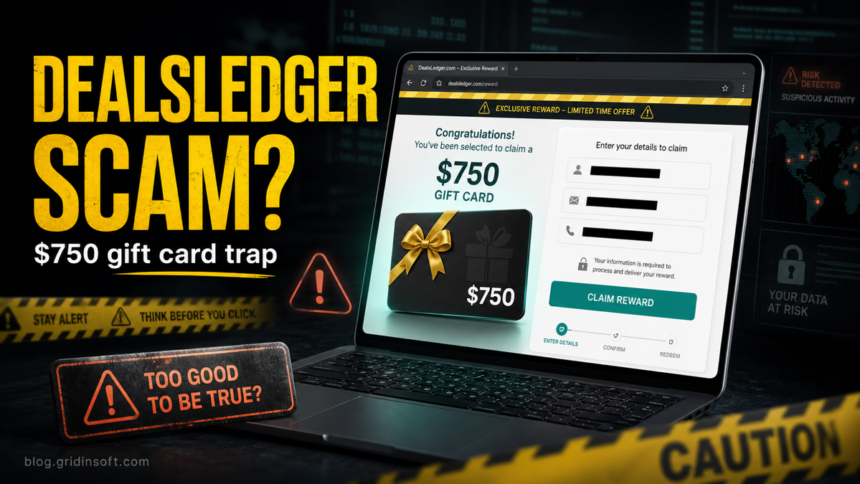
DealsLedger.com should be treated as a suspicious reward site, not a verified Walmart gift-card page. If you see the promise of a $750 Walmart gift card, do not scan the QR code, enter your email, phone number, home address, payment details, or install anything offered after the claim button. Close the page and check the URL first.
The page uses the familiar fake-reward pattern: a big retail brand name, a large dollar amount, a limited-time message, and a simple claim flow that asks the visitor to continue on a phone. That combination is designed to make the offer feel urgent before you verify whether Walmart is actually involved.
What is DealsLedger.com?
DealsLedger.com is a third-party reward page that advertises a Claim Your $750 Walmart Gift Card offer. It is not the official Walmart domain. Gridinsoft Website Reputation Checker currently classifies DealsLedger.com as a suspicious website and gives it a 5/100 trust score, with the report noting a very young domain and limited independent reputation history.
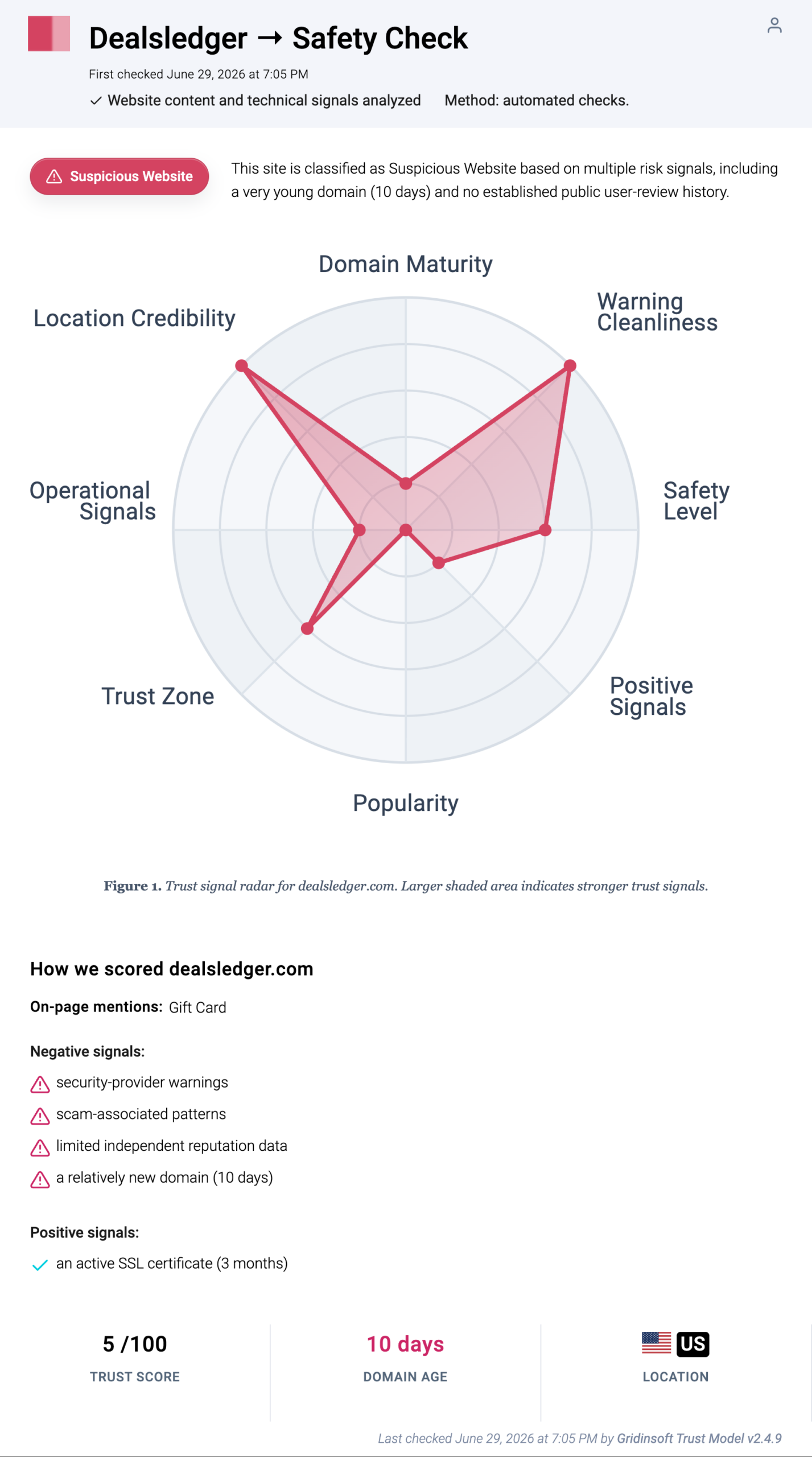
That does not prove every visitor’s computer is infected. It does mean the page is unsafe for personal data. Treat it as a scam funnel unless Walmart itself confirms the exact offer from an official Walmart.com page or official Walmart app screen.
Red flags in the $750 Walmart gift-card offer
- The domain is not Walmart.com. A real Walmart account, order, or promotion should not require trust in an unrelated reward domain.
- The reward is large and urgent. “$750” plus “limited time” wording is a common pressure pattern in fake survey and giveaway flows.
- The page pushes a mobile handoff. QR-code or phone-only flows reduce the chance that users will inspect the address bar, permissions, and redirect chain carefully.
- The form asks for claim details before trust is established. Name, phone, email, ZIP code, address, and marketing-preference questions can be used for spam, lead resale, or follow-up phishing.
- The page may route you through trackers or offer walls. Reward funnels often send users from one domain to another, which makes responsibility and data handling harder to verify.
Reward funnels can also rotate brands without changing their basic mechanics. Our StudentDealHub.com investigation captured the same domain switching from a \ LEGO reward to a \ JD Sports offer, while keeping the enter-information and complete-offers flow.
What you should not enter
Do not enter your Walmart login, email password, banking information, card number, Social Security number, one-time codes, or gift-card numbers on DealsLedger.com or any page it opens. Do not buy a gift card, pay a fee, complete a “sponsor deal,” or install an app to unlock the reward.
If you only opened the page and closed it, the main risk is usually the data you may have shared, not malware from viewing the page alone. The risk becomes higher if you downloaded an app, allowed browser notifications, installed an extension, gave payment information, or reused a password.
What to do if you already entered information
- Email or phone only: expect spam, survey calls, and fake delivery or prize messages. Do not click follow-up links that mention the same gift card.
- Walmart login or reused password: change the password from the official Walmart site or app, then change the same password anywhere else it was reused.
- Payment details: contact your card issuer, watch for small test charges, and ask whether the card should be replaced.
- Gift-card number or PIN: treat the card like cash. Contact Walmart support quickly, but do not expect a third-party reward page to recover the value.
- Downloaded an app or extension: remove it, check browser notification permissions, and scan the device before using sensitive accounts again.
Check your browser and device after the claim page
If DealsLedger.com or a follow-up page asked you to click Allow, install an extension, download a file, or open a “verification” app, check the browser before assuming the problem is gone. Remove unknown notification permissions, suspicious extensions, new search engines, and startup pages you did not choose.
For a Windows PC, a follow-up download or extension can leave adware, browser changes, scheduled tasks, or bundled apps behind. Gridinsoft Anti-Malware can help check for these leftovers after you remove the visible app or extension. If you only want to inspect the domain before interacting, use the DealsLedger.com safety report or run another suspicious URL through the Website Reputation Checker.
How this differs from real Walmart fraud guidance
Walmart’s own fraud guidance warns shoppers to be careful with gift cards, prepaid cards, fake prizes, and messages that push people to share gift-card numbers or send money. The safer rule is simple: use Walmart.com or the official Walmart app directly, and do not trust a third-party domain just because it displays a Walmart reward headline.
For broader context, compare this with our fake Walmart gift card reward guide. Similar reward funnels also appear under different brands, such as the Giftcardcart.com Costco gift-card scam and the BoxGifted.com Amazon reward scam. The domain changes, but the pressure pattern is the same: a big reward, a short claim path, and a request for data before trust is established.
FAQ
Is DealsLedger.com a real Walmart gift-card page?
No reliable public evidence shows that DealsLedger.com is an official Walmart gift-card page. It is a separate domain, and Gridinsoft currently rates it as suspicious with a 5/100 trust score.
Can I get malware just by opening DealsLedger.com?
Simply opening a page is usually less risky than entering data, allowing notifications, installing an app, or downloading a file. Still, close the page and check the browser if it opened redirects, pop-ups, or permission prompts.
What if I scanned the QR code?
If you only scanned the QR code and did not enter data, remove the tab from your phone browser and avoid follow-up links. If you entered details or installed anything, follow the cleanup and account-safety steps above.
Should I report the offer?
Yes. Report fake Walmart reward pages to Walmart through official support or fraud channels, and report gift-card or prize scams to the FTC if you are in the United States.
References
- Walmart Corporate. “Fraud Alerts.” Walmart, accessed July 1, 2026. https://corporate.walmart.com/privacy-security/fraud-alerts
- Federal Trade Commission. “Avoiding and Reporting Gift Card Scams.” FTC Consumer Advice, accessed July 1, 2026. https://consumer.ftc.gov/articles/avoiding-and-reporting-gift-card-scams