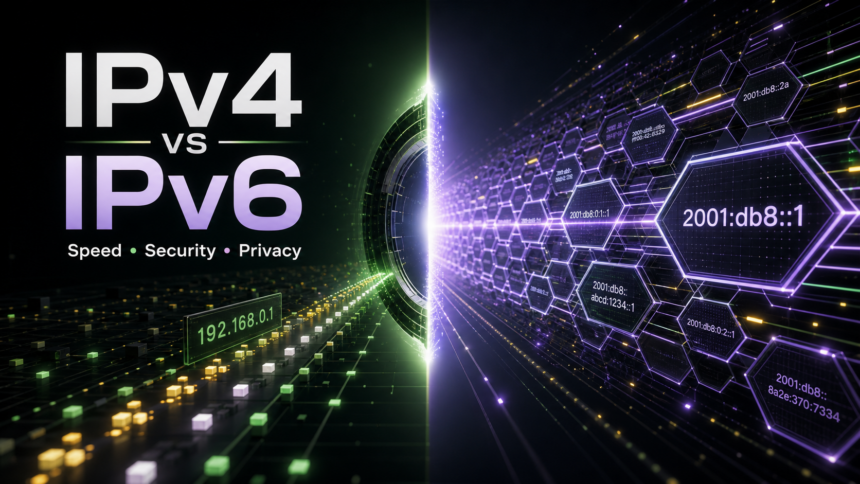
IPv4 and IPv6 are two versions of the Internet Protocol that let devices find each other online. IPv4 uses shorter 32-bit addresses such as 192.168.0.1, while IPv6 uses 128-bit addresses such as 2001:db8::1. For most home users, IPv6 is not automatically faster or safer, but it gives the internet far more address space and can avoid some IPv4 NAT and carrier-grade NAT limits. The real security difference is how your router, firewall, VPN, DNS, and device privacy settings handle the connection.
IPv4 vs IPv6 in one minute
- Biggest difference: IPv6 has a much larger address space, so devices can have globally routable addresses without the IPv4 shortage problem.
- Speed: IPv6 can be faster on some networks and slower on others. Route quality, ISP support, DNS, Wi-Fi, and server location matter more than the protocol name.
- Security: IPv6 is not a magic security upgrade. You still need a firewall, patched devices, secure DNS, and safe router settings.
- Privacy: IPv6 can expose stable device identifiers if privacy extensions are disabled. Modern systems usually rotate temporary IPv6 addresses, but it is worth checking.
- VPNs: A VPN that supports only IPv4 can leak IPv6 traffic. Test IPv6 before trusting the tunnel.
What is IPv4?
IPv4, or Internet Protocol version 4, is the older and still widely used IP system. It identifies devices with 32-bit addresses written as four numbers separated by dots, for example 8.8.8.8 or 192.168.1.10. RFC 791 describes IPv4 as the protocol used to move datagrams between hosts on packet-switched networks.[1]
The problem is scale. A 32-bit address space creates about 4.3 billion possible addresses, and the public internet has far more devices, cloud services, phones, routers, cameras, and virtual machines than that. To keep IPv4 working, networks rely heavily on private addresses, NAT, and sometimes carrier-grade NAT.
What is IPv6?
IPv6, or Internet Protocol version 6, is the successor to IPv4. RFC 8200 specifies IPv6 and describes the major changes: expanded addressing from 32 bits to 128 bits, simplified header handling, improved extension support, flow labeling, and authentication/privacy-related capabilities through extensions.[2]
An IPv6 address is longer and uses hexadecimal groups, such as 2001:db8:85a3::8a2e:370:7334. The huge address space is the main reason IPv6 exists: it lets networks assign unique addresses more freely instead of squeezing everything behind shared IPv4 addresses.
IPv4 vs IPv6: Key Differences
| Topic | What changes |
| Address format | IPv4 uses dotted decimal addresses such as 192.168.0.1. IPv6 uses hexadecimal groups such as 2001:db8::1. |
| Address space | IPv4 has about 4.3 billion possible addresses. IPv6 has an enormous 128-bit address space built for modern device growth. |
| NAT | IPv4 often depends on NAT or carrier-grade NAT. IPv6 can give devices globally routable addresses, so firewall rules become more important. |
| Configuration | IPv4 commonly uses DHCP and private LAN ranges. IPv6 can use SLAAC, DHCPv6, temporary addresses, and router advertisements. |
| Security | IPv6 supports modern IPsec-related extensions, but real security still depends on firewall policy, device updates, DNS, and exposure control. |
| Privacy | IPv6 can rotate temporary addresses for privacy. If stable identifiers are used carelessly, device tracking can become easier. |
Is IPv6 faster than IPv4?
Sometimes, but not always. IPv6 can perform well when your ISP, router, DNS resolver, and the destination service all have good IPv6 routing. It can also avoid some carrier-grade NAT paths that slow down or complicate IPv4 connections. On another network, IPv4 may be faster because the IPv6 route is less optimized.
If you are comparing IPv4 and IPv6 for gaming, streaming, video calls, or downloads, test the same connection at different times. A speed test that shows IPv6 winning once does not prove that IPv6 is always faster. Latency, packet loss, DNS response time, Wi-Fi quality, server location, and ISP peering usually explain more than the protocol alone.
Is IPv6 more secure than IPv4?
IPv6 has cleaner modern design choices, a much larger address space, and support for security extensions, but it is not automatically safer for a home computer or small office. The basic risk is different: with IPv4, many home devices sit behind NAT; with IPv6, devices may have globally reachable addresses. A properly configured router firewall should block unsolicited inbound traffic either way.
Do not treat NAT as a complete security layer. NAT can hide private IPv4 addresses, but the firewall policy is what decides whether outside traffic is allowed. With IPv6, check that your router blocks unexpected inbound connections, that Windows or your endpoint firewall is enabled, and that old IoT devices are not exposed to the public internet.
IPv6 and privacy: what changes?
IPv6 privacy depends on address behavior. Early IPv6 deployments sometimes used stable interface identifiers that could make a device easier to recognize across networks. Modern Windows, macOS, iOS, Android, and many Linux setups usually use temporary privacy addresses for outgoing connections, but this can vary by device, router, and enterprise policy.
If privacy matters, check whether your operating system uses temporary IPv6 addresses, whether your router exposes stable prefixes, and whether your VPN handles IPv6 correctly. If you use a VPN for privacy, run an IPv6 leak test after connecting. A tunnel that only carries IPv4 traffic may still let IPv6 requests leave through your normal ISP path.
Should you disable IPv6?
Do not disable IPv6 just because an old guide says it is risky. Disabling it can break some networks, slow down dual-stack fallback, or create strange DNS and app behavior. A better first step is to test whether IPv6 works correctly and whether your firewall and VPN handle it.
Temporarily disabling IPv6 can make sense when you are troubleshooting a specific problem: broken VPN routing, DNS leaks, old router firmware, failed remote access, or a service that behaves differently over IPv6. Treat it as a diagnostic step, not a permanent security strategy.
What to check before using IPv6 at home
- Router firewall: make sure unsolicited inbound IPv6 traffic is blocked unless you intentionally opened a service.
- Firmware: update the router, modem, mesh system, NAS, camera, and IoT firmware before enabling broad IPv6 exposure.
- Device firewall: keep Windows Security or another endpoint firewall enabled on laptops and desktops.
- VPN support: confirm that your VPN either supports IPv6 inside the tunnel or blocks IPv6 cleanly to prevent leaks.
- DNS behavior: check whether DNS requests use the resolver you expect over both IPv4 and IPv6.
- Public services: if you host a game server, NAS, remote desktop, or smart-home panel, expose only the exact ports you need.
If you are investigating suspicious connections, browser redirects, or reputation warnings around your public IP, start with local evidence: router device list, DNS settings, unknown VPN/proxy apps, startup entries, and security alerts. Our guides on protecting your digital footprint, proxyjacking, and DNS spoofing vs DNS hijacking can help narrow the cause.
IPv4 vs IPv6: which is better?
IPv6 is the long-term direction of the internet because it solves the address shortage and reduces the need for shared IPv4 workarounds. Google measures IPv6 adoption continuously and reports how many users reach Google services over IPv6, which shows that IPv6 is no longer a niche deployment.[3]
For a normal user, the best setup is usually dual-stack: keep both IPv4 and IPv6 working, let the device choose the best route, and secure both paths. Choose IPv6 when your ISP, router, VPN, and devices support it properly. Keep IPv4 because many sites, tools, games, and networks still rely on it.
FAQ
What is the main difference between IPv4 and IPv6?
The main difference is address size. IPv4 uses 32-bit addresses, while IPv6 uses 128-bit addresses. That gives IPv6 far more possible addresses and makes it better suited for the number of modern internet-connected devices.
Does IPv6 make my internet faster?
Not by itself. IPv6 can be faster when routing is better or when it avoids carrier-grade NAT, but IPv4 can be faster on networks with weaker IPv6 paths. Test your own connection instead of assuming one protocol always wins.
Is IPv6 safer than IPv4?
IPv6 has useful modern features, but it is not automatically safer. A secure IPv6 setup still needs a router firewall, endpoint firewall, updates, careful DNS settings, and no exposed services you did not intend to publish.
Can IPv6 leak my real IP address through a VPN?
Yes, if the VPN does not support or block IPv6 correctly. After connecting to a VPN, run an IPv6 leak test and confirm that both IPv4 and IPv6 traffic follow the same privacy expectation.
Should I use IPv4 or IPv6 for gaming?
Use whichever path has lower latency and better stability on your ISP. IPv6 can help when IPv4 carrier-grade NAT causes connection or hosting problems, but game server routing matters more than the protocol label.
References
- Postel, J. “Internet Protocol.” RFC 791, RFC Editor, September 1981, accessed June 7, 2026. https://www.rfc-editor.org/rfc/rfc791
- Deering, S.; Hinden, R. “Internet Protocol, Version 6 (IPv6) Specification.” RFC 8200, RFC Editor, July 2017, accessed June 7, 2026. https://www.rfc-editor.org/rfc/rfc8200
- Google. “IPv6 Statistics.” Google, accessed June 7, 2026. https://www.google.com/intl/en/ipv6/statistics.html