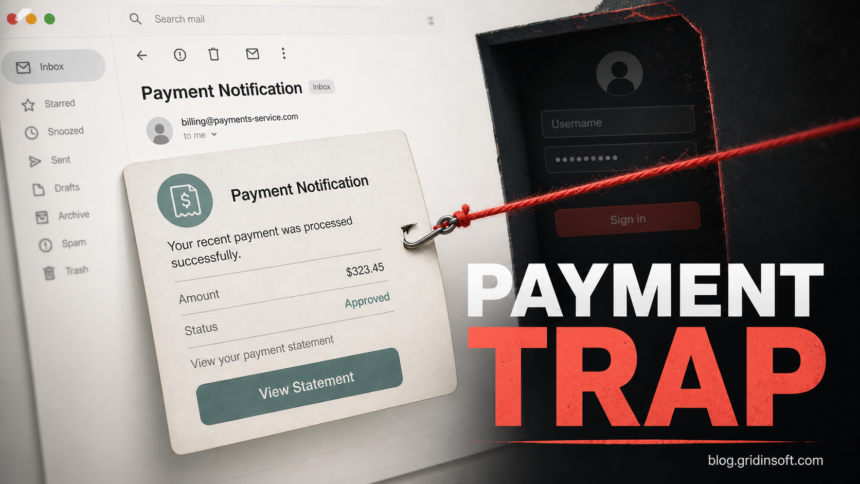
The We Have Processed Your Payment email scam is a phishing message that pretends a payment was deposited into your bank account and asks you to open a statement. The lure is not about confirming a real transfer. Its goal is to push you through a statement button or sign-in page so scammers can collect your email password or other account credentials.
If you received this message, do not use the button, reply to the email, call numbers printed inside it, or sign in from the linked page. Open your mail, banking, or business account from a typed address or saved bookmark instead. If you already entered a password, change it from a clean device, sign out other sessions, review forwarding rules and recovery options, and warn your contacts if the mailbox may have been used to send more scams.
What the fake payment email claims
Current versions use the subject line Payment Notification and may impersonate an account department or a claims/payment company. The message says a payment has been processed and deposited into your bank account, then adds that the transfer can take up to 48 hours to appear. That phrasing is designed to make the email feel routine enough to click before checking the sender.
The page behind the button may imitate a familiar sign-in screen, including a fake Google-style login. A real payment notice should not require you to sign in through a random hosting link or a page that appeared only after clicking an unsolicited email.
Example
The wording changes, but this is the pattern to watch for:
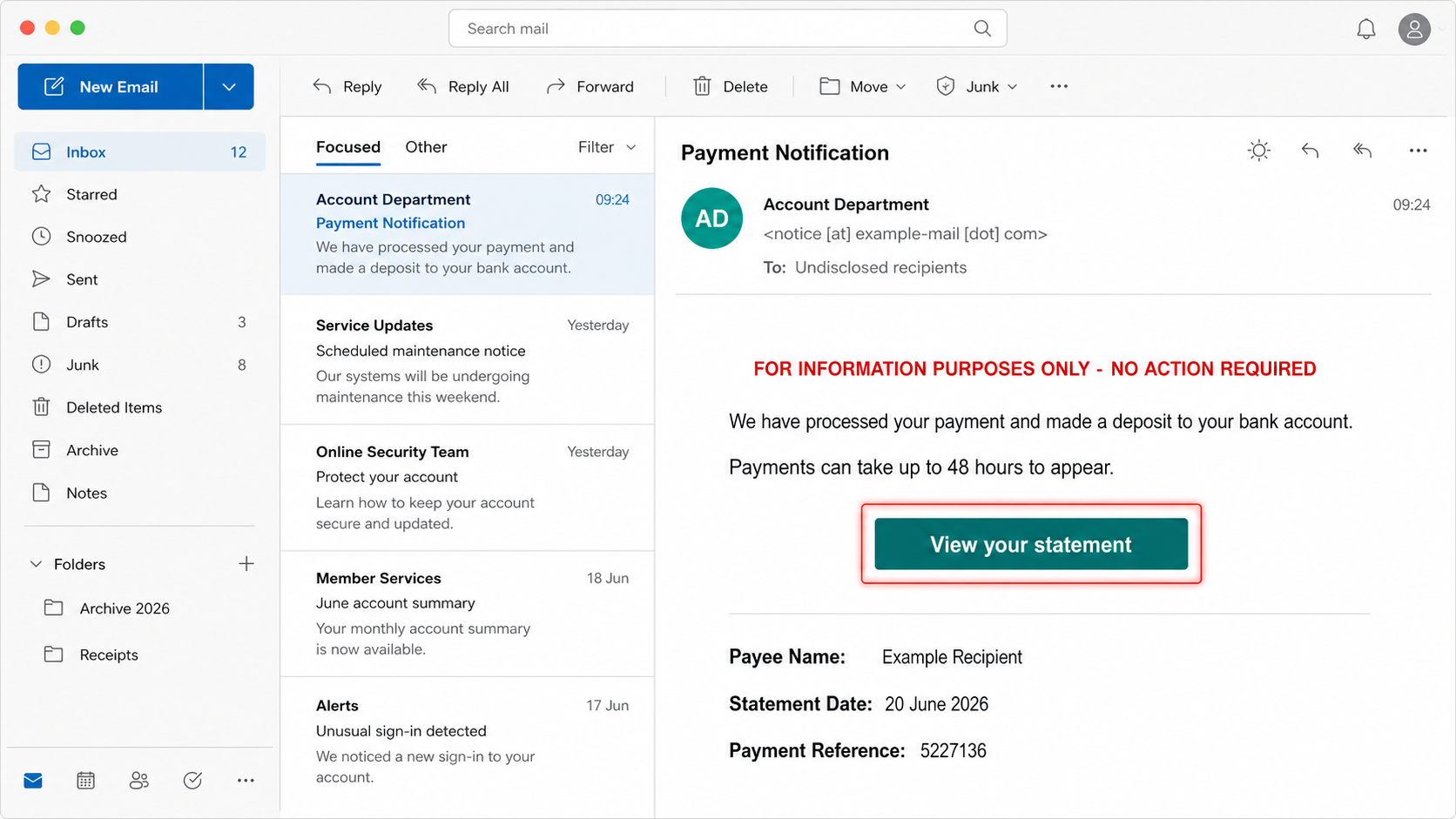
Subject: Payment Notification
Sender: Account Department <notice [at] example-mail [dot] com>

FOR INFORMATION PURPOSES ONLY - NO ACTION REQUIRED

We have processed your payment and made a deposit to your bank account.
Please note that payments can take up to 48 hours to appear in your account.

Please log into your account to view your statement.

Button: View your statement
Payee Name: Example Recipient
Statement Date: 20 June 2026
Payment Reference Number: 5227136
That mix of a reassuring disclaimer, a payment reference, and a statement button is the trick. It gives the email enough bookkeeping detail to look legitimate while hiding the real destination behind the link.
Red flags in this payment notification
- The message is unexpected. You did not request a statement or expect money from the named organization.
- The sender does not match the claimed company. Display names are easy to fake, so inspect the full address and reply-to fields.
- The button hides the destination. Hover on desktop or long-press on mobile without opening it. A random app-hosting, document, or shortened link is a warning sign.
- It asks for mailbox credentials. A payment statement should not send you to a generic email login page.
- The company details are used as decoration. Scammers often copy real names, addresses, and phone numbers to make a fake message look official.
If you did not click the link
- Mark the email as phishing or spam in your mail app.
- Do not call phone numbers or use addresses printed inside the message.
- If you need to verify a payment, visit the company or bank from a typed address and use contact details from the official site.
- Delete the message after reporting it, especially if other people use the same device.
If you are unsure whether the email is safe, paste the headers or message text into the Gridinsoft Email Scam Checker or ask your mail administrator to review it. Do not forward the link to coworkers as a normal clickable URL.
If you entered your login on the fake page
- Change the password from a clean device. Start with the account you entered, then change any other account that reused the same password.
- Sign out other sessions. Review active devices and remove sessions you do not recognize.
- Check mailbox rules. Look for auto-forwarding, filters, delegated access, recovery email changes, and app passwords.
- Turn on multi-factor authentication. Use an authenticator app or hardware key when possible.
- Review connected accounts. Email access can let scammers reset banking, shopping, cloud, social, payroll, and password-manager accounts.
- Warn contacts if needed. If sent-mail, forwarding, or login history looks suspicious, tell coworkers or personal contacts not to trust recent payment or document messages from you.
For a broader recovery checklist after clicking a phishing link, use our phishing-link recovery guide. If you downloaded a file from the page or installed a remote-support tool, disconnect from sensitive accounts and scan the device before continuing account recovery.
If the page or email made you download an invoice, coupon, tracking app, browser extension, or support tool, scan the PC before opening it again or logging into sensitive accounts.
Scan downloads from this emailBanking and payment risk
This lure says money was deposited, but the most immediate risk is usually account takeover. Still, treat it seriously if the same password protects banking, payroll, tax, accounting, or shopping accounts. Contact the bank or payment provider directly if you entered banking details, see new payees, notice password-reset emails, or cannot explain recent transactions.
Do not assume the account is safe just because no money moved immediately. Stolen mailbox access can be used later to reset passwords, watch invoices, intercept security codes, or impersonate you in a business-email-compromise attempt.
Related payment scam patterns
Payment-themed phishing rarely stays in one template. Similar lures include fake bank transfer notices, SWIFT copies, invoice refunds, subscription renewals, and fake receipt callbacks. Compare this message with our HSBC Money Transfer Completed scam, SWIFT Confirmation Copy scam, and fake Norton invoice scam if the email you received uses a different brand or payment story.
FAQ
Is the We Have Processed Your Payment email real?
Treat it as suspicious unless you can verify it through an official account or a typed company website. A real payment notice should not force you through a random link or generic sign-in page.
Can I get malware just by reading the email?
Reading the email is not the usual infection step. The risk starts when you click the link, enter credentials, open an attachment, download a file, or install something from the linked page.
What if I clicked but did not enter my password?
Close the page, clear the tab, and avoid using that link again. If the page downloaded a file or asked for browser permissions, remove the download, check notification permissions, and scan the device.
What if I entered my Gmail or work email password?
Change the password from a clean device, review recent security events, sign out other sessions, remove unknown devices, check forwarding rules, and enable multi-factor authentication. For work accounts, report it to IT quickly.
References
- Federal Trade Commission. “How To Recognize and Avoid Phishing Scams.” FTC Consumer Advice, accessed July 4, 2026. https://consumer.ftc.gov/articles/how-recognize-avoid-phishing-scams
- Google. “Google Account recovery.” Google Accounts, accessed July 5, 2026. https://accounts.google.com/signin/recovery
- Cybersecurity and Infrastructure Security Agency. “Recognize and Report Phishing.” CISA Secure Our World, accessed July 4, 2026. https://www.cisa.gov/secure-our-world/recognize-and-report-phishing