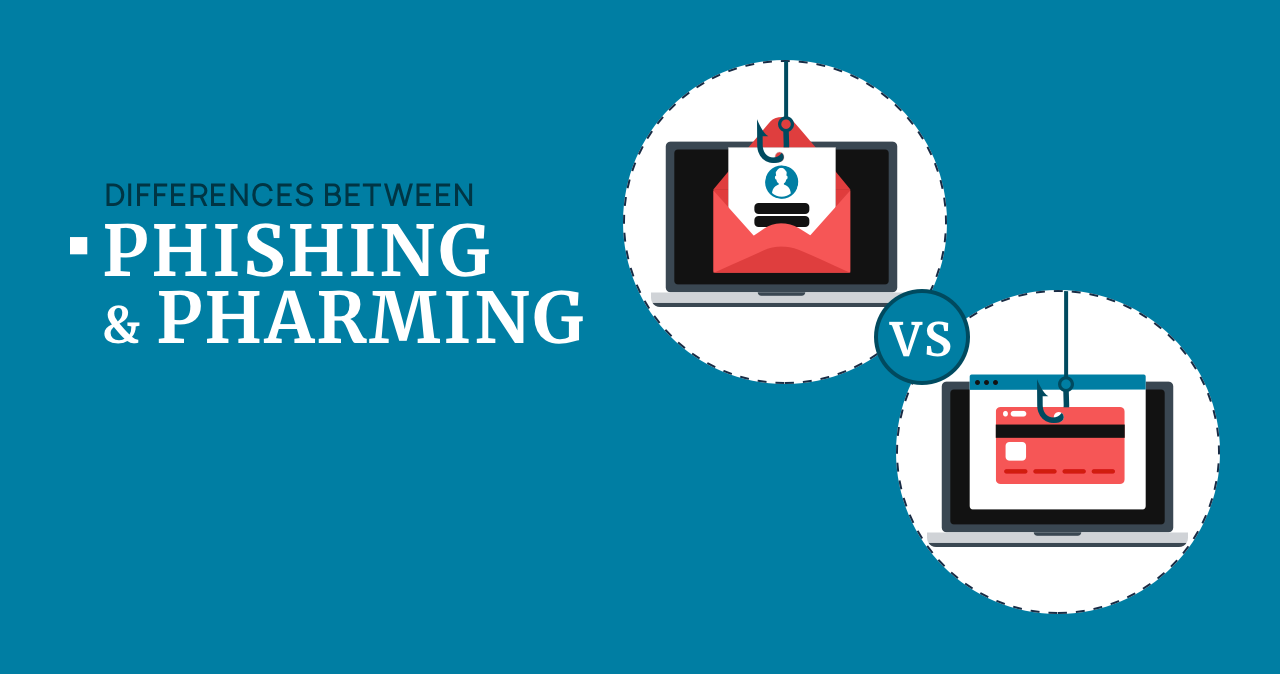
Phishing and pharming are both credential-theft attacks, but the path to the fake site is different. Phishing tricks you through a message, link, attachment, QR code, or call. Pharming redirects traffic in the background, often through DNS, router, hosts-file, or malware changes, so even a correctly typed address can lead to a fake page.
Phishing vs pharming
- Phishing: you are pushed to click, scan, call, download, or enter data on a fake page.
- Pharming: your browser is redirected to a fake page after DNS, router, hosts file, or malware manipulation.
- Smishing and vishing: phishing delivered by SMS or phone call, not separate technical attacks.
- Best defense: check the domain, use a password manager, secure the router, keep MFA on, and scan the device if redirects continue.
Phishing and pharming comparison
| Feature | Phishing | Pharming |
| How it starts | Email, SMS, messenger, QR code, fake ad, call, or attachment. | DNS poisoning, malicious router settings, hosts-file changes, proxy changes, or malware. |
| User action | The victim clicks a link, scans a QR code, opens a file, calls a number, or enters data. | The victim may type the correct address but is silently sent to a fake destination. |
| Typical target | Microsoft, Google, banking, delivery, crypto, shopping, payroll, and cloud accounts. | Banking, webmail, payment portals, corporate login pages, and popular services. |
| Main warning sign | Urgency, mismatched sender, suspicious domain, request for password, card, or MFA code. | Correct-looking site behaves strangely, certificate/domain mismatch, multiple devices redirect on one network. |
| Best first check | Open the service manually, inspect the URL, and do not use links from the message. | Check router DNS, device DNS, hosts file, browser proxy, and scan for malware. |
Examples
Phishing example
A text message says a toll fee or delivery payment is overdue. The link opens a fake payment page that asks for a card, login, or one-time code. This is phishing because the scam depends on the message and the link.
Pharming example
A router’s DNS settings are changed. You type your bank address manually, but the network sends you to a lookalike login page. This is pharming because the redirection happens before you choose a suspicious link.
Smishing and vishing example
Smishing is phishing by SMS. Vishing is phishing by phone call. Both can lead to the same fake pages as regular phishing. For channel-specific examples, see our guide to smishing and vishing.
How to tell which attack you are seeing
- If the suspicious page came from an email, SMS, social message, QR code, or phone call, treat it as phishing.
- If several devices on the same Wi-Fi open strange versions of normal sites, check the router and DNS settings for pharming.
- If only one browser redirects, check extensions, notification permissions, proxy settings, and the hosts file.
- If password managers stop autofilling on a familiar-looking page, do not type the password manually until you verify the domain.
- If a site shows certificate warnings, wrong branding, or unusual payment steps, leave and open the official site from a bookmark.
How to protect yourself
- Do not use login links from unexpected messages. Open the official app or type the address yourself.
- Use a password manager. It helps because it usually will not autofill credentials on lookalike domains.
- Enable MFA. Prefer app-based or hardware-key MFA where possible, and never share one-time codes by phone or chat.
- Secure your router. Change the admin password, update firmware, disable remote admin if unused, and verify DNS servers.
- Check the hosts file and proxy settings. Unexpected entries can redirect traffic from the device itself.
- Scan the device. If redirects continue, check for browser hijackers, unwanted extensions, scheduled tasks, and malware.
After uninstalling the suspicious app or deleting the visible threat, use Gridinsoft Anti-Malware to check hidden files, startup entries, scheduled tasks, bundled apps, browser changes, and other persistence points that can restore malware.
Download Anti-MalwareRelated phishing guides
- Types of phishing attacks – broad taxonomy and examples.
- Smishing vs vishing – SMS and phone-call phishing.
- QR code phishing – quishing examples and safe checks.
FAQ
Which is more dangerous, phishing or pharming?
Pharming can be harder to notice because a correct address may still lead to a fake page. Phishing is more common and often easier to spread at scale.
Is smishing the same as phishing?
Yes, smishing is phishing by SMS or text message. The delivery channel is different, but the goal is still to steal data, money, or account access.
Can HTTPS stop pharming?
HTTPS helps, but it does not make a lookalike domain safe. Treat certificate warnings, unexpected domains, and changed login behavior as serious warning signs.
What should I do after entering data on a fake site?
Change the password from a clean device, revoke active sessions, contact the bank if payment data was entered, enable MFA, and scan the device for redirects or malware.