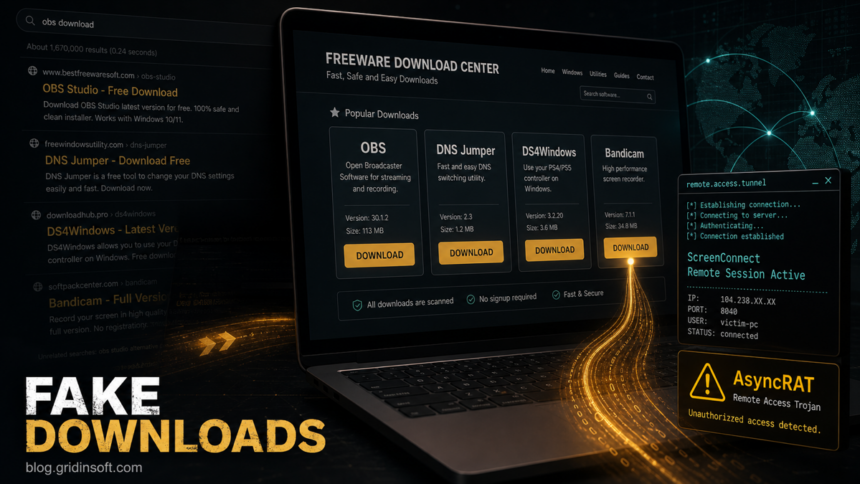
A recent malware-analysis report ties a fake software download campaign to more than 90 spoofed domains that imitate popular utilities such as OBS Studio, DNS Jumper, DS4Windows, Bandicam and other freeware. The sites deliver archives that appear to contain normal installers, but the chain can install ScreenConnect and then deploy AsyncRAT on the Windows device.
The important point is not that ScreenConnect itself is malware. It is a legitimate remote support tool. The risk comes from a fake download workflow that turns a trusted remote access product into a foothold, then follows it with a remote access trojan. If you recently installed software from a search result instead of the vendor’s official site, this is the kind of chain worth checking for.
Who is affected
The campaign targets people looking for Windows downloads through search. Reported spoofed pages were localized across multiple languages, including English, Russian and Chinese, with some pages also translated into German, French, Spanish, Arabic and other languages. That makes the campaign broader than a single brand impersonation or one regional lure.
| Observed item | Why it matters |
|---|---|
| Fake download pages for OBS Studio, DNS Jumper, DS4Windows, Bandicam and other utilities | The lure matches normal user searches for free Windows tools. |
Bundled install.exe and rogue install.res.1033.dll |
The archive uses a legitimate signed Microsoft binary alongside a malicious DLL-loading path. |
| ScreenConnect remote session | A legitimate support tool can become attacker-controlled when it arrives from a fake installer. |
| AsyncRAT payload | The final malware can give attackers remote control, data access and persistence options. |
How the fake download chain works
The attack starts with search visibility. A user searches for a common tool, opens a convincing download page and receives an archive. Inside, a legitimate signed executable sits next to a rogue DLL. When the archive is run, the DLL-loading behavior starts the malicious chain, which leads to a ScreenConnect session and then AsyncRAT delivery.
This matters because the visible installation may not look like a classic malicious program. A remote support client can seem administrative or harmless, and security prompts may name a legitimate vendor. The better question is how it arrived: if ScreenConnect appeared after a freeware download, cracked tool, driver utility, codec, game controller helper or screen recorder installer, treat it as suspicious until proven otherwise.
Settlement eDocument and DocuSign email variant
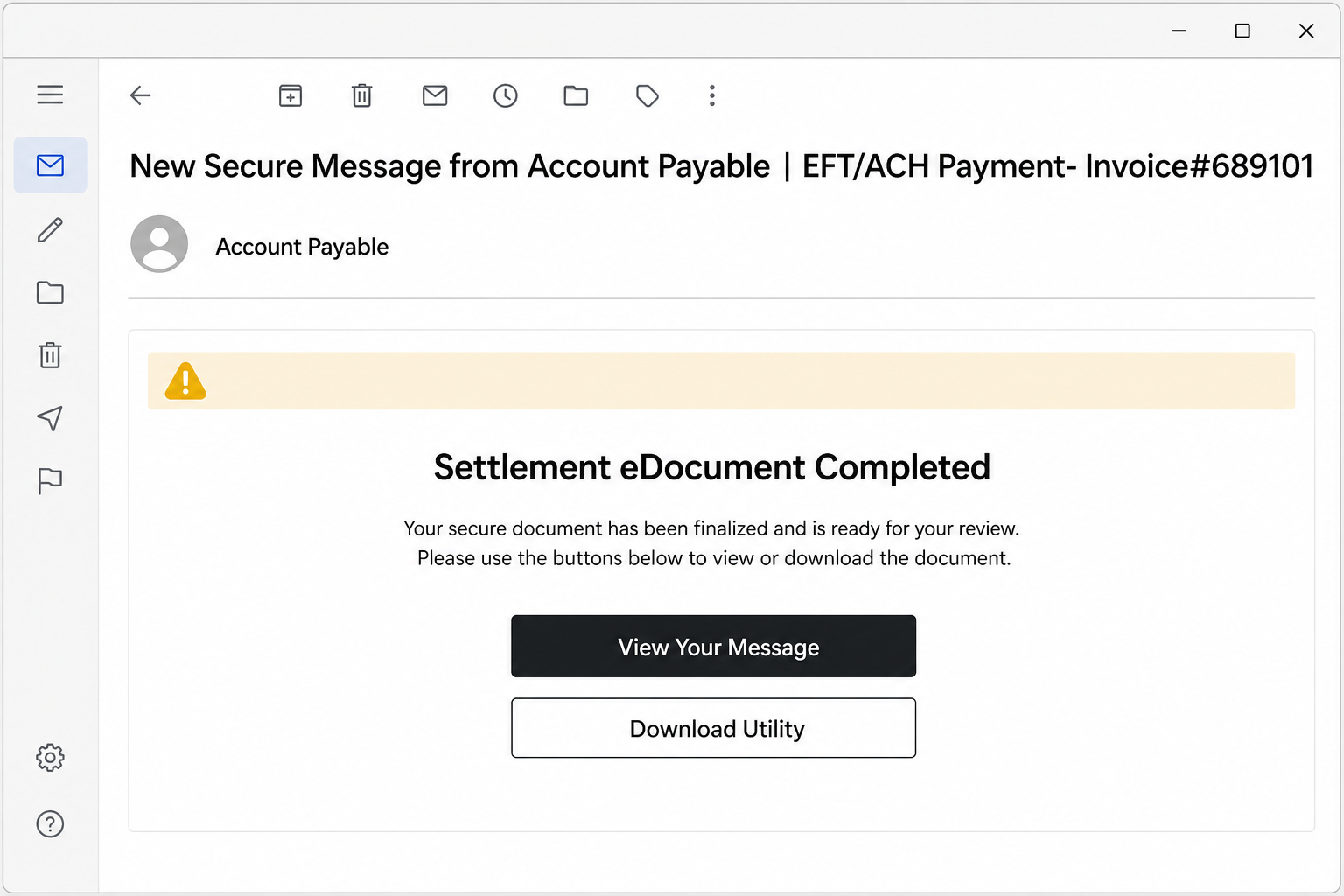
ScreenConnect can also arrive through a business-document email instead of a software search. One observed subject is New Secure Message from Account Payable | EFT/ACH Payment- Invoice#689101. The message presents a Settlement eDocument Completed notice, a View Your Message button and a supposed DocuSign Secure Access Utility v4.2.1. The download is not a document viewer: it installs a ScreenConnect client already configured for the attacker’s remote server.
Example
Sender: Account Payable <secure-message [at] documents [dot] example>
Subject: New Secure Message from Account Payable | EFT/ACH Payment- Invoice#689101
Body clues: Settlement eDocument Completed, View Your Message, DocuSign App Center and DocuSign Secure Access Utility v4.2.1.
A second version uses the subject ATTN: Complete with Docusign: Download, a file label similar to July_Payment_Schedule 2026 and an Open Document button, while mixing DocuSign wording with a Microsoft Teams or Microsoft Corporation footer. Contradictory brands are a warning sign. A legitimate signing or file-sharing request should open through the sender’s known organization and the official service; it should not require a separate remote-access utility.
What to do after this message
| What happened | What to do |
|---|---|
| You only opened the email | Do not use its buttons. Report it, delete it and verify the supposed document with the sender through a known phone number or a separately opened official site. |
| You opened the page but did not download or enter anything | Close the page. No ScreenConnect client is installed merely because the email was viewed. If you entered a password, change it from a clean device, revoke sessions and review MFA methods. |
| You downloaded the utility but did not run it | Delete or quarantine the file and scan the download. Do not test it on the same work device. |
| You ran the installer | Disconnect the device from the network, then follow the unexpected ScreenConnect removal steps. Remove the unauthorized agent, run a full malware scan, reboot and scan again. From a clean device, revoke email and work sessions and rotate exposed credentials. |
For a company-owned device, notify the security or IT team before wiping useful evidence. They should identify the ScreenConnect instance or relay, review the installer source, hunt for the same file and remote-access service on other endpoints, and check authentication, email and endpoint logs for follow-on access. The remote-access scam software checklist covers immediate containment, while the Windows post-malware audit covers persistence and account follow-up.
What to check on a Windows PC
- Review the exact download source. Check browser history and the downloaded archive name. If the page was not the official vendor domain, do not run the file again.
- Look for ScreenConnect or unfamiliar remote support clients. Check installed apps, services, startup entries and recent program folders. Do not assume a remote access tool is safe just because it is signed.
- Inspect the archive contents. One reported archive pattern combines
install.exewithinstall.res.1033.dll. A DLL next to a generic installer is a strong reason to stop and scan. - Disconnect suspicious remote access. If a remote session is active or an unknown support client keeps reconnecting, disconnect the network and remove the client through a controlled cleanup process.
- Scan for follow-on malware. AsyncRAT is the final concern, so check for persistence, startup tasks, new user-profile files, browser/session theft risk and outbound connections.
- Change passwords from a clean device. If the fake installer ran, rotate important passwords and revoke active sessions, especially for email, banking, cloud storage, gaming and work accounts.
If the file already ran, removing only the visible installer is not enough. A loader, service, scheduled task, remote support client or RAT component may remain after the first cleanup pass. Run a full Gridinsoft Anti-Malware scan, remove detections, reboot and scan again if remote-access alerts, unknown startup entries or outbound traffic return.
If the page or email made you download an invoice, coupon, tracking app, browser extension, or support tool, scan the PC before opening it again or logging into sensitive accounts.
Scan for leftoversHow to avoid this specific trap
For popular Windows utilities, use the vendor’s official domain or a trusted store link rather than an ad, mirror, reupload site or “free download center.” Be extra cautious when the page offers a single archive for unrelated tools, promises a faster installer, or uses generic copy such as “safe and easy downloads” without a clear publisher identity. If a fake CrystalDiskMark download triggered a repeating Defender alert, use the Trojan:Win32/Suweezy cleanup and recurrence checks before trusting the PC again.
Security teams should also watch for remote support tools installed outside approved channels. A legitimate ScreenConnect deployment should have a known owner, ticket, installer source and management policy. A one-off ScreenConnect client installed from a user’s Downloads folder is a different signal.
Silver Fox-linked fake-download activity can also deliver a custom RAT instead of a commercial support tool. The MODBEACON RAT removal guide covers the documented fake-installer indicators, WMI subscription, tasks, services, and post-infection checks.
Another current fake-installer branch is Starland RAT hidden in trojanized Zoom and WebEx packages; its distinctive checks include the MyApp Run value, PythonLauncher-* tasks, and a Startup shortcut that invokes pythonw.exe with LICENSE.txt.
A different deception can install software that does not match the label even when the hover link and signature look reassuring. The Download Studio fake-download guide shows how to verify the final file and signer before running it.
A newer SourTrade browser-assembly campaign uses fake TradingView, Solana and Luno pages to build a unique EXE from clean runtime components and per-session data, so one familiar brand or clean component is not enough to trust the download.
For teams that legitimately use ScreenConnect, the September 2026 KEV addition raises a separate deployment question: verify patched host clients and access agents as well as the instance version. This client vulnerability is distinct from the fake-download campaign described here.
FAQ
Is ScreenConnect malware?
No. ScreenConnect is legitimate remote support software. In this campaign, attackers abuse the installation path by delivering it from spoofed software download sites and then using it as part of an AsyncRAT infection chain.
What should I do if I installed OBS, DNS Jumper, DS4Windows or Bandicam from a search result?
Verify the domain you used, uninstall anything suspicious, scan the archive and the device, and change passwords from a clean device if the installer ran. Reinstall the tool only from the official vendor source.
Why does a signed installer still matter?
A signed executable can be abused when it loads a malicious file placed next to it. The signature does not make the whole archive trustworthy.
References
- Kulik, Denis. “The SOC Files: ScreenConnect Masked as Freeware. An Inside Look at a Large-Scale Campaign.” Securelist, Kaspersky, published July 1, 2026, updated July 3, 2026, accessed July 23, 2026. https://securelist.com/tr/the-soc-files-screenconnect-campaign-with-asyncrat/120472/
- Docusign. “Safety Center.” Docusign, accessed July 23, 2026. https://www.docusign.com/safety