A Microsoft Defender Trojan:Win32/Wacatac.B!ml alert for WiiUDownloader can be a false positive, but the filename alone is not enough to clear it. Keep the file quarantined, confirm that it came from the official Xpl0itU GitHub release, and scan the file and PC with Gridinsoft Anti-Malware before restoring it. A release hash is an optional extra identity check, not a replacement for scanning the system.
Is WiiUDownloader safe?
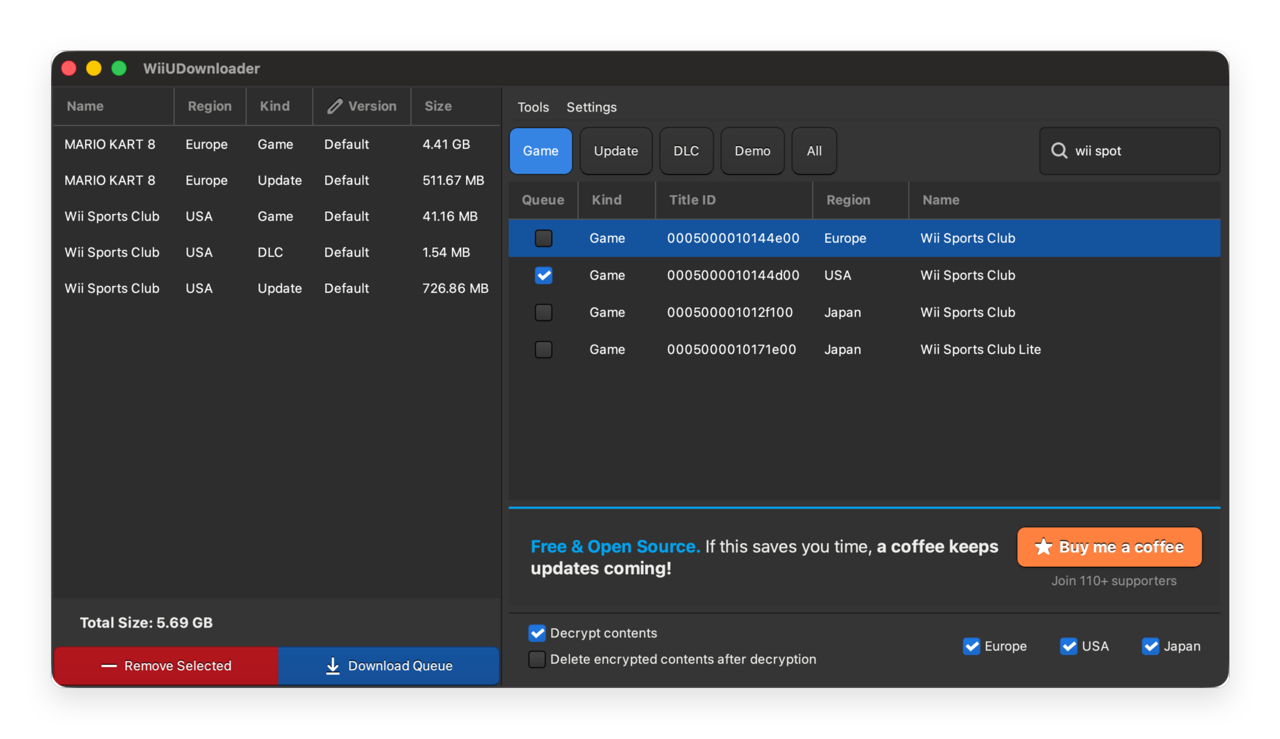
WiiUDownloader is an open-source Wii U content downloader for Windows, macOS, and Linux. The maintained project publishes its source, build history, release assets, and SHA-256 digests on GitHub. That transparency makes an official, matching release easier to verify than a random file from a mirror. It does not mean that every file named WiiUDownloader.exe is safe.
The fresh Reddit report names Trojan:Win32/Wacatac.B!ml after Defender had previously allowed the program, and similar alerts have appeared around earlier versions. Still, an old false-positive history is not proof that a new alert is false. The correct decision depends on the exact version, source, scan results, affected path, and what happened after execution.
- Likely false positive: you downloaded the current Windows ZIP from the official
github.com/Xpl0itU/WiiUDownloaderrelease, a full Gridinsoft scan finds no related threats or persistence, Defender names the expected file, and there are no unrelated detections or suspicious symptoms. - Keep blocked: the file came from a mirror, video description, file host, repack, or Discord upload; the archive hash differs; the filename or path is unexpected; or several unrelated files were detected.
- Treat as a possible compromise: you ran an unverified copy and then saw PowerShell or Command Prompt flashes, browser/session changes, new startup entries, disabled security settings, or alerts that return from
AppData,Temp, Startup, or Task Scheduler.
Check WiiUDownloader before restoring it
- Leave the item in quarantine. Do not select Allow on device or create an exclusion just to make the warning disappear.
- Open Protection history. Record the exact detection, affected filename, full path, time, and Defender action. A warning on the downloaded ZIP is different from a recurring detection in a temporary or startup location.
- Confirm the source. The release page must be under
github.com/Xpl0itU/WiiUDownloader/releases. GitHub is a hosting platform, so the owner and repository path matter; a lookalike repository is not equivalent. - Check the release version. As of August 10, 2026, the current release is v2.100. If your archive came from somewhere else or has an unexpected name, delete that copy and use the official release.
- Scan the PC before restoring. Run a full Gridinsoft Anti-Malware scan while the Defender item remains quarantined. Review every result instead of allowing the file first. The important question is whether the scan finds only the disputed WiiUDownloader object or also a loader, bundled app, hidden copy, startup entry, scheduled task, or browser change.
- Use the hash only when you want an additional identity check. In PowerShell, run
Get-FileHash ".\WiiUDownloader-Windows.zip" -Algorithm SHA256. For the official v2.100 Windows ZIP, GitHub publishes6dd8b8f0d56fd78a1b90a49dd79d1e2d61a6a3fce6d229467d76651075929ad5. A different release needs its own digest. - Update Defender and rescan. A security-intelligence update can change a cloud or heuristic verdict. If the official copy is still detected after a clean system scan, submit the exact file to Microsoft as a suspected false positive and wait for the determination.
A clean scan and expected source are the practical checks most readers need. The optional SHA-256 comparison answers a narrower question: whether the ZIP is byte-for-byte the same asset published on that GitHub release. It does not audit every line of code, inspect the rest of the PC, or guarantee that a trusted project can never be compromised.
What does Wacatac.B!ml mean here?
Trojan:Win32/Wacatac.B!ml is a real Microsoft Defender detection label, and genuine Wacatac infections can be serious. The label therefore should not be dismissed automatically. At the same time, Defender can incorrectly classify a legitimate file, which is why Microsoft provides a formal submission process for files believed to be clean.
Do not decide from the label alone. Ask whether the detected object is the official release asset, an extracted program file, a random temporary file, or a same-name executable from somewhere else. Also check whether Defender found only that object or a broader group of scripts, archives, scheduled tasks, and browser data.
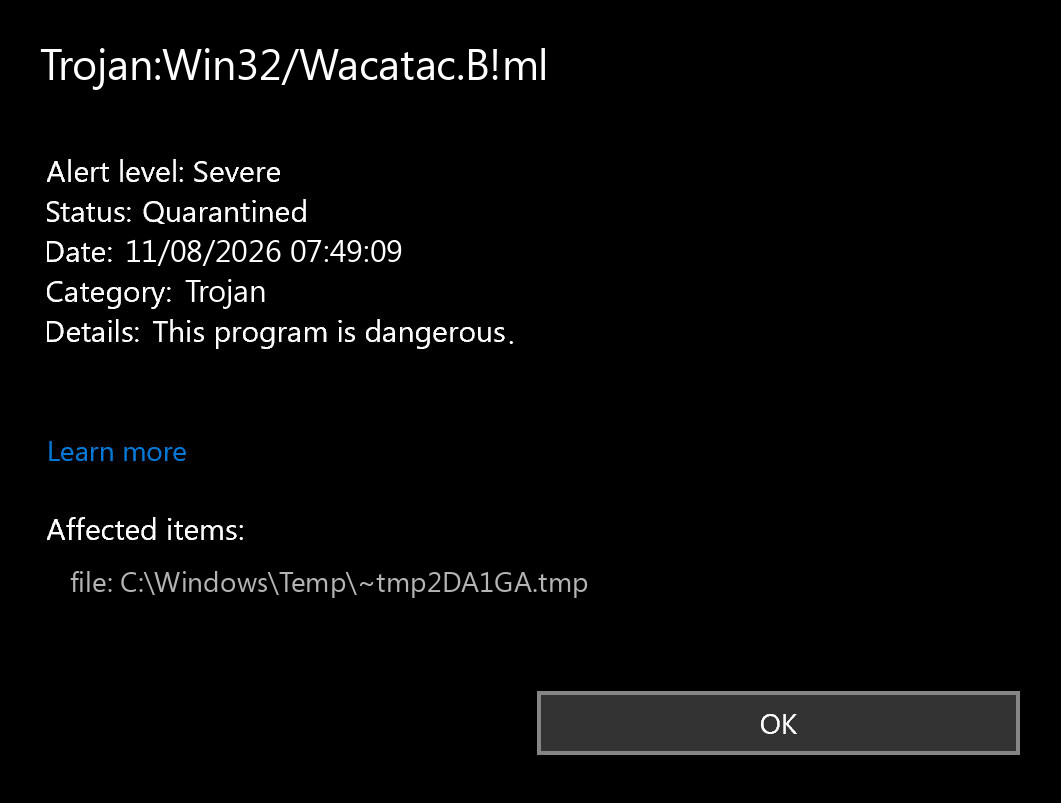
Trojan:Win32/Wacatac.B!ml showing a quarantined temporary file.Should you restore WiiUDownloader or add an exclusion?
Restore only after the official source and exact release make sense, a full scan finds no related malware or persistence, the affected path is expected, and there are no additional compromise indicators. An optional matching archive digest adds confidence. If Microsoft later classifies that exact sample as clean, that is stronger evidence than a forum consensus.
Avoid broad exclusions such as the entire Downloads folder, %TEMP%, your emulator library, or a parent folder used by other applications. Malware dropped later into that location could then escape normal scanning. If you choose to keep a verified file while a vendor review is pending, make the exception as narrow as Windows permits and remove it after Defender no longer detects the clean build.
If any verification step fails, choose Remove rather than Restore. You can always obtain a new official copy later; you cannot make an unknown executable trustworthy by renaming it or moving it to another folder.
A false positive is possible, but restore only after checking that the system has no companion detections, startup entries, scheduled tasks, or hidden files tied to the same source.
Scan before restoring WiiUDownloaderWhat to do if you already ran the file
If you ran a hash-matching official release and the only sign is the single WiiUDownloader alert, update Defender, run a full scan, reboot, and scan once more before considering restoration. Check Protection history after the reboot to see whether the alert returns from the same file or from a different path.
If the source or hash is unknown, disconnect from the network while you investigate. Remove the unverified copy, run Microsoft Defender Offline, and then perform a full Gridinsoft Anti-Malware scan. A second scan is useful here because quarantining the visible executable does not remove a separate loader, scheduled task, service, browser change, Defender exclusion, or bundled module that may have been created after execution.
On a machine with suspicious post-execution activity, inspect Startup apps and Task Scheduler, review recently installed applications and browser extensions, and change important passwords from a known-clean device. Sign out other sessions for email, Microsoft, Discord, Steam, and password-manager accounts if you observed credential prompts, browser theft symptoms, or an unknown remote-access tool.
Why a mirror copy can have the same name but a different verdict
Windows filenames are not identities. A malicious file can be renamed to WiiUDownloader.exe, while two legitimate builds can have different hashes because the source, compiler, dependencies, or embedded data changed. That is why an old ThreatInfo entry, a VirusTotal screenshot for another version, or a clean result from a different archive cannot settle your file’s status.
The same rule applies to ZIP files. Opening an archive for inspection is not the same as executing its contents, but an extracted executable can still be unsafe. See the ZIP and RAR safety guide for the difference between viewing, extracting, and running files, and use the EXE safety checklist when the affected object is an executable rather than the release archive.
FAQ
Is Trojan:Win32/Wacatac.B!ml always a false positive for WiiUDownloader?
No. It has been reported around legitimate project releases, but a same-name file from an unofficial source can still be malicious. Verify the official source and run a full scan before restoring anything; use the SHA-256 only as an additional identity check when needed.
Does downloading WiiUDownloader from GitHub prove it is safe?
No. Confirm the repository owner is Xpl0itU, use the Releases page, and compare the archive digest. GitHub hosts many independent projects and lookalike repositories.
Why did Defender detect a file that was already on my PC?
Security intelligence and cloud verdicts change. A new detection can appear after an update even when the file did not change. Recheck the source and scan results rather than assuming the new alert is either definitely correct or definitely wrong.
Can I add the whole WiiUDownloader folder to Defender exclusions?
That is not recommended. A broad exclusion can hide a later malicious file. Use no exclusion until verification is complete, and keep any temporary exception as narrow as possible.
Do I have to check the WiiUDownloader hash?
No. For most readers, the essential steps are to keep the file quarantined, confirm the official repository, and run a full system scan before restoration. Hash comparison is an additional way to prove that the ZIP matches a specific GitHub release. If you do check it and it differs, do not run or restore that copy.
References
- Xpl0itU. WiiUDownloader v2.100 release and asset digests. GitHub, published August 9, 2026; accessed August 10, 2026.
- Microsoft Security Intelligence. Trojan:Win32/Wacatac.B!ml threat description. Microsoft, updated March 5, 2026; accessed August 10, 2026.
- Microsoft. Submit files for analysis. Microsoft Learn, updated February 13, 2025; accessed August 10, 2026.