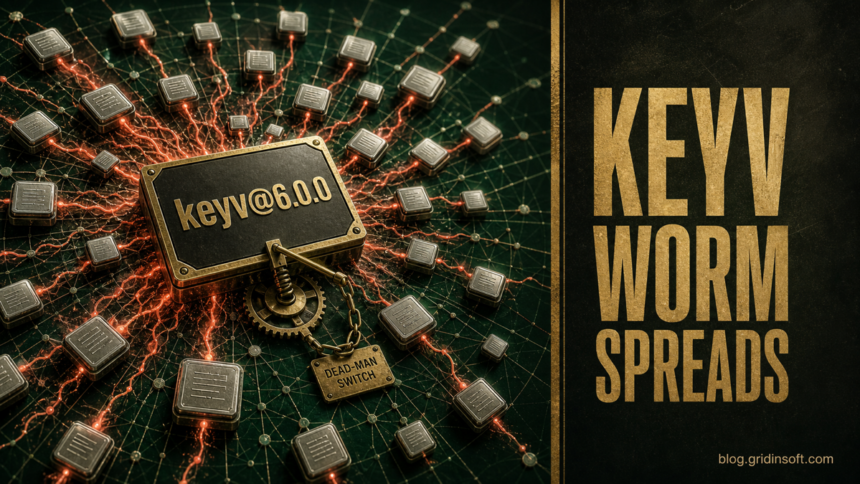
An active npm supply-chain worm that surfaced through keyv and cacheable poisoned hundreds of package names on August 4, 2026. SafeDep recorded 2,234 malicious versions across 444 packages between 09:35 and 13:18 UTC, while Socket and Aikido independently tracked the initial Keyv-family compromise [1][2][3].
If a developer machine or CI runner installed one of those releases, do not begin by revoking GitHub tokens from the same host. The analyzed payload can install a watcher that reacts when a stolen token stops working. Isolate the system and remove that persistence first; rotate credentials afterward from a clean device.
Who needs to check
Check projects that resolved [email protected], affected cacheable packages, or later poisoned versions from scopes such as @ornikar and @hubsync. Direct dependencies are not the only path: flat-cache and file-entry-cache are used through ESLint, so a project may be exposed without listing Keyv by name.
The registry state can no longer answer the whole question. Some malicious versions were unpublished, but they may remain in lockfiles, CI caches, and existing node_modules directories. SafeDep also found that latest still pointed to a poisoned release for many names during the investigation. Compare the exact resolved version and its lifecycle scripts instead of assuming that an update is clean.
| What happened | Risk and next decision |
|---|---|
| The package appears only in a lockfile and was never installed | Block installation, replace the poisoned resolution, clear dependency caches, and regenerate the lockfile from a trusted source. |
npm install ran on a workstation or CI runner |
Treat the host and credentials available to that process as exposed. Isolate it before rotating tokens. |
| The Keyv repository was cloned but never opened | Cloning alone does not trigger the reported hooks. Inspect the checkout without opening it in VS Code or Claude Code. |
| The checkout was opened in VS Code or a Claude Code session | The planted task or session hook could have run even without npm install. Triage the host as potentially compromised. |
How the Keyv npm malware runs
Each poisoned release added a preinstall command that launched setup.mjs before application code ran. Researchers found collection logic for GitHub and npm tokens, cloud credentials, Vault and Kubernetes tokens, database URLs, private keys, and secrets exposed in GitHub Actions runner memory.
The Keyv repository added a second execution path. A malicious .vscode/tasks.json task and .claude/settings.json session hook pointed to local setup scripts, so merely opening the repository in an editor or coding-agent session could start the same chain. A verified GitHub commit and valid SLSA provenance did not make the release safe: the real workflow built attacker-controlled source.
This is a newer exact-package incident than the earlier Shai-Hulud AntV wave. The same lesson applies, but the Keyv case expands the decision tree to IDE hooks and a token-revocation trigger.
Respond in the right order
- Isolate affected developer machines and runners. Pause package publishing and deployment workflows that used the same identities.
- Hunt the token watcher before revocation. Check
~/.config/gh-token-monitor/, the macOS LaunchAgentcom.user.gh-token-monitor, and the user servicegh-token-monitor.service. Remove the unit and disable lingering where it was enabled. - Inspect dependency and repository artifacts. Search lockfiles, caches, and
node_modulesfor affected names,setup.mjs,Math_Symbol.js, ormath_init.js. Sweep reachable repositories for.claude/settings.json,.claude/setup.mjs,.vscode/tasks.json,.vscode/setup.mjs, a workflow namedRun Copilot, andtoJSON(secrets). - Rotate from a clean system. Replace GitHub PATs and app tokens, npm tokens, cloud and Vault credentials, Kubernetes service-account tokens, database secrets, and private keys available to the compromised process.
- Rebuild rather than trust an uninstall. Remove dependency caches and working copies, reinstall only verified clean versions with lifecycle scripts disabled where practical, and review package-publishing history for unexpected releases.
- Review source integrity. Follow the same repository checks used when malware changes Git commits, including protected branches, workflow files, deploy keys, and downstream clones.
What not to assume
- “The package was unpublished, so we are safe.” Lockfiles and caches can preserve an unpublished malicious version.
- “The release has provenance, so it is clean.” Provenance can accurately attest that a compromised trusted workflow built poisoned source.
- “We rotated the token, so the incident is over.” In this campaign, token revocation may trigger the installed watcher unless responders remove it first.
- “We never ran npm install.” Opening the compromised Keyv checkout in supported developer tools could execute the planted repository hooks.
For future releases, npm’s staged publishing and install-source controls can reduce exposure, but they do not replace host triage after a malicious install already ran.
A separate automation-platform exposure shows why token rotation also needs a blast-radius review: leaked n8n API tokens remained valid on 321 reachable instances, potentially opening workflows, executions, and actions backed by connected credentials.
\n\n
References
- SafeDep Team. “npm Worm Poisons keyv, cacheable and 400+ Other Packages Across Twelve Organisations.” SafeDep, August 4, 2026; accessed August 4, 2026. Research and affected-version inventory.
- Socket Research. “Popular npm Packages in the keyv and Cacheable Namespaces Compromised in Active Supply Chain Attack.” Socket, published August 4, 2026, updated August 4, 2026; accessed August 4, 2026. Incident analysis.
- Aikido Security. “Keyv and Friends Compromised in npm Supply Chain Attack.” Aikido, August 4, 2026; accessed August 4, 2026. Package and maintainer-account findings.