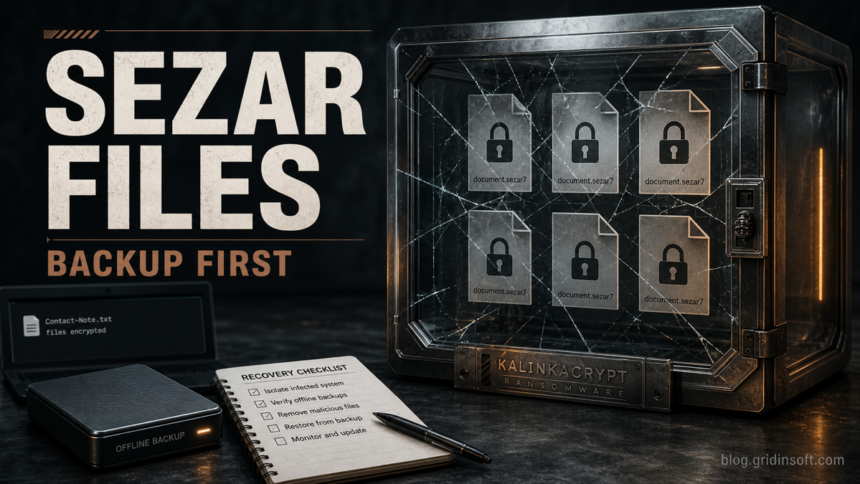
KalinkaCrypt is ransomware that encrypts files, appends a .Sezar-style extension such as .Sezar7, and drops a ransom note named Contact-Note.txt. Treat it as an active malware incident first: disconnect the affected computer, preserve a copy of encrypted files and the note, clean or rebuild the endpoint, and only then restore from known-good backups or test legitimate decryptor resources.
The important recovery point is simple: removing KalinkaCrypt can stop more damage, but it does not automatically decrypt files that are already locked. Do not delete the ransom note, do not rush to pay, and do not run random “KalinkaCrypt decryptor” downloads from search results. Your best path is containment, evidence preservation, malware cleanup, backup validation, and a cautious decryptor check.
What Is KalinkaCrypt Ransomware?
KalinkaCrypt is an encrypting ransomware threat reported in 2026. Public samples show encrypted filenames ending in .Sezar7, though the number may vary by build or victim. A file such as invoice.xlsx may become invoice.xlsx.Sezar7, and the ransom note is usually saved as Contact-Note.txt.
The note uses a “paid service” tone instead of a short threat banner. That framing does not make the attack safer. The attackers are still trying to sell access to data they encrypted, and paying them is not a reliable recovery method. Even if a test file is returned, that does not prove the attacker will decrypt every file, avoid data theft, or stop targeting the same environment.
KalinkaCrypt Triage Checklist
| What you see | What it means and what to do |
|---|---|
Files end in .Sezar7 or another .Sezar digit |
The files are encrypted, not merely renamed. Preserve samples before changing names or moving folders. |
Contact-Note.txt appears in affected folders |
Keep a copy of the note. It can help identify the ransomware and check whether any legitimate decryptor exists. |
| The note offers to decrypt sample files | Do not treat that as proof of safe recovery. It is a negotiation tactic, not a guarantee. |
| Security tools detect Avaddon/Filecoder-style ransomware names | Keep detections quarantined and look for persistence, droppers, remote-access tools, and stolen credentials before restoring data. |
What To Do First
- Isolate the affected computer. Disconnect Ethernet, Wi-Fi, VPN sessions, shared drives, and removable storage. If this is a business network, isolate the host from file shares and domain resources before investigating.
- Preserve evidence. Copy a few encrypted files, Contact-Note.txt, security-tool detections, and the approximate infection time to an offline storage device. Do not upload private documents or malware samples to public forums.
- Check backups before restoring. Verify that the backup predates encryption and is not mounted to the infected machine. Restore a test folder first, not the entire machine.
- Look for legitimate decryptors. Search trusted decryptor projects by ransomware name, extension, and ransom-note text. If no match exists, do not download unknown decryptors from ads, forums, or file-sharing pages.
- Clean or rebuild the endpoint. Removing only the ransom note or encrypted copies does not remove the malware that caused the incident.
Is There a Free KalinkaCrypt Decryptor?
At the time of this publication, KalinkaCrypt should be treated as a no-known-public-decryptor case unless a trusted decryptor project later lists it by name, extension, or ransom-note signature. Check carefully because ransomware families reuse note text and email addresses, and unrelated results may appear for other dataleaks5 or .Encrypt3 incidents.
Use legitimate decryptor repositories as a verification step, not random “recovery” tools. If there is no match, practical recovery usually means restoring from clean offline or immutable backups, rebuilding compromised systems, and keeping encrypted files in case a future decryptor becomes available.
Clean The PC Before Restoring Files
File recovery and malware cleanup are separate jobs. KalinkaCrypt may be only the visible final payload. A loader, scheduled task, service, remote-access tool, stolen admin session, or malicious executable may still be present and could encrypt restored files again.
On a personal Windows PC, start from a clean administrative account where possible. Review recently installed apps, Startup entries, Task Scheduler, Services, browser extensions, and unknown remote-access tools. Keep suspicious detections quarantined. Then run a full Gridinsoft Anti-Malware scan to look for ransomware leftovers, droppers, hidden files, bundled malware, startup entries, and persistence before you reconnect backups or shared folders.
If the process path is wrong, the name imitates a Windows component, or high CPU started after an unknown installer, scan for hidden miners, services, startup entries, and bundled components.
Scan for ransomware leftoversFor a business server, domain workstation, or shared storage incident, involve an incident-response professional before bringing systems back online. Check administrator accounts, remote-access logs, exposed RDP/VPN access, cloud sessions, and any machines that touched the same shares.
Safe Recovery Sequence
- Keep the infected system offline until cleanup or rebuild is complete.
- Store encrypted samples and Contact-Note.txt separately for identification.
- Rebuild the system from known-good media when the machine handled business data, domain credentials, or shared storage.
- Rotate passwords used on the affected system, especially browser-saved passwords, VPN credentials, email accounts, remote desktop accounts, and administrator accounts.
- Restore files only from backups that were offline, immutable, or created before the encryption window.
- Reconnect shared folders gradually and monitor for new file changes or recurring detections.
Related Gridinsoft Ransomware Guides
If the extension or ransom note is different, compare the artifacts instead of forcing a match. Gridinsoft also has recovery triage guides for SquadLocker ransomware, Developer ransomware, Doommageddon ransomware, and Payouts King ransomware. For broader prevention planning, use the ransomware protection checklist.
For another recent family-specific example, see the Orexin ransomware recovery guide, which follows the same isolate, clean, and restore order for .orexin files.
FAQ
Can I open .Sezar7 files by renaming them?
No. The extension is only a visible symptom. The file content is encrypted, so removing .Sezar7 will not restore the original data.
Should I contact the email address in Contact-Note.txt?
Home users should avoid negotiating unless they have no other option and understand the risks. Businesses should involve incident response, legal, and insurance contacts before any communication with attackers.
Will antivirus software decrypt KalinkaCrypt files?
No. Security software can detect and remove active malware, persistence, and related threats, but it does not decrypt files that were already encrypted.
What should I keep for identification?
Keep a few encrypted samples, the ransom note, the visible extension, security-tool detection names, and the estimated infection time. Do not share private files publicly.
When is a full rebuild better than cleanup?
Rebuild when the system handled business data, domain credentials, shared folders, remote access, or repeated detections. Cleanup may be enough for a contained personal PC, but restoring onto a still-compromised machine can restart the incident.
References
- Cybersecurity and Infrastructure Security Agency. “#StopRansomware Guide.” CISA, accessed July 1, 2026. https://www.cisa.gov/stopransomware/ransomware-guide
- No More Ransom Project. “Decryption Tools.” No More Ransom, accessed July 1, 2026. https://www.nomoreransom.org/en/decryption-tools.html