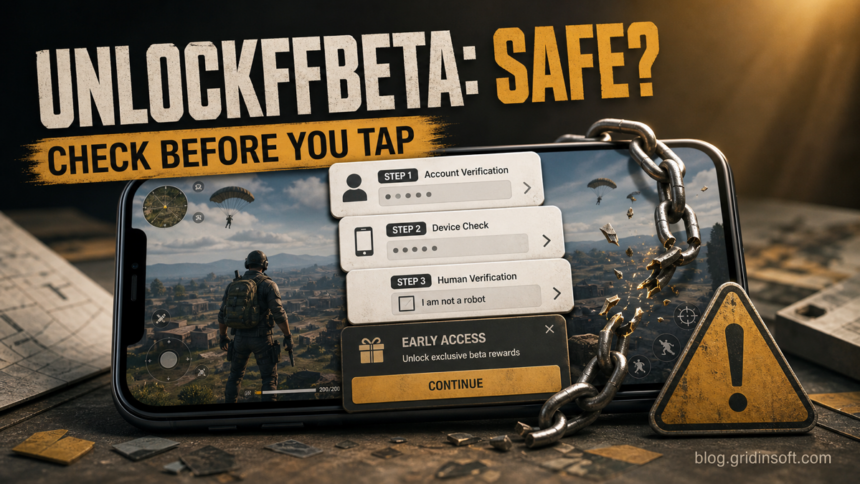
UnlockFFBeta is not an official Garena service, and unlockffbeta.com should not be treated as a trusted place to verify a Free Fire account or download an APK. Gridinsoft currently classifies the domain as suspicious with a 35/100 trust score and multiple security-provider warnings. Do not enter a password, one-time code, recovery email, or payment information, and do not install an APK delivered through its verification flow.
If you already used the site, the right response depends on what happened: simply viewing the page is different from entering credentials or installing an app. Use the table below to choose the recovery branch without assuming either that nothing happened or that the phone is automatically infected.
| Only opened the page | Close it, do not return through ads or social links, and remove any notification permission you allowed. Infection is unlikely if nothing downloaded or ran. |
| Entered only a Free Fire player ID | Stop there. A player ID is less sensitive than a password or OTP, but it can still support targeted messages or fake support attempts. Monitor the account. |
| Entered a password, OTP, or recovery detail | Use a clean device to secure the linked Google, Facebook, or other identity-provider account first, then review Free Fire login history and recovery settings. |
| Downloaded an APK but did not install it | Delete the file without opening it, empty the download from the browser history if useful, and run Google Play Protect. |
| Installed the APK | Revoke high-risk permissions, uninstall it, scan with Play Protect, restart, verify that permissions did not return, and recover accounts from another device. |
What is UnlockFFBeta?
UnlockFFBeta is a name used for unofficial pages and APKs that claim to unlock access to a Free Fire beta or Advance Server without waiting for Garena’s normal selection and activation-code process. Some pages describe the flow as account verification: the visitor enters a player ID, completes several stages, closes pop-ups, or follows download prompts.
That promise is attractive because Free Fire players want early access to characters, weapons, maps, and other unreleased features. It is also a useful lure. A third-party page can use the same interest to collect account details, send visitors through advertising redirects, request notification permission, or push an APK that has not been distributed by Garena.
The word “beta” does not make an app official, and a padlock in the browser only means the connection is encrypted. It does not identify the operator or prove that a verification or download is safe.
Is UnlockFFBeta official from Garena?
No evidence shows that UnlockFFBeta is an official Garena service. Garena operates the Free Fire Advance Server at ff-advance.ff.garena.com. Its official page says players sign up with Facebook or Google, the number of activation codes is limited, and an activation code is required to log in.
| Official Advance Server | UnlockFFBeta-style offer |
|---|---|
Uses a Garena-owned ff.garena.com domain |
Uses a separate third-party domain |
| Registration opens for a limited period | May promise immediate or unrestricted access |
| Garena says activation codes are limited | May claim to bypass the activation code |
| APK comes through the official Advance Server flow | APK or download may come through ads, mirrors, or verification stages |
Do not treat a page as official because its title contains “Free Fire,” “FF Beta,” “official,” or a current update number. Use the domain and the actual Garena workflow as the trust boundary.
Is unlockffbeta.com safe?
The current Gridinsoft Website Reputation Checker report for unlockffbeta.com gives the domain a 35/100 trust score and a suspicious-website classification. The report records multiple security-provider warnings, limited operator transparency, unfavorable user feedback, and a verification-style page asking for an account ID.
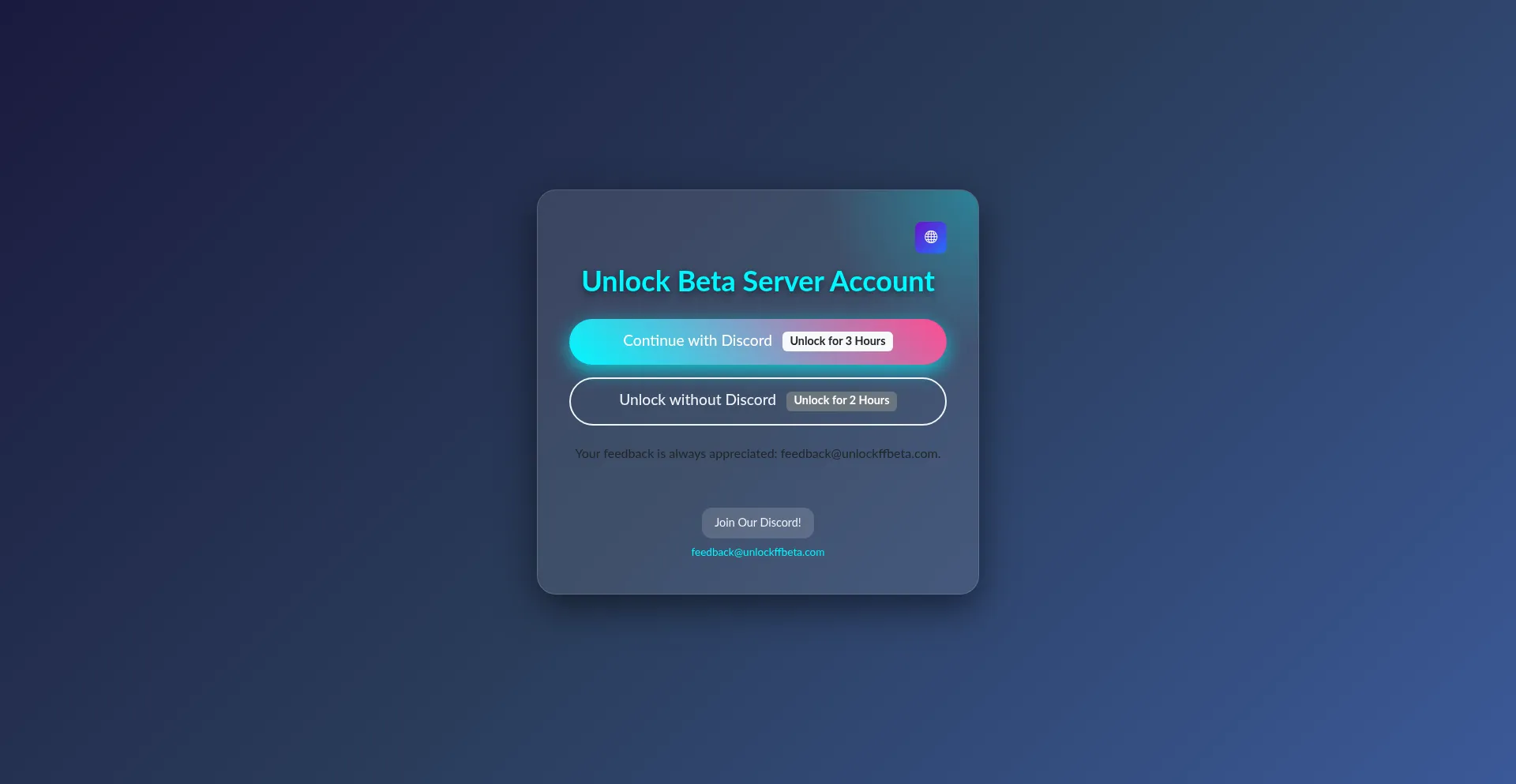
A reputation verdict is a point-in-time safety signal, not proof that every visitor received the same page or file. The practical conclusion is still clear: do not use this domain for credentials, recovery codes, payment data, or software downloads. Recheck the live report if the site changes because domains and redirect chains can change behavior over time.
Why does UnlockFFBeta show pop-ups or repeated verification stages?
A multi-stage “verification” flow can monetize each click by opening advertising pages or redirects. It may also pressure the visitor to keep trying because every closed pop-up appears to move the account closer to being unlocked. Repetition is not evidence that verification is working.
Stop when a flow asks you to disable browser protection, allow notifications, install an APK, complete a survey, join an unknown Telegram or Discord channel, enter an OTP, or sign in outside an official Garena or identity-provider page. Do not use a VPN simply to bypass a security block or make an unofficial verification page load.
What to do if you only visited the website
- Close the page using the browser controls. Do not press another Continue, Allow, Download, or verification button inside the page.
- Check browser downloads. Delete an unexpected APK without opening it.
- Remove notification permission. In Chrome, open Settings → Site settings → Notifications and remove the suspicious domain if you allowed it.
- Clear the site’s stored data. Remove its cookies and site data if it keeps returning or remembering a verification stage.
- Keep Chrome and Android updated. A current browser reduces exploit risk, although most flows rely on clicks and permissions rather than a silent infection.
Simply loading a page is usually lower risk than downloading or running a file. The guide to malware risk after visiting a website explains when a page view becomes a real cleanup problem.
What if you entered only your Free Fire ID?
A Free Fire player ID is not the same as an account password or one-time code. Entering only the ID does not automatically give someone control of the account. However, it can confirm that the account exists and may be combined with a display name, social profile, fake support message, or later recovery scam.
- Do not provide any password, OTP, recovery email, backup code, or payment receipt afterward.
- Ignore direct messages claiming that one final verification step is required.
- Review Free Fire login history and linked accounts for changes you did not make.
- Keep screenshots and the URL if you need to report a fraudulent contact, but do not share private recovery information publicly.
What if you entered a password or verification code?
Treat a password, OTP, backup code, recovery email code, or identity-provider sign-in entered on an unofficial page as exposed. Secure the account from a different trusted phone or computer; using the same device is unsafe if an APK was installed.
- Secure the identity provider first. Free Fire accounts may be linked to Google, Facebook, Apple, VK, or another platform. Change that account’s password and review its active sessions.
- Remove unknown sessions and recovery methods. Check recovery email, phone, trusted devices, connected apps, and recent security activity.
- Enable or refresh two-step verification. Replace backup codes if the old ones may have been exposed.
- Review Free Fire login history. Garena says unknown devices on the Login History page can indicate a stolen account.
- Bind a recovery email if you still control the account. Use only the official game client and official Garena support instructions.
- Use official recovery if access changed. Do not pay a person in chat who promises to unlock or recover the account.
Account thieves often exploit the panic after a lockout. The gaming account recovery scam guide explains why unofficial recovery helpers are a second-stage risk.
If you downloaded the UnlockFFBeta APK
If the file is still only in Downloads and was never opened, do not install it to “see what it does.” Delete it, then open the Play Store → profile icon → Play Protect → Scan. Keep Scan apps with Play Protect and Improve harmful app detection enabled so Android can check apps from outside Google Play.
Do not rely on the filename, icon, advertised version, file size, or a comment saying it worked. An APK can be repackaged while keeping the same visible name. Do not disable Play Protect or allow a browser/file manager to install unknown apps merely to bypass a warning.
A similar app-store-style funnel can present many unrelated listings without proving who signed the final package. The Appsolo.xyz safety guide separates a page visit, an unopened APK, an installed app, and granted special access so the response matches what actually happened.
How to remove an installed UnlockFFBeta APK
Menu names vary by Android version and phone manufacturer. Work through the access checks before uninstalling because an app with device-administrator or Accessibility control may resist removal.
- Disconnect from sensitive activity. Stop using banking, email, password-manager, social, and game accounts on the phone until cleanup is complete.
- Review Accessibility services. Open Settings → Accessibility → Installed apps/services and disable access for the unknown app.
- Remove device-administrator access. Search Settings for “device admin apps” and deactivate the suspicious entry.
- Revoke special access. Check Display over other apps, Notification access, Install unknown apps, VPN, Usage access, and default SMS/browser roles.
- Force stop and uninstall. Open Settings → Apps → See all apps, select the recently installed app, then Force stop and Uninstall.
- Run Google Play Protect. Scan the phone and remove anything it flags. Install Android security and Google Play system updates.
- Restart and check again. Confirm that the app and its Accessibility, device-admin, notification, overlay, VPN, and unknown-source permissions did not return.
If the app cannot be removed, permissions reappear, the screen is controlled remotely, or account alerts continue, back up only irreplaceable personal files and consider a factory reset using the phone manufacturer’s instructions. Do not restore the suspicious APK or every old setting automatically. The Android spyware removal guide provides a more detailed permission-revocation and reset decision flow.
How to confirm the phone and account are safer
- Play Protect completes a scan without a harmful-app warning.
- No unfamiliar app has Accessibility, device-admin, overlay, notification, VPN, or install-unknown-apps permission.
- The suspicious app does not return after a restart.
- Unknown Free Fire and identity-provider sessions have been removed.
- Recovery email, phone, linked accounts, and two-step verification still belong to you.
- No unexpected login, password-reset, purchase, or direct-message activity appears during follow-up monitoring.
A clean Play Protect result cannot reverse a stolen password, invalidate every stolen session automatically, or prove that no data was exposed. Complete the account steps separately whenever credentials or codes were entered.
The safe way to access Free Fire Advance Server
- Navigate directly to
ff-advance.ff.garena.com; do not use a download link from a social-media comment or APK portal. - Sign in through the official Facebook or Google option shown by Garena.
- Register during the open period and wait for an activation code.
- Download the Advance Server APK only through the official Garena page when it is available.
- Do not buy an activation code or use a generator, unlocker, mod, or third-party verification service.
Limited access is part of the official process. A promise to remove the limit is a reason to slow down, not a reason to disable security controls.
FAQ
Is UnlockFFBeta a virus?
The name alone is not a file verdict. The website is currently classified by Gridinsoft as suspicious, and unofficial APKs using the name should not be trusted without analysis of the exact file. Do not install one through a verification or advertising redirect.
Can UnlockFFBeta unlock Free Fire without an activation code?
Garena’s official Advance Server says activation codes are limited and required. A third-party claim that it can bypass this process is not an official guarantee and can expose the player to account, advertising, APK, or ban risk.
Can someone steal my account with only my Free Fire ID?
A player ID alone is not a password or OTP, so the immediate takeover risk is lower. It can still support targeted phishing or fake recovery messages. Do not provide any additional login or recovery information.
What if the APK asks me to disable Play Protect?
Stop and delete it. An instruction to weaken Android security so an unofficial game-related APK can run is a strong warning sign. Do not turn protection off to complete the installation.
Should I change my password if I only visited the website?
Usually not if you only viewed the page, entered nothing, allowed no permission, and downloaded nothing. Change credentials when you typed them into the page, approved an unexpected sign-in, or installed an APK that could observe account activity.
References
- Garena. “Free Fire Advance Server Registration and FAQ.” Garena Free Fire, accessed July 16, 2026. https://ff-advance.ff.garena.com/
- Garena. “Account Protection — How To Protect Your Account.” Garena Free Fire Support, updated February 2026; accessed July 16, 2026. https://ffsupport.garena.com/hc/en-us/articles/8959458809370-Account-Protection-How-To-Protect-Your-Account
- Google. “Use Google Play Protect to Help Keep Your Apps Safe and Your Data Private.” Google Play Help, accessed July 16, 2026. https://support.google.com/googleplay/answer/2812853?hl=en