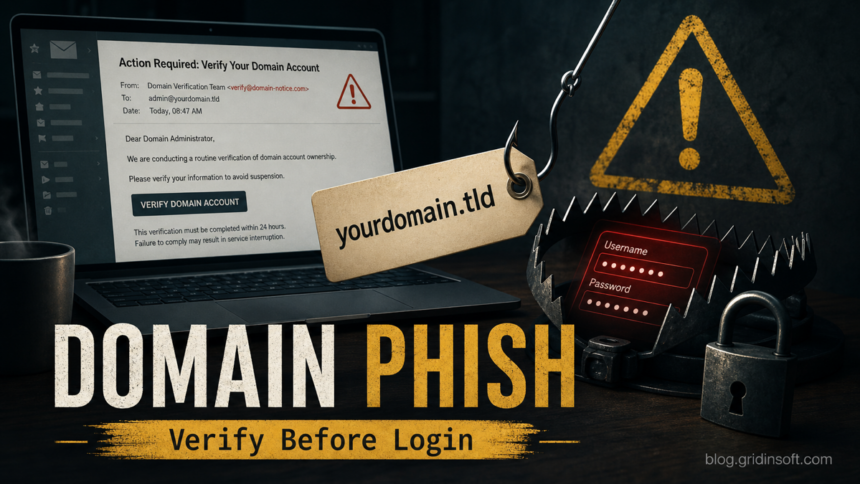
The “Authenticate Your Domain Account” email is a registrar-themed phishing scam, not a safe ICANN or domain-provider notice. It says the email address listed for a registered domain must be verified within a short deadline, often three days, or the “domain account” may be suspended. Do not use the Verify Email Address button in the message. Open your real registrar or hosting dashboard from a saved bookmark or typed address and check for notices there.
The main risk is credential theft. The fake page described in this campaign uses a third-party domain such as steppe[.]mk.ua and asks for the mailbox address and current password. If you entered a password, change it from the real mail provider immediately, sign out other sessions, enable MFA, and review mailbox forwarding rules before checking registrar, hosting, billing, CMS, and DNS access.
What Is the Authenticate Your Domain Account Email Scam?
This scam pretends to be a “Registrar Team” notification. It borrows real-sounding domain language: ICANN rules, contact verification, registrant data, and domain suspension. Those ideas are plausible because registrars can legitimately ask domain owners to validate contact information, and ICANN explains that registrars may suspend or delete domains when required contact details are not verified in time [2].
The phishing part is the delivery and destination. A real registrar notice should point you back to the registrar’s own authenticated dashboard or support flow. This lure sends the recipient through an unexpected email button to an unrelated login page, then asks for the email password. ICANN also warns that phishing emails often imitate familiar wording, create urgency, and ask for personal information or passwords; ICANN says it does not process domain registrations or collect fees from registrants directly [1].
What the Fake Email Looks Like
The exact template can change, but the recognizable pattern is the same: a generic registrar sender, a compliance deadline, an ICANN reference, and a button that leads away from your real registrar. These are illustrative mockups of the lure opened in a generic mail client.
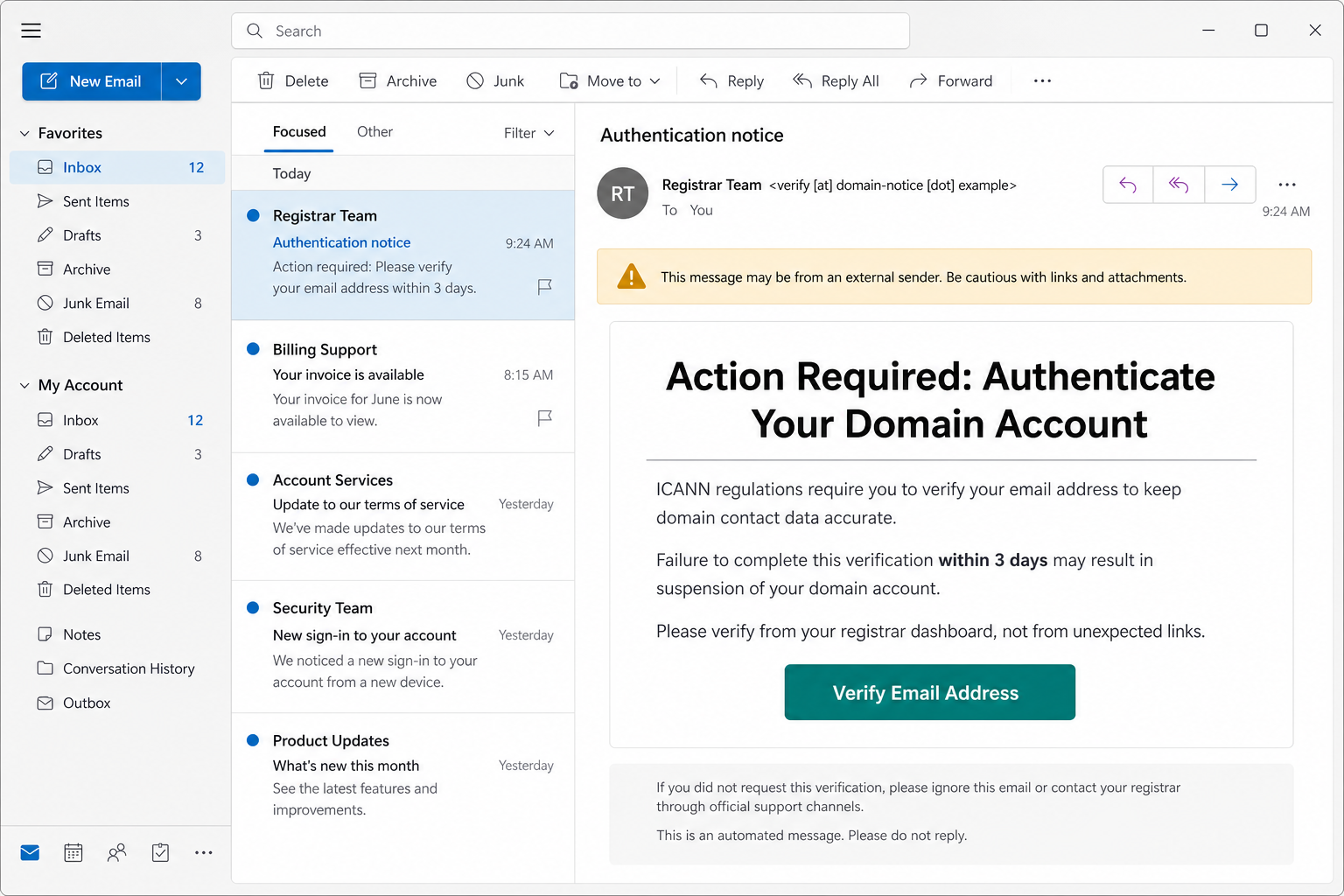
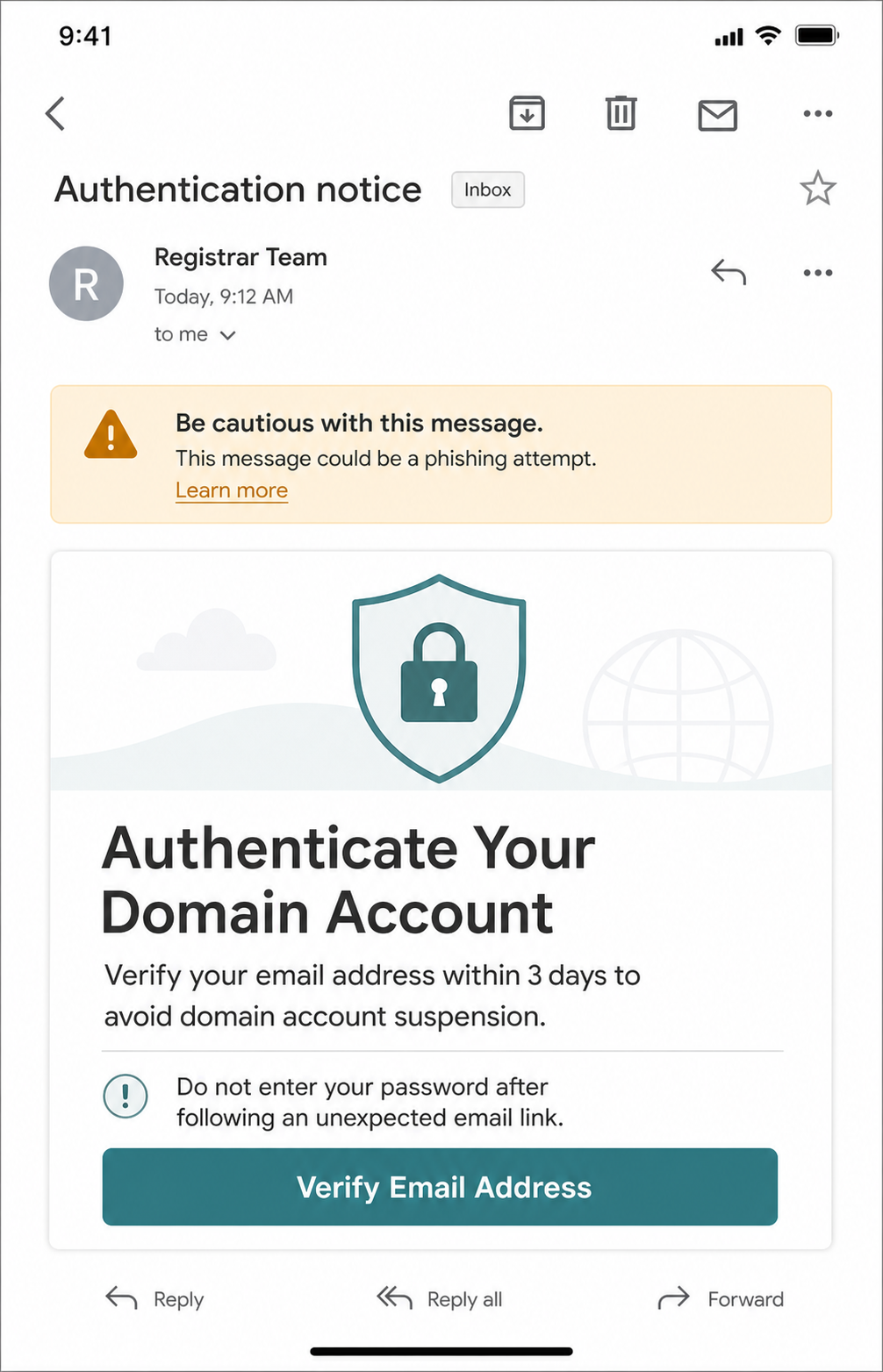
Subject: Authentication notice
From: Registrar Team <verify [at] domain-notice [dot] example>
Action Required: Authenticate Your Domain Account
IMPORTANT: ICANN regulations require you to verify your email address to ensure the accuracy of domain registration data. Failure to complete this verification within 3 days will result in the suspension of your domain account.
You are receiving this message because your email address is listed as the contact for a registered domain. Please click the button below to verify your email address.
[Verify Email Address]Sincerely,
Registrar Team
Red Flags in the Registrar Phishing Email
- Generic sender. “Registrar Team” does not name your actual registrar, account number, domain list, or support ticket.
- Urgent suspension pressure. A three-day deadline is meant to make you click before checking the real dashboard.
- Unrelated login domain. A fake page such as
steppe[.]mk.uais not your registrar, ICANN, or your mail provider. - Password request after an email link. Do not enter a mailbox, registrar, hosting, or DNS password on a page reached from an unexpected message.
- Mixed account language. “Domain account,” “email address verification,” and “password maintenance” are blended together to justify a credential form.
How to Verify a Real Domain Contact Notice
- Do not click the email button. Leave the message open only long enough to copy the subject, sender, and visible destination if you need to report it.
- Open the registrar manually. Type the registrar’s address yourself, use a password manager, or use a saved bookmark. Do the same for your hosting provider if the domain is bundled with hosting.
- Check the domain list and notices inside the account. Look for pending contact verification, WHOIS accuracy, transfer, billing, or abuse notices in the real dashboard.
- Compare the exact domain and contact email. A legitimate notice should relate to domains you actually control and should not require a password on a third-party page.
- Contact support from the real site. If a domain is close to suspension, open a support ticket from the authenticated portal or call the official support number listed on the registrar’s website.
If you are evaluating the message structure rather than this exact lure, use our broader phishing email red flags checklist. If the message is about mailbox quota, Webmail, Roundcube, or cPanel rather than domain registration, compare it with our cPanel email quota phishing checklist.
What to Do If You Clicked the Link
If you opened the page but did not type anything, close it, clear that tab, and do not approve browser notifications or downloads. The higher-risk moment is entering credentials, approving a one-time code, downloading a file, or installing an extension.
| You only opened the email | Report it as phishing, delete it, and warn the domain owner or IT team if the message targets a business domain. |
| You clicked but did not type | Close the page, do not use saved credentials there, and verify the domain account through the real registrar dashboard. |
| You entered a password or code | Change the password from the real mail provider, sign out other sessions, enable MFA, and check recovery options, filters, forwarding, and recent logins. |
| You reused that password elsewhere | Change registrar, hosting, DNS, billing, CMS, FTP/SFTP, and cloud passwords that shared the same secret. |
| You downloaded a file or installed an extension | Remove it, review browser extensions and startup items, then scan the computer before using domain or mailbox accounts again. |
If You Entered Your Email or Registrar Password
- Use a clean path to the real service. Open the mail provider or registrar manually, not from the phishing email.
- Change the exposed password. If the mailbox password was stolen, prioritize the mailbox first because it can reset other accounts.
- Revoke sessions and app passwords. Sign out unknown sessions, remove unfamiliar OAuth apps, and disable app passwords you did not create.
- Review mailbox rules. Attackers often add forwarding, filters, hidden labels, or reply rules to intercept invoices, password resets, and registrar messages.
- Check registrar and DNS changes. Review domain contacts, nameservers, DNS records, transfer locks, two-factor settings, payment methods, and account users.
- Warn affected admins. If the domain belongs to a company, notify the domain owner, web admin, billing contact, and security contact through a known-good channel.
For a step-by-step branch based on what you clicked or typed, use our guide on what to do after clicking a phishing link. If the email led to a file, extension, support tool, or browser prompt, a malware check is also reasonable before logging back into registrar or hosting accounts. A Gridinsoft Anti-Malware scan can look for suspicious downloads, browser changes, startup entries, and other persistence that a password reset alone would not remove.
If the page or email made you download an invoice, coupon, tracking app, browser extension, or support tool, scan the PC before opening it again or logging into sensitive accounts.
Scan this deviceWhy Domain Owners Should Treat This Seriously
A mailbox used for domain registration is often a recovery key for the website. If attackers control it, they may reset registrar access, approve domain transfers, change DNS, intercept hosting bills, or target WordPress and cloud accounts tied to the same address. That does not mean every recipient is compromised, but it means password reuse and weak mailbox MFA can turn a single phish into a website-control incident.
Domain owners should keep registrar, hosting, DNS, CMS, and mailbox credentials separate. Use MFA on the registrar and mailbox, turn on a registrar lock or transfer lock where available, and keep recovery addresses current. For domain-level sender protection, review SPF, DKIM, and DMARC alignment with our email spoofing prevention guide.
How to Report and Block the Scam
- Report the message through your mail provider’s phishing/report-spam control.
- Forward suspicious ICANN-like messages to the reporting address listed on ICANN’s phishing guidance page [1].
- Send the phishing page URL to the registrar or hosting provider responsible for the abused domain.
- Block the sender after reporting, but do not rely on sender blocking alone; these campaigns rotate domains and display names.
- For repeated business targeting, ask the mail admin to search for the subject and destination domain across the organization.
You can also paste the sender, subject, and message body into Gridinsoft Email Scam Checker before clicking. For suspicious pages reached from an email, check the domain with the Gridinsoft Website Reputation Checker and avoid entering passwords until the real provider confirms the notice.
FAQ
Is the “Authenticate Your Domain Account” email real?
Treat it as phishing unless the same notice appears after you open your real registrar account manually. The email button is not a safe way to verify a domain contact or mailbox password.
Can ICANN ask me to verify domain contact information?
ICANN policies can require registrars to validate contact information, and registrars may contact domain owners. The safe route is still the registrar’s own website or support portal, not a password form on an unrelated domain reached from email.
What if I only entered my email address?
An email address alone is less severe than a password, but it can confirm that your address is active and tied to a domain. Watch for follow-up phishing, and do not continue if the page asks for a password or one-time code.
What if I entered my password?
Change it immediately from the real mail provider or registrar, sign out other sessions, enable MFA, review forwarding rules and recovery options, and change any reused passwords for hosting, DNS, CMS, FTP, billing, or cloud accounts.
Should I scan my computer?
Scan if you downloaded a file, installed an extension, allowed notifications, ran a support tool, or saw browser changes after clicking. If you only opened the email and did not interact with the page, credential and reporting steps are usually the priority.
References
- ICANN. “How to report a suspicious ICANN email or website.” ICANN, accessed June 25, 2026. https://www.icann.org/resources/pages/phishing-2013-05-03-en
- ICANN. “Why do registrars have to verify my contact information?” ICANN, accessed June 25, 2026. https://www.icann.org/resources/pages/contact-verification-2013-05-03-en